Pause and resume all maintenance
You can pause all maintenance at once, for example during a busy period or an incident. When you are ready, you resume it with one click.
Prerequisites
- Your role includes
maintenance:manage.
Choose a pause mode
| Mode | New runs | Runs that are working now |
|---|---|---|
graceful | Blocked | Finish normally. |
emergency | Blocked | Stopped right away, the same as Stop run. This cannot be undone. |
Use graceful in most cases. Use emergency only when maintenance must stop at once, for example when it slows down the Lakehouse during an incident.
Pause maintenance
- Select Janitor → Settings in the sidebar.
- Select Pause maintenance in the top right corner.
- Type
gracefuloremergency. - Select Confirm.
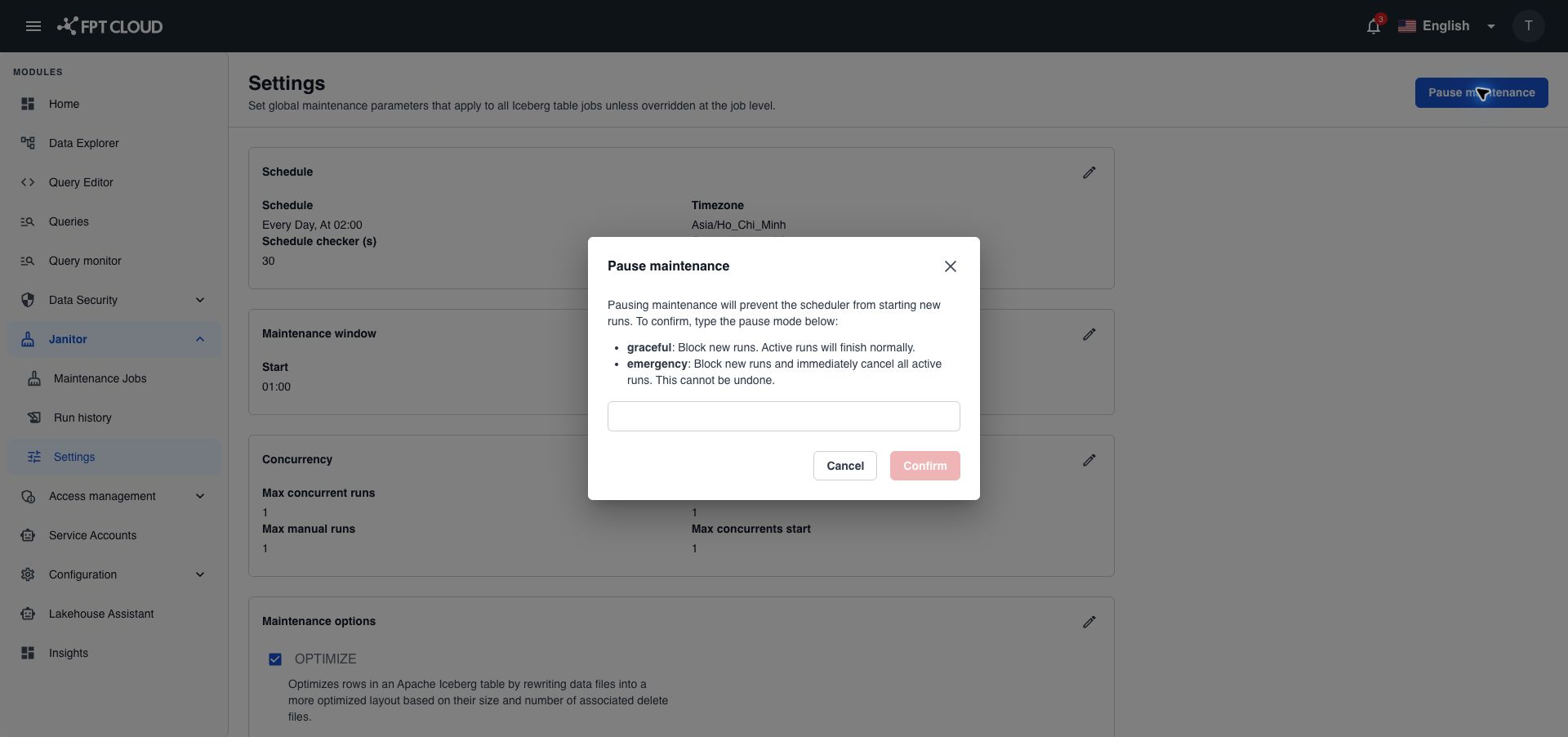
Confirm stays disabled until you type one of the two modes. After the pause, the button changes to Resume maintenance.
What works during a pause
The table below shows which actions still work during a pause.
| Action | During a pause |
|---|---|
| Scheduled runs | Do not start. |
| Run | Rejected with Maintenance is globally paused. |
| Dry run, Reset state, Stop run | Work as usual. |
| Viewing jobs and runs, editing jobs and settings | Work as usual. |
Resume maintenance
- Select Janitor → Settings in the sidebar.
- Select Resume maintenance.
There is no confirmation. The button changes back to Pause maintenance.
Jobs run again at their next scheduled time. Janitor does not rerun the runs it missed during the pause, or the runs that an emergency pause stopped. To catch up, open the job and select Run. See Run a job now.