Cancel a running query
Cancel a query when it runs longer than expected or you started the wrong one. Cancelling frees resources that other users of the Lakehouse share.
Prerequisites
- A query you started is still running. You can only cancel your own queries.
Cancel the query
While a query runs, the result panel shows Running query with a progress bar, the percentage done, and Run time.
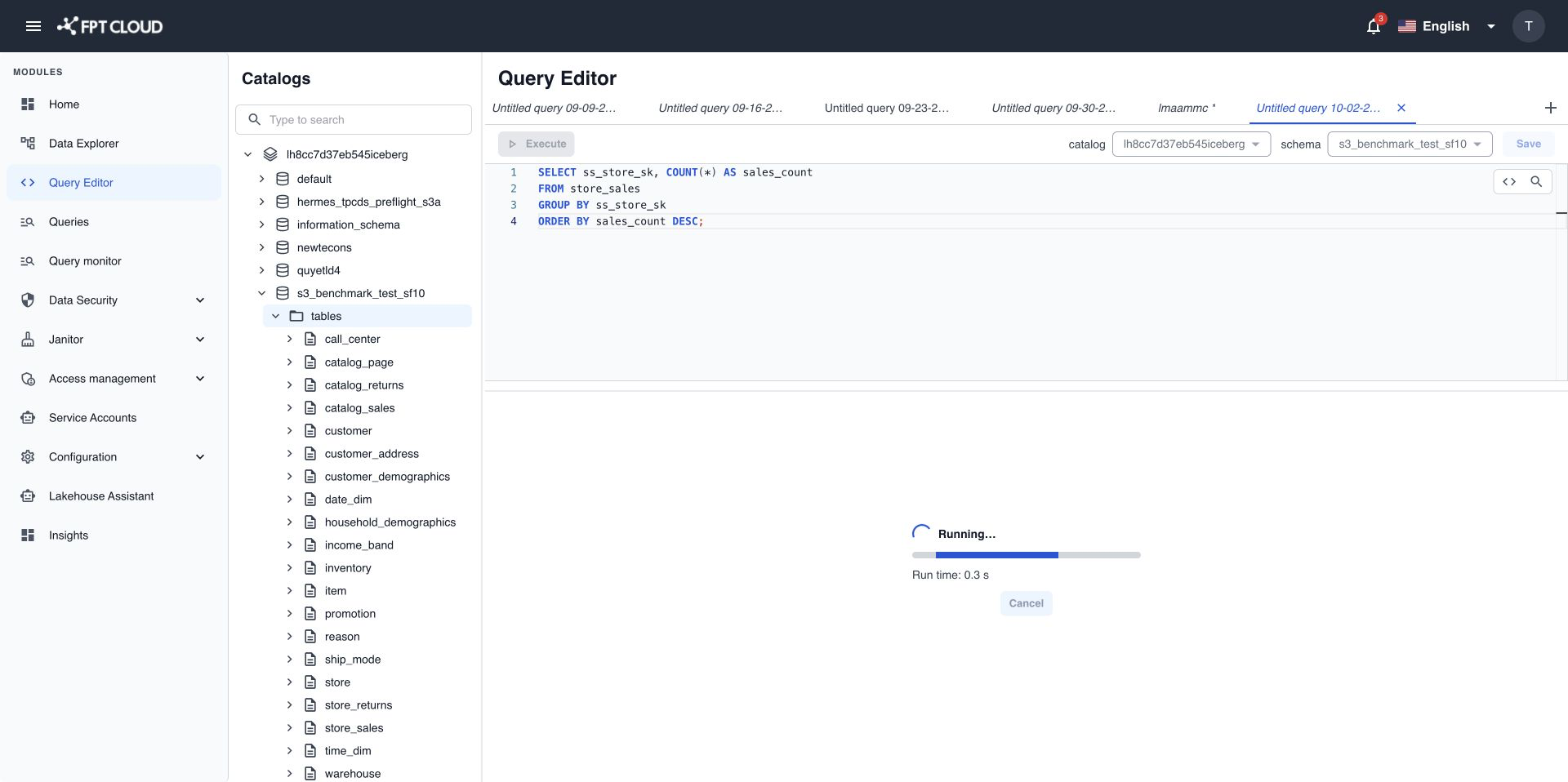
- Select Cancel in the result panel.
Query Editor stops the query, usually within two seconds. The result panel shows Query cancelled. and Execute becomes available again.
If the cancel fails
If you see Unable to cancel query., the result panel keeps the latest real status of the query.
- If the query has already finished, the result appears as usual. There is nothing to cancel.
- If the query is still running, select Cancel again.
note
A query keeps running when you switch to another tab. Come back to its tab to see the progress or cancel it.
Next steps
- Query Editor limits and error messages for the maximum run time.