Query Editor overview
Query Editor is where you write and run SQL on your Lakehouse data in the Lakehouse Portal. You can check results, fix errors, and export data without leaving the browser.
Screen layout
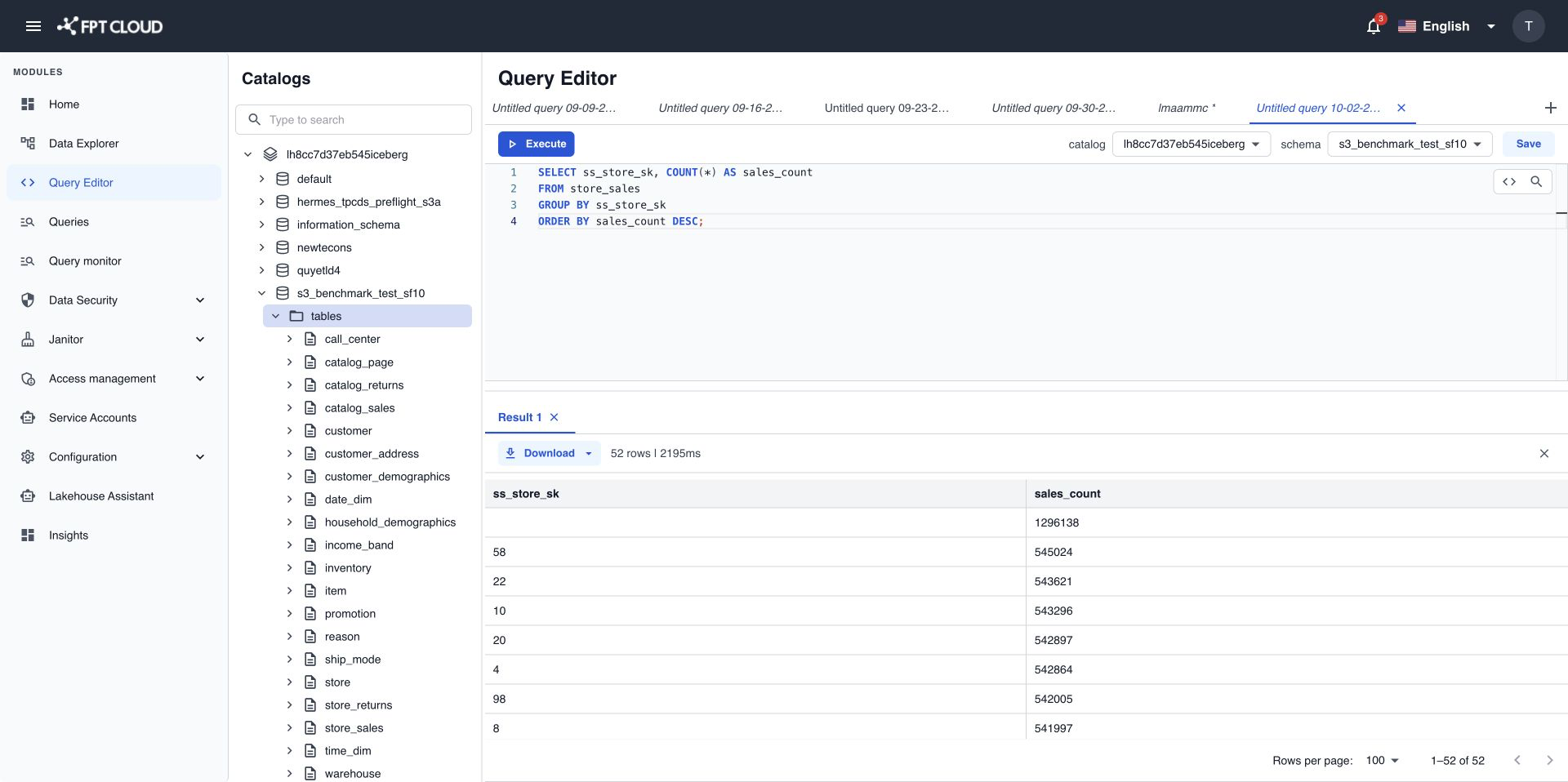
- The tab bar holds up to 10 query tabs. Each tab keeps its own SQL.
- The toolbar runs the query, sets the default catalog and schema, and saves the tab.
- The catalog tree lists the catalogs, schemas, tables, and views you have access to.
- The SQL editor shows line numbers, syntax colors, and auto-complete suggestions.
- The result panel shows one Result tab per statement you run, with the row count and run time.
Resize panels
Drag the border between panels to change their size.
What you can do
| Task | Where |
|---|---|
| Write SQL and run one or more statements. | Write and run a SQL query |
| Get suggestions, format SQL, and find text. | Use auto-complete, formatting, and search |
| Stop a query that runs too long. | Cancel a running query |
| Export results to CSV or JSON. | Download query results |
| Open several queries and save them. | Work with query tabs |
| Check limits and error messages. | Query Editor limits and error messages |
Who can use Query Editor
You need a role that lets you run queries or save queries. Your Admin assigns roles in Access management. Without either permission, Query Editor shows You don't have permission to access Query Editor.
Your data access is a separate check. Lakehouse applies the access rules set in Data Security to every query, so two people can get different results from the same SQL.
note
If a query returns You do not have permission to access this data., ask your Admin to grant you access in Data Security.
Next steps
- Run your first query.
- Data Explorer overview to find a table before you query it.