Run your first query
In this tutorial you write a query on the sample sales data, run it, and read the result. It takes about five minutes and only reads data.
Prerequisites
- You can log in to the Lakehouse Portal. See Lakehouse Quick Start.
- Your role lets you run queries. Your Admin assigns roles in Access management.
- You have access to the
tpcdscatalog. Every Lakehouse includes it, but your Admin must grant you access in Data Security first.
What you'll build
By the end you will have a query that counts sales per store, a result grid with the answer, and a second result from a quick check query.
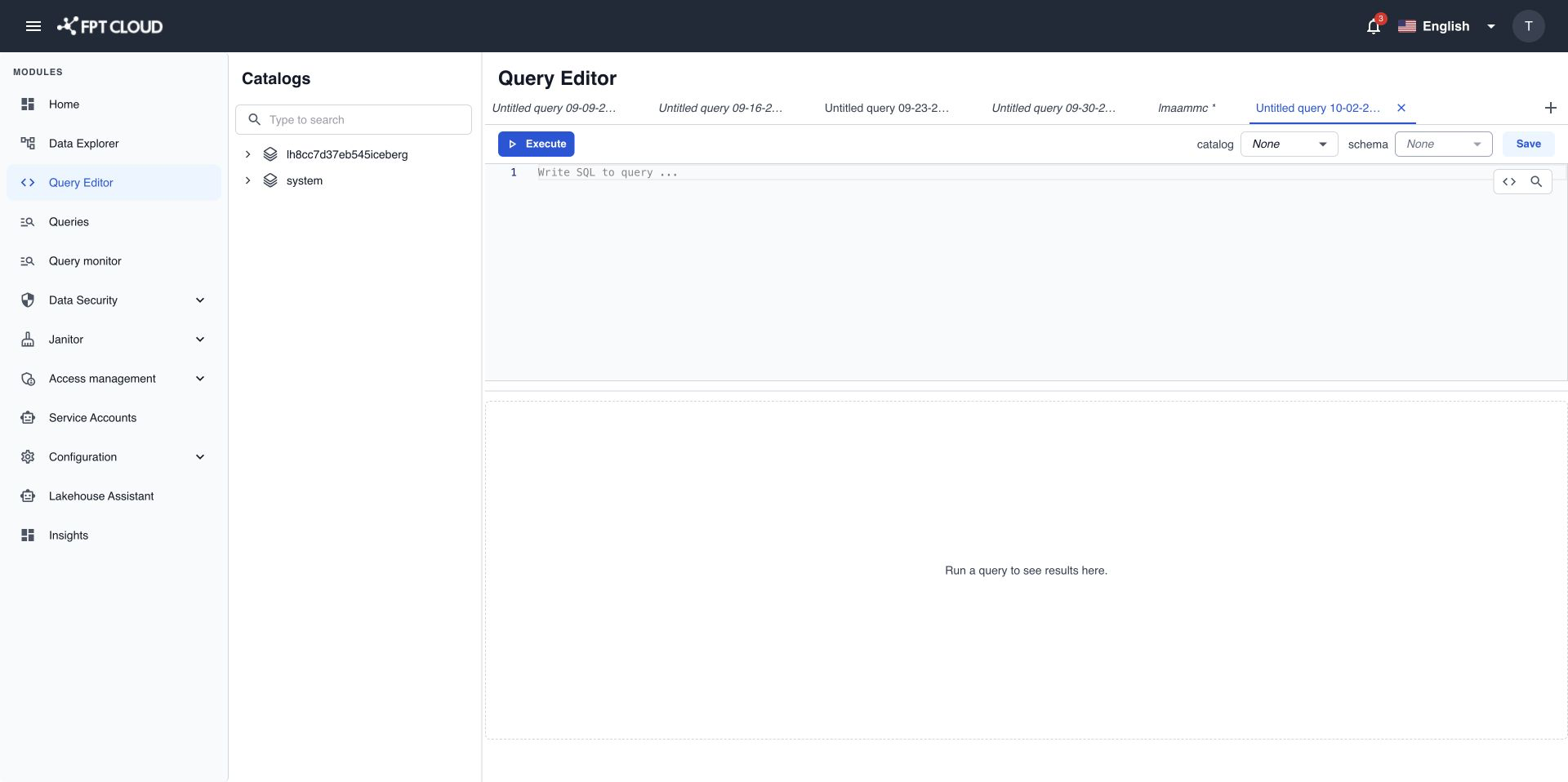
Open Query Editor
- Log in to the Lakehouse Portal.
- Select Query Editor in the navigation menu.
A new tab opens with the placeholder Write SQL to query ... in the editor.
Set the default catalog and schema
- Select
tpcdsin the catalog list on the toolbar. - Select
sf1in the schema list.
You can now write only the table name, without the catalog and schema in front of it.
Write the query with auto-complete
- Type
SELin the editor. - Press
Tabto accept the suggestionSELECT. - Complete the query as follows. After you type
FROM, pickstore_salesfrom the suggestion list.
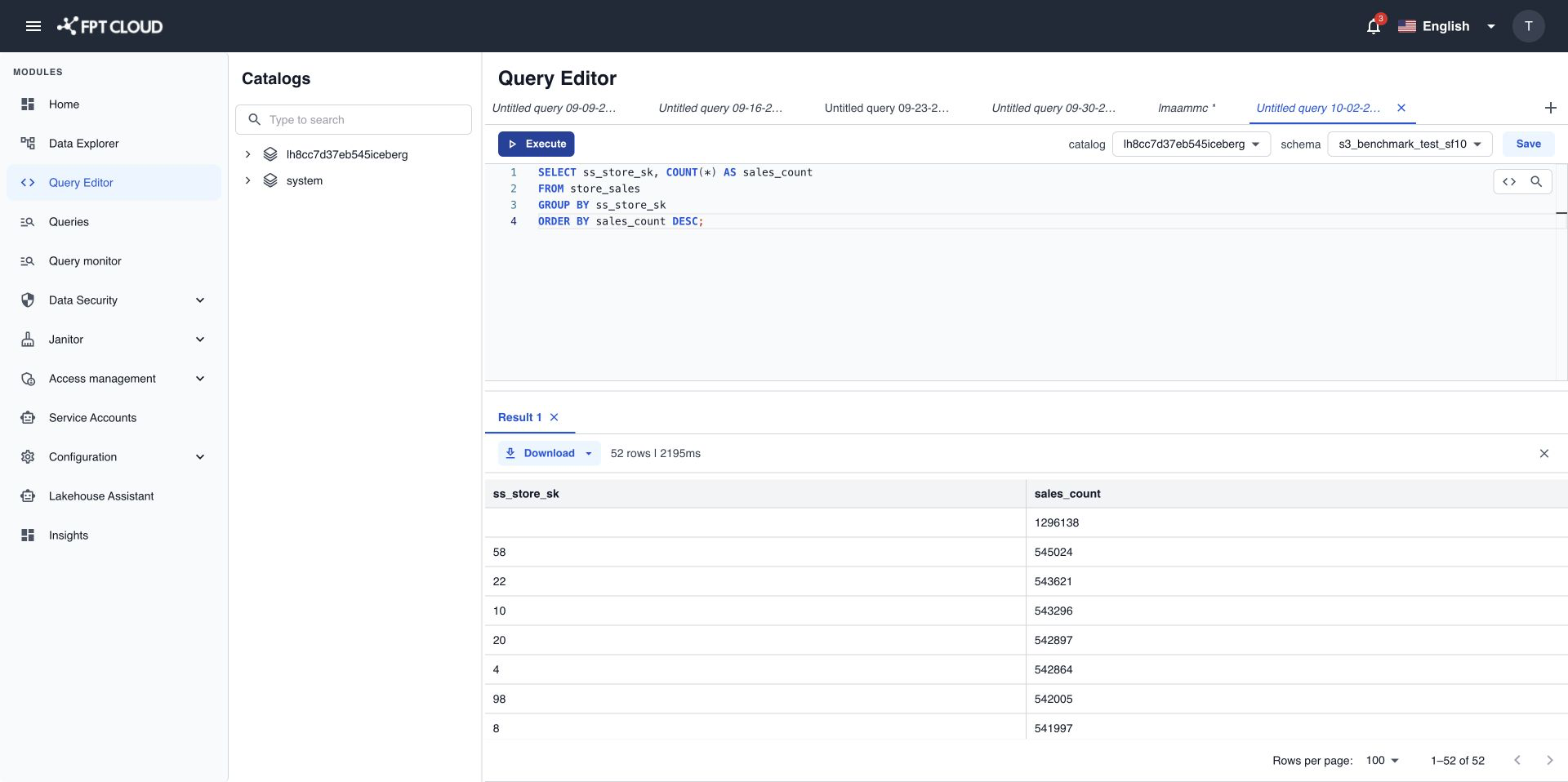
SELECT ss_store_sk, COUNT(*) AS sales_count
FROM store_sales
GROUP BY ss_store_sk
ORDER BY sales_count DESC;
Auto-complete only suggests tables and columns you have access to.
Run the query
- Click anywhere inside the query.
- Select Execute, or press
Ctrl+Enter.
The result panel shows Running query with a progress bar and a run timer. When the query finishes, the Result 1 tab shows the rows, for example 12 rows | 1.84s.
Run two statements at once
-
Add this line under the first query.
SELECT COUNT(*) FROM store_sales; -
Select both queries with your mouse.
-
Select Execute.
The result panel now shows Result 1 and Result 2, one tab for each statement.
Summary
You set a default catalog and schema, wrote a query with auto-complete, ran a single statement, and ran two statements in one go.
Next steps
- Write and run a SQL query to learn how errors and large results appear.
- Download query results to export the result to CSV or JSON.