Create a service account
Create a service account when an application, pipeline, or job needs its own credential to connect to the Lakehouse. The portal generates the password, and you see it only once.
Prerequisites
- Your role includes
service-accounts:manage. Theportal_adminrole has it. - You have a safe place to store the password, for example your team's secret manager.
Create the account
- Select Service Accounts.
- Select Create Account.
- Enter a Username, for example
sa_data_ingest. You cannot change it later. - Enter a Display Name and a Description (optional) that say which application uses the account.
- Select Create.
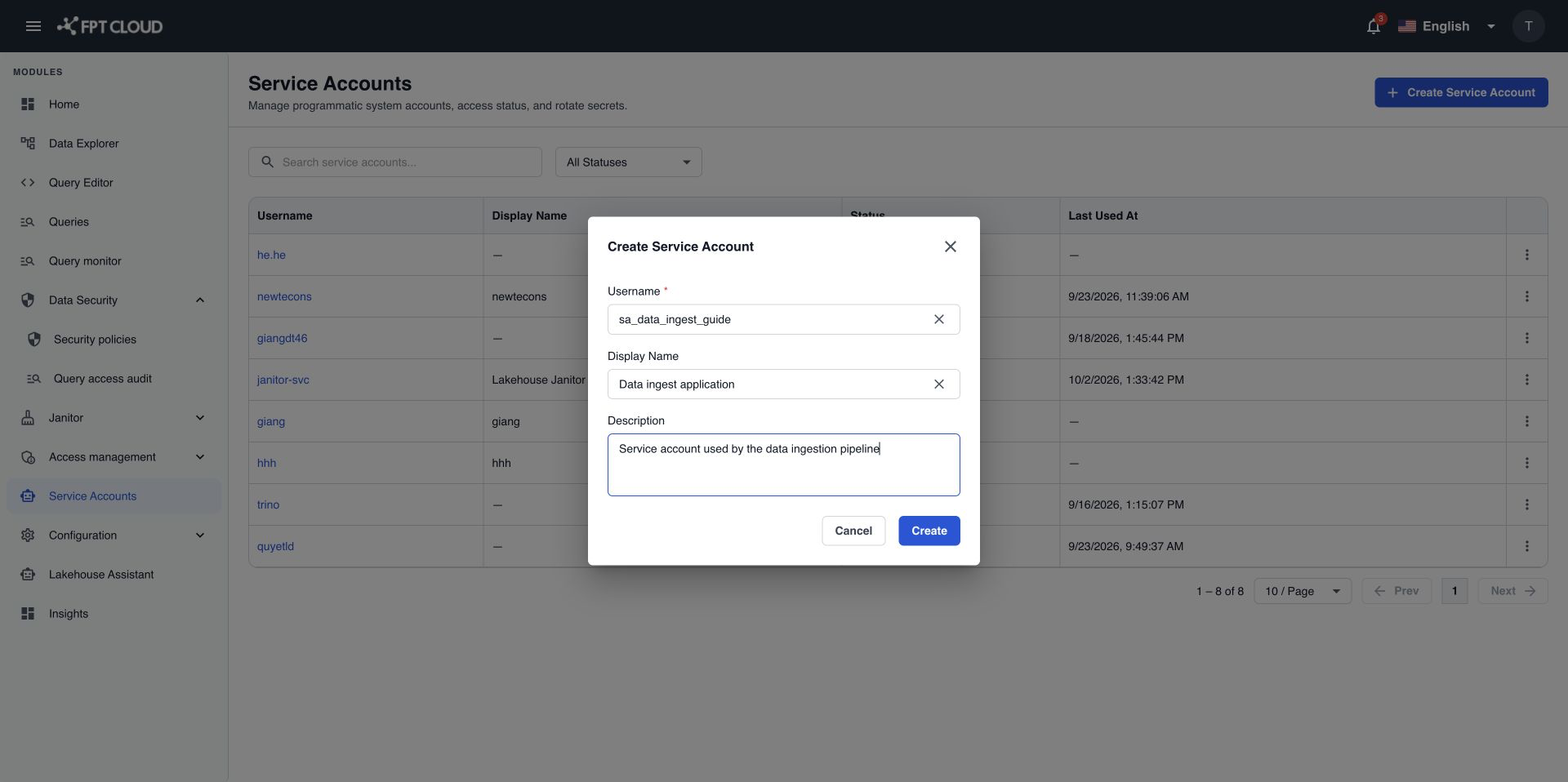
| Field | Rules |
|---|---|
| Username | Required. 2 to 63 characters. Lowercase letters, numbers, dots (.), hyphens (-), and underscores (_). Starts with a lowercase letter or a number. Must be unique. |
| Display Name | Optional. Up to 255 characters. |
| Description | Optional. Up to 255 characters. |
Copy the password
After you select Create, you see Service account '<username>' created successfully. and the Credential Generated window opens.
- Select Copy next to Password. The button shows
Copied! ✓for a moment. - Paste the password into your secret manager or your application's settings.
- Select I have copied the password.
- Select Close.
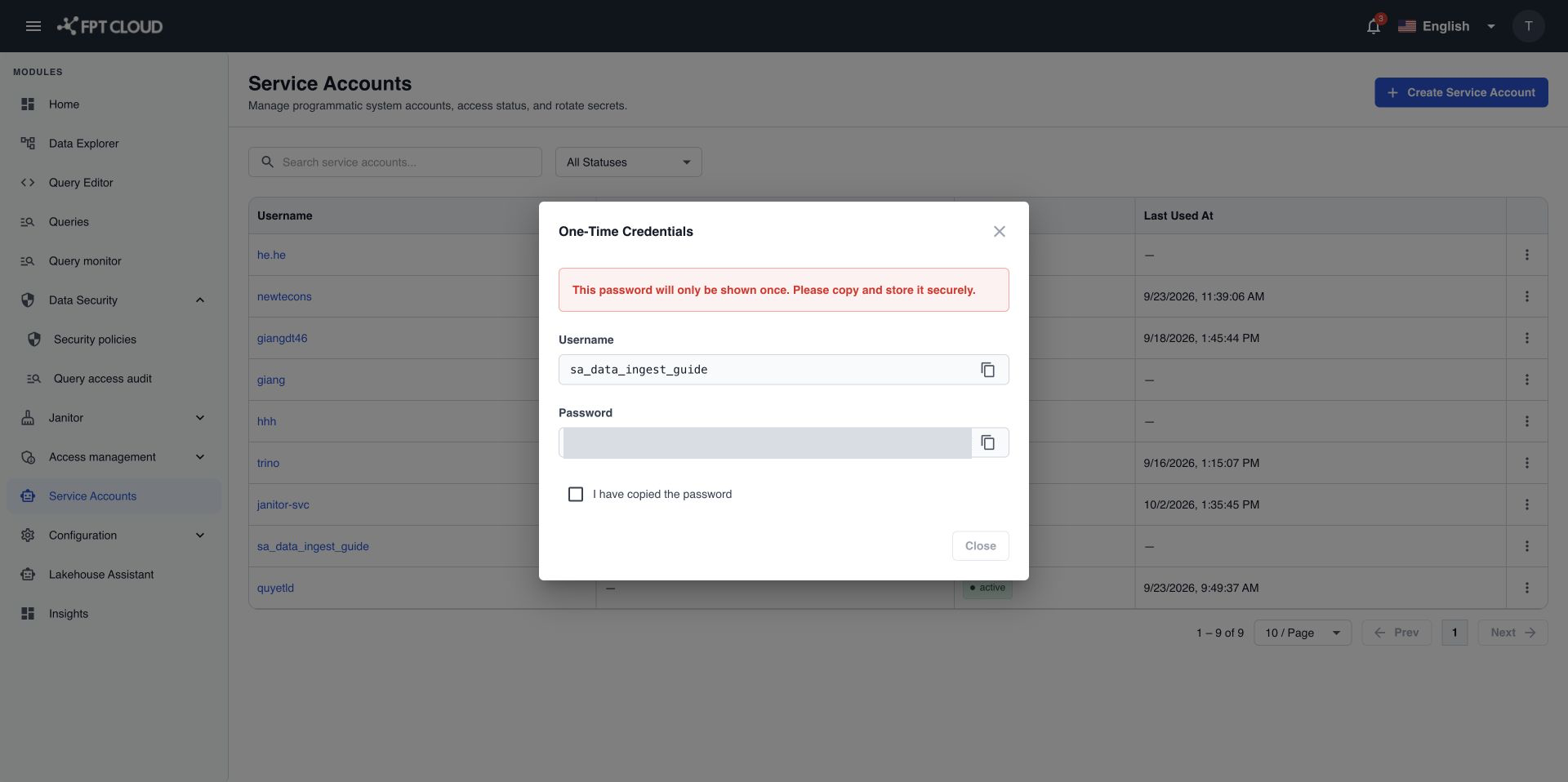
Close stays unavailable until you select the checkbox. Clicking outside the window does not close it.
warning
This is the only time you see the password. If you close the window without copying it, rotate the credential to get a new one. See Rotate a service account credential.
The new account is Active and can connect within about 1 minute. It reads no data until you add it to a policy. See Give a service account data access.
If an action fails
| Message | What it means | What to do |
|---|---|---|
Username format is invalid. Use only lowercase letters, numbers, hyphens, and underscores. | The username breaks the rules in the table above. | Change the username, then select Create again. |
Username already exists or is reserved by a system account. | Another service account or a system account uses this name. | Choose another username. |
Failed to create service account. Please try again or contact your administrator. | The account was not created. Nothing was saved. | Select Create again. If it keeps failing, contact support. |