Disable, enable, or delete a service account
Block a service account when the application that uses it is paused, retired, or compromised. You can enable a disabled account again.
| You want to | Use | Policies | Password |
|---|---|---|---|
| Pause an account for a while. | Disable | Kept, applied again on Enable. | Kept. |
| Retire an account you no longer use. | Delete | No longer applied, but kept for a later Restore. | No longer works. Restore creates a new one. |
Prerequisites
- Your role includes
service-accounts:manage. Theportal_adminrole has it.
Disable a service account
- Select Service Accounts.
- In the row of the Active account, open the ⋮ menu and select Disable.
- In Disable Service Account, select Disable.
You see '<username>' has been disabled. Assigned access is being revoked. The status changes to Disabled. Within about 1 minute, the account can no longer connect or read data.
Enable a service account
- In the row of the Disabled account, open the ⋮ menu and select Enable.
- In Enable Service Account, select Enable.
You see '<username>' has been re-enabled. The account is Active again, with the same password and the same policies.
Delete a service account
- In the row of an Active or Disabled account, open the ⋮ menu and select Delete.
- In Delete Service Account, type the username of the account.
- Select Delete.
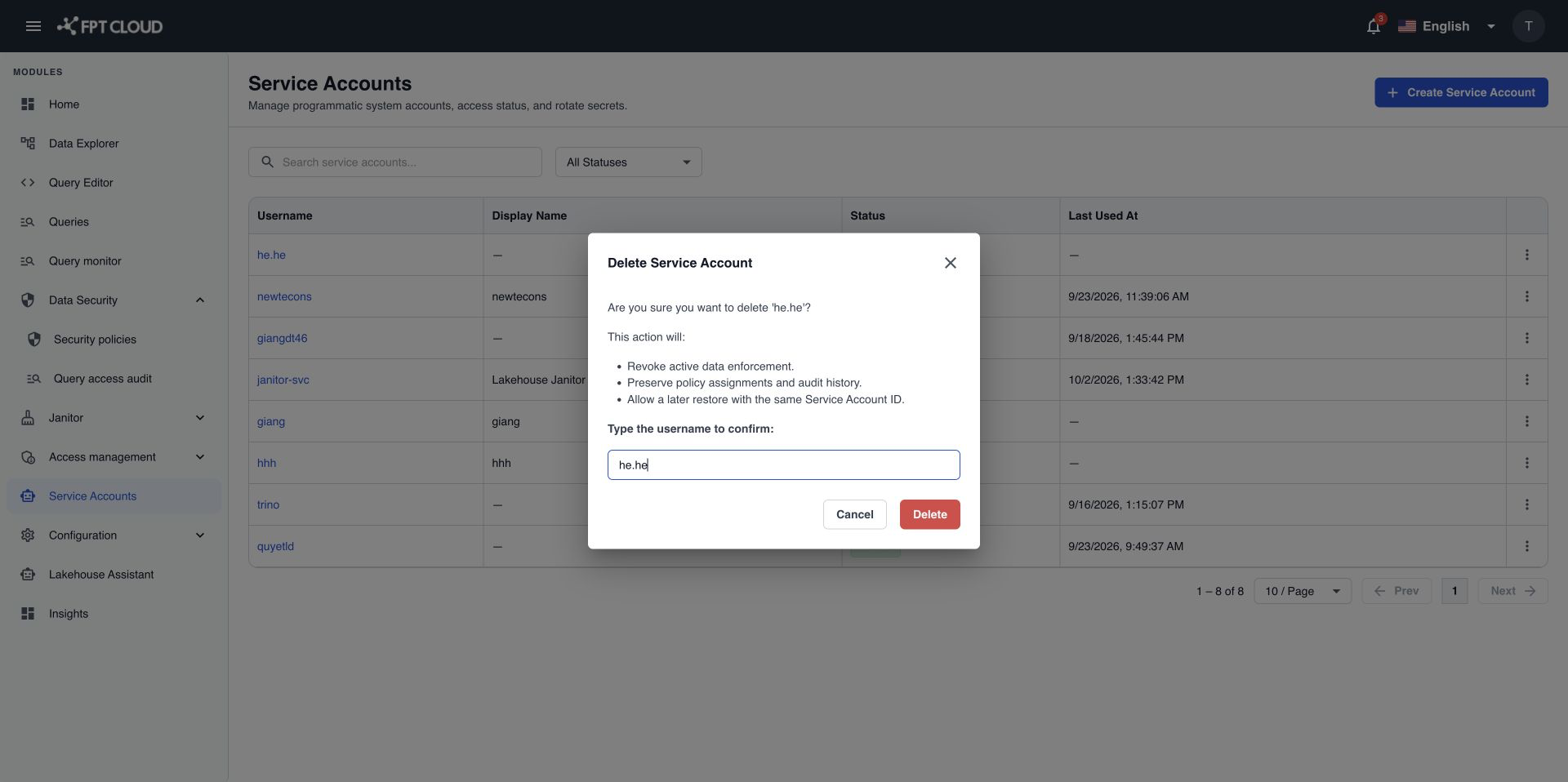
You see Service account '<username>' has been deleted. The account moves to Deleted and can no longer connect. It no longer shows in the default list. Select the Deleted status filter to see it. To use the account again, see Restore a service account.
You cannot delete a system-managed service account.
If an action fails
| Message | What it means | What to do |
|---|---|---|
Failed to update account status. Please try again. | Disable or enable did not finish. | Select the action again. |
Cannot delete a system-managed service account. | The account is used by the Lakehouse itself. | No action. You cannot delete it. |
Failed to delete service account. Please try again. | Delete did not finish. | Reload the list to check the status, then try again if the account is still there. |