Preview data from a past snapshot
A preview shows the rows of a table as they were at a past snapshot, without changing the table. Use it to see the data just before a bad write, or to prove what the data was on a given date.
Prerequisites
- Your role includes
time_machine:read. Theportal_admin,data_engineer, anddata_analystroles have it. - You can read the table in Data Security.
- The table has at least 1 snapshot. See View the snapshot timeline of a table.
Preview the data
- Open the Time Machine tab of the table.
- Choose the point in time in one of two ways:
- Select a snapshot from the timeline.
- Enter a date and time. Time Machine uses the last snapshot written at or before that time.
- Optional: enter a
SELECTstatement to pick columns or filter rows. See Write a custom SELECT. - Select Preview.
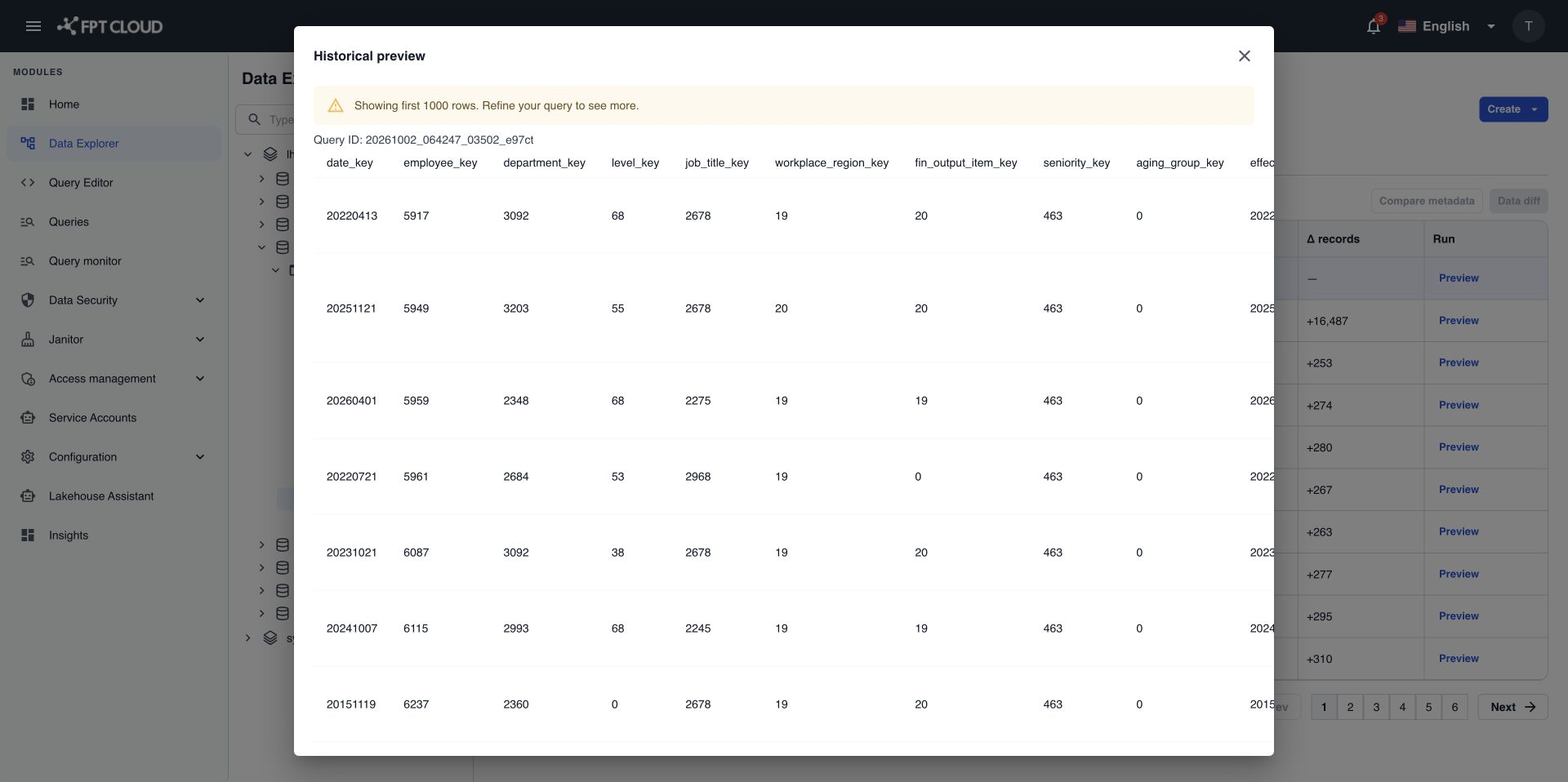
Without a SELECT, the preview shows all columns. It shows up to 1,000 rows by default. If the table has more rows, you see a message that the result was cut. This is not an error. Add a WHERE filter to see the rows you need.
Write a custom SELECT
The custom SELECT lets you choose columns and filter rows of the past snapshot. It always reads from one source called target_table, which stands for the table at the snapshot you chose.
SELECT order_id, customer_id, amount
FROM target_table
WHERE order_date = DATE '2026-09-30'
| You can use | You cannot use |
|---|---|
One SELECT statement | More than one statement |
FROM target_table | Other tables, JOIN, UNION |
A list of columns, or * | Subqueries, WITH (CTE) |
A WHERE filter | GROUP BY, COUNT, SUM, and other aggregates |
Window functions, ORDER BY, LIMIT, OFFSET | |
Functions that give a new value on each run, such as rand(), uuid(), current_timestamp | |
INSERT, UPDATE, DELETE, or any write |
These rules make sure the same SELECT gives the same result every time, so you can reuse it to compare data. To run any other SQL, use Query Editor.
If the statement breaks a rule, the error shows next to the SELECT box. Fix the statement and select Preview again.
If something goes wrong
| Situation | What it means | What to do |
|---|---|---|
| The query is not allowed | The SELECT breaks one of the rules above. | Rewrite it with the allowed parts only. |
| No snapshot found | The date and time is before the first snapshot of the table, or the snapshot ID does not exist. | Pick a later time, or select a snapshot from the timeline. |
| Access denied | Your role or your data access does not allow it. | Ask your administrator for time_machine:read or for access to the table. |
| The request timed out | The preview took longer than the time limit, 5 minutes by default. | Add a WHERE filter or pick fewer columns. |