Run a dbt project with Airflow
Run your dbt project as an Airflow DAG in your Orchestration service. Upload the project and a DAG that runs dbt to the storage, then run the DAG from the Airflow UI.
Prerequisites
- An Orchestration service with S3 storage mounted. See Create an Orchestration service.
- A dbt project.
- A tool that uploads files to the S3 storage, for example an S3 client. You can also upload the files with My Workspace.
Upload the dbt project
-
Select Data platform → Workspace management, then select your workspace.
-
On the Overview tab, under Services, select Orchestration.
-
Select the Services Configuration tab.
-
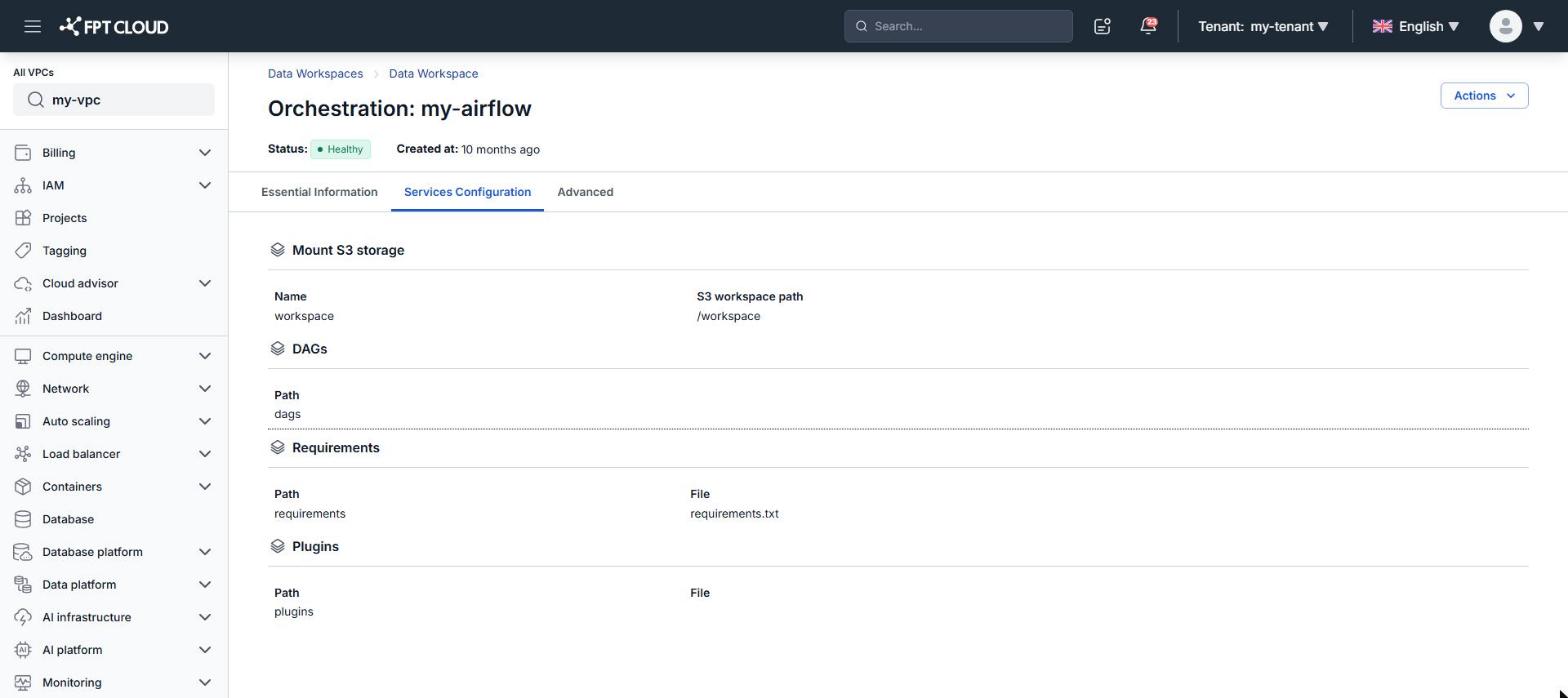
Under Mount S3 storage, note the Name of the storage and its S3 workspace path. You need them to upload the project and to set the project path in the DAG.
-
Upload the folder of the dbt project to the S3 workspace path folder of the storage.
Create the DAG
-
Create a DAG file that runs dbt.
-
In the DAG file, set
DBT_PROJECT_DIRto the folder of the dbt project.DBT_PROJECT_DIR = "/mnt/<WORKSPACE-STORAGE-NAME>/<DBT-PROJECT-DIRECTORY>"Replace
<WORKSPACE-STORAGE-NAME>with the name of the storage, and<DBT-PROJECT-DIRECTORY>with the folder of the dbt project. -
Upload the DAG file to the
dagsfolder of the S3 workspace path. The DAGs section of the Services Configuration tab shows this folder as its Path.
If your DAGs come from a Git repository, add the DAG file to the repository instead.
Run the DAG
-
Select the Essential Information tab of the Orchestration service.
-
Open the URL under Entry Information, then sign in to the Airflow UI.
Sign in with the Username and Password under Entry Information. If single sign-on is on, select Sign In with FPTCloud ID instead.
-
In the left menu, select Dags.
-
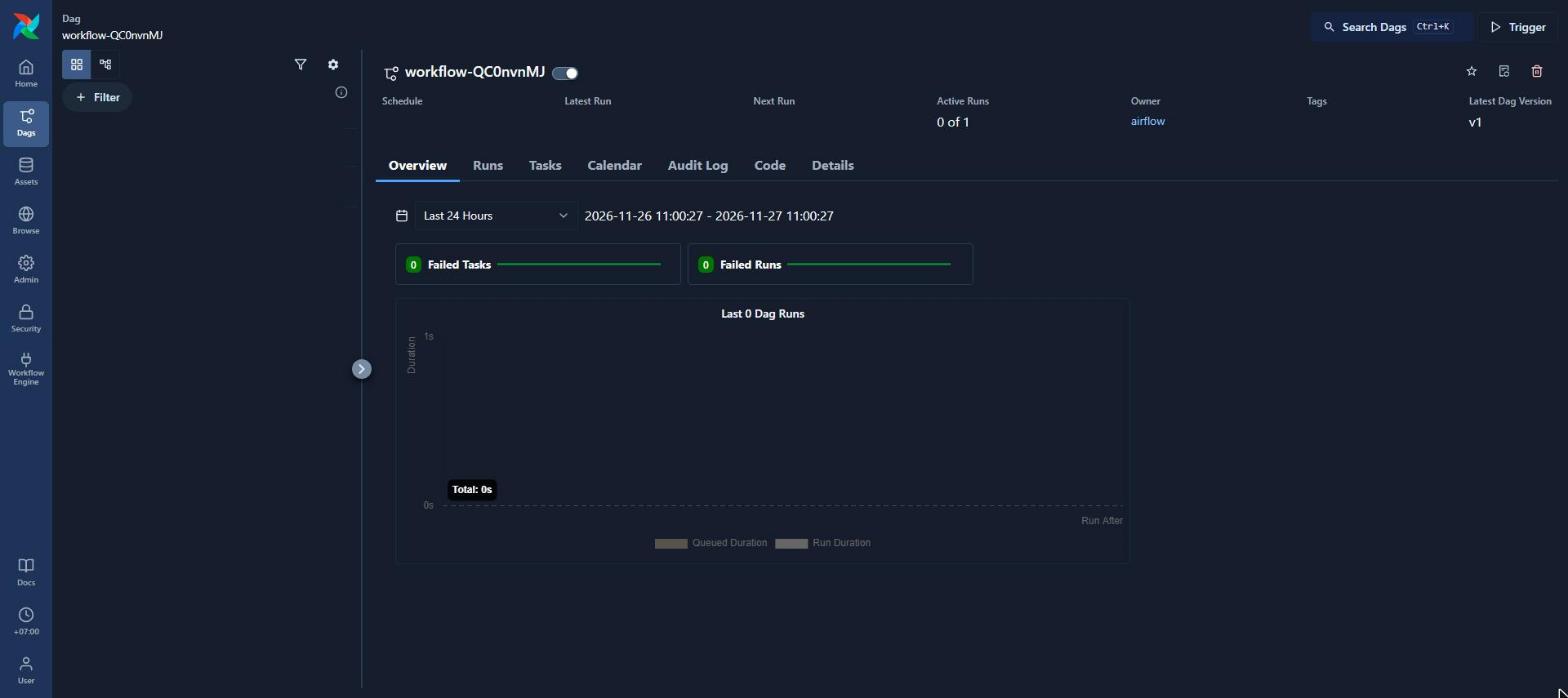
Open the DAG of the dbt project.
-
Turn on the DAG with the toggle next to its name.
-
Select Trigger at the top right of the DAG page.
-
Open the latest run of the DAG to see its status and logs.
You can also run a dbt project as a DBT task in a workflow. See Configure workflow tasks.
Next steps
- Manage workflows, to run your tasks in a workflow on a schedule.
- Run a dbt project in JupyterHub, to develop and run dbt from a JupyterHub terminal.