View Orchestration details
Use the service details page to find the URL and sign-in details of the Airflow UI, to check the settings of the service, and to change its name or description.
Open the service details
- Select Data platform → Workspace management, then select your workspace.
- On the Overview tab, under Services, select Orchestration.
The details page opens with Orchestration: and the service name as its title, the Status and Created at of the service, and three tabs: Essential Information, Services Configuration, and Advanced. The Actions menu holds two options:
- Restart, which restarts the service.
- Delete, which deletes the service. See Delete an Orchestration service.
Essential Information tab
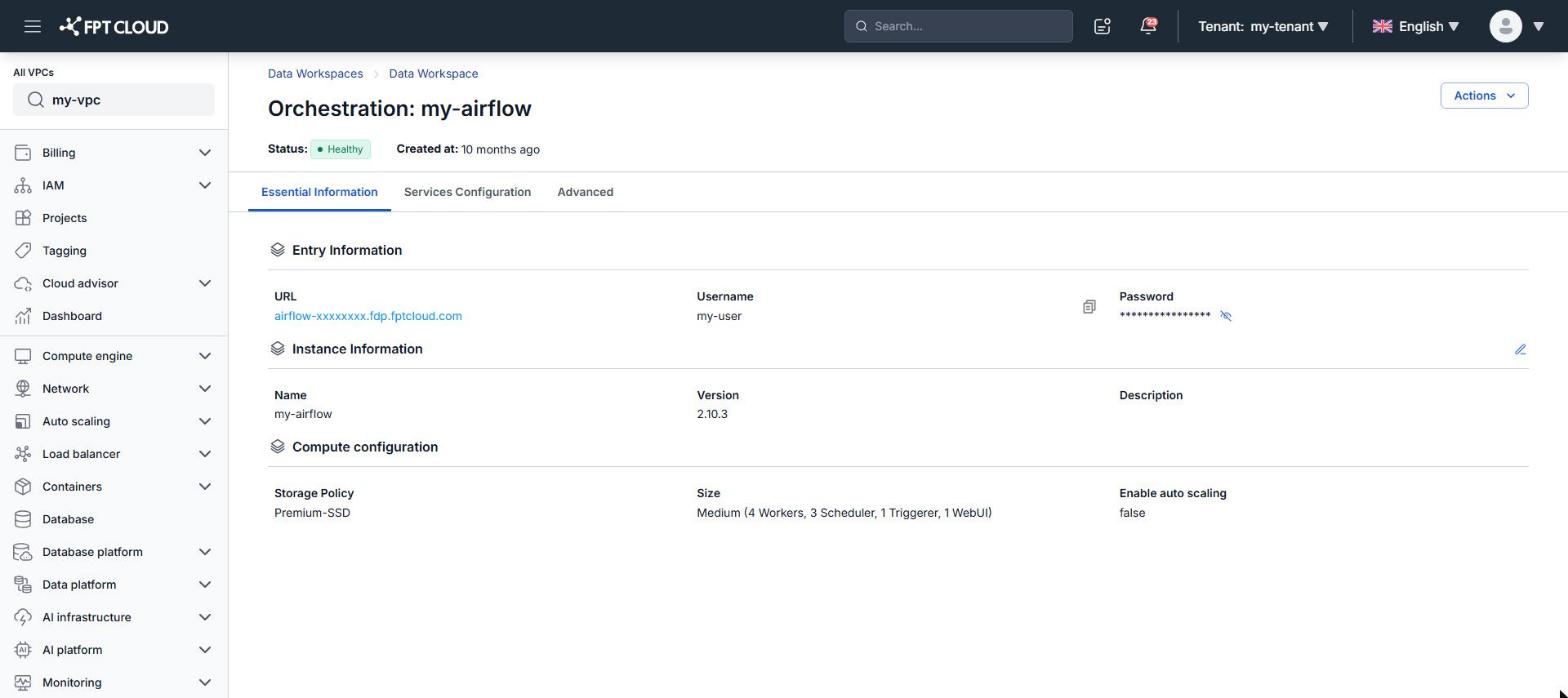
The Essential Information tab shows how to open the Airflow UI and the settings of the service in three sections.
| Section | Fields |
|---|---|
| Entry Information | The URL, Username, and Password that open the Airflow UI. Select the copy icon to copy the username. The password is masked. Select the Show password eye icon to show it. |
| Instance Information | Name, Version, and Description of the service. |
| Compute configuration | Storage Policy, Size with its parts, for example Small (4 Workers, 2 Scheduler, 1 Triggerer, 1 WebUI), and Enable auto scaling (true or false). |
To open the Airflow UI, go to the URL. Without single sign-on (SSO), sign in with the Username and Password. With SSO through FPT ID, the URL opens a Sign In page with only the Sign In with FPTCloud ID button. Select it to sign in.
Change the name or description
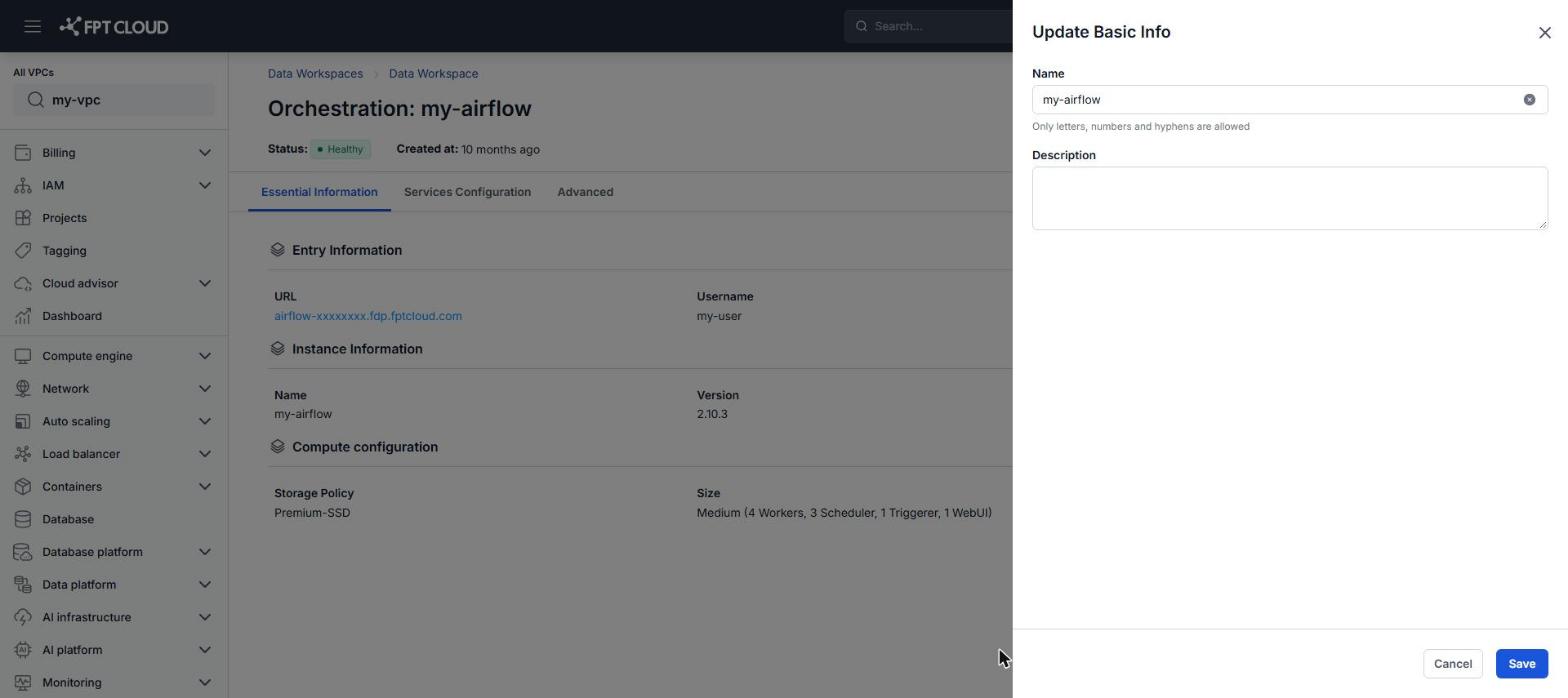
- In Instance Information, select the edit icon.
- In the Update Basic Info panel, change the Name or the Description.
- Select Save.
Name takes only letters, numbers, and hyphens. To close the panel without saving changes, select Cancel.
Services Configuration tab
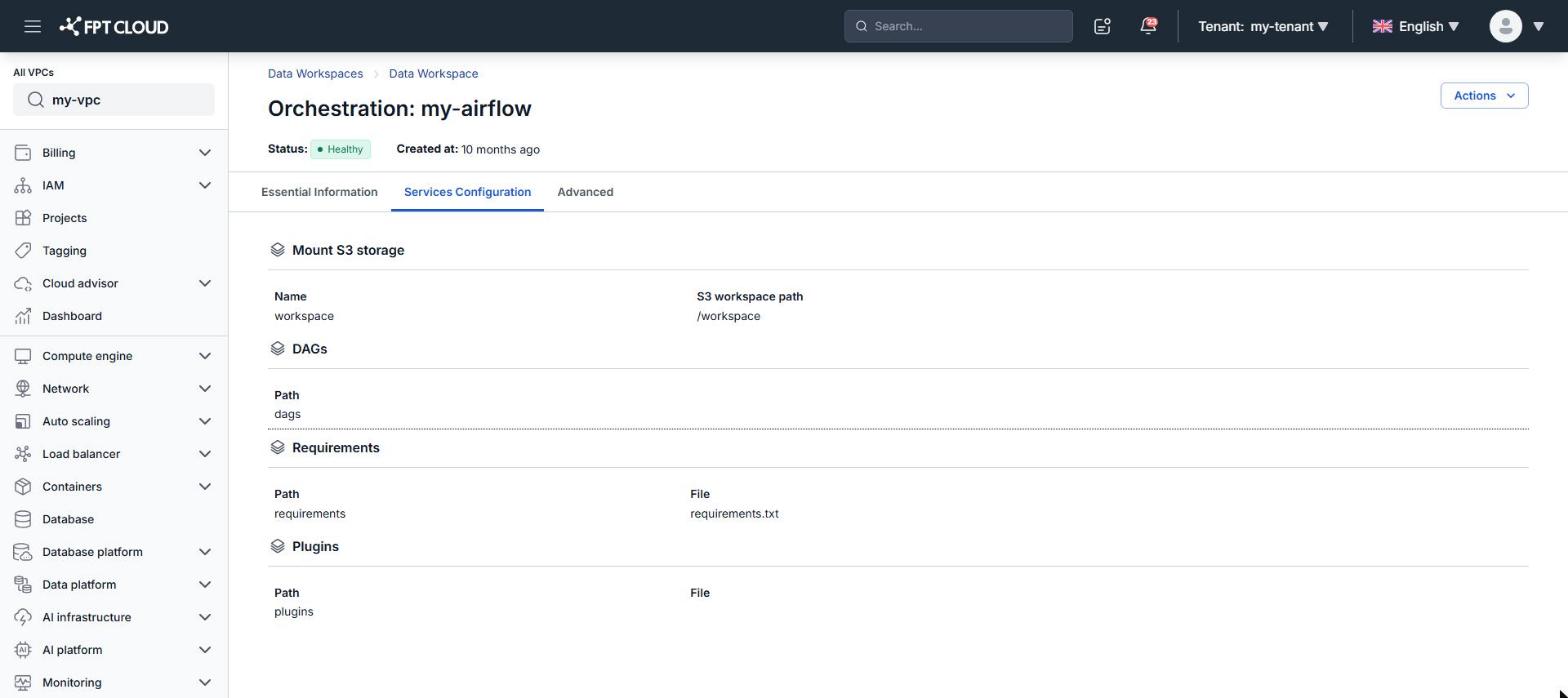
The Services Configuration tab shows the storage that the service mounts and the folders it uses for DAGs, requirements, and plugins. The tab has no edit icons.
| Section | Fields |
|---|---|
| Mount S3 storage | Name of the storage and S3 workspace path. |
| DAGs | Path of the folder that holds the DAG files, for example dags. |
| Requirements | Path and File, for example requirements and requirements.txt. |
| Plugins | Path, for example plugins, and File. |
Advanced tab
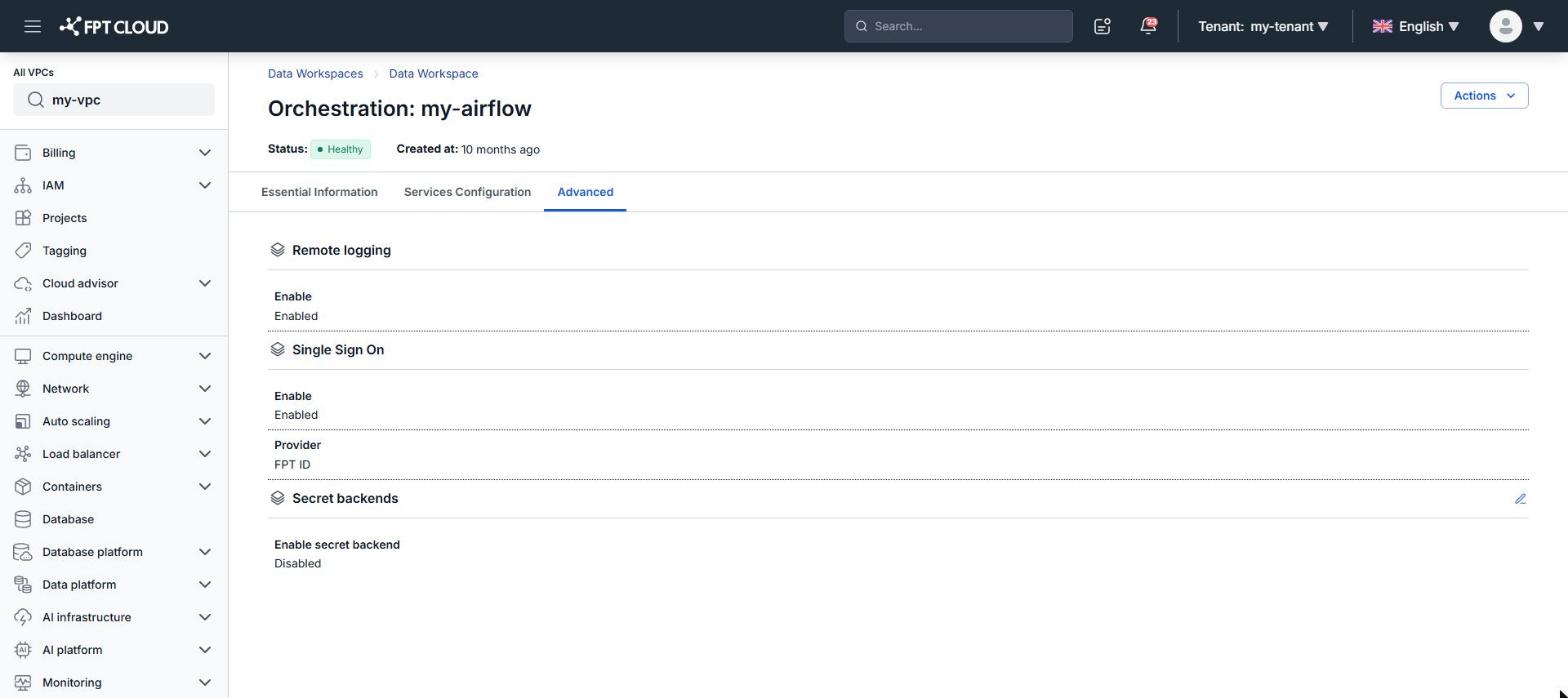
The Advanced tab shows the logging, sign-in, and secret backend settings of the service. It does not show the database or Redis of the service.
| Section | Fields |
|---|---|
| Remote logging | Enable, which shows whether remote logging is on. |
| Single Sign On | Enable, which shows whether the service uses single sign-on (SSO), and Provider, the identity provider, when SSO is on. |
| Secret backends | Enable secret backend, which shows whether Airflow reads connections and variables from a secret backend. |
Secret backends has an edit icon. To set up or change the secret backend, see Configure secret backends.