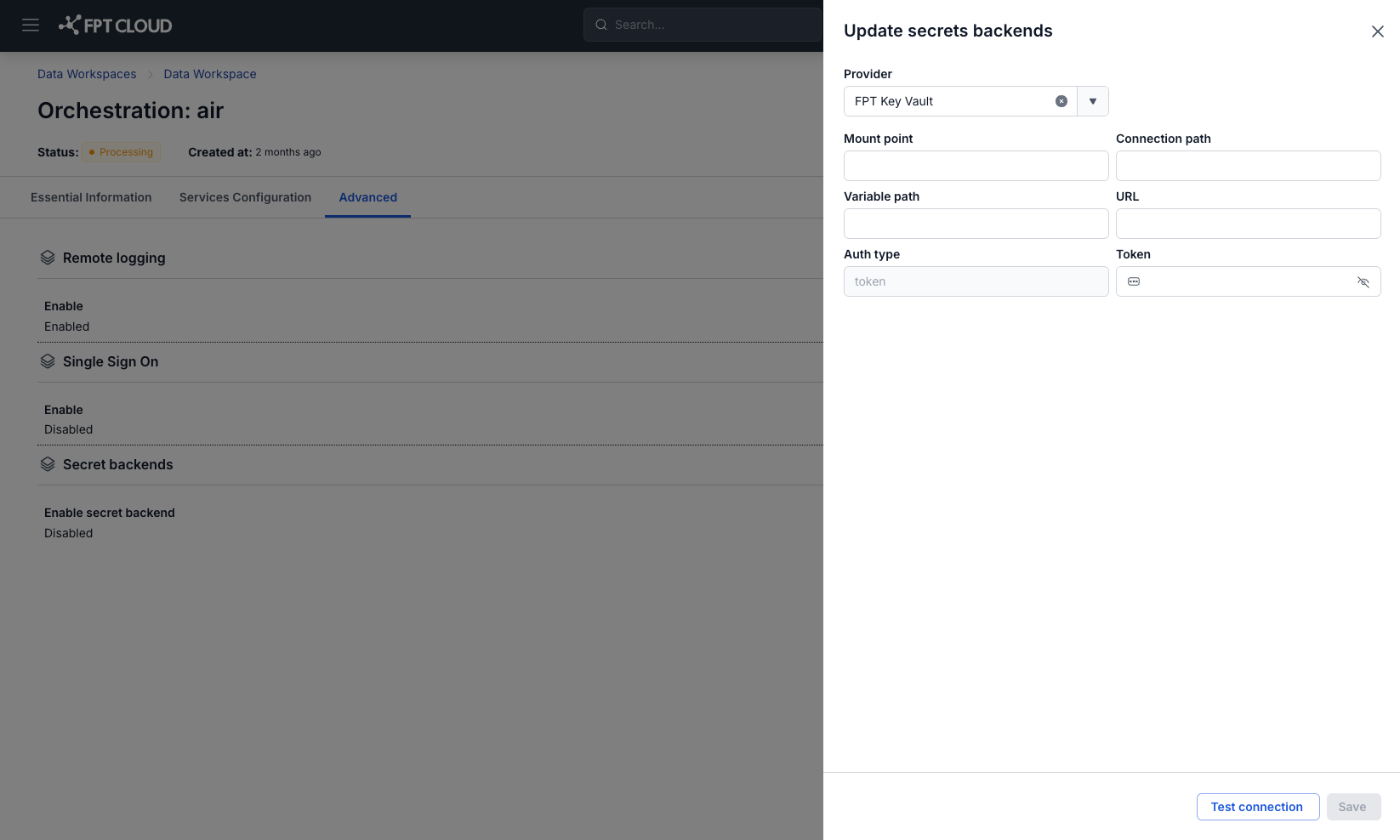
View Orchestration Information
To view Orchestration information, follow these steps:
Step 1: In the menu bar, select Data Platform > Workspace Management > Workspace name
Step 2: In the Workspace details section, select Orchestration
Tab Essential Information
Displays the detailed information of the Orchestration that the user has set up, and lets the user access Orchestration via the URL/Username/Password shown on the screen
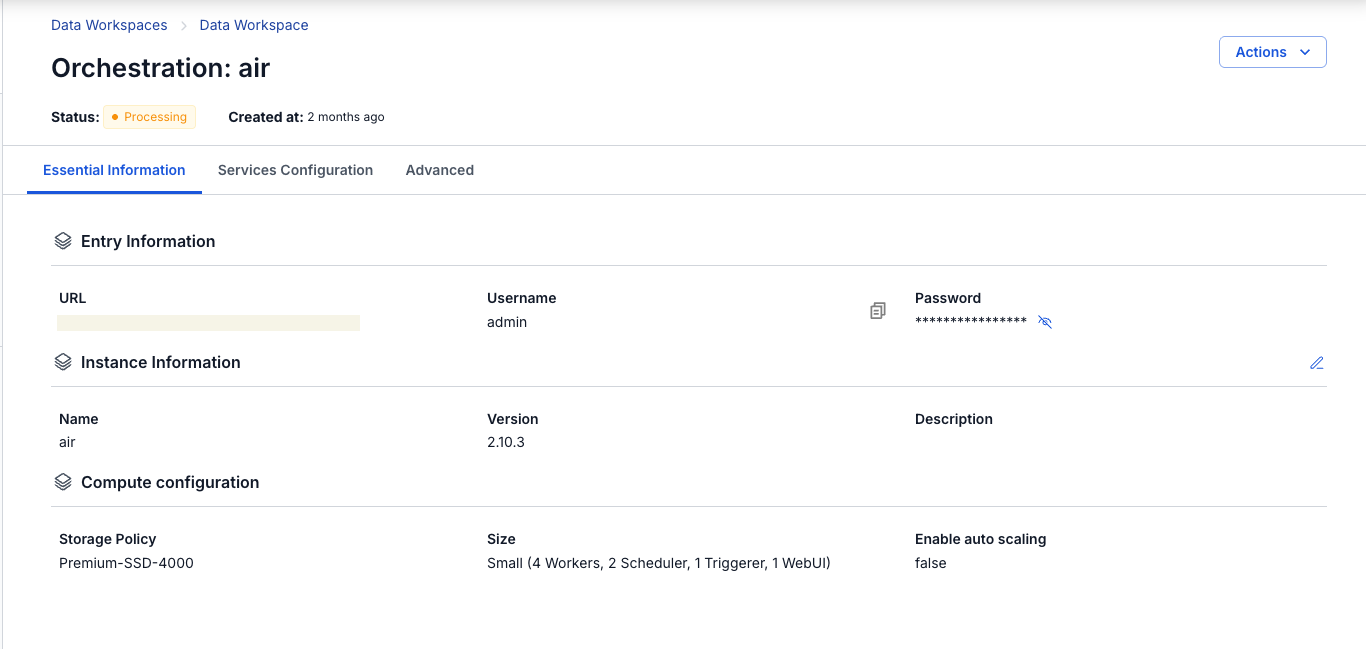
Services Configuration
Displays the DAGs integration information used for Orchestration
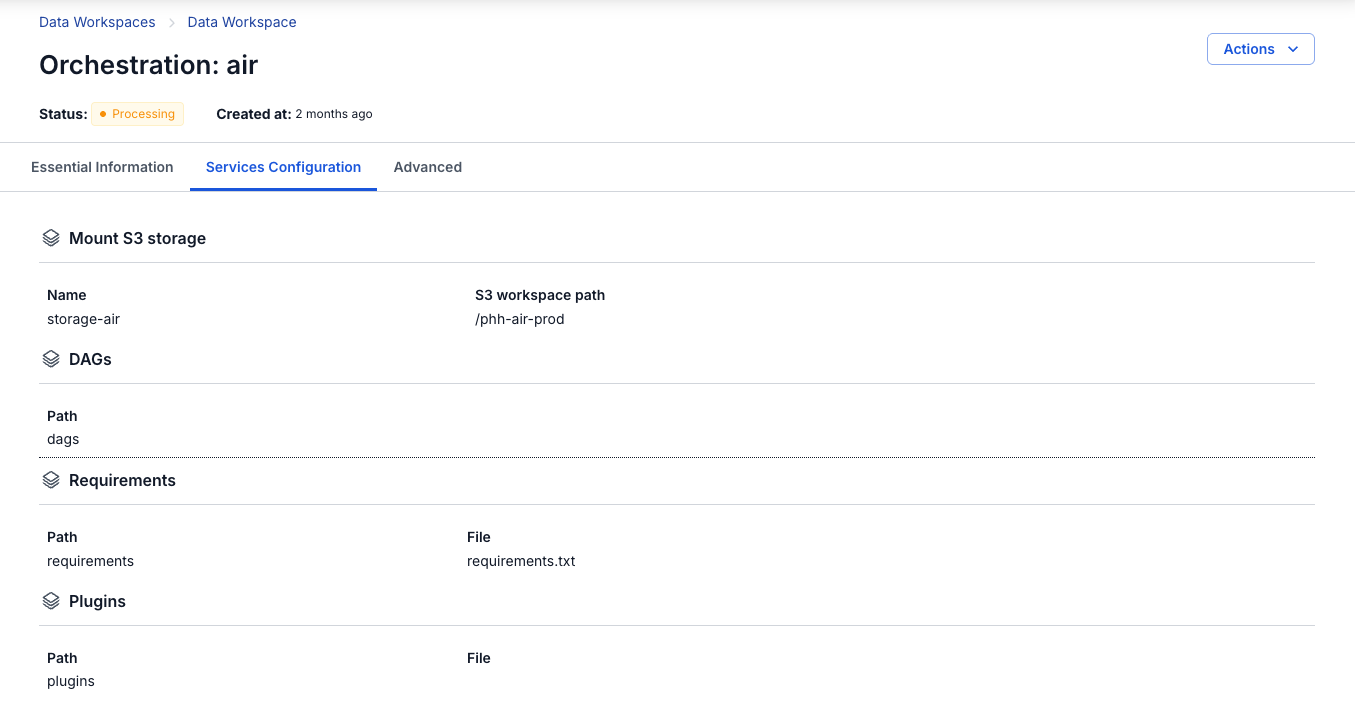
Advanced
Displays Database and SSO information (if integrated) used for Orchestration
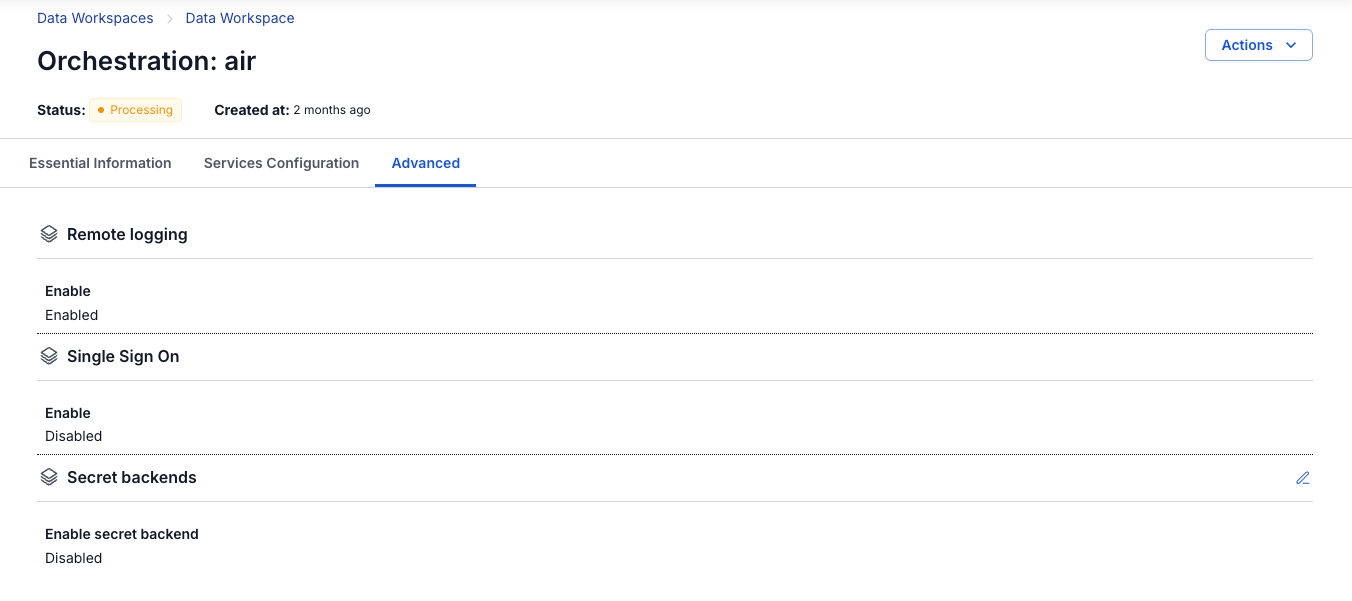
Update Orchestration Information
To update Orchestration information, follow these steps:
Step 1: In the menu bar, select Data Platform > Workspace Management > Workspace name
Step 2: In the Workspace details section, select Orchestration > select the Advanced tab
Update Secret backends information:
- Provider: FPT Key Vault
- Click the Edit button in the Secret backends section; a dialog appears, allowing you to edit the following information:
- Mount point (required): Mount point path of the secrets backend (e.g.,
airflow-connections) - Connection path (required): Path/key used for the Airflow connection
- Variable path (required): Path/key for environment variables or secrets
- URL (required): Vault endpoint address (e.g.,
http://pickadkf.keyvault.fptcloud.com) - Auth type: Authentication type with Vault (e.g.,
token) - Token (required): Authentication token for the account with Vault
- Mount point (required): Mount point path of the secrets backend (e.g.,
Note: Vault Policy - The token must have "read" and "list" permissions on the paths containing connections and variables, and the policy must be assigned to the token:
{
  "path": {
    "/data//*": {
      "capabilities": [
        "read",
        "list"
      ]
    },
    "/data//*": {
      "capabilities": [
        "read",
        "list"
      ]
    },
    "/metadata/": {
      "capabilities": [
        "list"
      ]
    },
    "/metadata/": {
      "capabilities": [
        "list"
      ]
    }
  }
}
Step 3: Click Test connection to check the connection to the Secret Backend.
Step 4: Click Save to save the Secret Backend configuration.