Manage Query Engine connectors
Connectors link Query Engine to your data sources, so that you can query them with SQL. Every connector type supports the same four tasks: add, view, update, and delete.
Prerequisites
- A Query Engine service. See Create a Query Engine service.
- The connection details of your data source. See Query Engine connector properties.
Open the Connectors tab
- Select Data platform → Workspace management, then select your workspace.
- On the Overview tab, under Services, select Query engine.
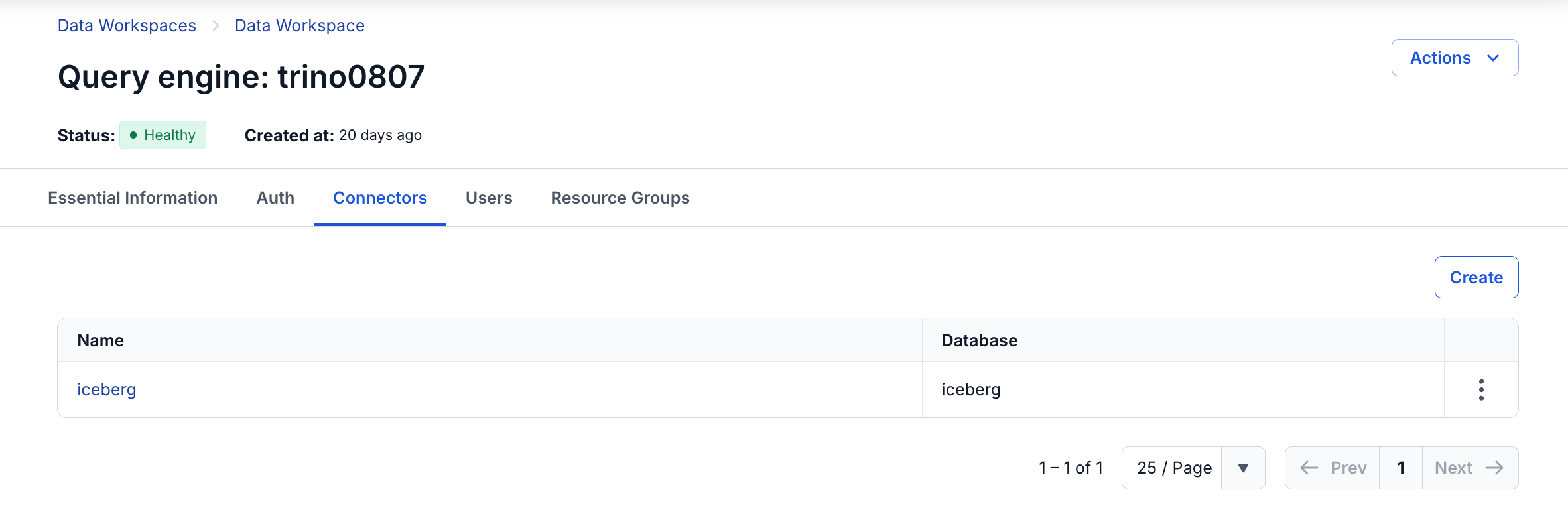
- Select the Connectors tab.
The tab lists the connectors of the service, with their Name and Database. Each row has a more icon (⋮) with Update and Delete.
Add a connector
- On the Connectors tab, select Create.
- In the New connector panel, select a Connector type.
- Fill in the fields of the connector type. See Query Engine connector properties.
- Select Create. To close the panel without adding the connector, select Cancel.
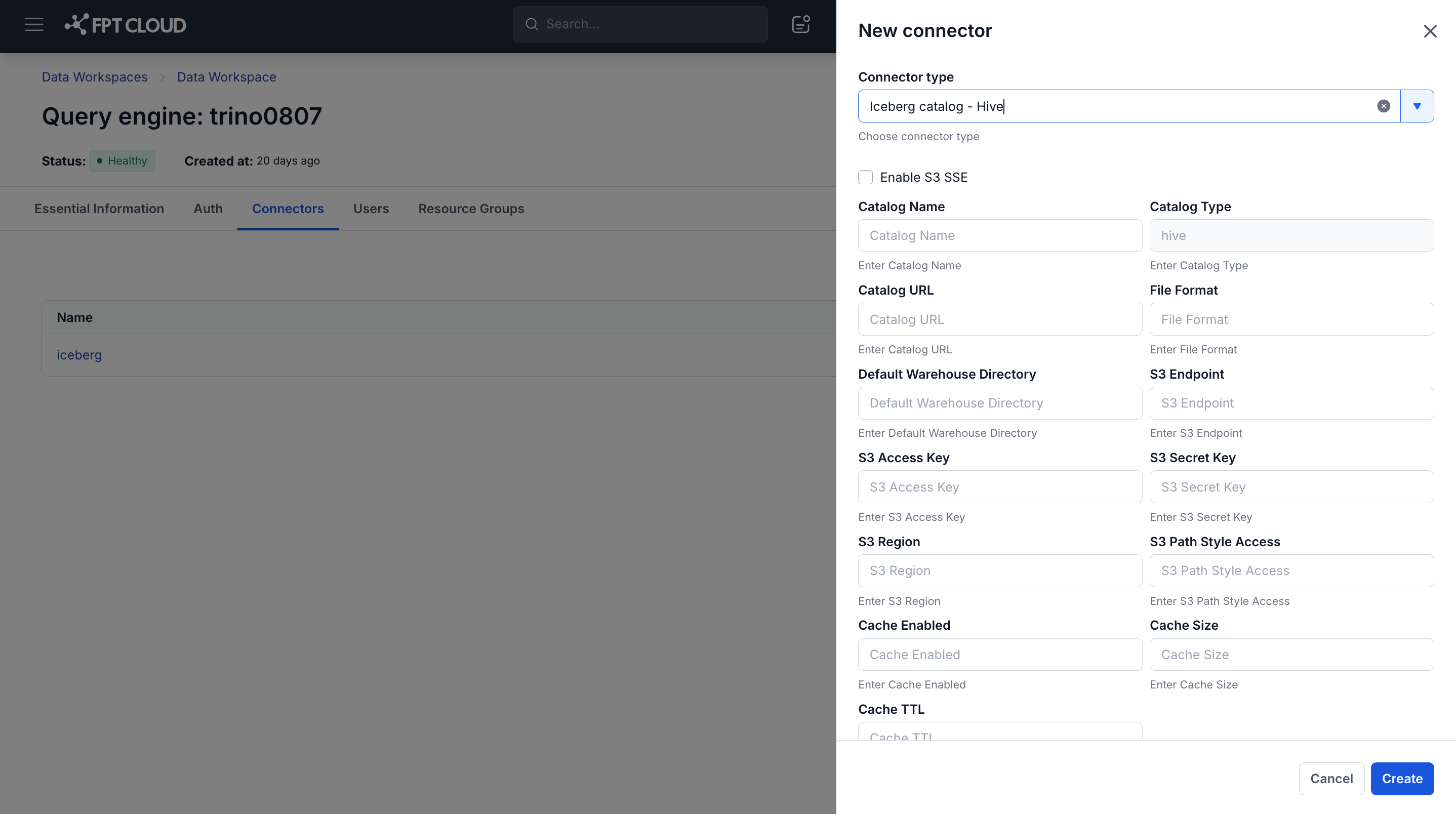
The Connector type list has 12 types: Iceberg catalog - Nessie, Iceberg catalog - Hive, Postgresql, SQL Server, MySQL, MariaDB, MongoDB, OpenSearch, ClickHouse, Elasticsearch, BigQuery, and Kafka.
After you add the connector, the Query Engine service switches to Processing while it applies the configuration. This takes about 3 minutes.
View a connector
On the Connectors tab, select the name of the connector to see its settings.
Sensitive fields do not show their values: Password, S3 Secret Key, SASL Password, and Credentials Key.
Update a connector
- On the Connectors tab, in the row of the connector, select the more icon (⋮), then select Update.
- Change the fields you need. You cannot change the Connector type.
- Select Update.
Delete a connector
- On the Connectors tab, in the row of the connector, select the more icon (⋮), then select Delete.
- In the Delete Connector dialog, check the connector name, then select Delete.
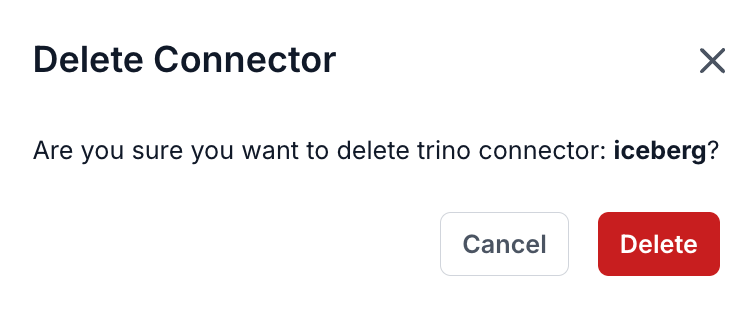
The dialog asks "Are you sure you want to delete trino connector:" followed by the connector name. You do not type a confirmation word. To keep the connector, select Cancel.
After the deletion, Query Engine can no longer query the data source of the connector.