Connect Ranger to a Query Engine
Add your Query Engine to Ranger Admin as a Trino service, so that you can manage its access rules in Ranger. At the end, Ranger Admin confirms that it connects to the Query Engine.
Prerequisites
- A Ranger service whose Status is Healthy. See Create a Ranger service.
- A Query Engine service whose Status is Healthy, in a workspace whose Status is Connected. See Create a Query Engine service.
- The username and password of a Query Engine user. See Manage Query Engine users.
Ranger rules apply to a Query Engine only when you create it with Enable Ranger selected. Without it, the Query Engine applies no Ranger policy.
Sign in to Ranger Admin
-
Select Data platform → Workspace management, then select your workspace.
-
On the Overview tab, under Services, select Ranger.
-
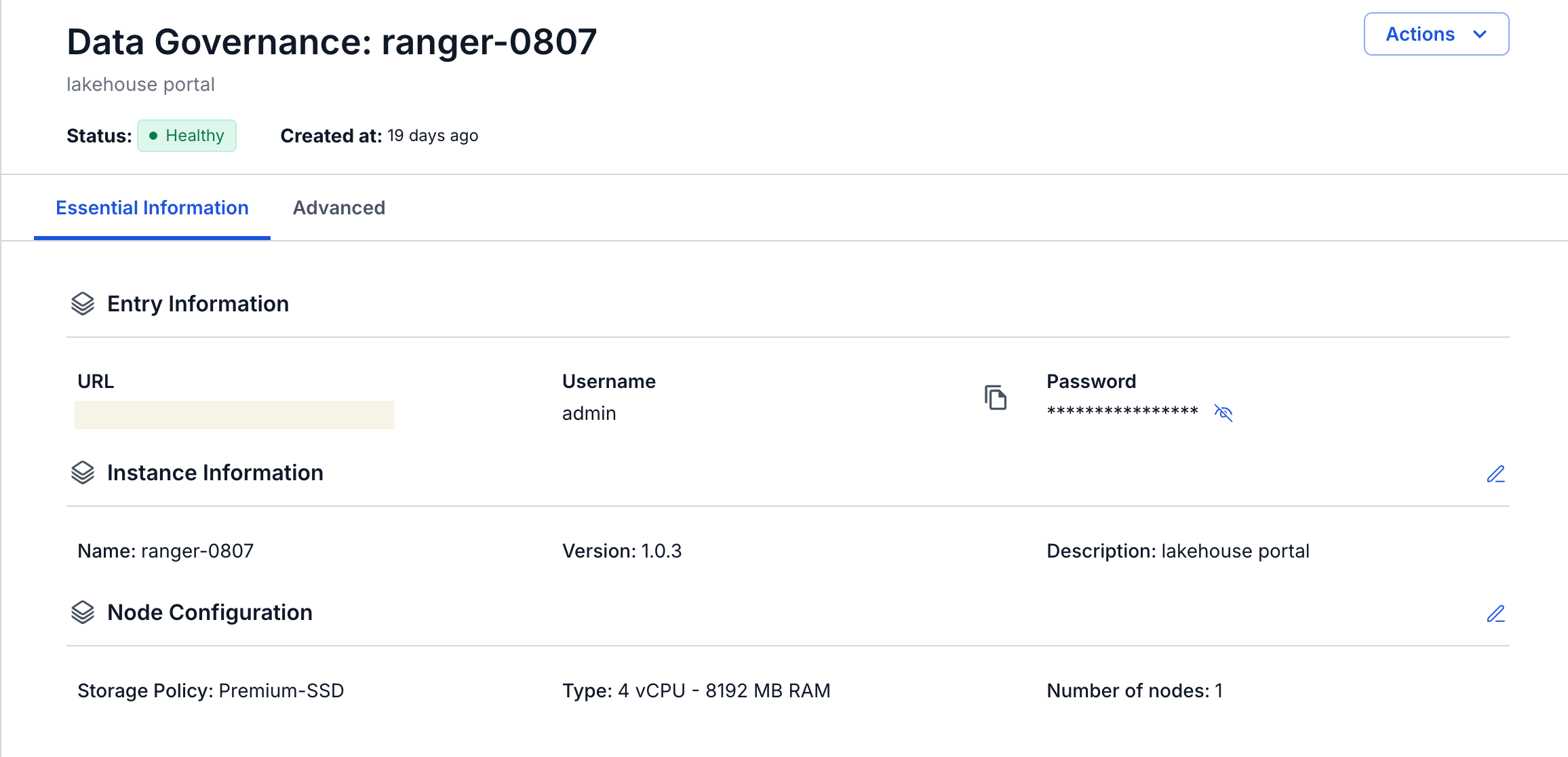
On the Essential Information tab, under Entry Information, find the URL, Username, and Password.
-
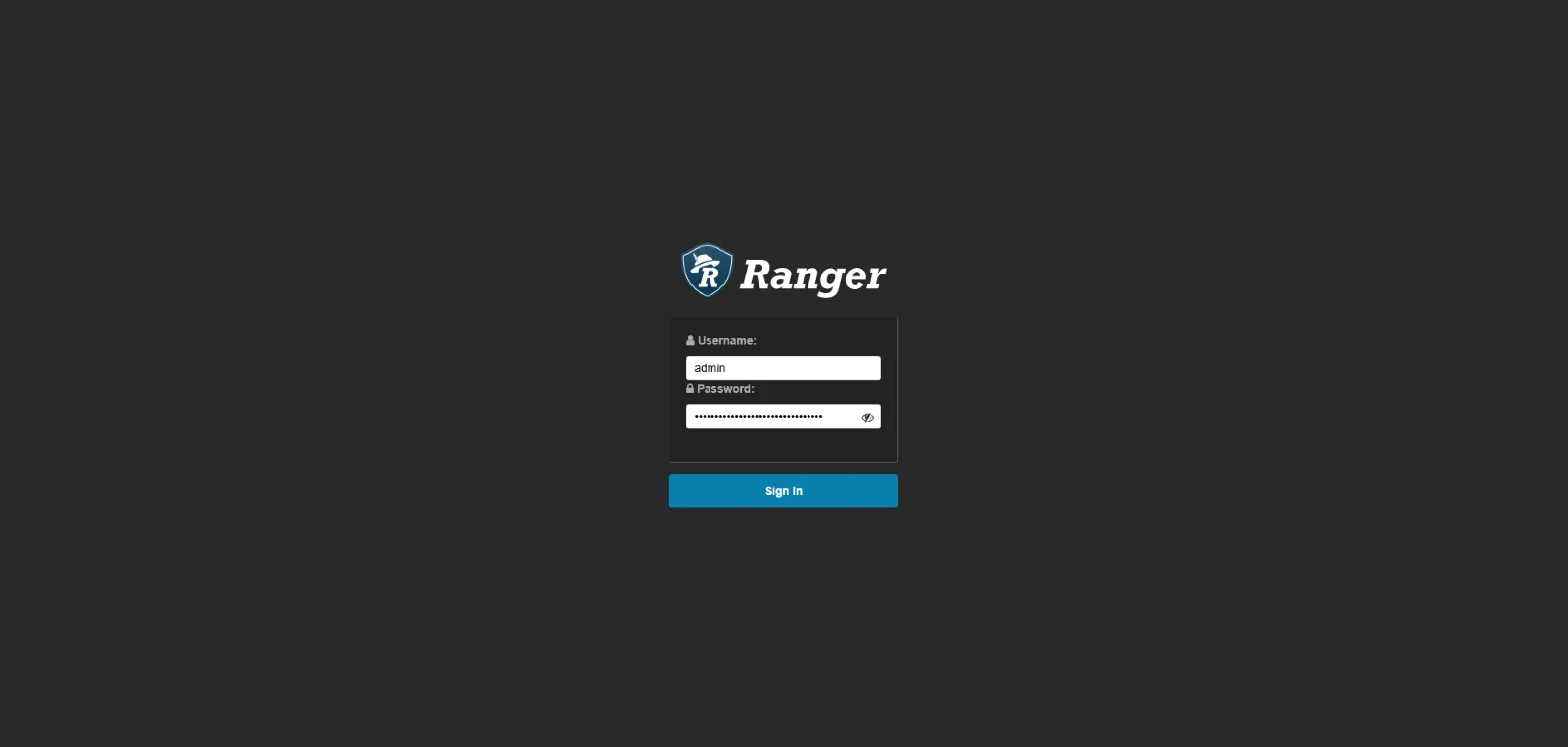
Go to the URL, enter the Username and Password, then select Sign In.
Add the Query Engine as a Trino service
-
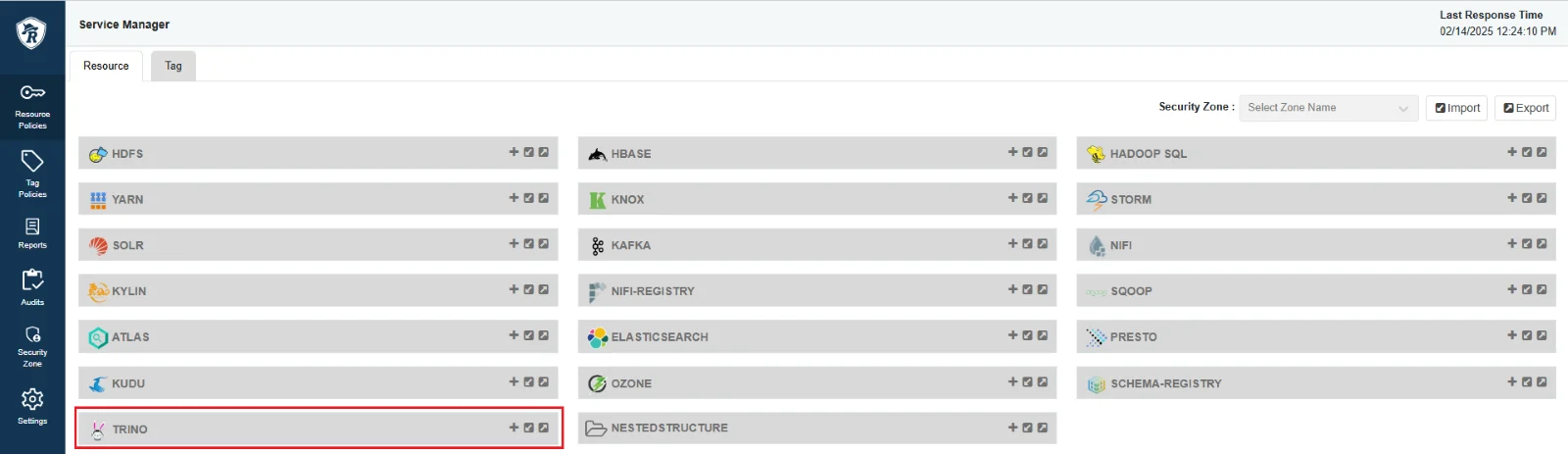
In Ranger Admin, on the Service Manager page, select the Resource tab.
-
In the TRINO group, select the add icon (+).
-
Fill in the service details, as described in the table below.
-
Select Add to save the service.
| Field | Description |
|---|---|
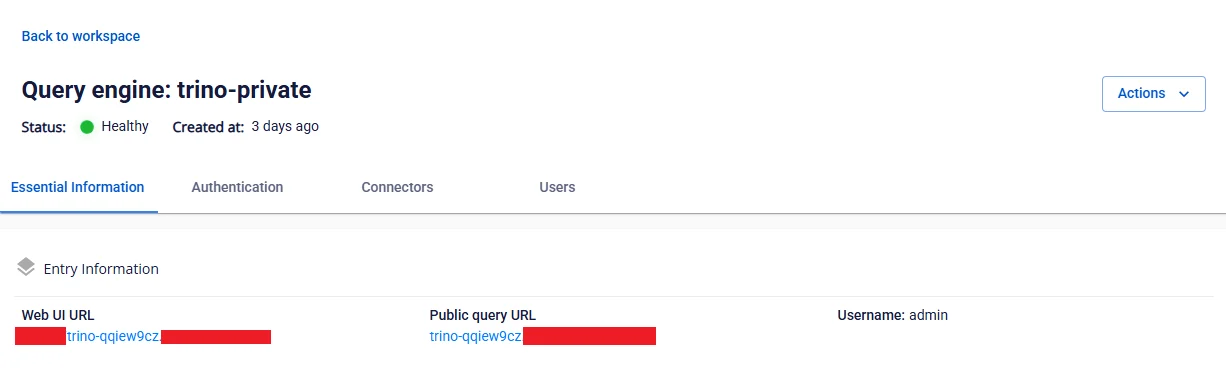
| Service Name | The name of the service. Use the trino-<id> string from the Web UI URL or Public query URL of your Query Engine. |
| Display Name | The name that Ranger Admin shows. |
| Description | A description of the service. |
| Active Status | The status of the service. |
| Select Tag Service | The tag service that the service uses. See Sync tags from Open Metadata to Ranger. |
| Username | The user that signs in to the Query Engine. |
| Password | The password of that user. |
| jdbc.driverClassName | The JDBC driver. Default: io.trino.jdbc.TrinoDriver. |
| jdbc.url | The JDBC address of the Query Engine, in the format jdbc:trino://<host>:443. <host> is the host in the Public query URL of the Query Engine. |
| Superusers | The users that skip access checks when they connect to the Query Engine. |
| Superuser groups | The groups whose users skip access checks when they connect to the Query Engine. |
| Service admin users | The Ranger users who are admins of this service. |
| Service admin usergroups | The Ranger groups whose users are admins of this service. |
The trino-<id> string is in the Web UI URL and the Public query URL, under Entry Information on the Essential Information tab of the Query Engine.
Test the connection
-
On the Service Manager page, select the edit icon of the Trino service you added.
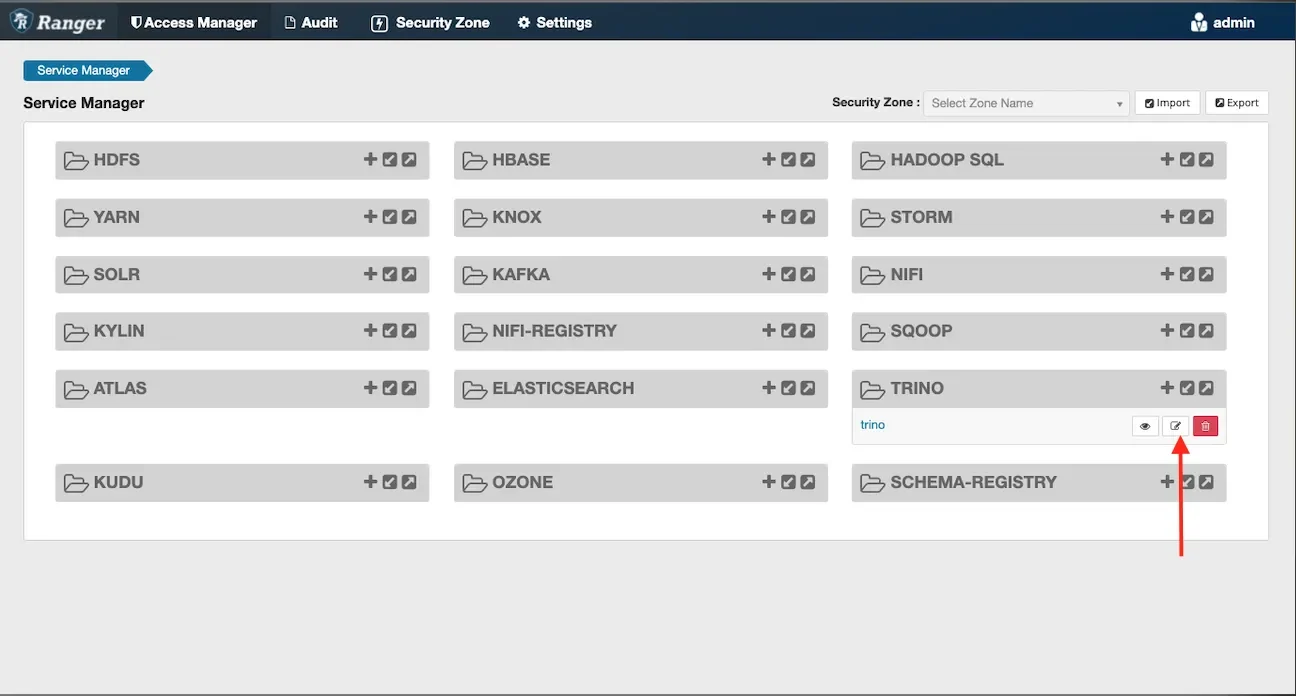
-
Select Test connection.
-
Check that the result is Connected Successfully.

Ranger Admin now connects to your Query Engine. You manage its access rules in Ranger Admin.