Recover to point in time
Point-in-time recovery (PITR) restores a cluster to an exact moment rather than to the last scheduled backup. It is the tool for undoing an operational error (a bad migration, a mistaken bulk delete) where you know roughly when things went wrong.
Like a normal restore, PITR creates a new cluster and leaves the original untouched.
Before you start
Confirm all three, or the recovery cannot run:
- PITR is enabled for the cluster. On MongoDB Enterprise clusters it is enabled by default at creation — verify on the Backup tab.
- At least one full backup exists. PITR replays logs forward from a full backup; without one there is nothing to replay onto.
- The required archived logs are available for the target time.
You also need quota for a second cluster.
PITR cannot reach back before the first full backup. Data written earlier is recoverable only from a backup, not to an arbitrary moment.
Recover
Step 1: Open the recovery screen
From the menu, select Database Platform → All Database or Non-Relational Database → click the Cluster ID → select the Backup tab → choose the Restore sub-tab.
Step 2: Perform the recovery
-
Click Restore to point in time.
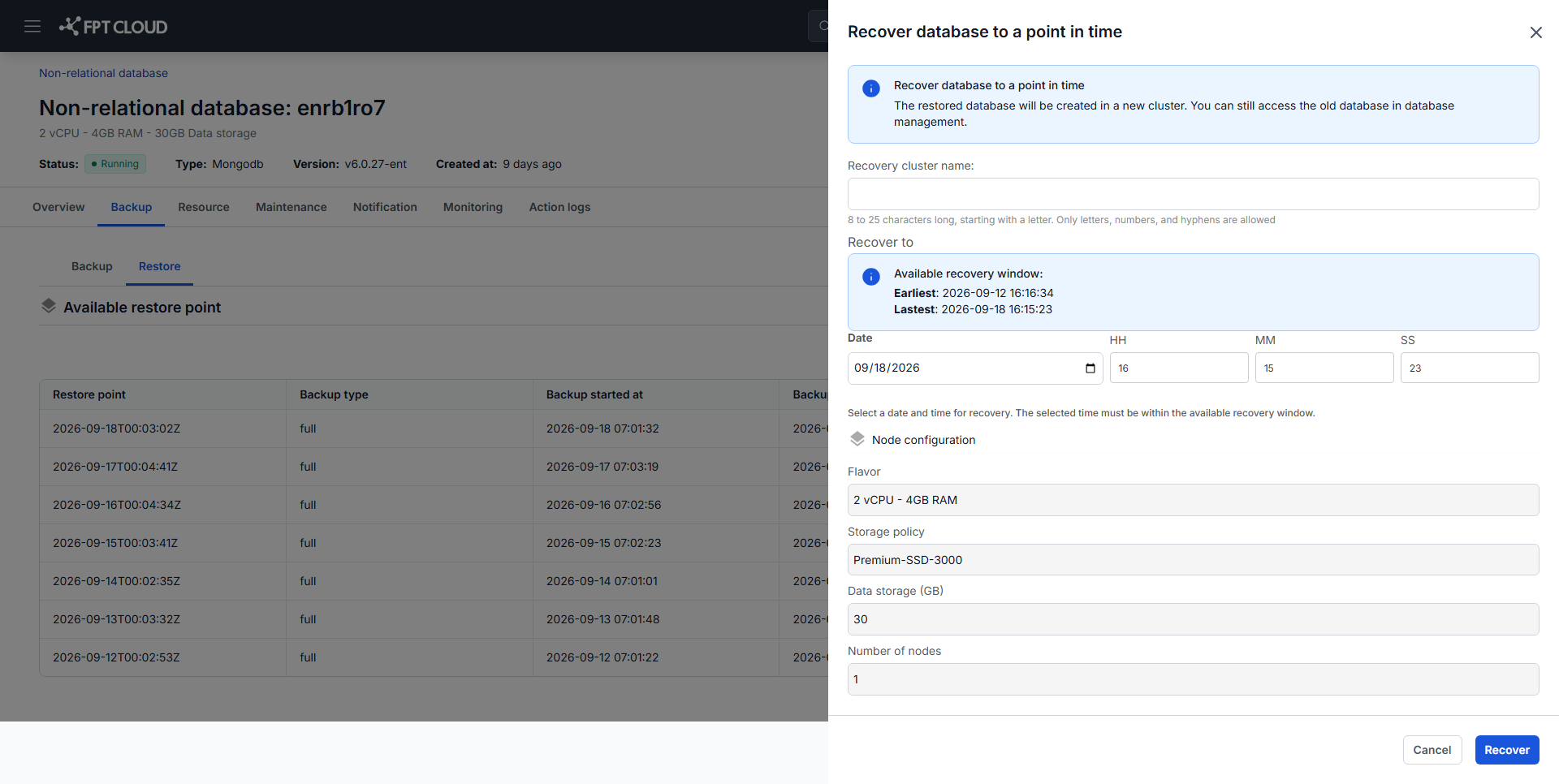
-
Enter the details:
Field What to enter Restore Cluster Name A name for the new cluster. Flavor Compute configuration for the new cluster. Recover To The exact date and time to restore to. -
Click Recover.
The system provisions a new cluster and replays data to the moment you specified. When it completes, the new cluster appears in the cluster list holding the data as it stood at that time.
Choosing the recovery time
Pick a moment just before the event you are undoing, not the event itself. If a bad migration started at 14:05, recovering to 14:05 may include part of it — 14:00 is the safer target.
If you are unsure, recover to an earlier time and inspect the result. The original cluster is untouched, so you can recover more than once and compare.
Afterwards
The recovered cluster has its own endpoint. Repoint your application — see View database cluster information.
Next steps
- Restore from backup when a backup's state is enough
- Backup & Restore overview