Activate FPT Database Engine service
Activation makes the Database Engine service available inside a VPC. Until it runs, no one can create or manage databases there. It is needed once per VPC.
Because activation and deactivation affect database availability for the whole VPC, these operations belong to high-privilege roles such as Tenant Admin or Cloud Platform Admin.
Required permissions
| Permission | Action type | Allows |
|---|---|---|
manageDatabase:ProvisionBackend | Create | Activating the service within a VPC |
manageDatabase:DeactiveBackend | Delete | Deactivating the service within a VPC |
Activate the service
-
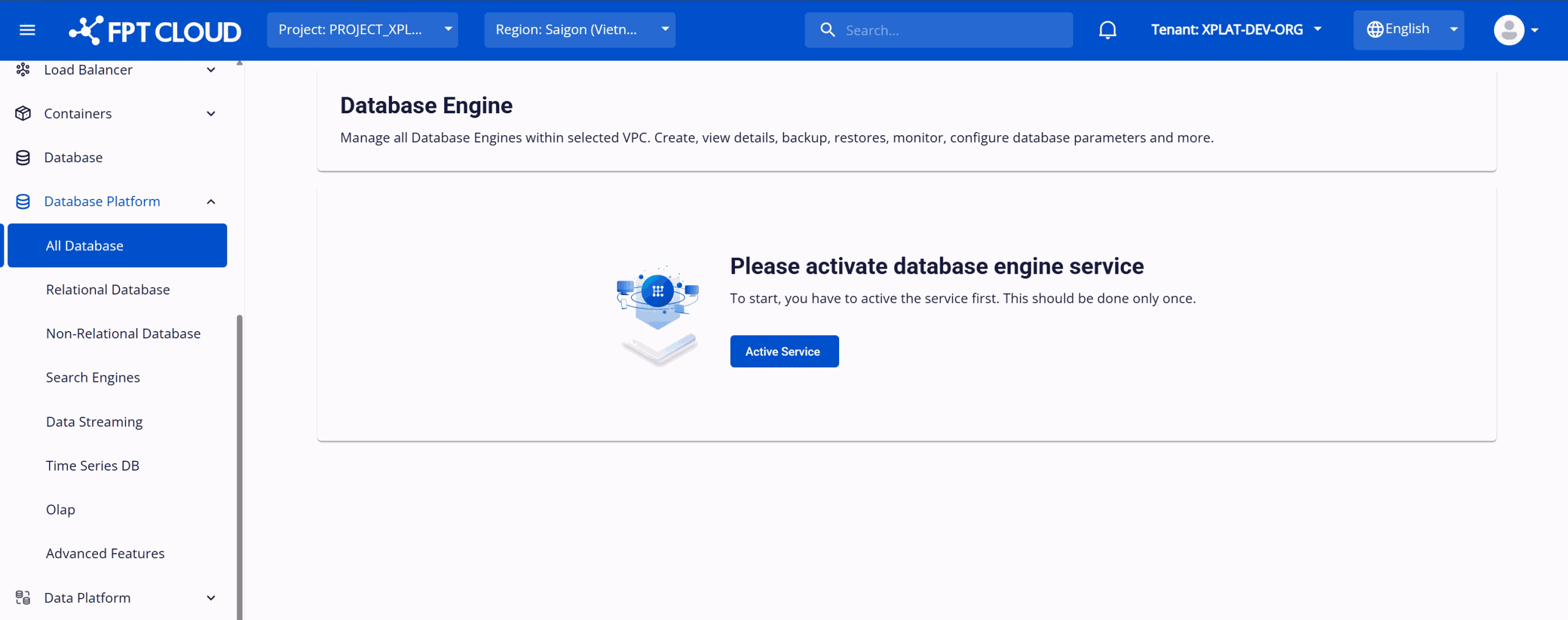
Log in to FPT Cloud Portal. From the main menu, select Database Platform → All Databases.
-
Click Activate Service.
The system switches to a processing screen. Activation takes approximately 8–10 minutes and initializes the backend components the service needs.
When the status reaches Active, you can provision database clusters.
Deactivate the service
Deactivating disables all database creation and management in the VPC.
Deactivation is only possible when the VPC holds no database resources. Delete every cluster first — and remember deleting a cluster destroys its data.
-
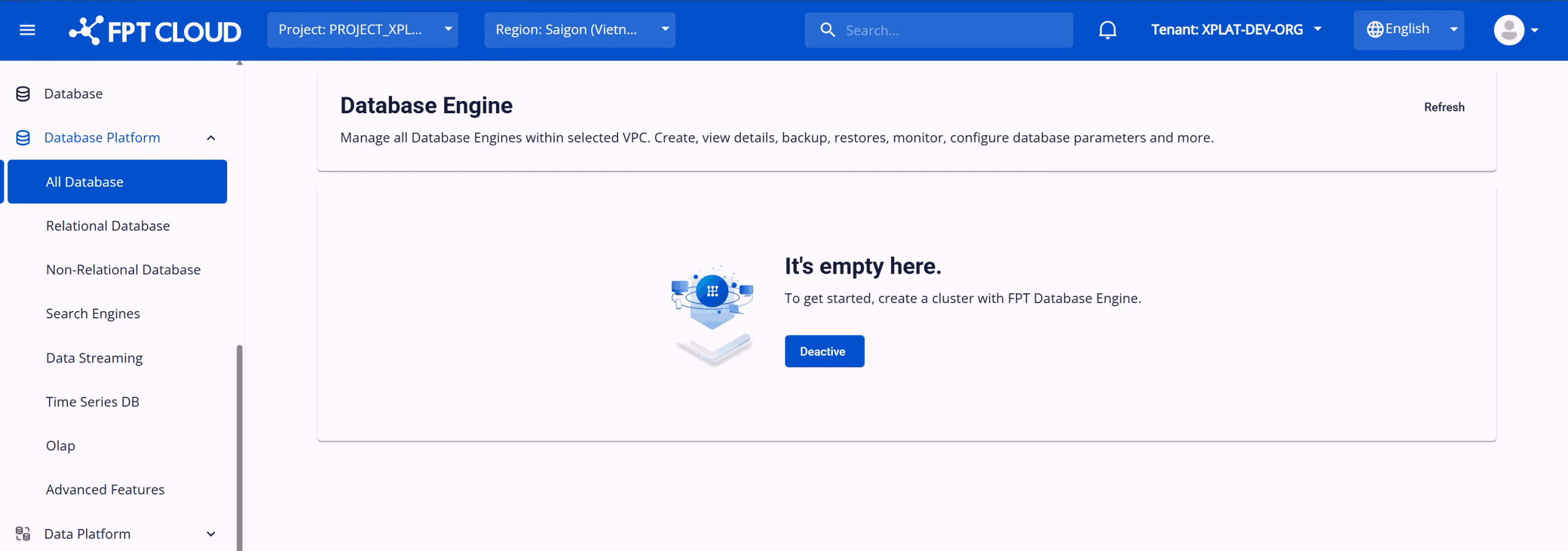
From the main menu, select Database Platform → All Databases.
-
Click Deactivate.
Deactivation takes approximately 8–10 minutes. Afterwards the status is Inactive and every Database Engine operation in the VPC is blocked until the service is activated again.
Next steps
- Create your first database once the service is Active
- Initial setup requirements if activation is unavailable to you