Manage Backup service
The backup service allocates storage for a cluster's backups and holds the settings every backup job uses. Enable it before you create any backup job.
Enabling the service does not itself back anything up. It reserves capacity and sets policy. Scheduled backups start once you create a backup job.
The backup service is no longer available on Kafka or RabbitMQ. It was removed on 15 September 2026, and the backup files that existed on those clusters were permanently deleted. The Backup tab described on this page no longer appears on those clusters at all. No other engine is affected.
Enable the backup service
Backup storage is billed separately, so estimate your consumption before enabling. The service cannot be partially enabled — the capacity you set applies to every backup job on the cluster.
You can enable backup during provisioning, in the additional services step of Create a database, or afterward using the steps here.
Prerequisites
The Notification service must be enabled first, with at least one email or Telegram recipient configured for backup alerts. Without it, the console blocks activation with this dialog:
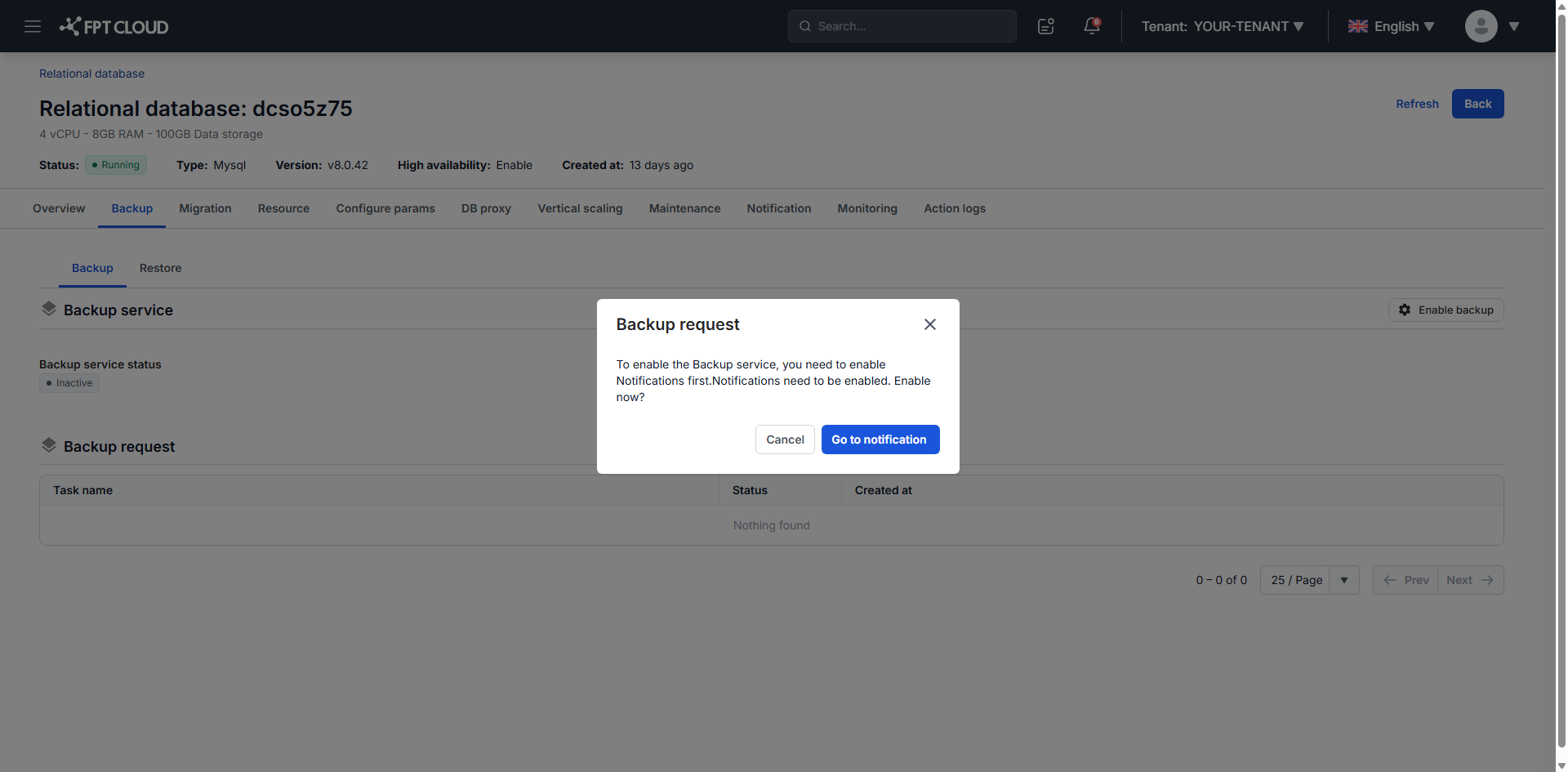
Click Go to Notification and follow Manage alert rules to finish the setup.
Enable the service
-
From the main menu, select Database Platform → All Database, or the menu for your engine category.
-
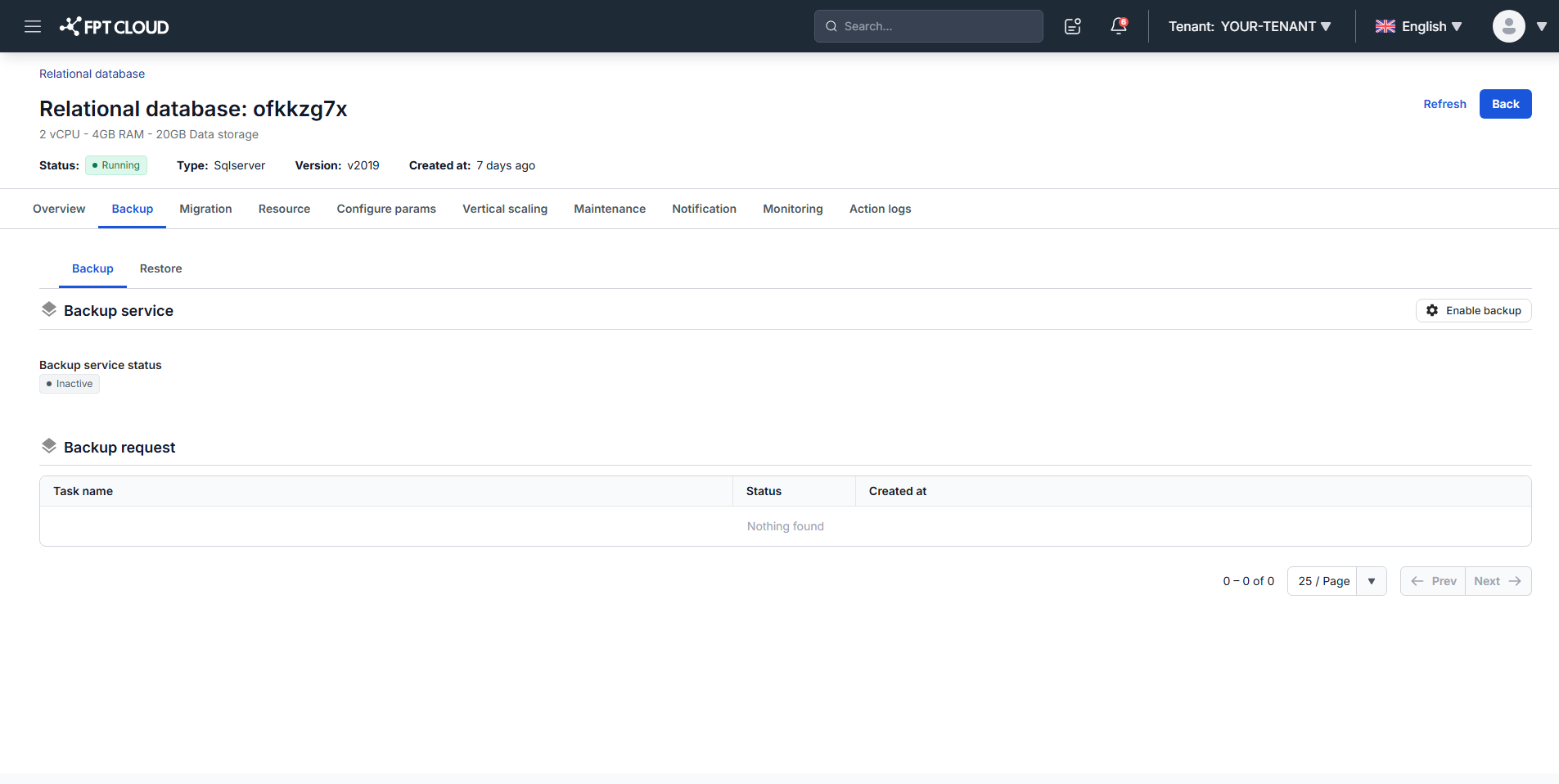
Click the cluster ID, then open the Backup tab.
-
Click Enable backup.
-
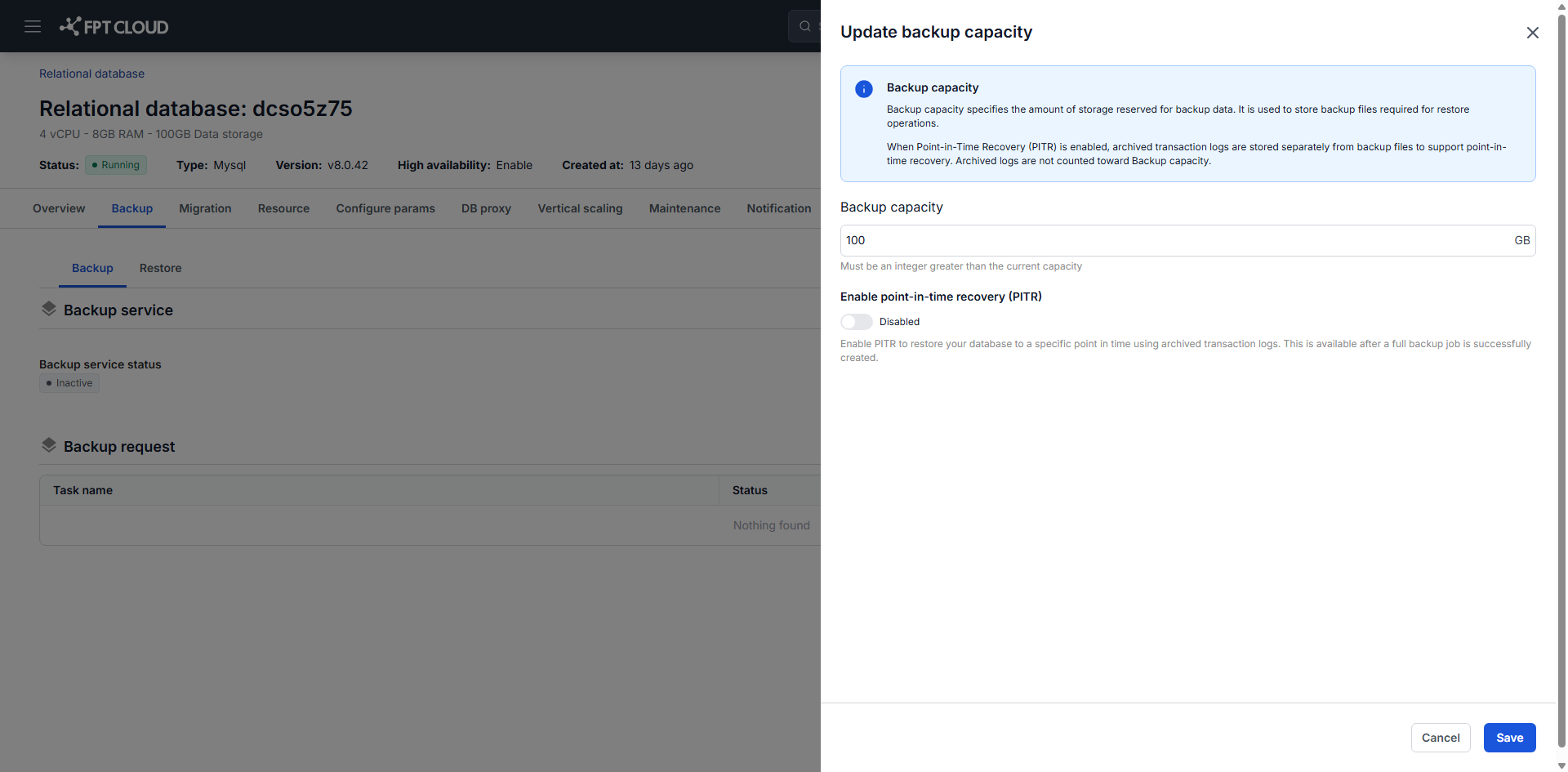
Fill in the fields:
- Capacity (GB): storage for backup data, minimum 10 GB.
- Enable PITR: turns on point-in-time recovery. Supported for PostgreSQL, MySQL, and MariaDB.
-
Click Save.
Activation takes 5 to 10 minutes and shows a Processing bar. The service then reads Active with your settings applied.
For a PostgreSQL HA cluster created before March 13, 2026, enabling PITR restarts the cluster automatically and briefly interrupts service. Enable it during off-peak hours.
Non-HA clusters, and HA clusters created on or after that date, need no restart and keep serving traffic.
Update the backup service
-
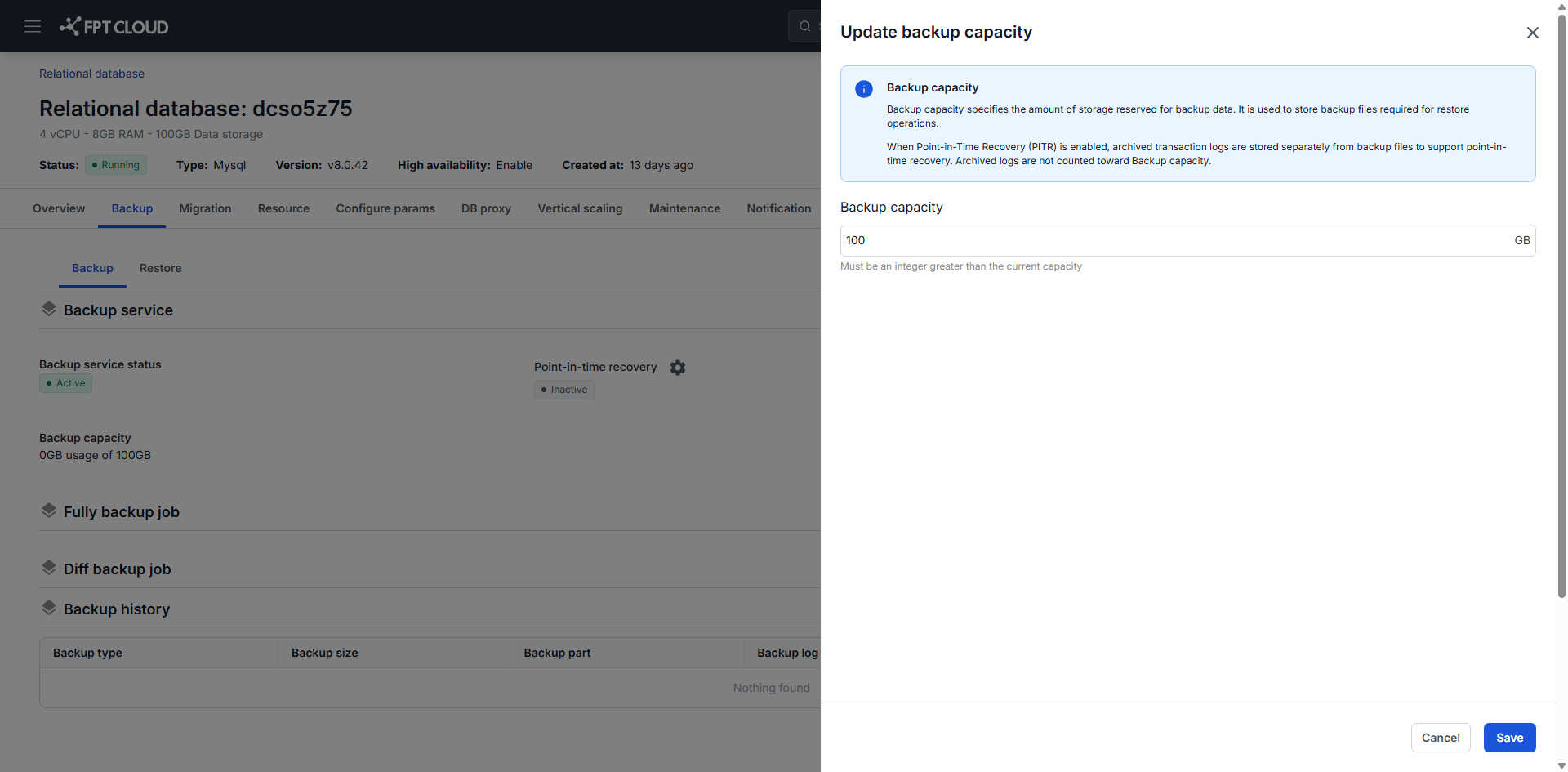
On the Backup tab, click Edit in the Backup service block.
-
Change the settings you need, then click Save.
The update takes approximately 5 to 10 minutes, during which the service shows Updating. It then returns to Active with the new configuration.
Disable the backup service
Disabling the backup service permanently deletes every stored backup and cancels every backup job on the cluster. Afterward you cannot restore the cluster or use point-in-time recovery.
- On the Backup tab, click Delete in the Backup service block.
- Type
deletein the confirmation dialog, then click Confirm.
The process takes 5 to 10 minutes and shows Deleting status, then returns the service to Inactive.
Next steps
- Configure backup schedule to create the job that actually runs — the service on its own collects nothing
- Enable & Disable PITR when recovering to the last backup is not precise enough
- Restore from backup to use what the jobs have collected