Enable & Disable PITR
Point-in-time recovery (PITR) lets you restore a cluster to an exact moment in the past rather than to the last scheduled backup. FPT Database Engine supports PITR for PostgreSQL, MySQL, and MariaDB.
Enable PITR
PITR increases storage usage and cost, because the system retains archived logs alongside your backups. Estimate the additional consumption before enabling.
You can enable PITR while enabling the backup service, or afterward using the steps here.
Prerequisites
The cluster needs at least one configured full backup job. If none exists, the console blocks activation:
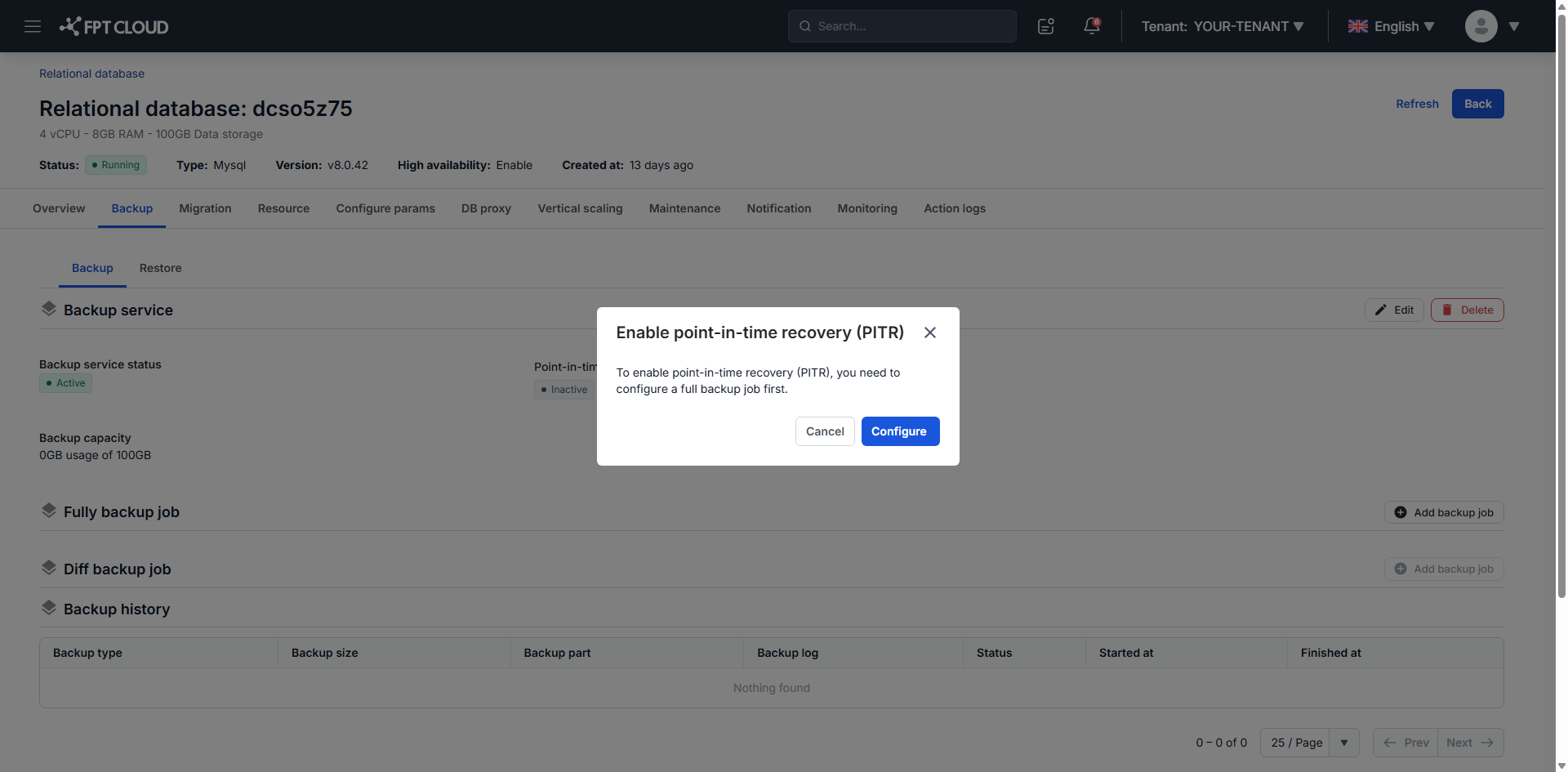
Click Configure Now to create the full backup job first. See Configure backup schedule.
Turn it on
-
On the Backup tab, click Enable PITR, the gear icon next to the PITR status.
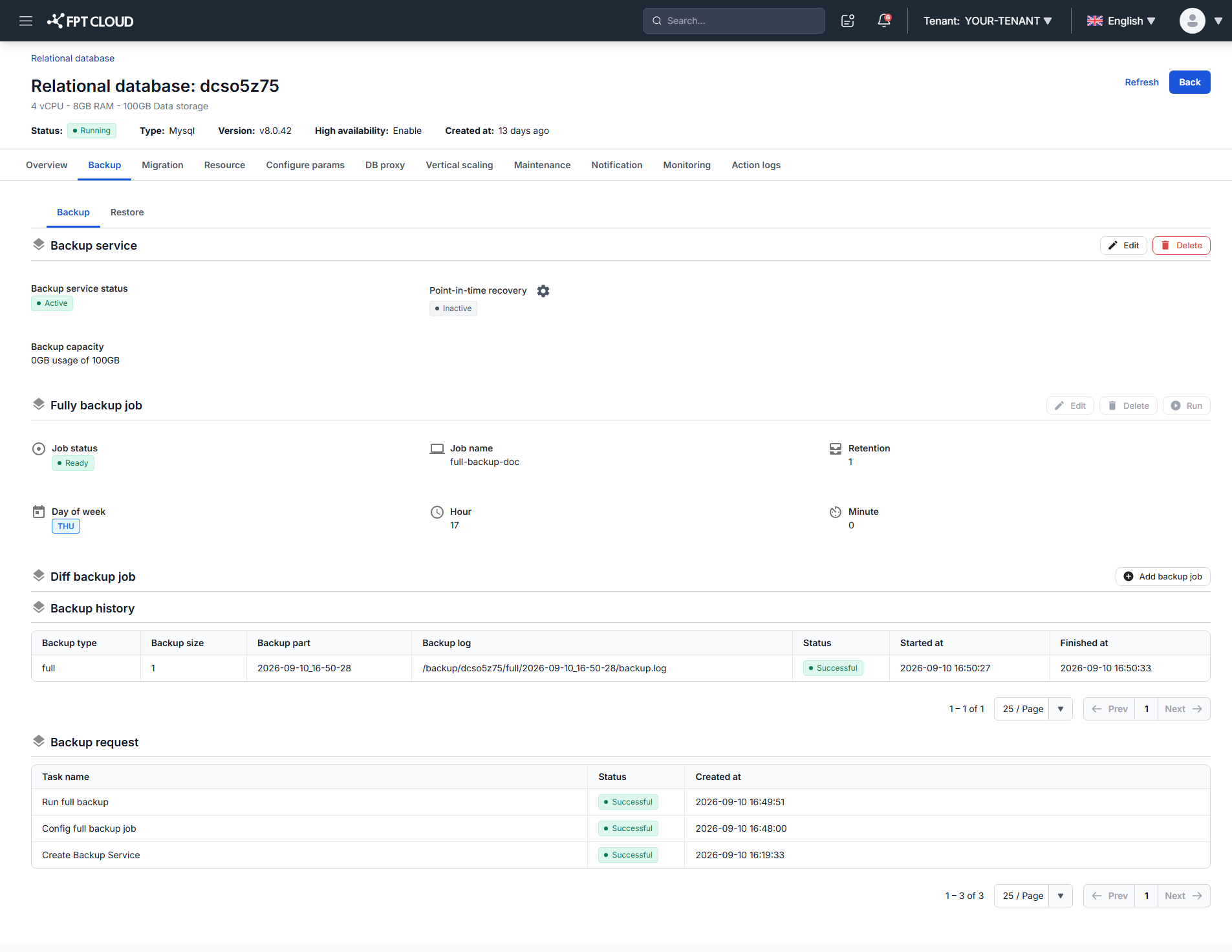
-
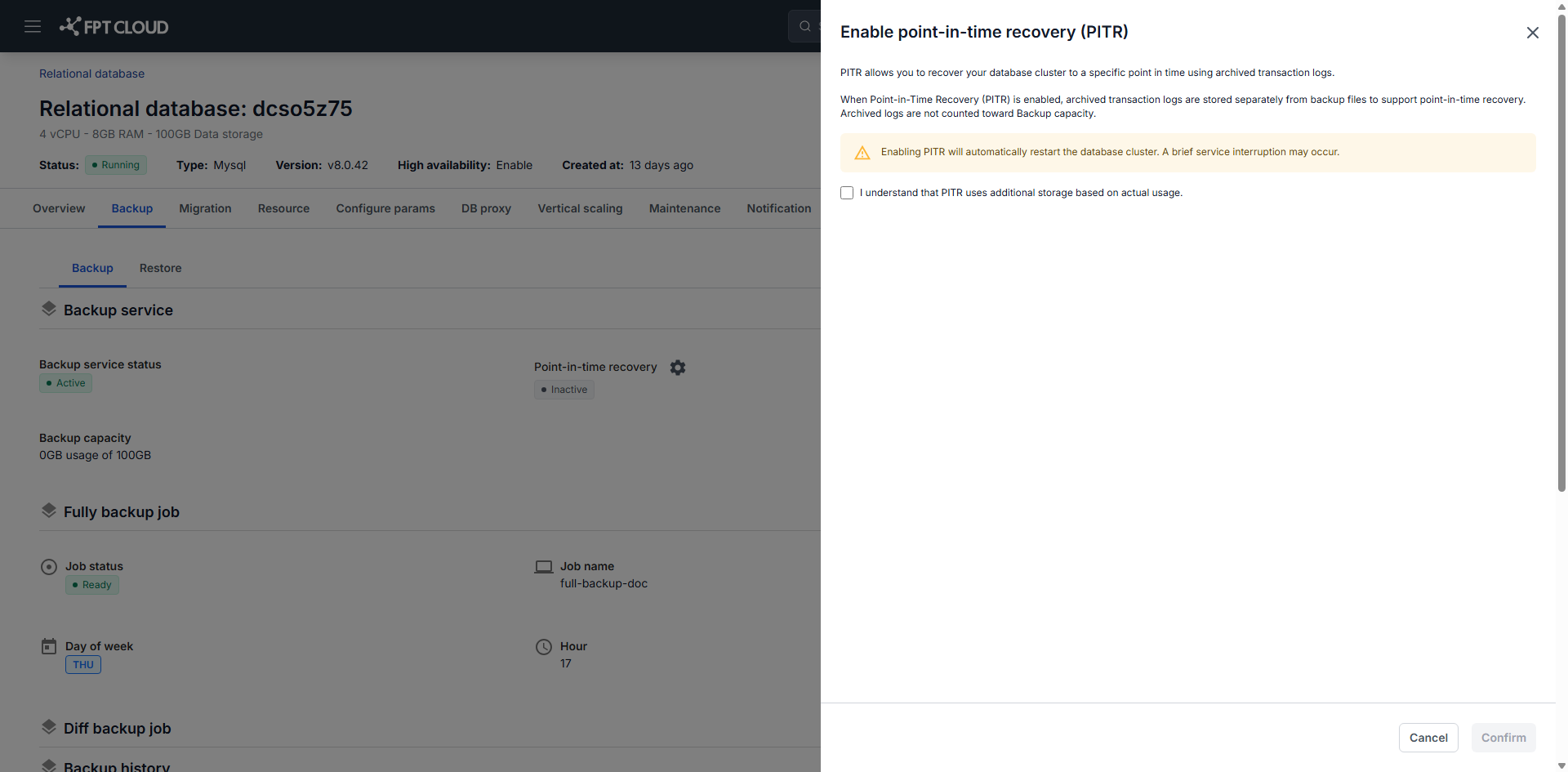
Review the confirmation dialog.
-
Select the confirmation checkbox, then click Confirm.
When protection starts
PITR does not take effect at the moment you enable it. The system must first complete the next full backup. From that backup onward you can recover to any point in time.
Data written before that first full backup is not protected by PITR and cannot be recovered to a point in time. If you need coverage immediately, run a full backup job manually after enabling PITR instead of waiting for the schedule.
For a PostgreSQL HA cluster created before March 13, 2026, enabling PITR restarts the cluster automatically and briefly interrupts service. Enable it during off-peak hours.
Non-HA clusters, and HA clusters created on or after that date, need no restart and keep serving traffic.
Disable PITR
Once PITR is disabled you can no longer restore the cluster to any past point in time.
-
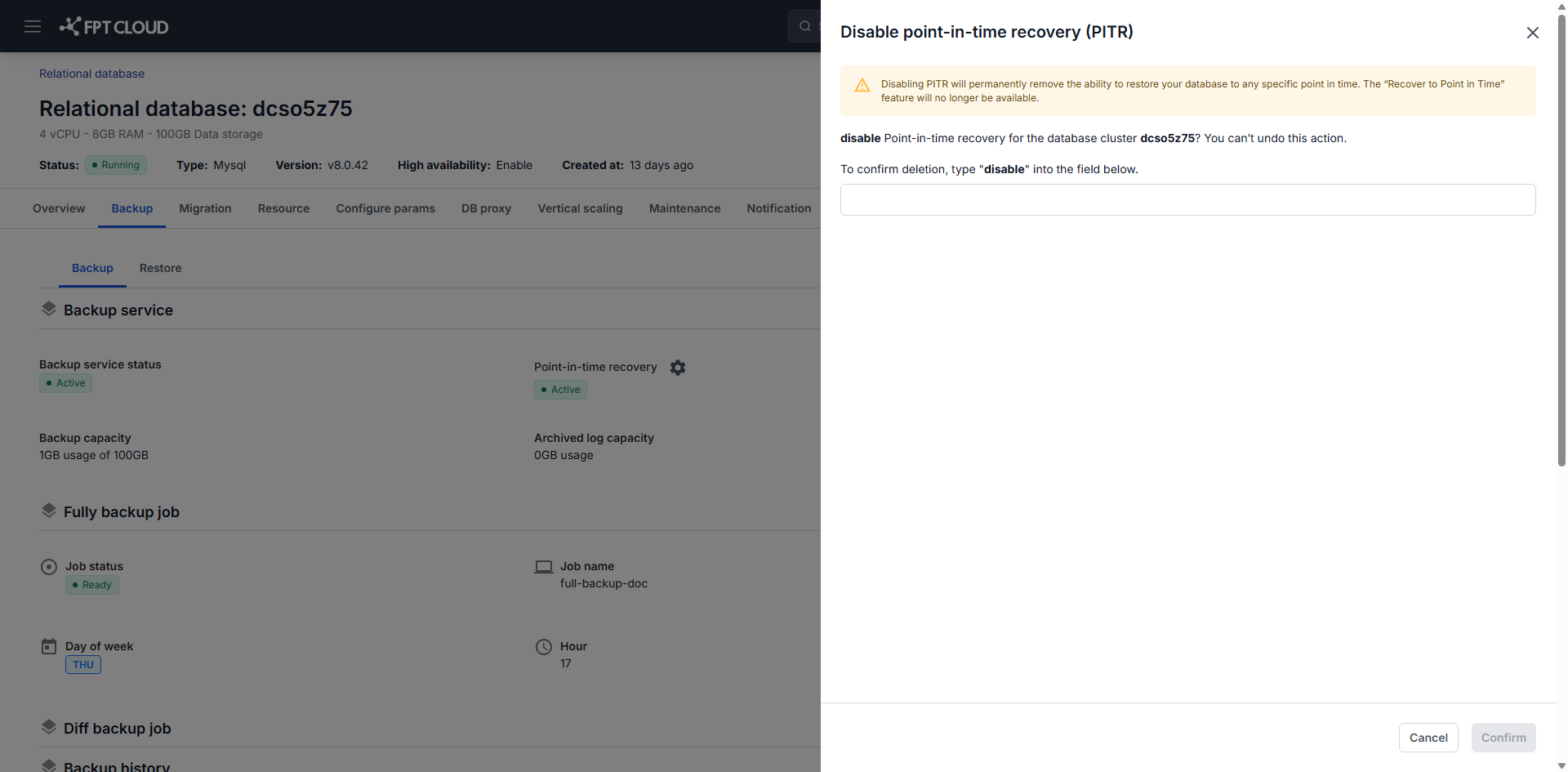
On the Backup tab, click Disable PITR, the gear icon next to the PITR status.
-
Type
disable, then click Confirm.