Stop, start & restart database
Start, stop, restart, and delete let you manage a cluster through its lifecycle. Which of them you can use depends on the cluster's current status.
Available operations
- Start: starts a stopped cluster. The status moves to Starting, then Running once it is ready to serve.
- Stop: stops a running cluster. The status moves to Stopping, then Stopped. A stopped cluster serves no connections but can be started again.
- Restart: stops and starts a running cluster. Use it to apply configuration changes or clear a transient problem. The status shows Restarting, then returns to Running.
- Delete: deletes the cluster and all its data.
danger
Deleting a cluster destroys its data permanently. This cannot be undone. The cluster is removed from the list and its resources are released.
Which operations each status allows
| Status | Meaning | Available operations |
|---|---|---|
| Processing | The cluster is being initialized. | Delete |
| Running | The cluster is operating normally. | Stop, Restart, Delete |
| Stopped | The cluster has been stopped. | Start, Delete |
| Warning | The cluster is operating unstably. | Delete |
| Failed | The cluster hit an unknown error. Delete it to free the resources, or contact FPT Support. | Delete |
Run an operation
-
Open the database list.
-
In the Action column for your cluster, click the ⋮ (More actions) icon. The available actions appear.
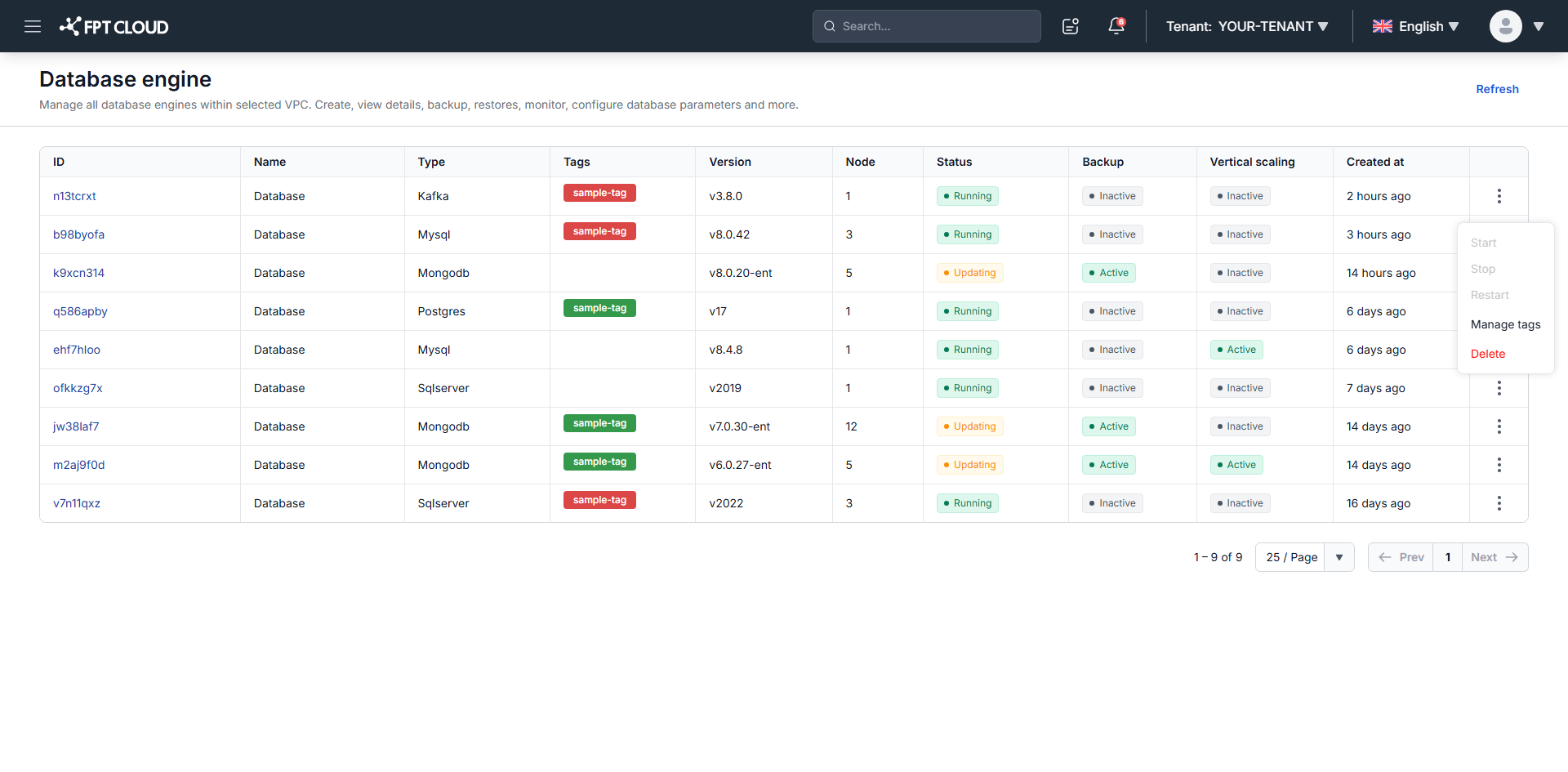
-
Select the action, then confirm it in the dialog.
Confirmation is always required, so an irreversible action cannot be triggered by a single click.
The operation takes approximately 5 to 7 minutes. Other operations on the cluster stay disabled until it finishes.