View database list
The database cluster list shows every cluster running in your VPC, with its current status and the actions available on it. Use it as the entry point for monitoring, configuration review, and day-to-day operations.
Open the list
- Log in to FPT Cloud Portal.
- From the main menu, select Database Platform → All Database, or open the menu for a specific engine category.
The engine categories are:
- Relational Database: PostgreSQL, MySQL, MariaDB, Microsoft SQL Server.
- Non-Relational Database: MongoDB, Cassandra, Redis.
- Search Engines: OpenSearch.
- Data Streaming: Kafka.
- Time Series DB: TimescaleDB.
- Olap: ClickHouse.
When the VPC holds no clusters, the list is empty and shows a provisioning option instead.
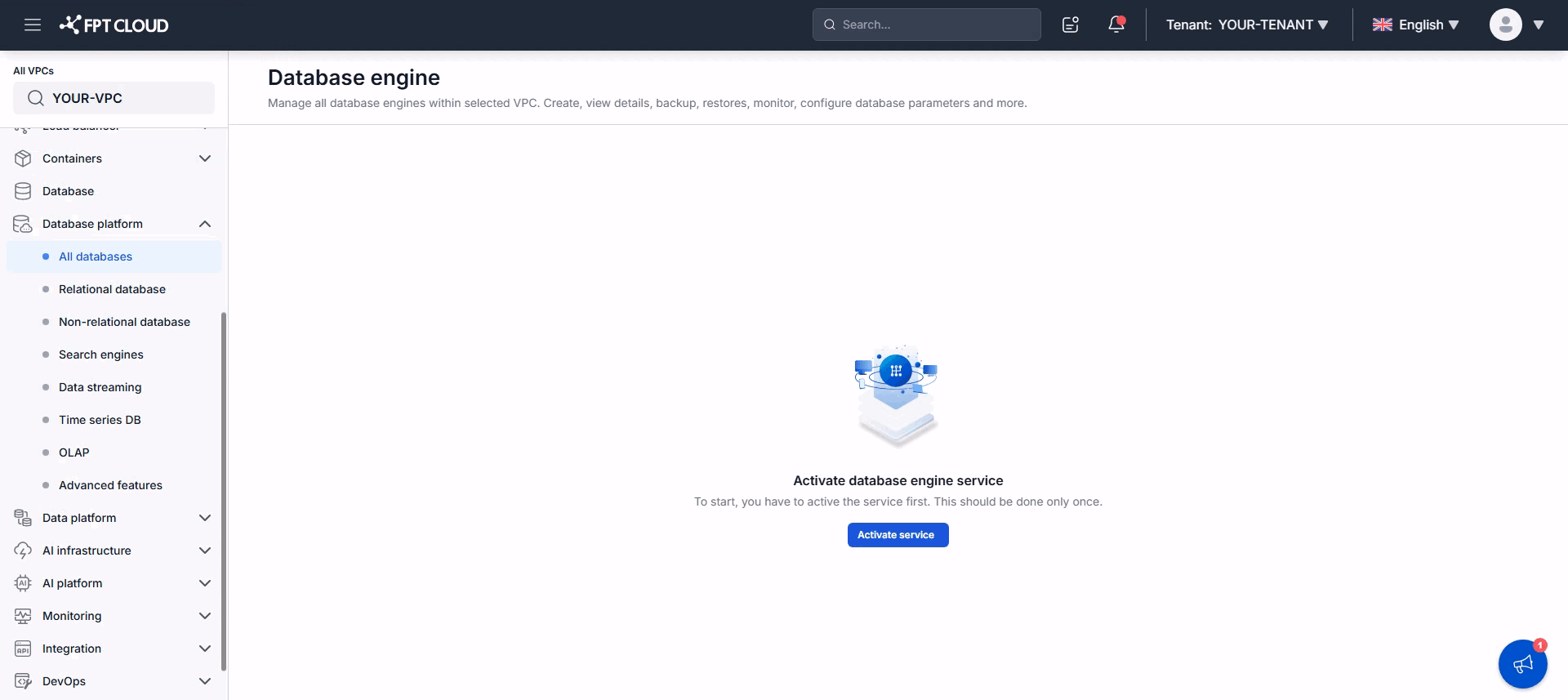
When clusters exist, the list shows each one with its status and management actions.
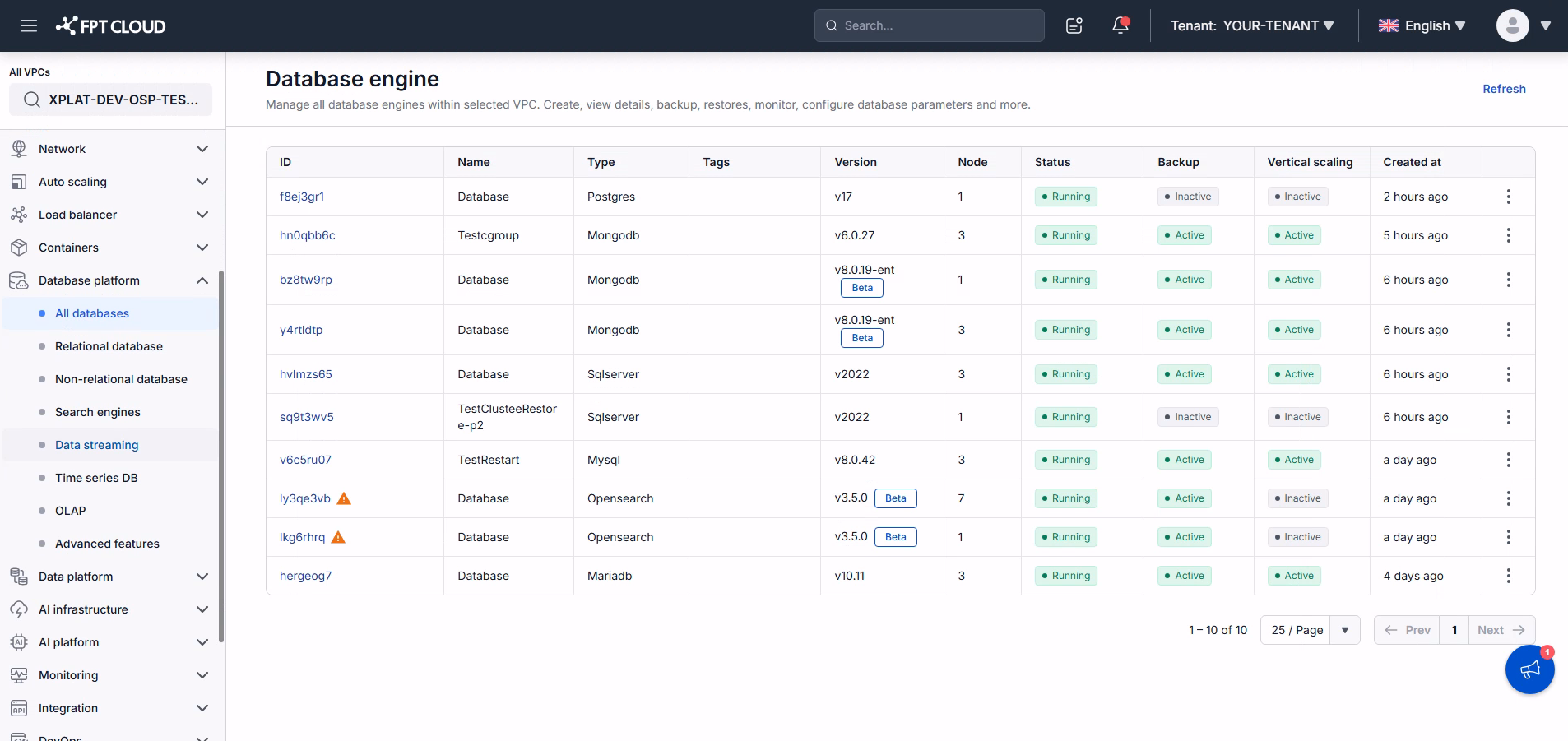
Columns in the list
| Column | Description |
|---|---|
| ID | The database cluster ID. |
| Name | The database cluster name. |
| Type | The database engine type. |
| Tag | Tags assigned to the cluster. |
| Version | The engine version and its lifecycle status. Beta versions are labeled "Beta", deprecated versions "Dep.", and end-of-support versions "EoS". General Availability versions carry no label. |
| Node | The number of nodes in the cluster. |
| Status | The current cluster status, such as Running, Stopped, or Failed. |
| Backup | Whether the Backup service is enabled. |
| Vertical scaling | Whether Auto Vertical Scaling is enabled. |
| Created at | When the cluster was created. |
| Action | Actions available on the cluster: Start, Stop, Restart, Manage tags, and Delete. |
Restart warning icon
A warning icon next to a cluster ID means you changed CPU or RAM but have not yet restarted the cluster, so it is still running on the old configuration.
Restart the cluster to apply the new configuration. Schedule the restart during a low-traffic period, because it interrupts service. The icon disappears once the restart completes and the new configuration takes effect.