Create database proxy
Creating a proxy deploys a separate resource alongside the database, with its own flavor, storage policy, and availability setting. It is billed and sized independently of the database it fronts.
Prerequisites
- A database in Running status, created with High Availability, on MySQL, PostgreSQL, or MariaDB. See Database proxy overview.
- The
manageDatabase:CreateProxypermission. - Enough remaining quota for the proxy's compute and storage.
Create the proxy
-
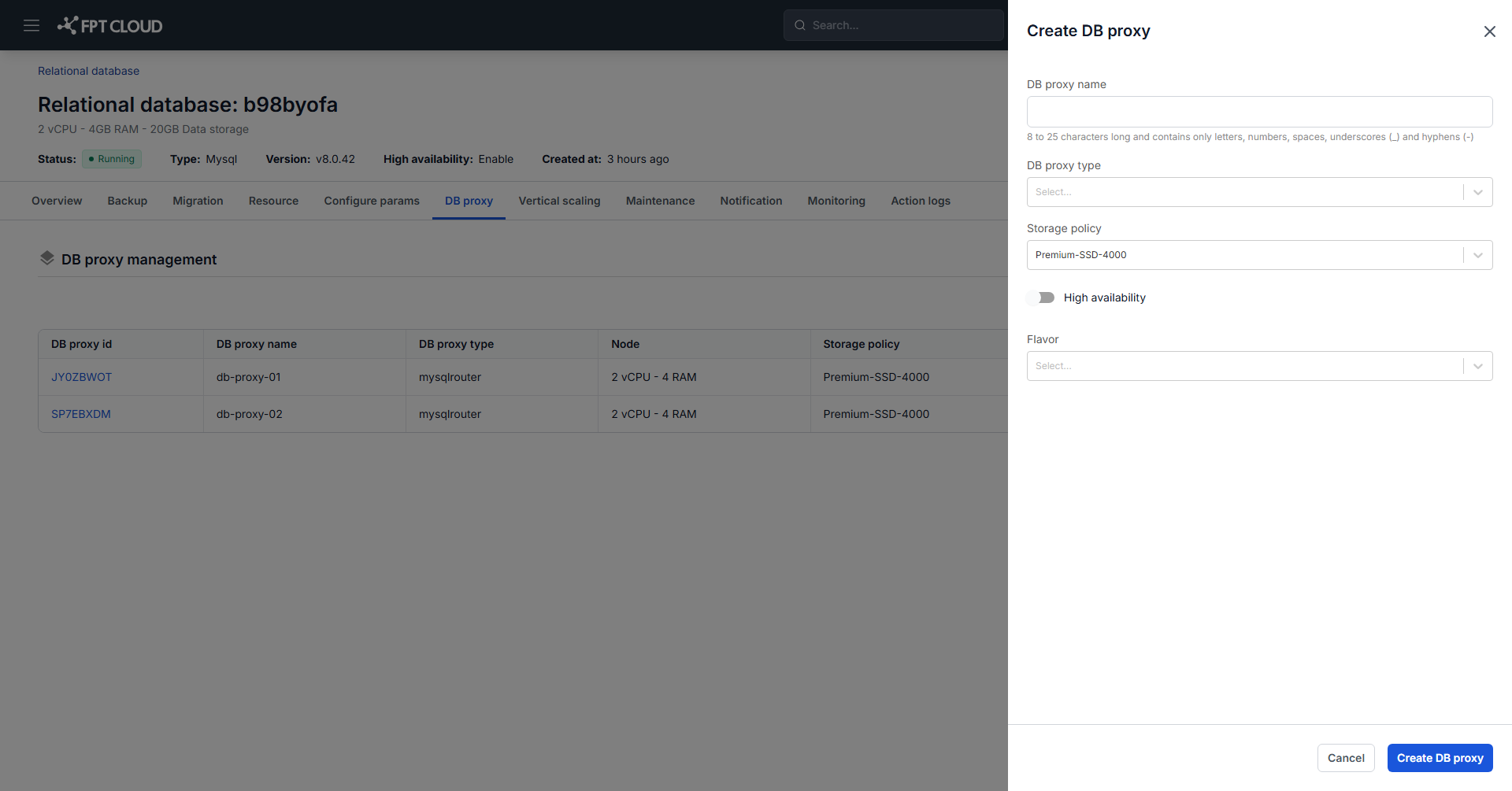
On the DB Proxy page, click Create DB Proxy.
-
Fill in the fields:
- DB proxy name: 8 to 25 characters, containing only letters, numbers, and hyphens.
- DB proxy type: HAProxy, currently the only supported type.
- Storage Policy: the policy setting IOPS performance for the proxy.
- High Availability: deploys the proxy itself in HA mode. Without it, the proxy becomes a single point of failure in front of a highly available database.
- Flavor: the vCPU and RAM allocated to the proxy.
-
Click Create DB Proxy.
The system checks resource availability and starts deploying. The new proxy appears at the top of the list in Processing status.
Creation takes approximately 5 to 7 minutes, after which the proxy moves to Running.
If creation fails, delete the failed proxy and create it again. A proxy in Failed status cannot be repaired in place.
After creating
Open the proxy detail dialog and copy the End Point address, then point your application at it instead of the database node address. Until you do, the proxy is running but carrying no traffic.
Next steps
- Start, stop & restart database proxy
- Change database proxy resource if the flavor you chose turns out to be too small
- Connect to database with Floating IP