Change database proxy resource
A proxy is sized independently of the database it fronts, and connection volume is what drives its load rather than query complexity. Resizing changes the vCPU and RAM allocated to it.
Resize when the proxy itself is the constraint — connection pooling is saturating, or the proxy's own CPU is high while the database is comfortable. If the database is the bottleneck, change the database resource configuration instead.
Prerequisites
- The proxy is in Running status. Resize is unavailable in any other status.
- Enough remaining quota for the larger flavor.
Resize the proxy
-
On the DB Proxy page, click the ⋯ (More actions) icon in the Action column for the proxy.
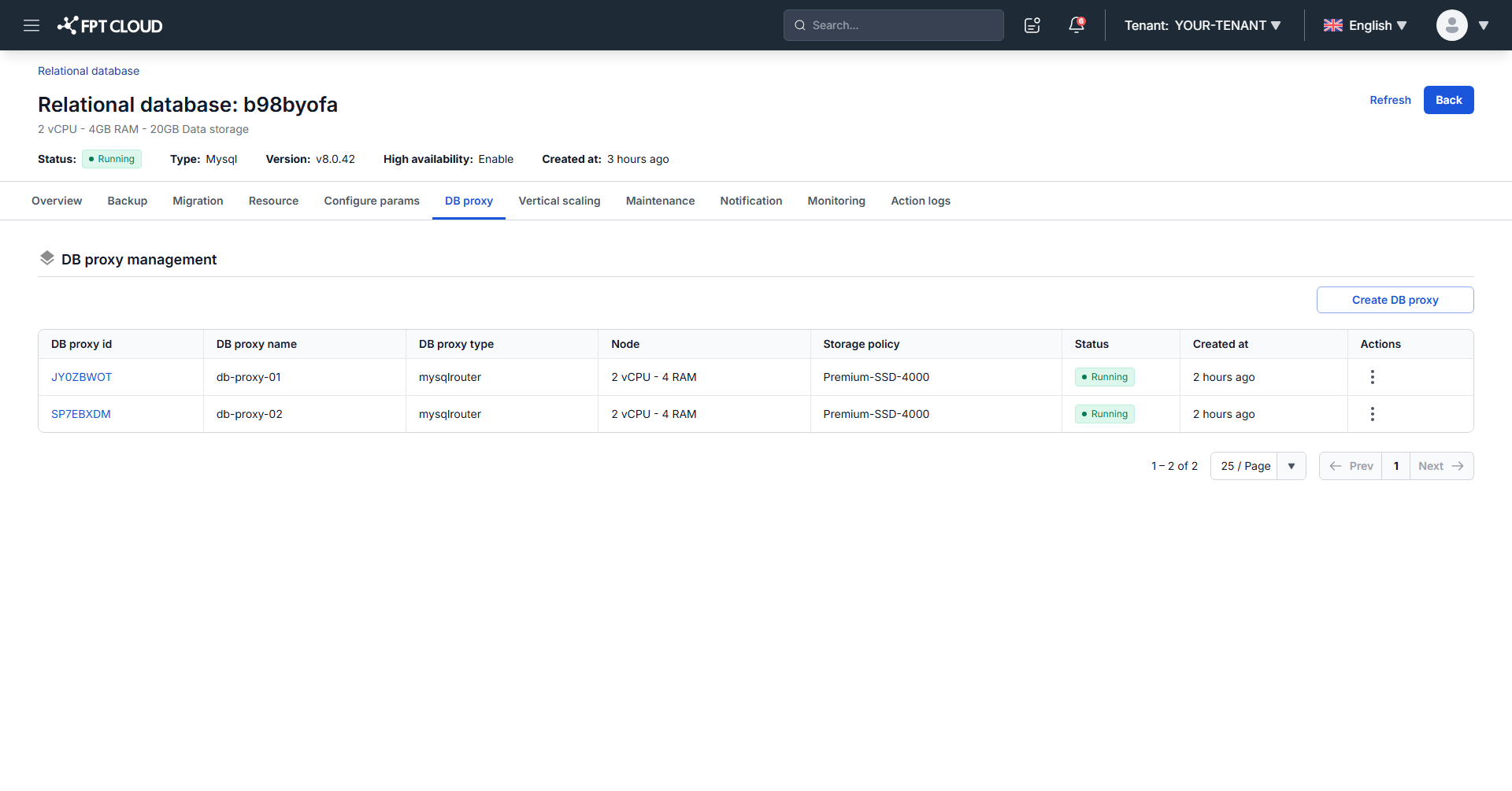
-
Select Resize, choose the new flavor, then confirm in the dialog.
The status moves to Resizing and back to Running. The operation takes approximately 5 to 7 minutes, during which the proxy's other operations stay disabled.
Resizing breaks existing connections through the proxy. Applications reconnect, but in-flight transactions are lost, so run it during off-peak hours or inside your maintenance window.
Next steps
- Monitor database with FMON to confirm the resize relieved the constraint
- Start, stop & restart database proxy
- Change database resource configuration when the database rather than the proxy is the limit