View Action Logs
Action logs record every operation the platform ran against a cluster, with its outcome and the time it ran. Use them to confirm an operation succeeded, work out when a change landed, or reconstruct an audit trail.
View the logs
- Log in to FPT Cloud Console and select Database platform → All databases.
- Click the cluster ID, then open the Action logs tab.
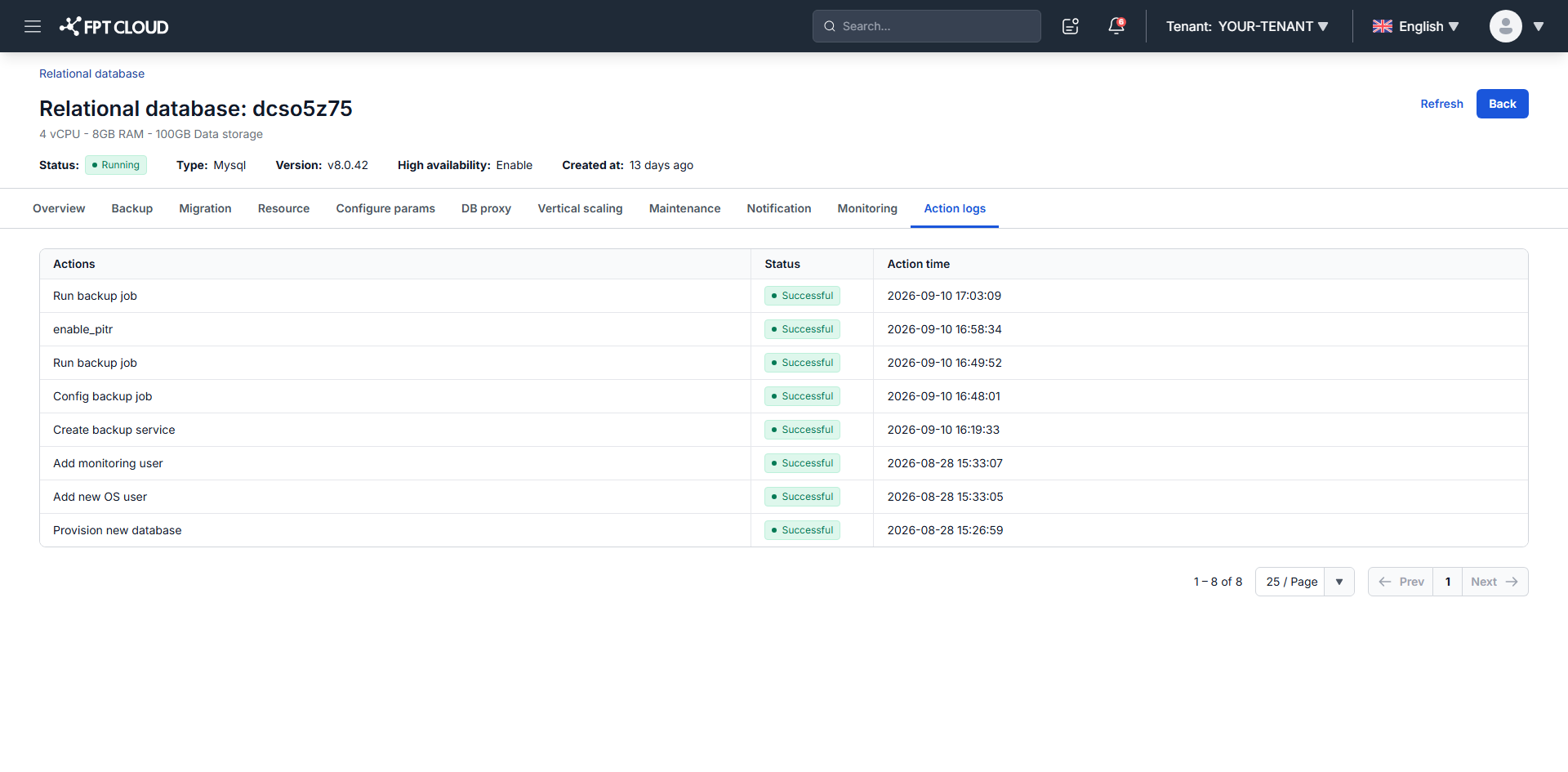
The table has three columns:
| Column | What it shows |
|---|---|
| Actions | The operation that ran, such as Provision new database, Add new OS user, Create backup service, Config backup job, Run backup job, or enable_pitr |
| Status | The outcome, such as Successful |
| Action time | When the operation ran |
Entries are listed newest first, 25 per page by default. The log covers the whole life of the cluster, so the oldest entries are its provisioning steps.
note
Action logs summarize operations. They do not expose the step-by-step internals of a running task, and a row has no detail view. For detail on a specific operation, use the per-feature log tables below.
Where to find operation detail
Each feature keeps its own log table on its own tab, with more context than the cluster-wide summary:
| Tab | Log table | Covers |
|---|---|---|
| Backup | Backup request | Enabling the backup service, configuring and running backup jobs, enabling PITR |
| Migration | Logs | Pushing backup data to S3 |
| Configure params | Configuration logs | Parameter changes, including a Detail column |
| Resource | Resize logs | Flavor and data storage changes, including a Detail column |
Next steps
- View reports for backup activity across clusters
- Monitor database with FMON for performance metrics rather than operation history