Change maintenance window
The maintenance window is the weekly period during which FPT performs upgrades, patching, and optimization on your database. Maintenance is part of the managed service rather than an optional feature, so what you control is when it runs, and setting the window yourself keeps that work away from your busiest hours.
How it behaves:
- The cycle is weekly.
- The window applies to one database, not to the whole VPC.
- Each database has exactly one active window.
- Maintenance runs for one hour from the start time you set.
If you never configure a window, the system uses a default of 23:00 every Saturday.
Required permissions
| Permission | Action type | Description |
|---|---|---|
manageDatabase:Configuration | Edit | Change database configuration, including parameters and scaling settings. |
Set the window
You can set a maintenance window during provisioning, in the additional services step of Create a database, or afterward using the steps here.
-
Log in to FPT Cloud Portal and select Database Platform → All Database.
-
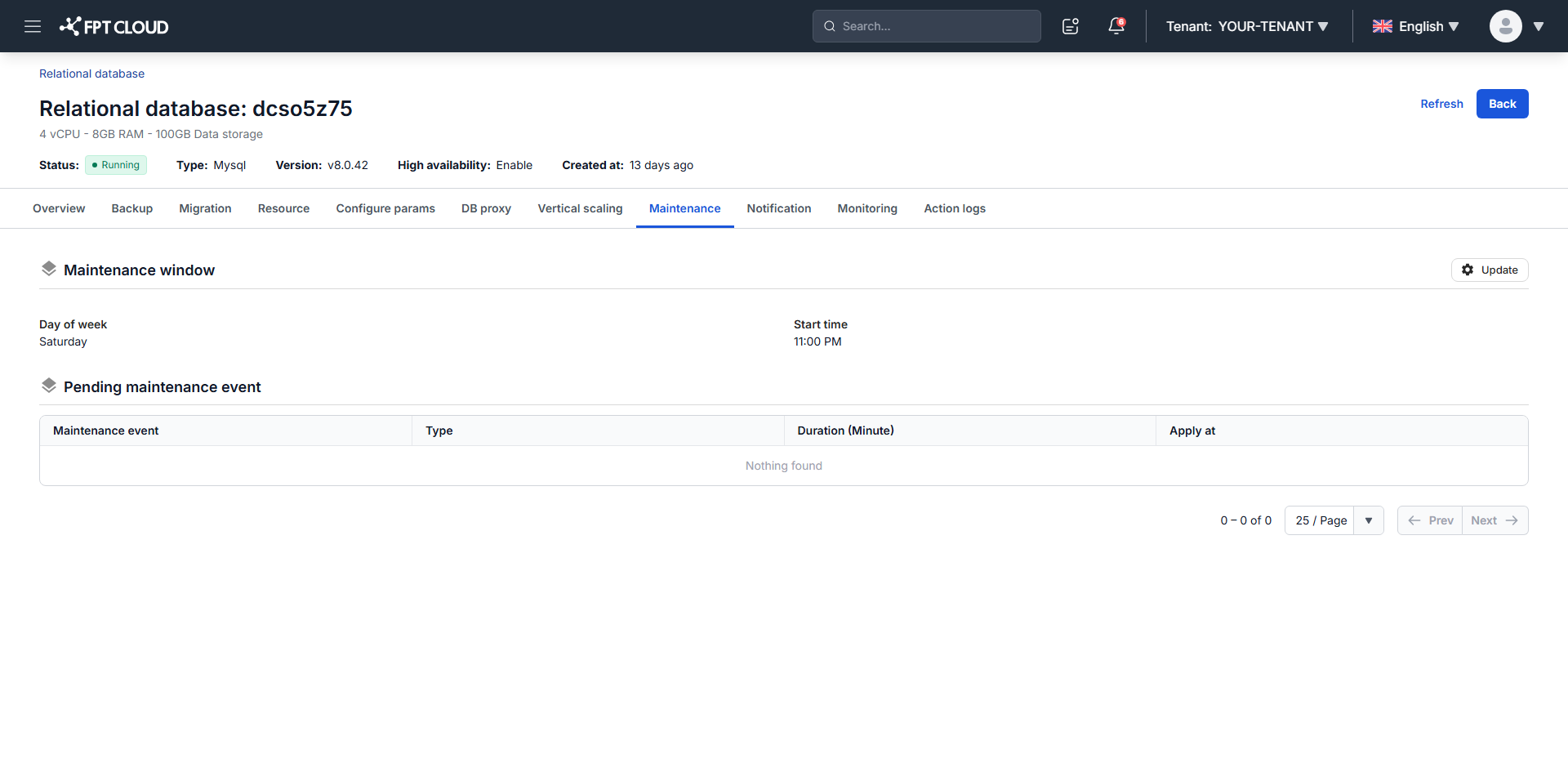
Click the database ID, then open the Maintenance tab.
-
Click Update in the Maintenance window block.
-
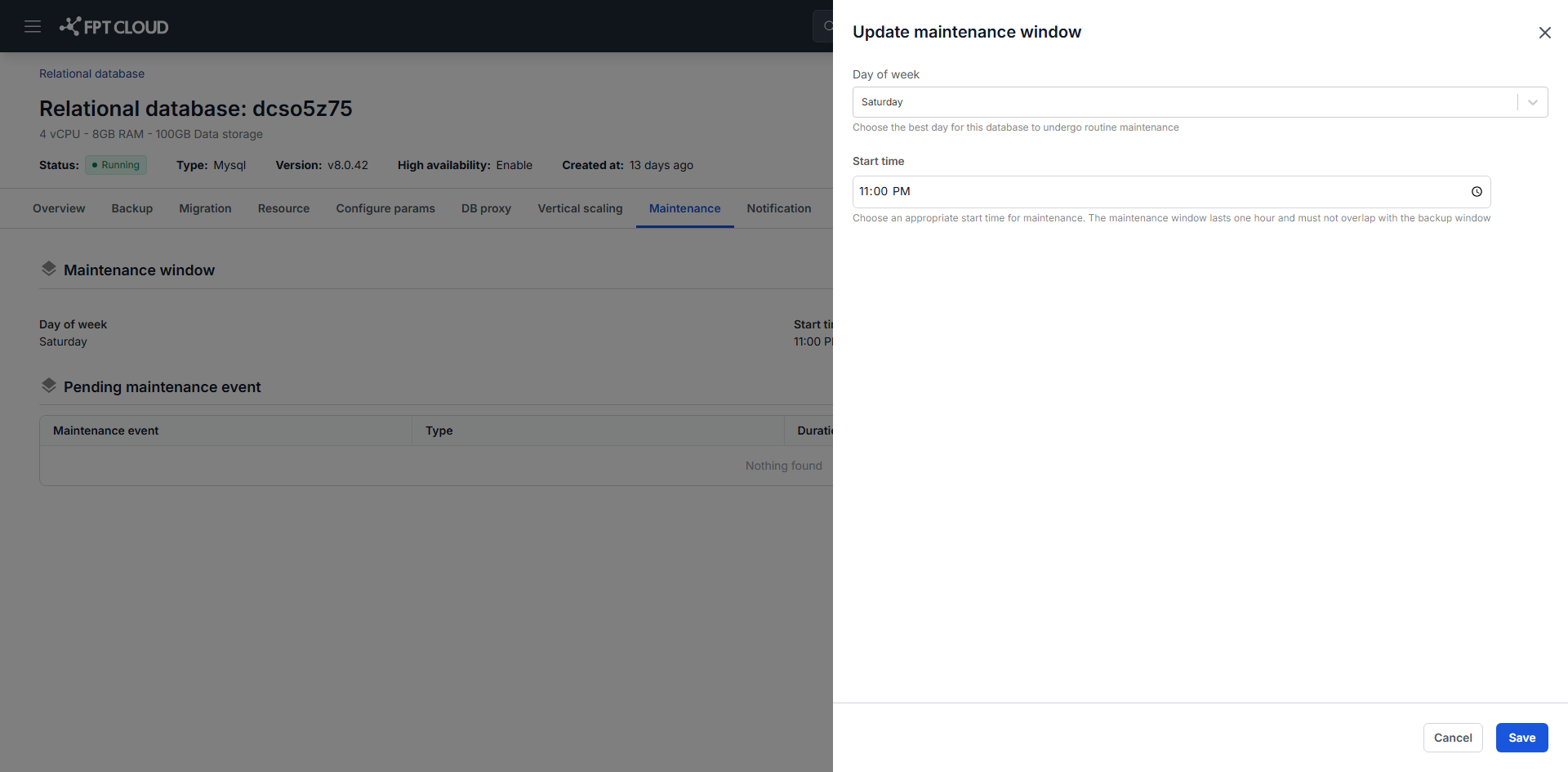
Set the fields:
- Day of week: the maintenance day, Monday through Sunday.
- Start time: when maintenance may begin.
-
Click Save.
You can only change the schedule while no maintenance is already scheduled for the database. Once an event is pending, the window is locked until it completes.
Pick a low-workload period. The window optimizes when maintenance runs, but it does not guarantee that the service is entirely undisturbed.
What to expect during maintenance
The service stays available, with some temporary effects:
- Brief connection interruptions.
- Reduced performance.
- Some features limited.
These end when maintenance completes.
Do not operate on the database while maintenance is running. Changing configuration, modifying the system, and starting or stopping services during the window can affect performance and stability, or produce unexpected errors. Resume once the maintenance event has finished.
Track upcoming maintenance
Scheduled events appear in the Pending Maintenance Event section:
| Field | Description |
|---|---|
| Maintenance Event | The event name. |
| Type | The maintenance type. |
| Duration (Minute) | How long it is expected to take. |
| Apply At | When it is scheduled to begin. |
Check this section regularly so you can plan around the work rather than discover it afterward.
Maintenance notifications
The system sends email notifications ahead of maintenance at two points: 7 days before and 1 day before.
To set who receives them, open the Notification tab and configure the Maintenance service. See Manage alert rules.
Maintenance notifications are email only. Telegram is not supported for this service.
Emergency maintenance
For critical security patches and other urgent updates, FPT may run maintenance outside your window. This is rare and exists to protect data safety and stable operation, so it is not something you can opt out of or reschedule.
Next steps
- Configure parameters to schedule static parameter changes in the same window
- View Action Logs to confirm what maintenance did