Configure parameters
Parameters are the engine's own configuration values: memory allocation, connection limits, timeouts, and optimization behavior. FPT Database Engine exposes them on a running database so you can tune it without rebuilding, and the defaults suit a general workload rather than yours specifically.
Most databases never need a parameter change. Reach for one when monitoring shows a specific limit being hit, not as routine maintenance.
Dynamic and static parameters
Every parameter is one of two types, and the type decides whether changing it interrupts service.
| Type | When it takes effect | Service impact |
|---|---|---|
| Dynamic Params | Immediately on save | None. No restart. |
| Static Params | After a restart | The system restarts the database automatically when you save, which interrupts connections. |
The Console Portal separates the two into their own tabs, so you can tell which you are editing before you change anything. Check the type first on any database carrying production load.
Constraints on a value
Each parameter carries a data type and a permitted range, both shown in the edit dialog. A value outside the range is rejected rather than silently clamped, so the failure is visible at the point of change instead of later.
Required permissions
| Permission | Action type | Description |
|---|---|---|
manageDatabase:Configuration | Edit | Change database configuration, including parameters and scaling settings. |
Update a parameter
-
Log in to FPT Cloud Console and open the Database list page.
-
Click the database ID, then open the Configure Params tab.
-
Select the parameter type you want to work with, Dynamic Params or Static Params.
-
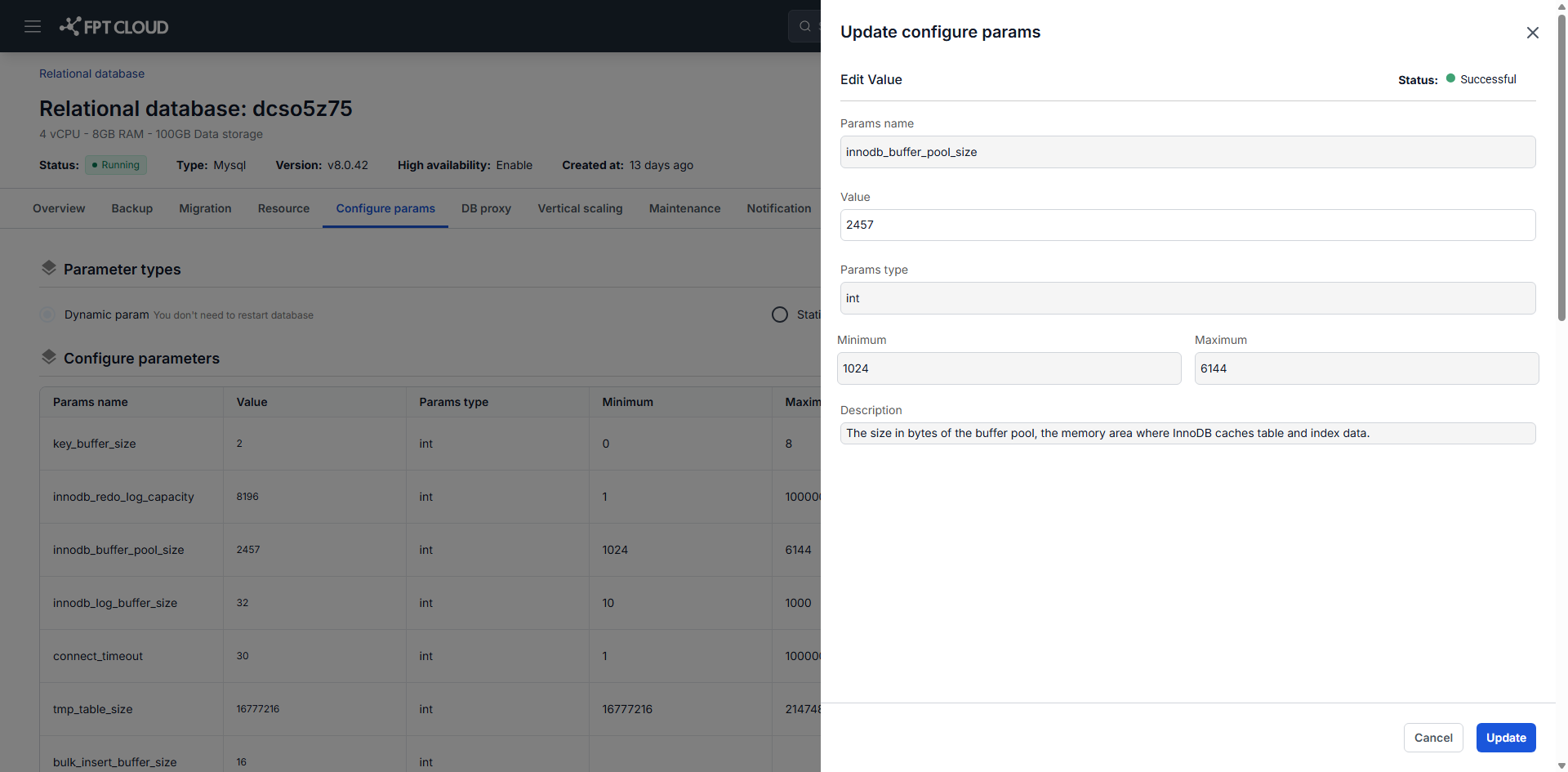
Click the edit icon in the parameter's Actions column.
-
Check the parameter's data type and its minimum and maximum values, enter a new value in Value within that range, then click Update.
A dynamic parameter takes effect at once. A static parameter takes effect after the restart that follows.
Updating a static parameter restarts the database automatically, which interrupts service. Schedule static parameter changes during a maintenance window.
Working safely
- Change parameters in small increments and watch the effect before going further.
- Prefer a dynamic parameter where a dynamic equivalent exists, to avoid downtime.
- Schedule static parameter changes inside your maintenance window, so the automatic restart lands when you expect it.
- Record what you changed and why. The next person debugging performance will be looking for exactly that.
Next steps
- Monitor database with FMON to measure whether a change helped
- Change maintenance window before a static parameter change
- Change database resource configuration when the limit is hardware rather than configuration
- View Action Logs to confirm a change was applied