Upgrade database version
Upgrading moves a cluster to a newer engine version for its performance, security, and feature improvements. FPT Database Engine supports upgrades for PostgreSQL, MySQL, MariaDB, Redis, and Kafka clusters.
Supported upgrade paths
Each engine has one target version, and the dialog offers only that one. If your cluster runs a version not listed here, no upgrade is available for it yet.
| Engine | Upgrade from | Upgrade to |
|---|---|---|
| PostgreSQL | 16.2 | 16.11 |
| MySQL | 8.0.25, 8.0.30, 8.0.31 | 8.0.42 |
| MariaDB | 10.5, 10.6, 10.9 | 10.11 |
| Redis | 7.2.1 | 7.2.13 |
| Kafka | 3.4.0 | 3.8.0 |
Upgrades are single-hop: MySQL 8.0.25 goes straight to 8.0.42 rather than stepping through 8.0.30 and 8.0.31.
These are the paths offered at present. They change over time as new engine versions ship and older ones reach end of support, so read the table as a snapshot. The Upgrade dialog on your own cluster is always the authority on what is available right now.
Scope and limitations
- Only PostgreSQL, MySQL, MariaDB, Redis, and Kafka support upgrades.
- Other engines do not show the Upgrade control.
- A cluster already running the latest version for its engine does not show the control either.
- Downgrades, and upgrades to any version other than the one the dialog offers, are not supported.
- MongoDB upgrades are covered separately in the FPT Database Engine for MongoDB documentation.
An upgrade cannot be rolled back. Take a full backup first and confirm it completed, because restoring that backup is your only route back to the previous version. Kafka no longer has platform backup, so take a manual snapshot of it instead.
Prerequisites
- IAM permission to manage and update the cluster.
- A completed full backup of the cluster, or a completed manual snapshot on Kafka.
- All applications disconnected from the database.
- Application compatibility with the target version verified.
Upgrade the cluster
-
Log in to FPT Cloud Portal and open the Database List page.
-
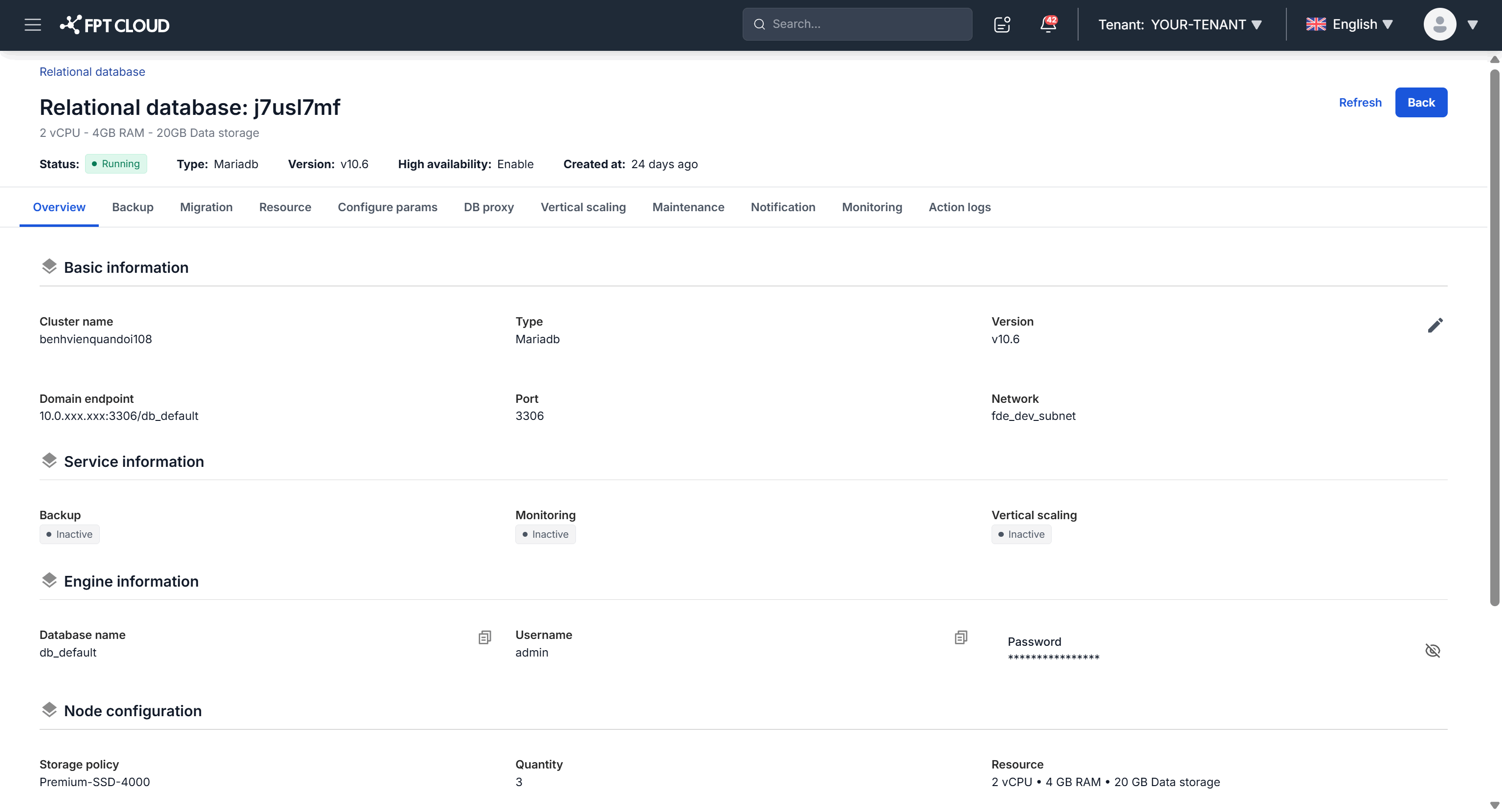
Select the cluster you want to upgrade. The Overview page shows the current version with an Upgrade icon beside it.
-
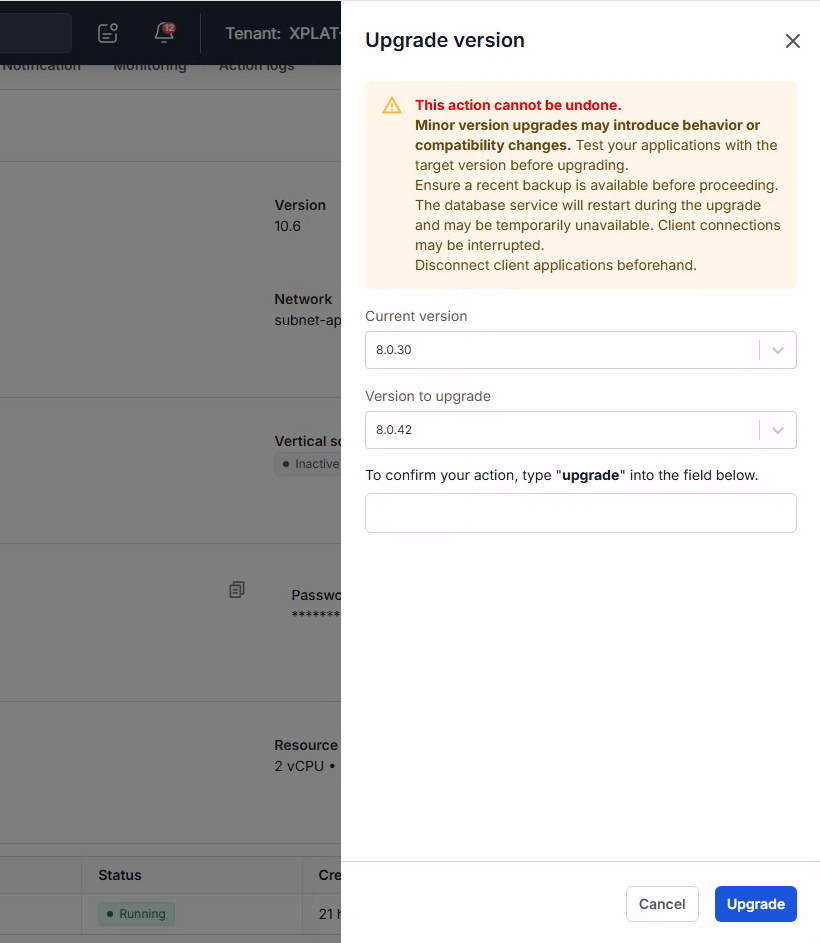
Click the Upgrade icon. The dialog shows the current version and the target version.
-
Select the target version, type the confirmation keyword, then click Upgrade.
The cluster status changes to Updating and the cluster restarts automatically during the process. Do not connect to the database or change it while the upgrade runs.
When the status returns to Running, the cluster is on the new version.
Next steps
- Manage Backup service to take the full backup this page requires, on every engine here except Kafka
- Restore from backup when an upgrade fails on PostgreSQL, MySQL, MariaDB, or Redis, or when the new version behaves worse than the old one
- Manual backup and restore for Kafka to capture a Kafka snapshot before you start, since platform backup no longer covers it
- Configure parameters to review engine settings against the version you just moved to