Add a Build and push job
A Build and push Job builds a Docker image from a Dockerfile in your Pipeline Source and pushes it to a container registry. It's typically the first Job in a Pipeline, added right after the Pipeline Source is configured — later Jobs, such as a security scan or a deploy, act on the image this Job produces.
Prerequisites
- The Pipeline has been created and saved, with a Code source configured. See Configure Pipeline Source.
- A Container registry connection is configured. See Manage credentials.
Add a Build and push job
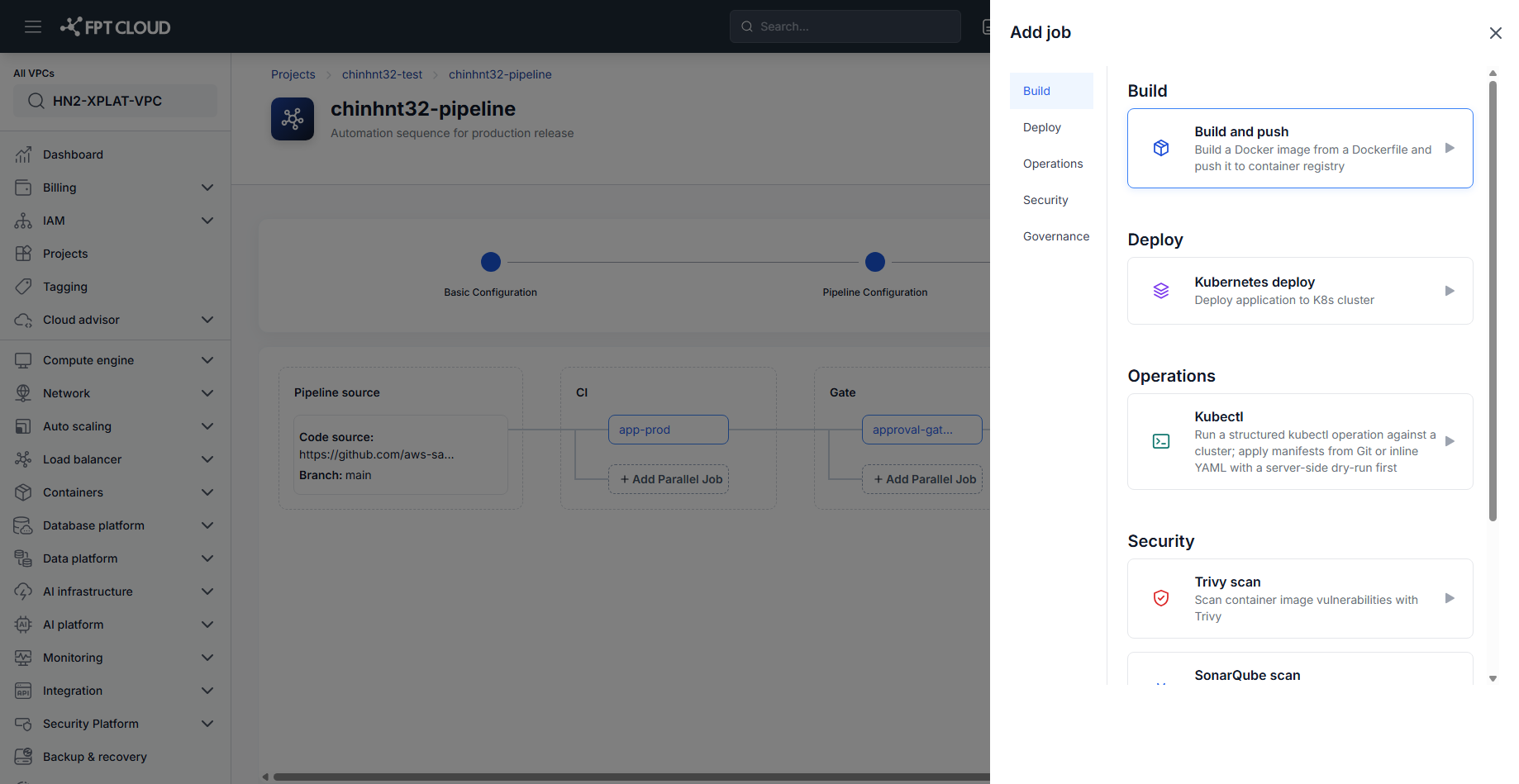
- In the Pipeline Editor, click Add Job (or Add Parallel Job) on the Stage you want to build from.
- Under Build, select Build and push.
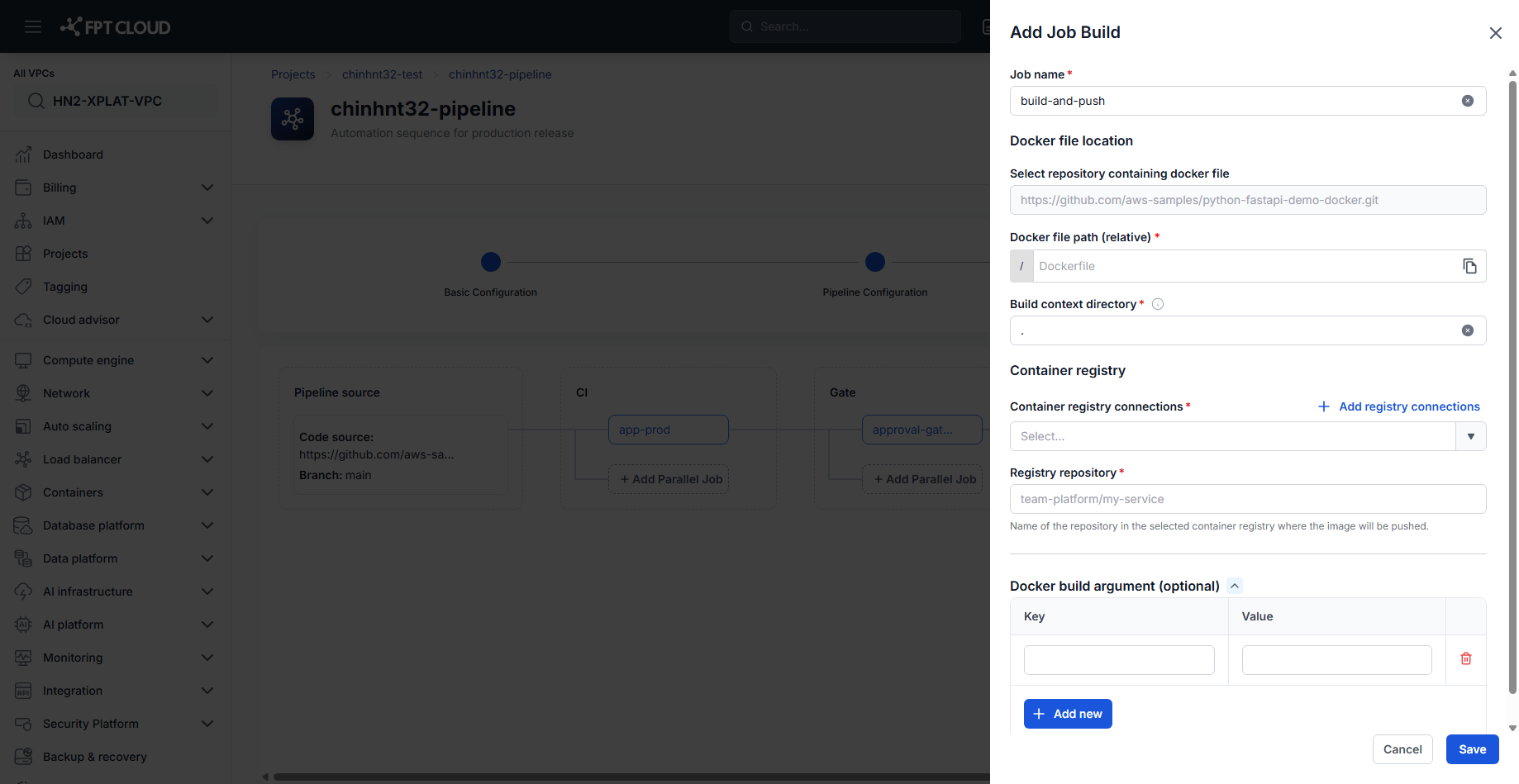
- Enter the Job name.
- Enter the Docker file path (relative) — the path to the Dockerfile within the repository, relative to its root.
- Enter the Build context directory — defaults to
.(the repository root). - Select a Container registry connection, or click Add registry connections to create one.
- Enter the Registry repository — the name of the repository in the selected registry where the image will be pushed (e.g.
team-platform/my-service). - Optionally add Docker build argument(s) as key/value pairs. Click Add new for each additional argument.
- Click Save.
The Build and push Job is added to the Stage.
tip
Docker file location in the panel is read-only — it always points at the Code source already configured for this Pipeline. See Configure Pipeline Source to change it.
tip
The Job name defaults to build-and-push — rename it if you plan to add more than one Build and push Job to the same Pipeline.
Next steps
- Add a security scan job — scan the image this Job produces.
- Deploy config & deploy application — deploy the image this Job pushes.
- Build and push reference — field reference.