Access FPT Integration Platform
You sign in to FPT Integration Platform with the same FPT ID account you use for FPT Cloud Console, without a separate account or password. While your FPT ID session is active, you are not asked to sign in again.
Complete the Prerequisites before you access the platform: an FPT Cloud account and a VPC that runs on OpenStack.
Access from FPT Cloud Console
To access FPT Integration Platform from FPT Cloud Console, follow these steps:
-
Sign in to FPT Cloud Console at https://console.fptcloud.com.
-
Select a VPC that runs on OpenStack in All VPCs.
-
Select Integration Platform in the left menu, then click Go to FPT Integration Platform.
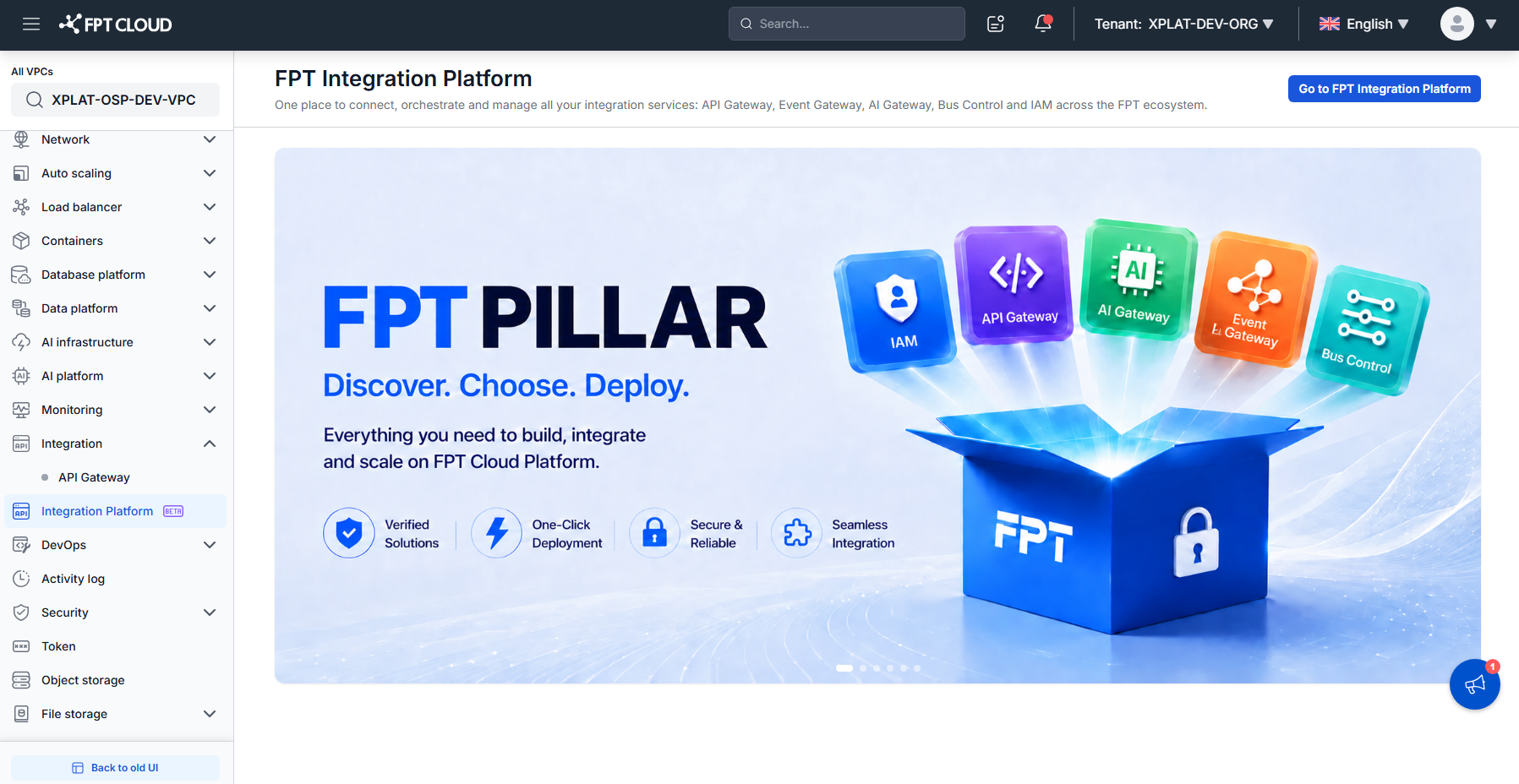
You can also select Integration → API Gateway and click Continue to FPT Integration Platform. This opens the API Gateway screen directly and keeps your current account and VPC.
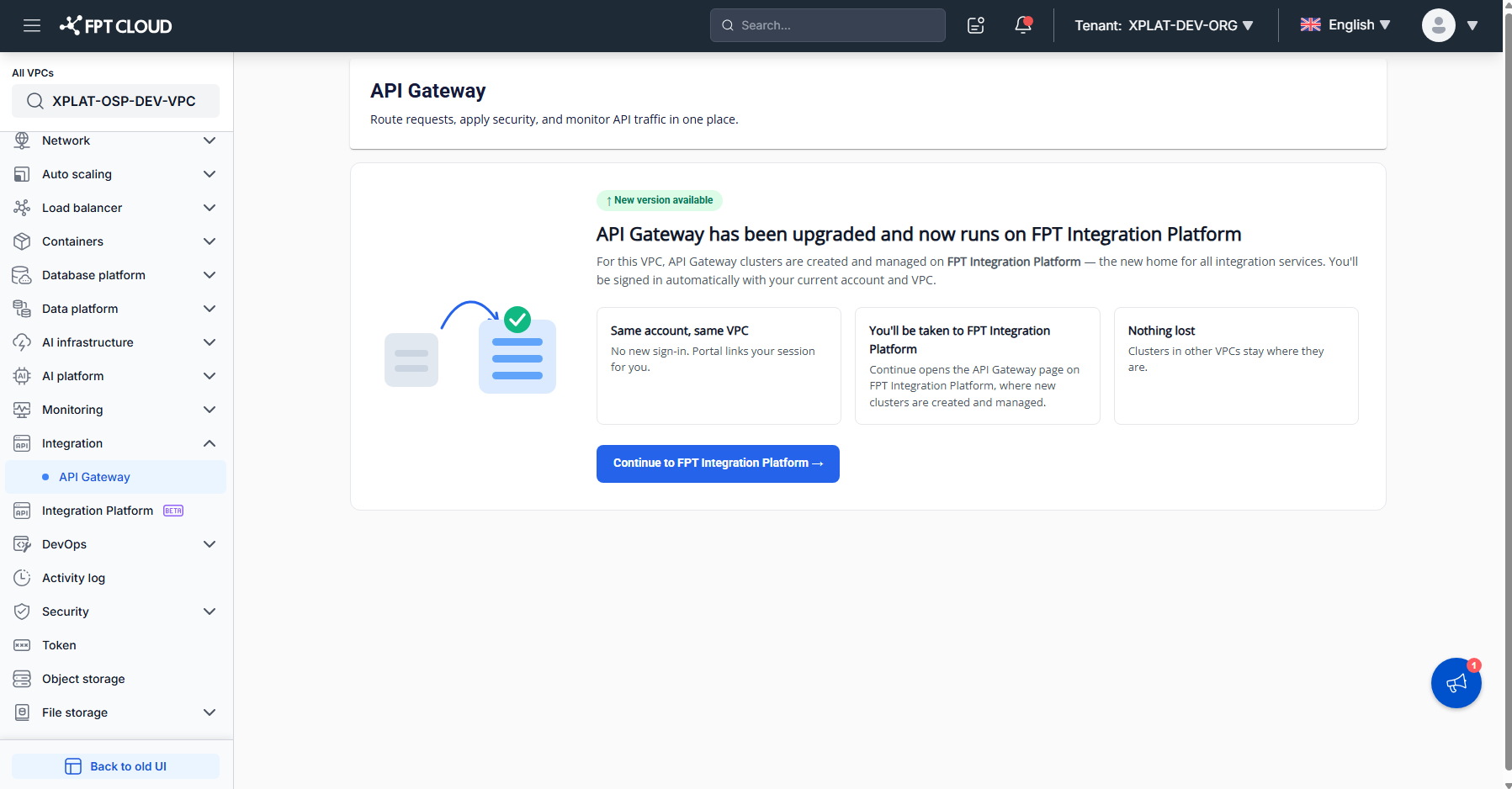
- The system redirects you to FPT Integration Platform with your current account.
The FPT Integration Platform screen appears. The features you can use depend on your role in the organization.
Access from the portal URL
To access FPT Integration Platform from the portal URL, follow these steps:
-
Open the FPT Integration Platform portal URL.
-
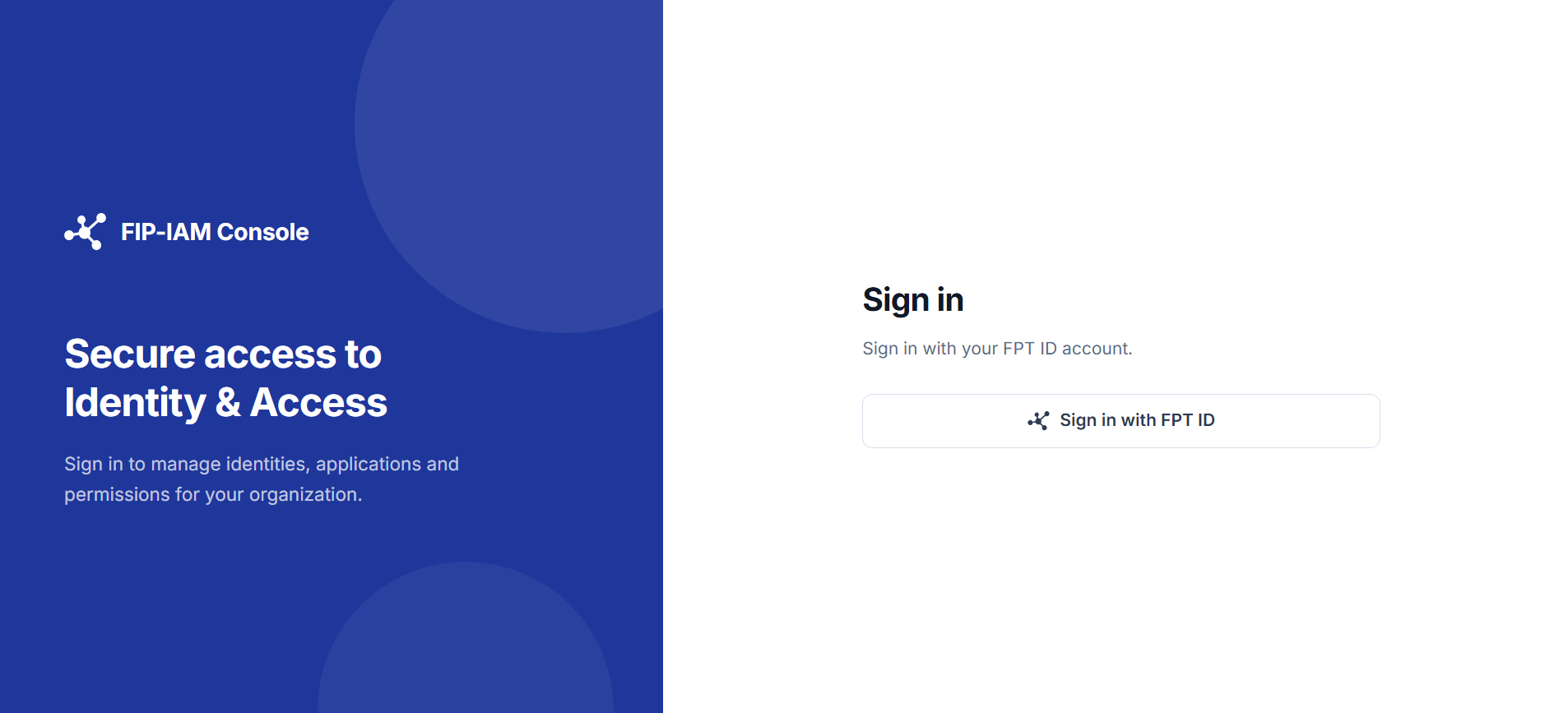
Click Sign in with FPT ID on the Sign in screen.
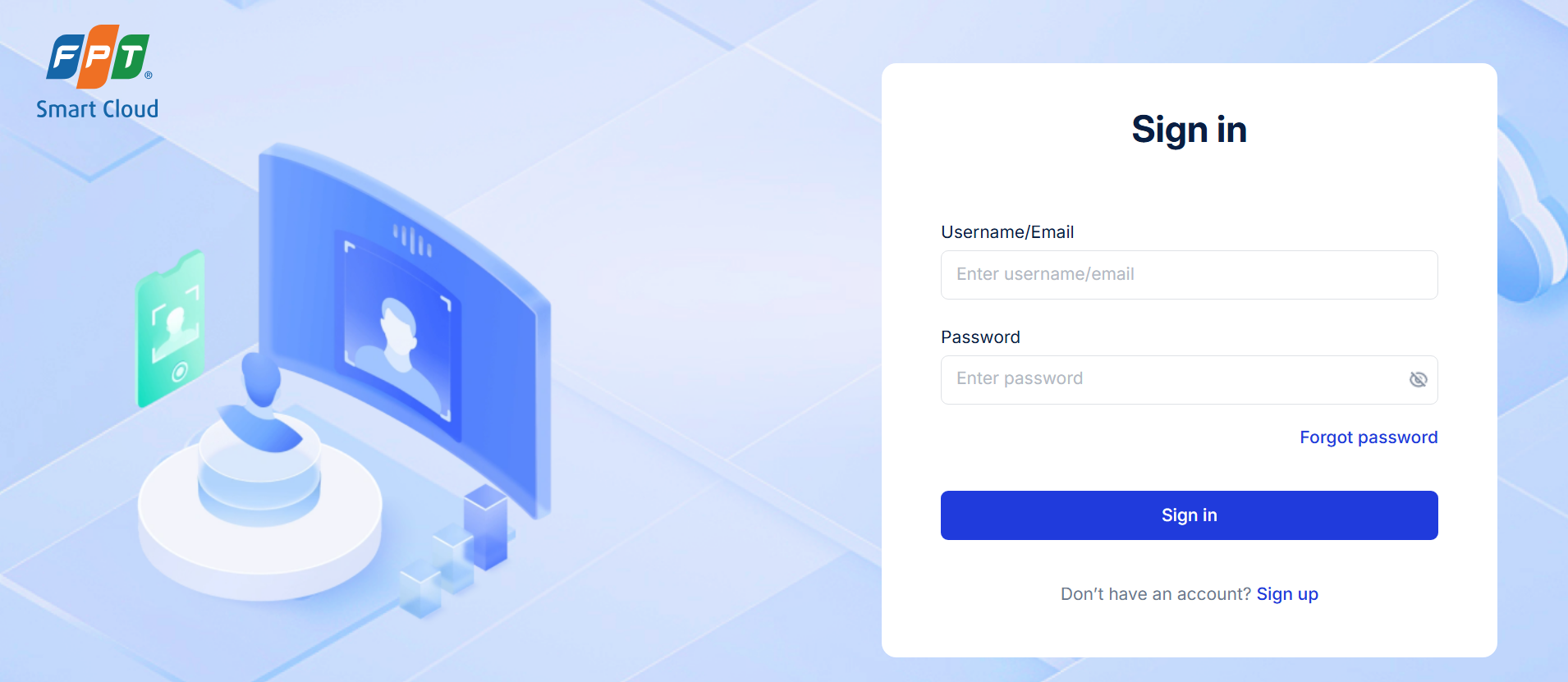
- Enter your Username/Email and Password on the FPT ID sign-in page, then click Sign in.
The FPT Integration Platform screen appears. If you were opening a specific page before you signed in, the system takes you back to that page.
Account not in an organization yet
The first time you sign in, your account may not have been added to any organization. FPT Integration Platform then shows the Get started with FIP screen, and you cannot use the platform features yet.
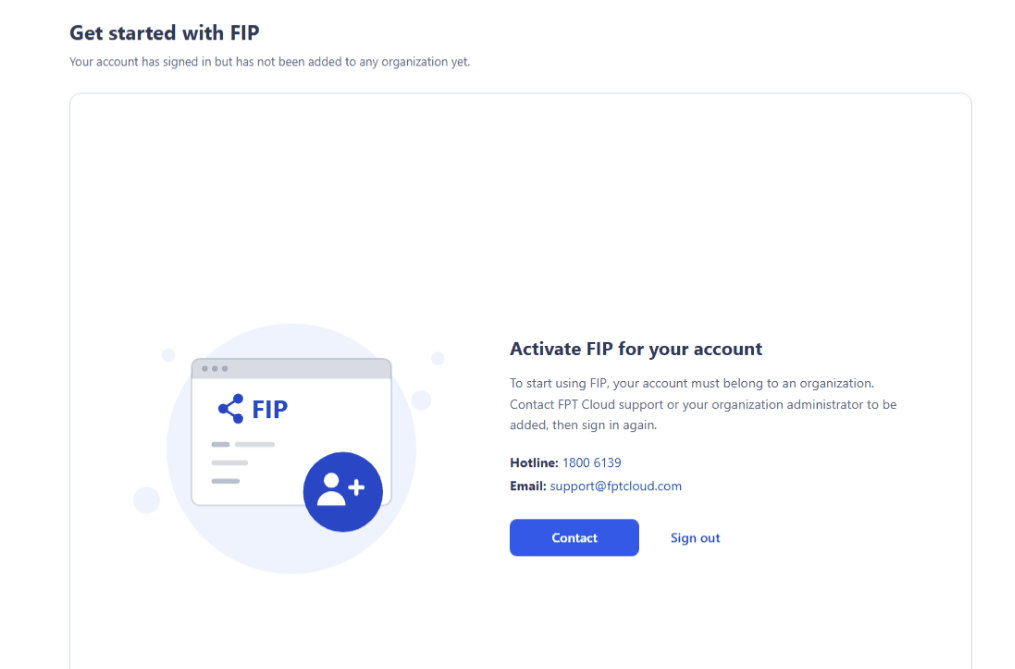
To get access, click Contact or contact FPT Cloud support at 1800 6139 / support@fptcloud.com. After the operations team adds your account to an organization and assigns you a role, click Sign out, then sign in again.
Common issues
| Error | Cause | Solution |
|---|---|---|
| You don't have an FPT Cloud account, or you forgot your password | Accounts and passwords are managed by FPT Cloud (FPT ID) | To create an account, see Create an FPT Cloud account. To reset your password, click Forgot password on the sign-in page. |
| FPT Cloud Console has no Integration Platform menu and no Continue button | The selected VPC runs on VMware | Select a VPC that runs on OpenStack, see Check the infrastructure of your VPC. |
| Permission Access Denied | Your FPT ID account is disabled or has not been granted access | Contact your organization administrator or FPT Cloud support. |
| Something went wrong. Please try again later. | FPT ID or FPT Integration Platform responded too slowly | Try again in a few minutes. |