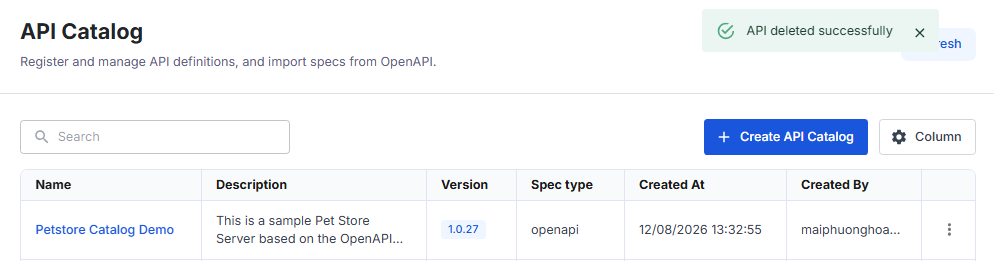
Delete an API Catalog
Deleting an API from the catalog also deletes the resources associated with that API.
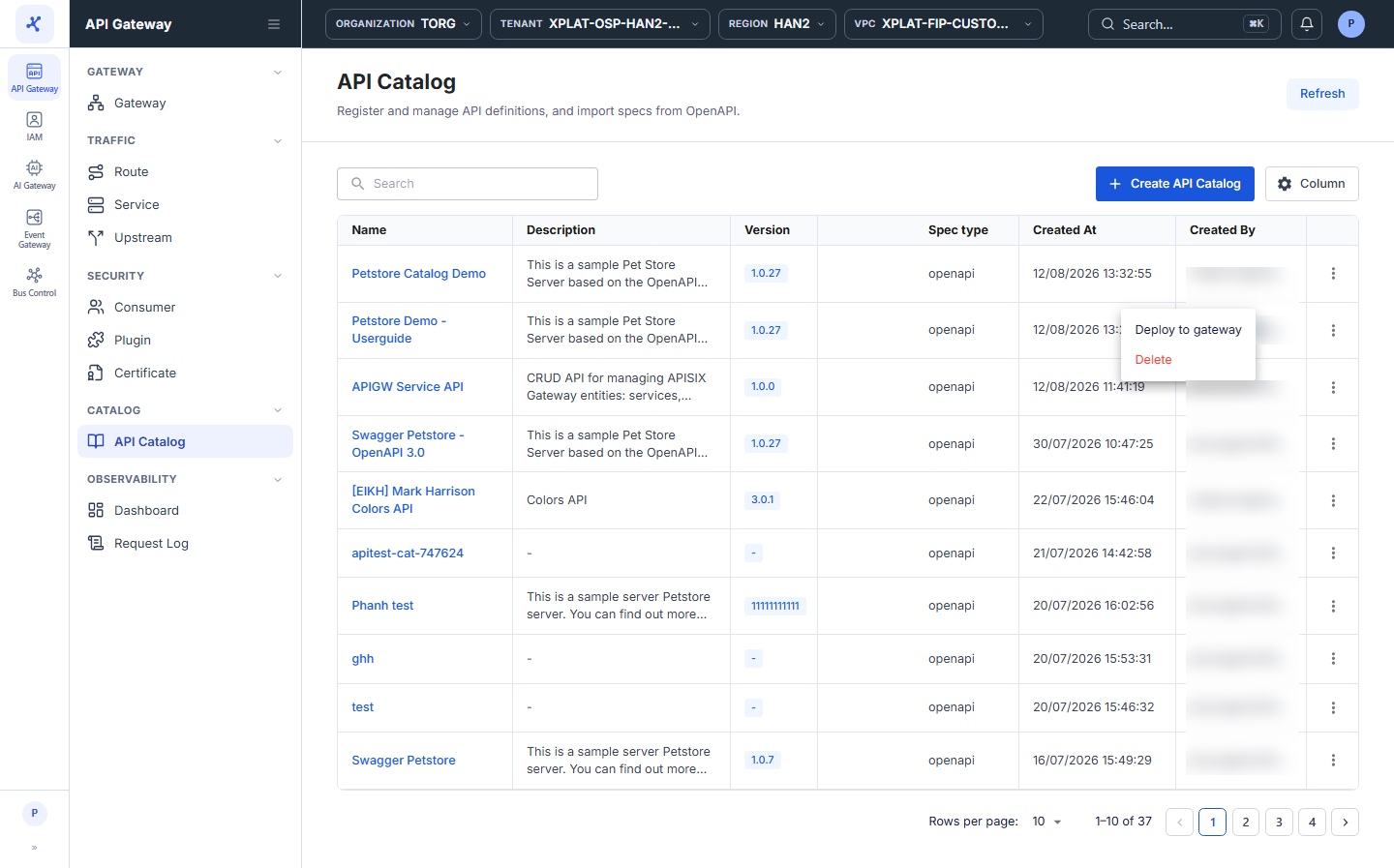
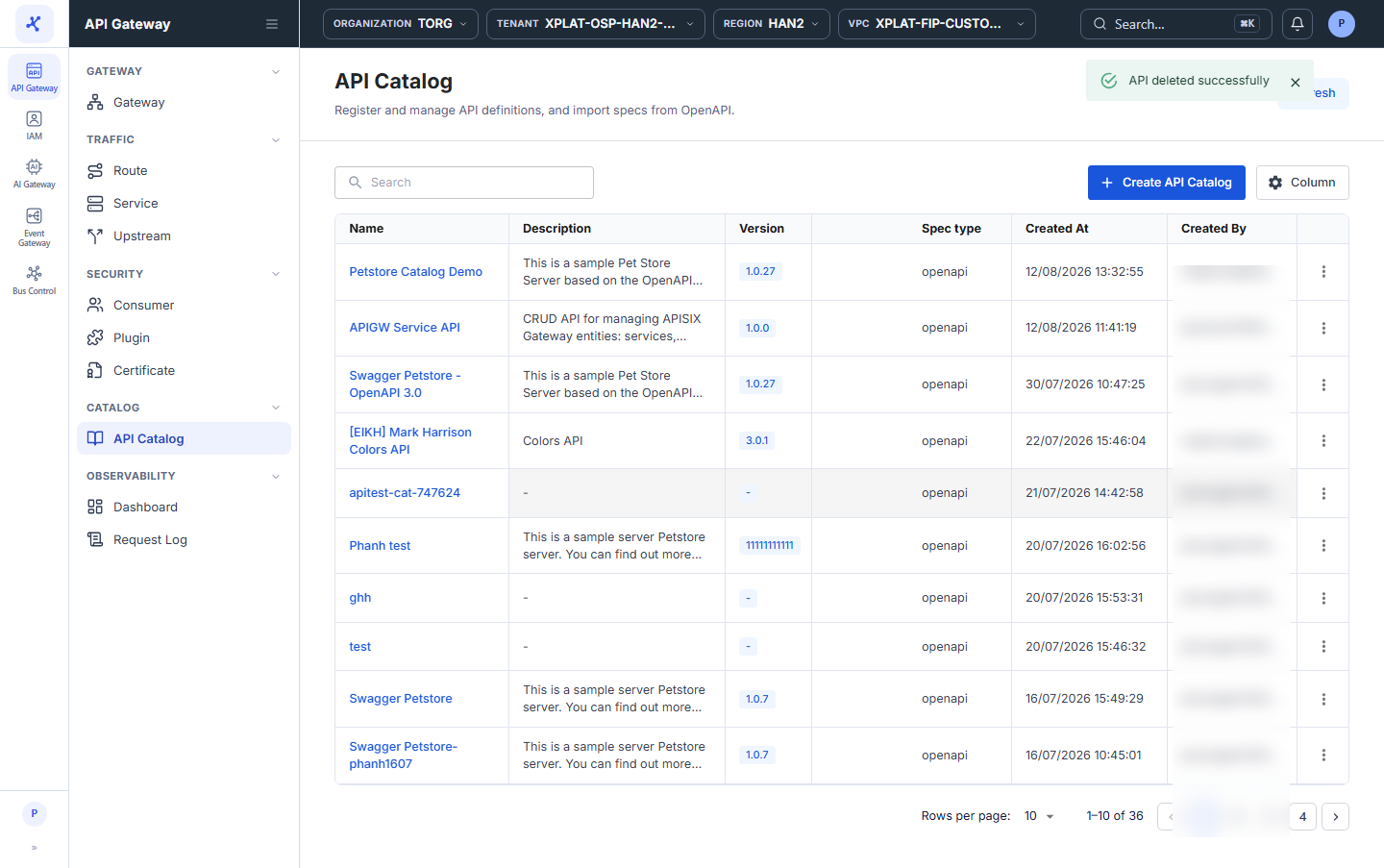
Steps 1–2Open the API Catalog screen and click ⋮ → Delete on the API to delete
1 / 4
Click the image to zoom in.
Delete an API Catalog
To delete an API Catalog, follow these steps:
-
In the left menu, select API Gateway → API Catalog.
-
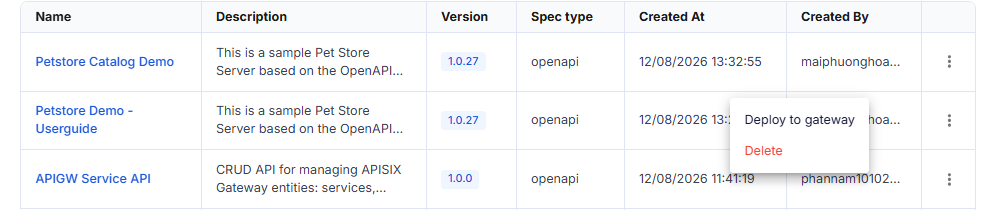
On the row of the API you want to delete, click ⋮ → Delete.
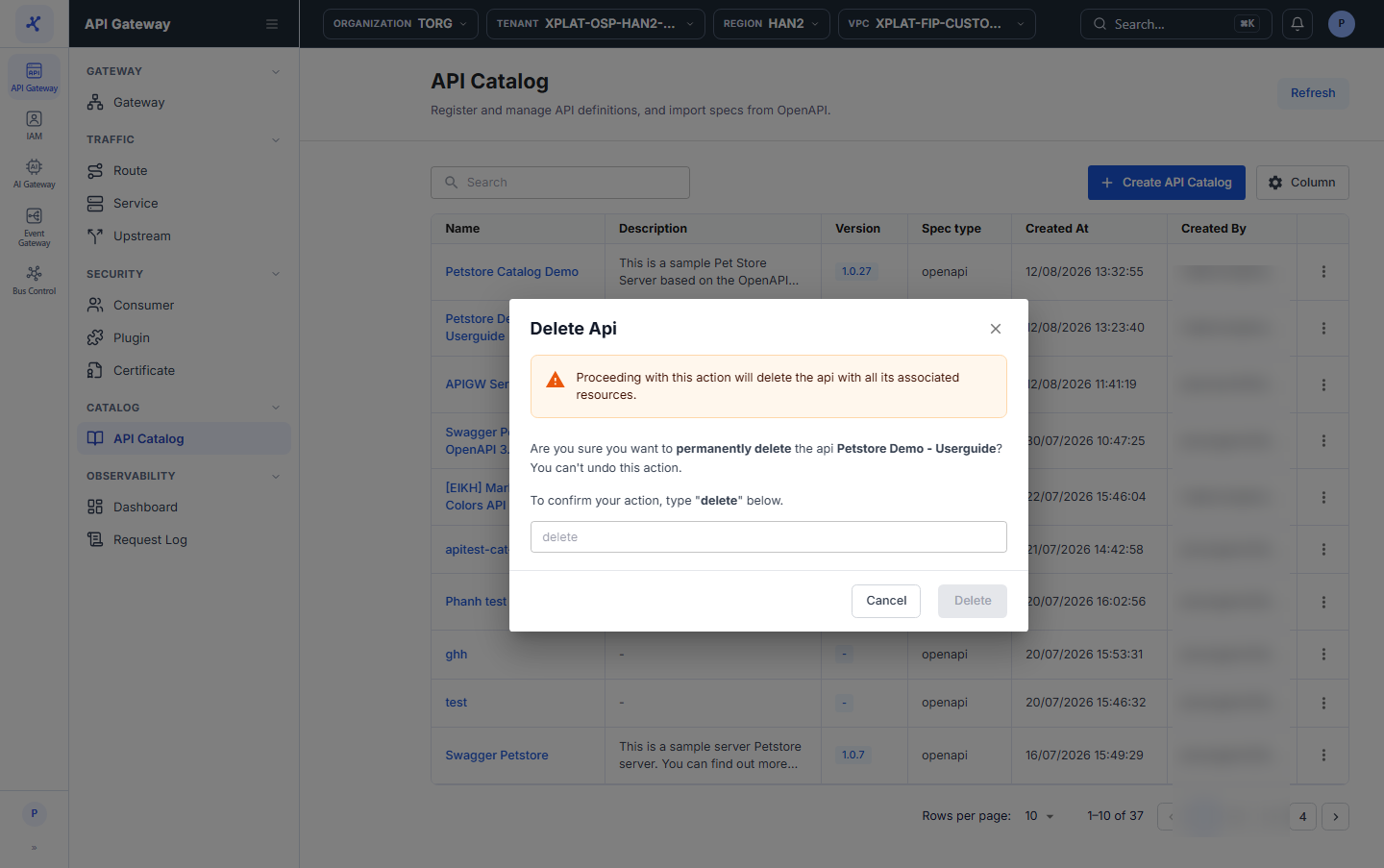
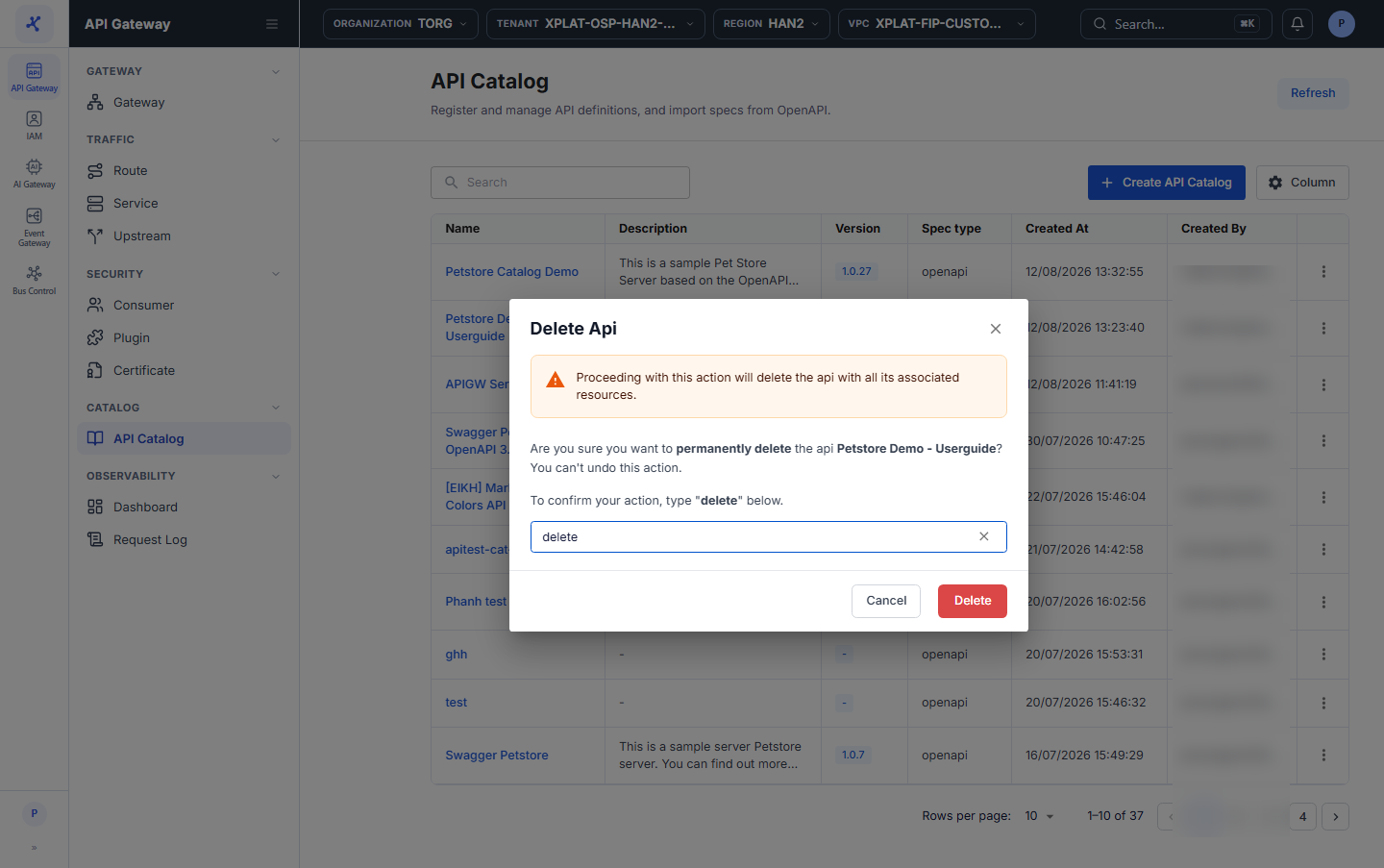
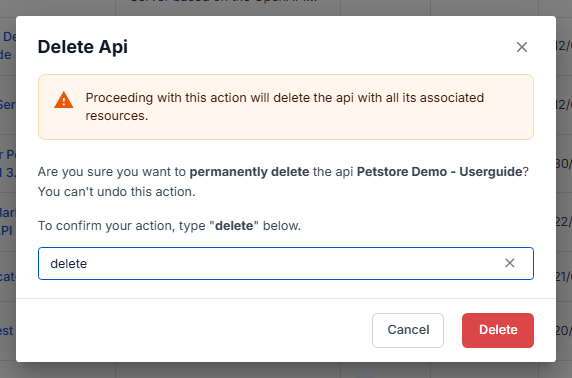
- In the Delete Api dialog, enter
deletein the confirmation field. The keyword is case-sensitive.
danger
This action cannot be undone.
- Click Delete. The button is enabled only after you enter
delete.
The message API deleted successfully appears, and the API disappears from the list right away.