Deploy an API Catalog to an API Gateway
Instead of entering the Path, Method, and Target by hand, you can use an API in the catalog to quickly create Routes and Upstreams on an API Gateway. There are 3 ways:
| Way | Use when |
|---|---|
| Map to Route (API Deploy tab) | You want to deploy only some endpoints of the API. |
| Deploy to gateway (⋮ menu in the list) | You want to deploy the whole API without selecting each endpoint. |
| Create Upstream from API Catalog (Upstream creation screen) | You want to create an Upstream with the Target pre-filled from the server list in the spec. |
Create a Route from some endpoints
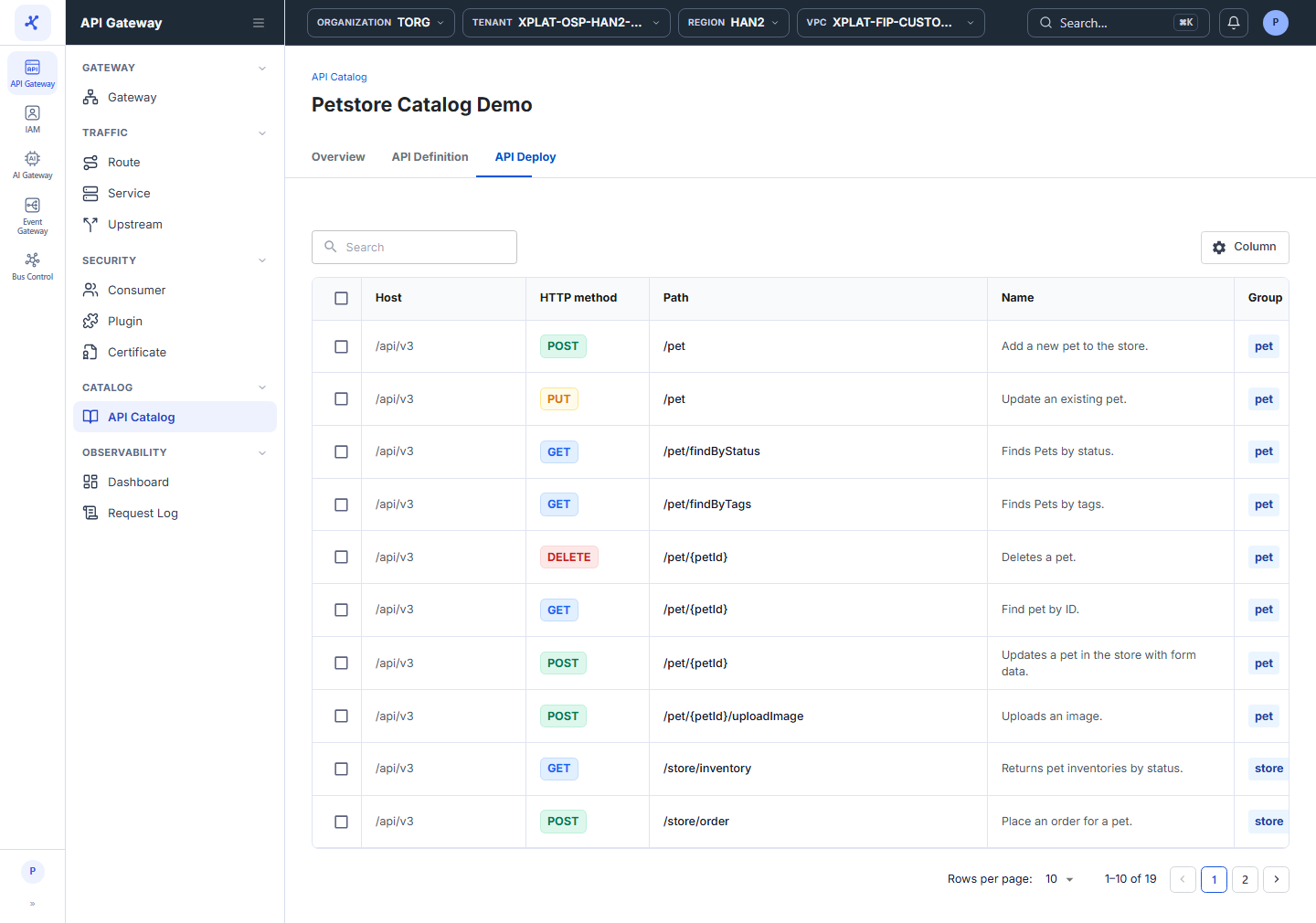
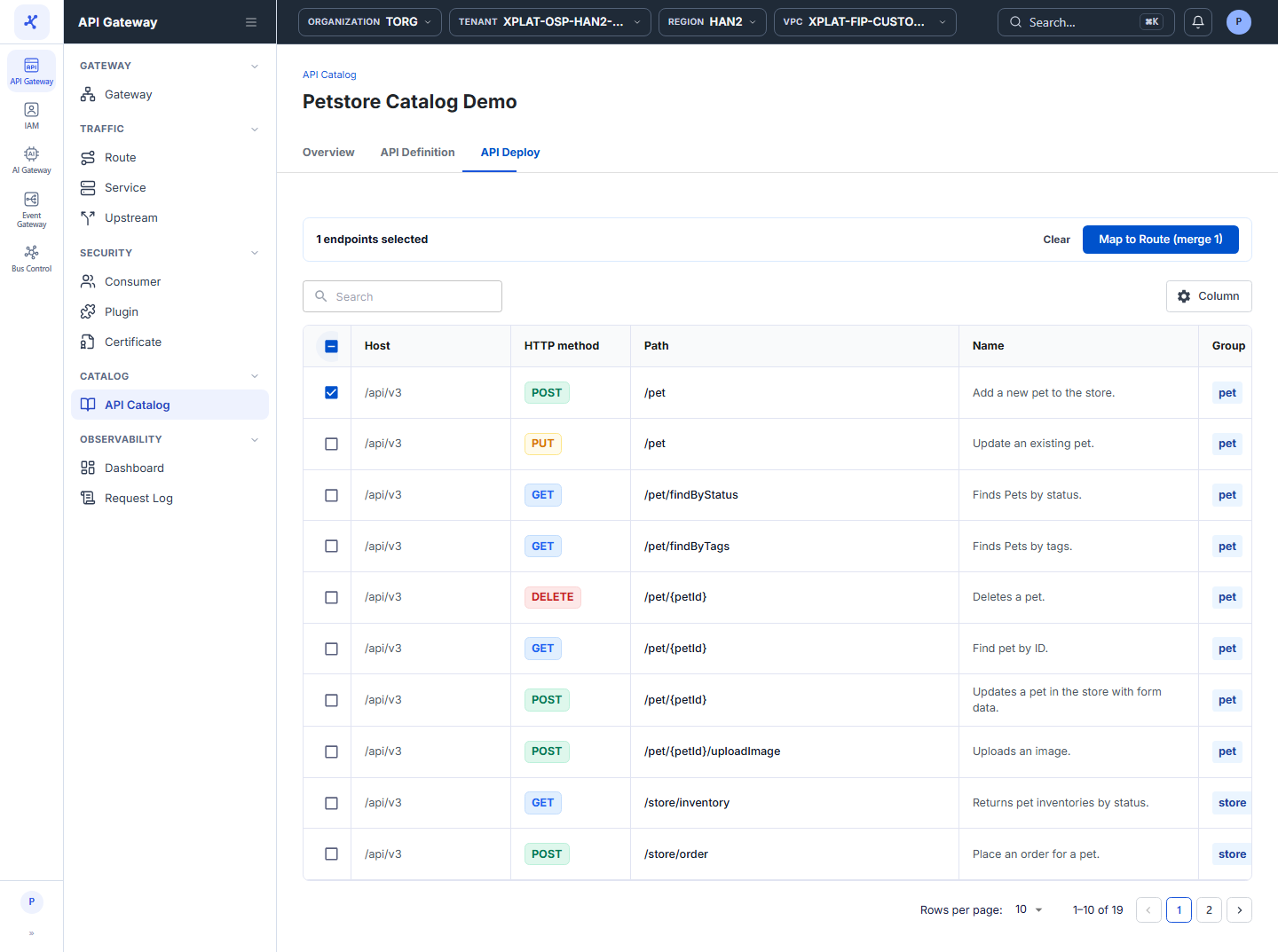
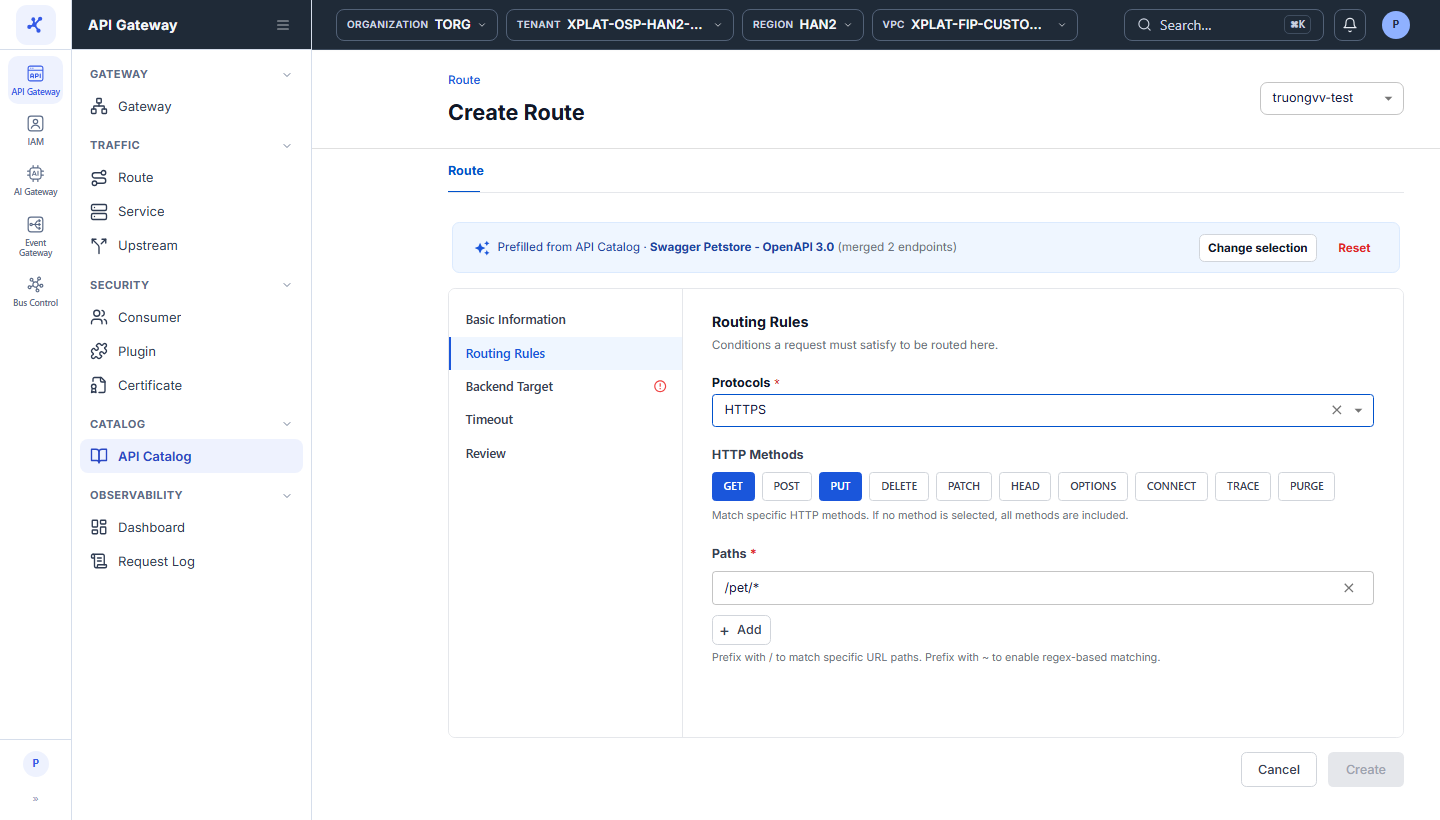
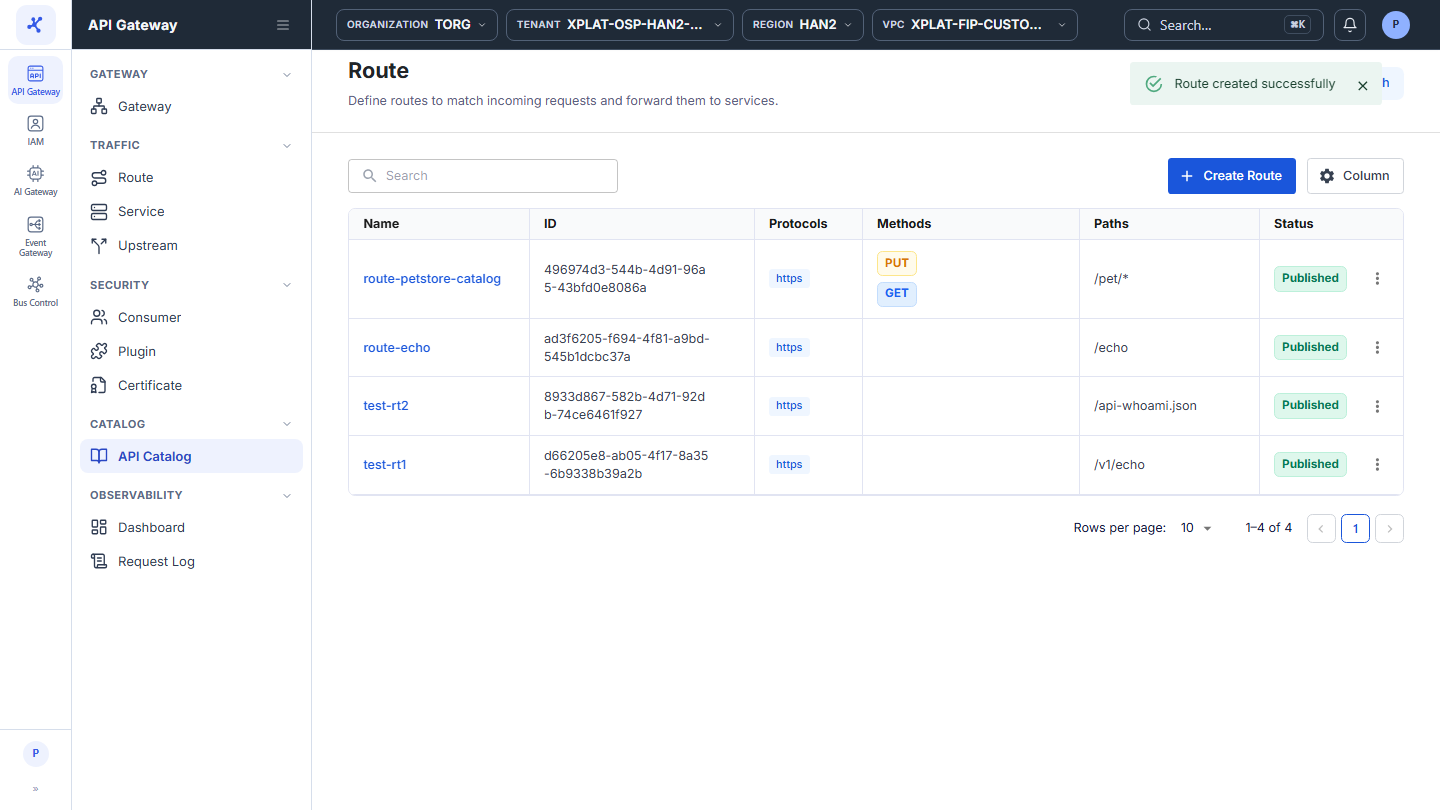
Click the image to zoom in.
To create a Route from the endpoints you select, follow these steps:
-
In the left menu, select API Gateway → API Catalog.
-
Click the Name of the API, then select the API Deploy tab.
-
Select one or more endpoints. The toolbar at the top shows the number of selected endpoints, a Clear button to clear the selection, and a Map to Route (merge N) button, where N is the number of selected endpoints.
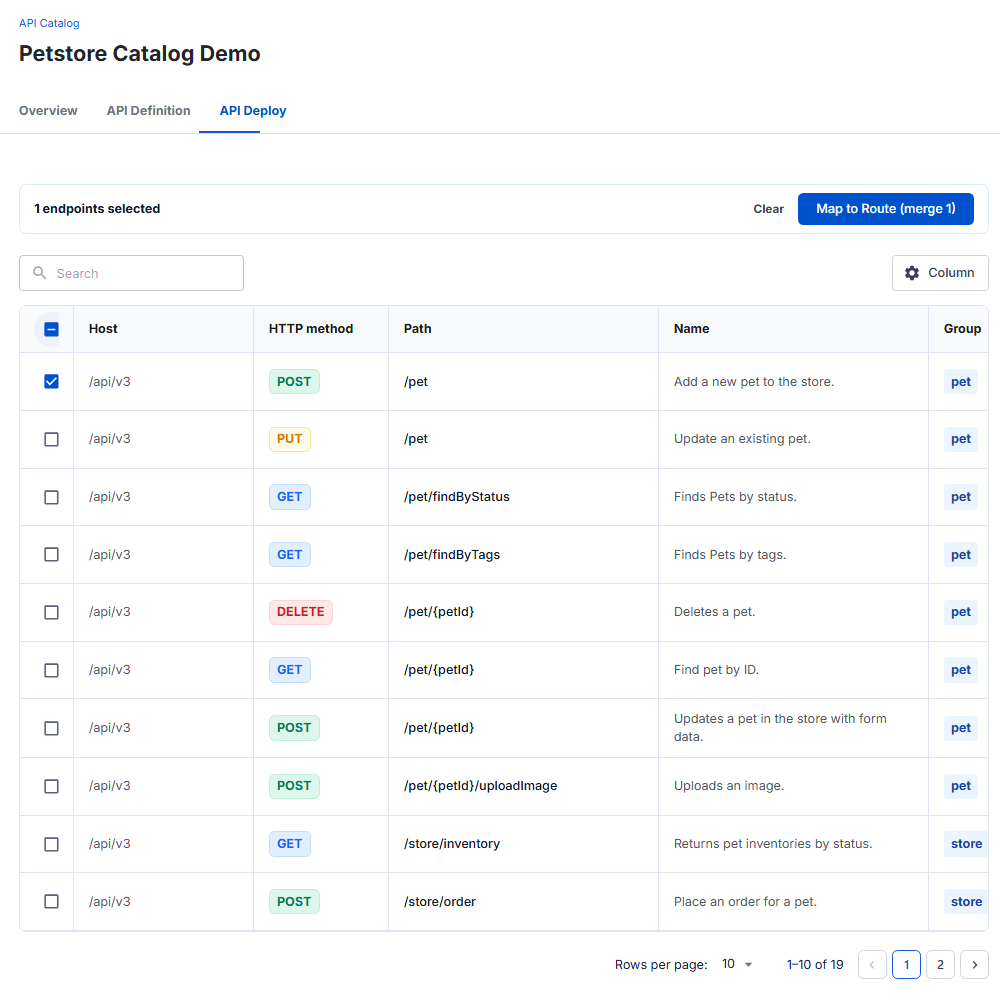
- Click Map to Route (merge N). The Create Route screen opens, with HTTP Methods and Paths in the Routing Rules section pre-filled from the selected endpoints.
If the selected endpoints do not share a common path prefix (for example a mix of /pet, /store/order, and /user), the system cannot merge them into one Path and asks you to enter Paths manually.
- Complete the remaining steps (Basic Information, Backend Target, Timeout, Review) in the same way as when you create a Route manually.
Create a Route from the whole API
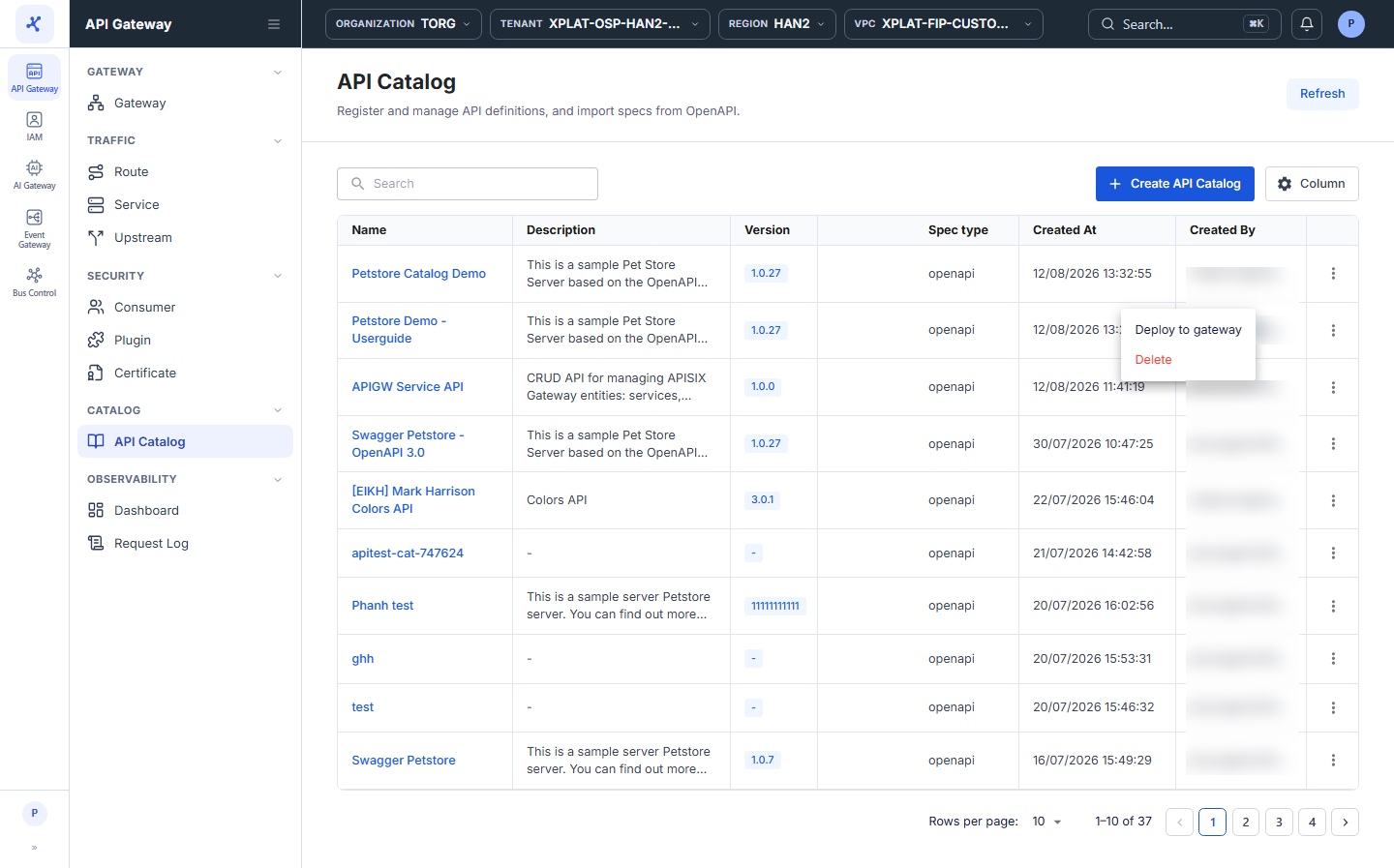
Click the image to zoom in.
To create a Route from all endpoints of an API, follow these steps:
-
In the left menu, select API Gateway → API Catalog.
-
On the row of the API you want to deploy, click ⋮ → Deploy to gateway.
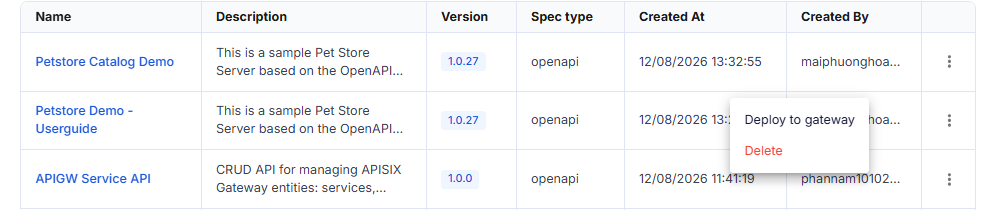
The Create Route screen opens, with all endpoints of the API already merged into Routing Rules. You do not need to open the API detail screen first.
- Complete the remaining steps in the same way as when you create a Route manually.
Create an Upstream from the API Catalog
On the Create Upstream screen, click Create Upstream from API Catalog, then select an API in the Select API Catalog form. The system pre-fills the Target from the server list in the spec of the API and sets Scheme from the protocol of the server URL.
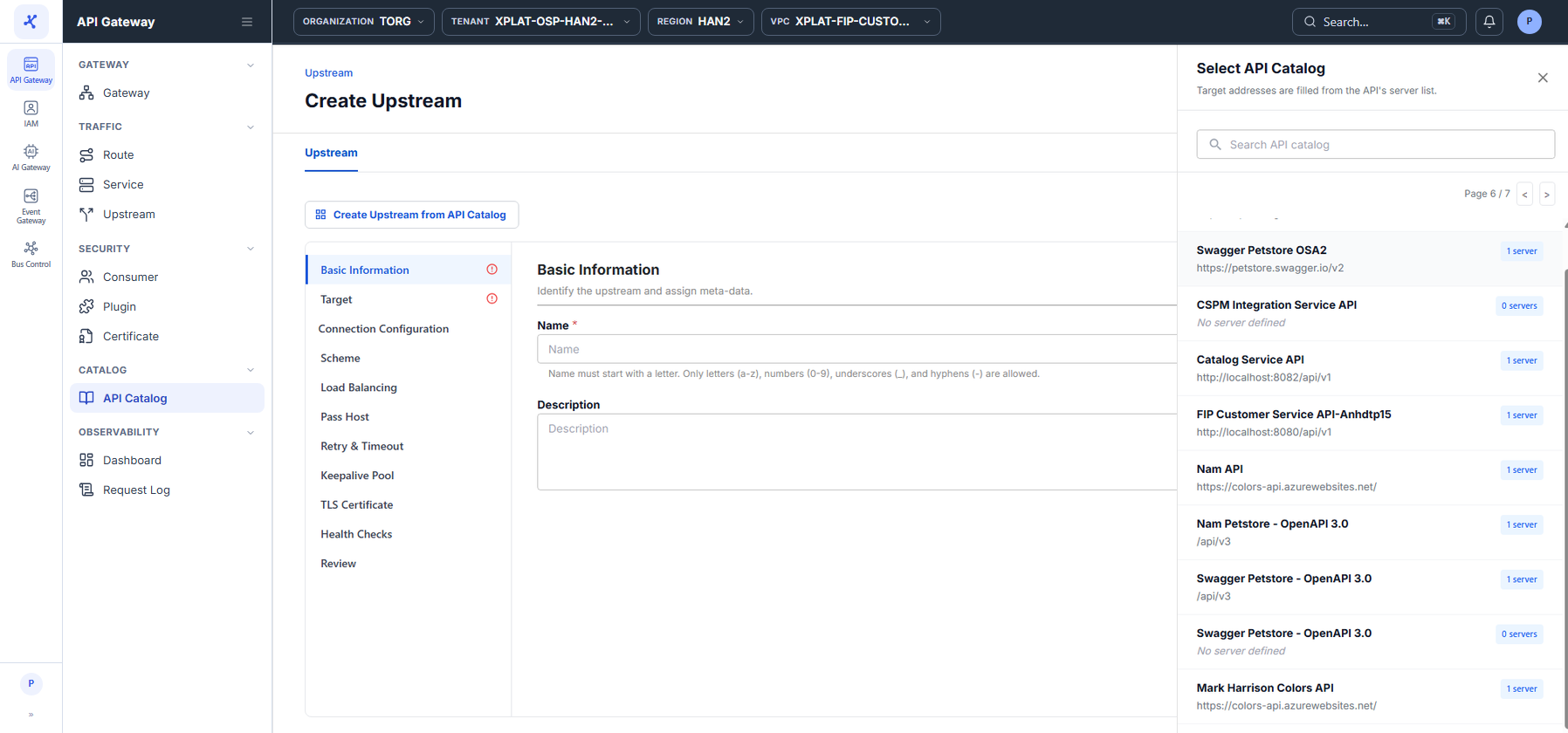
For the detailed steps and the note about Target Address, see Create an Upstream from the API Catalog.