Edit an API Catalog
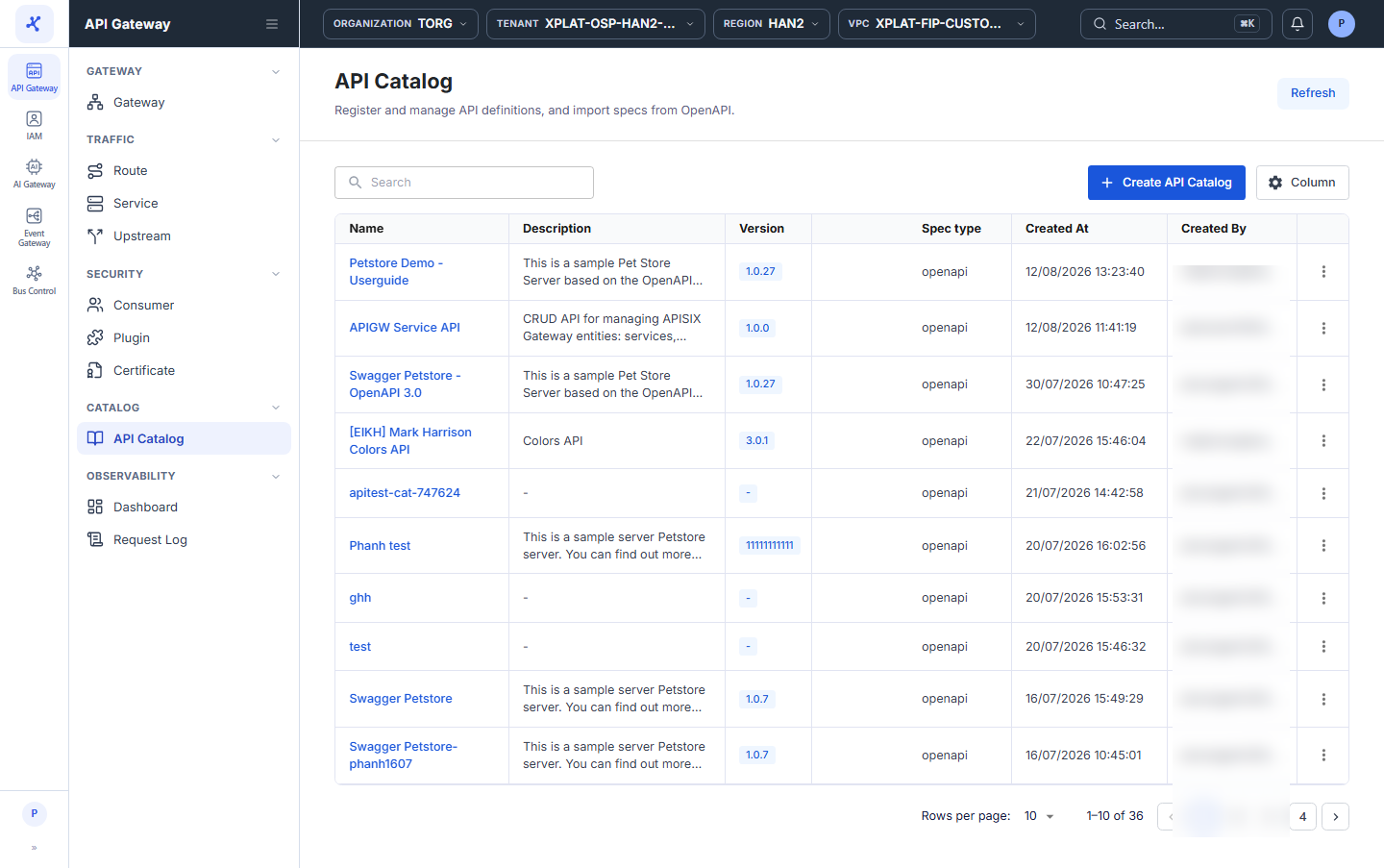
Step 1Open the API Catalog screen
1 / 3
Click the image to zoom in.
Edit an API Catalog
To edit an API Catalog, follow these steps:
-
In the left menu, select API Gateway → API Catalog.
-
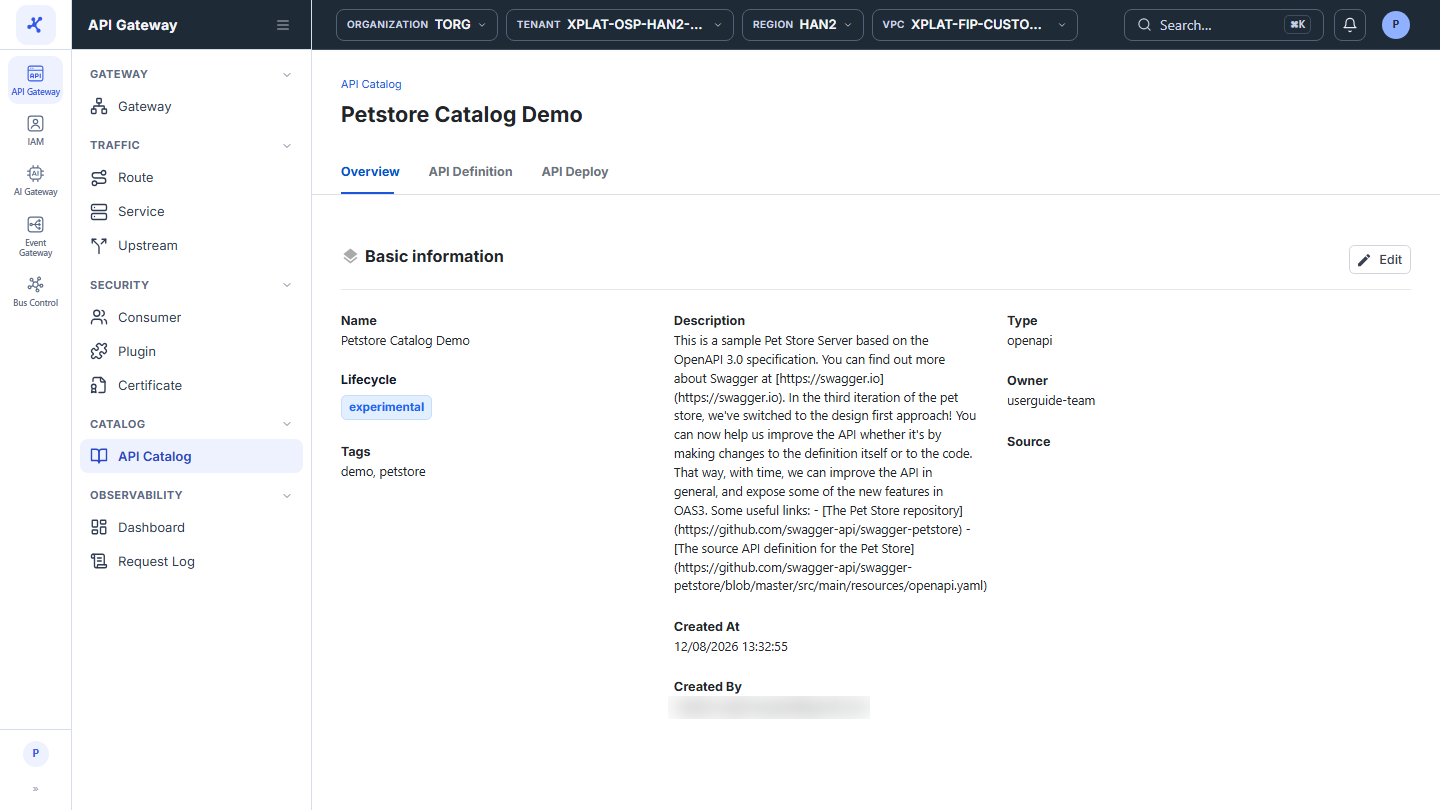
Click the Name of the API you want to edit. The detail screen opens on the Overview tab.
-
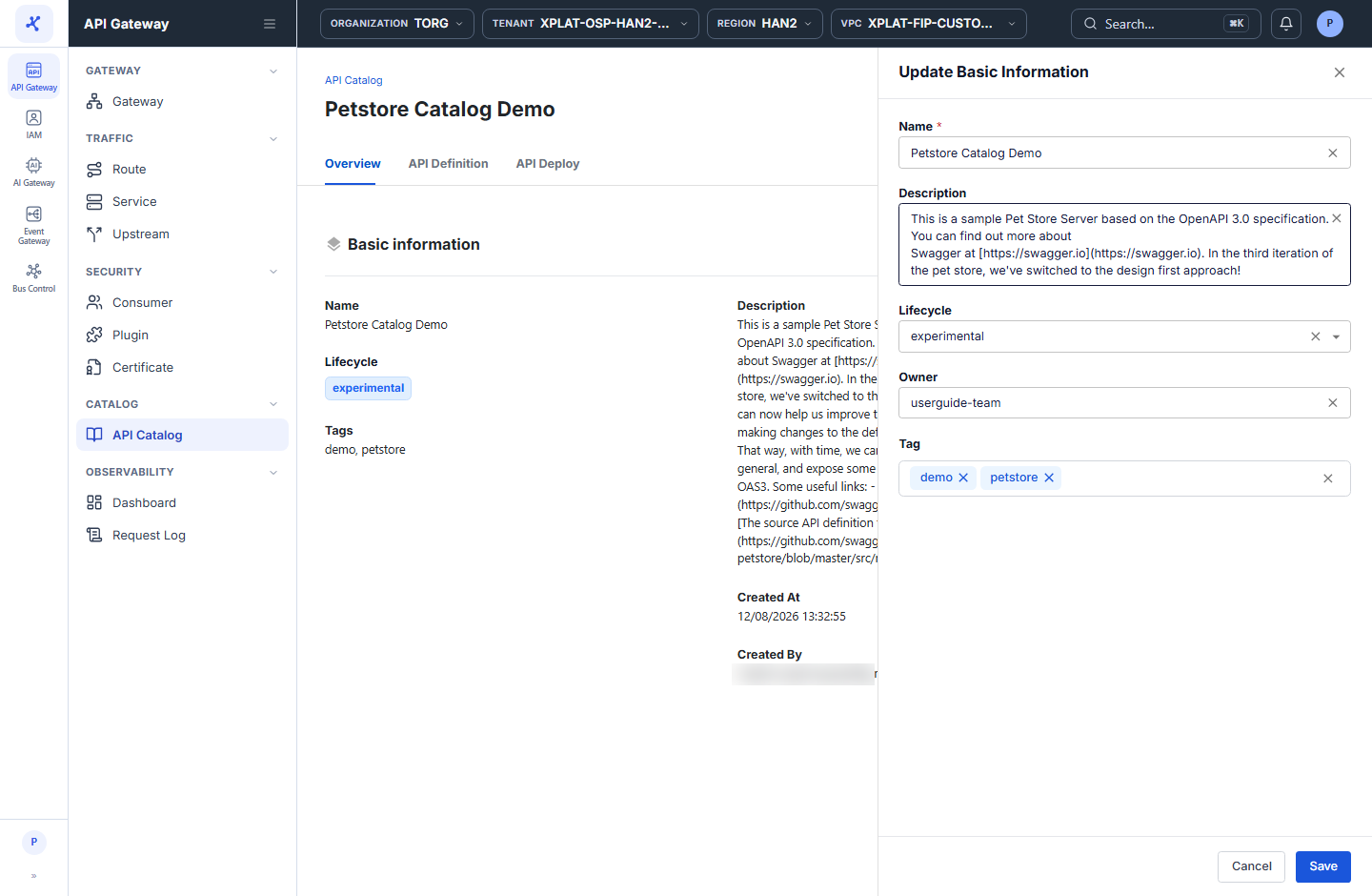
In the Basic information section, click Edit to open the Update Basic Information form, then update the following information:
| Field | Required | Description |
|---|---|---|
| Name | Y | API name in the catalog. |
| Description | N | Purpose of the API. |
| Lifecycle | N | Lifecycle stage: experimental, production, or deprecated. |
| Owner | N | Group or team that owns the API. |
| Tag | N | Enter a keyword and press Enter to add a tag. Click × on a tag to remove it. |
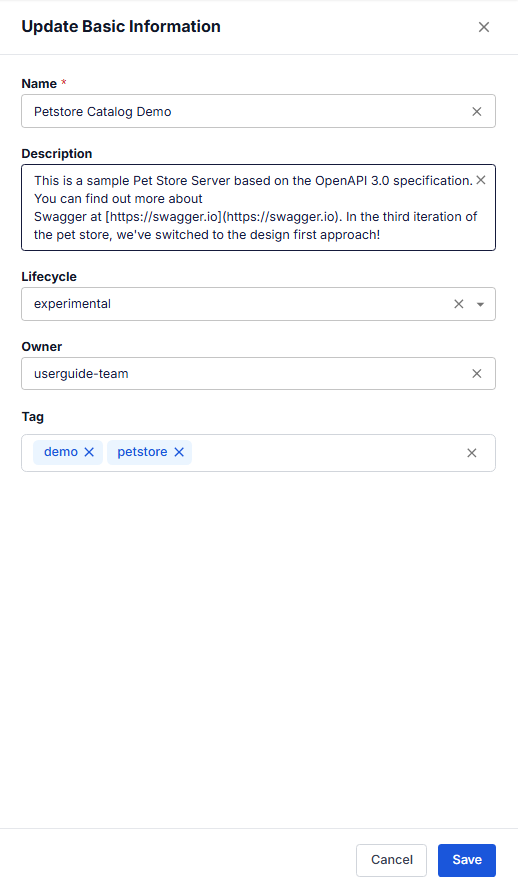
- Click Save to save, or Cancel to discard the changes.