View API Catalog details
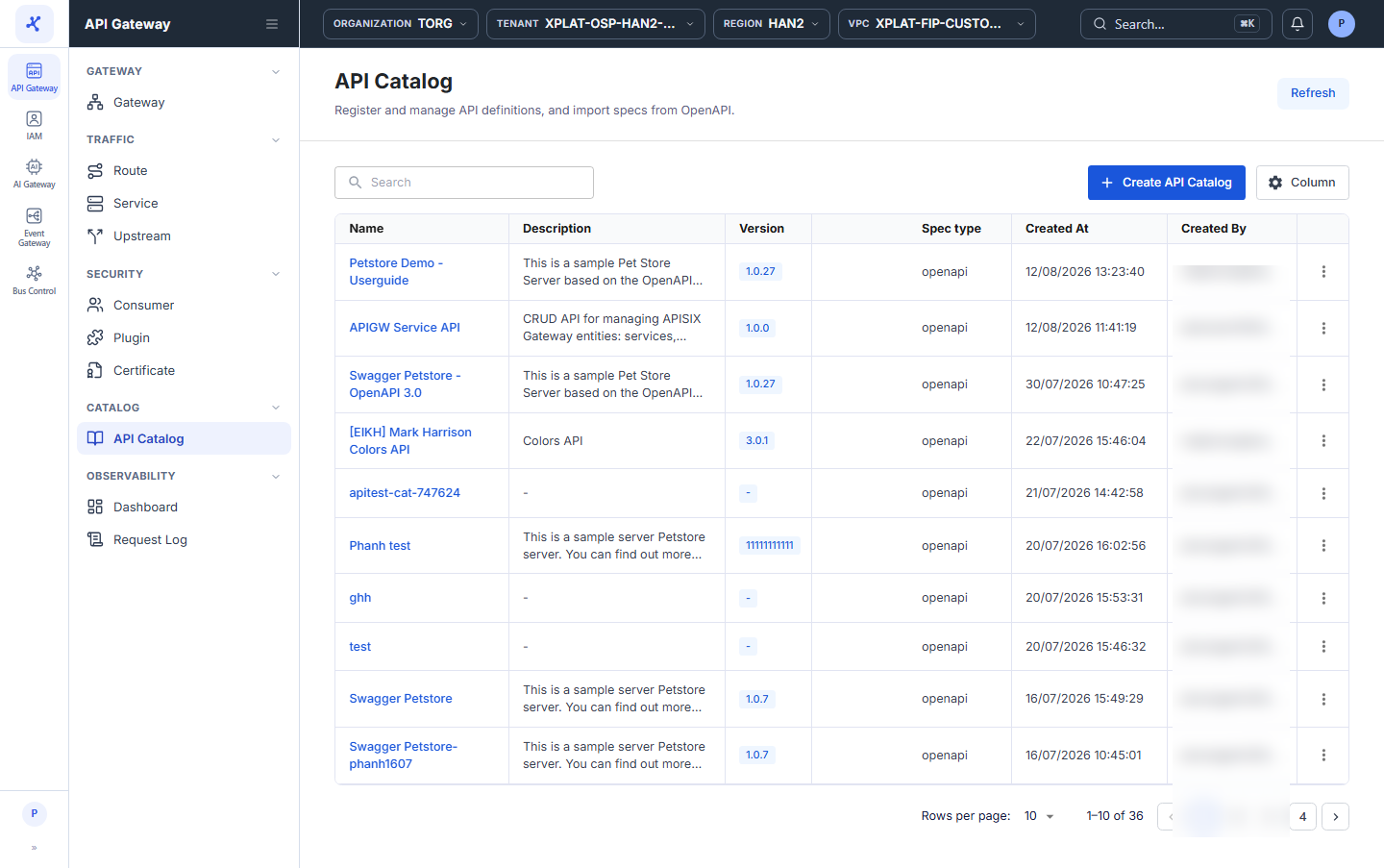
The API Catalog screen lists the APIs registered by your organization at the tenant level, so it has no API Gateway selector like the Route, Service, and Upstream screens.
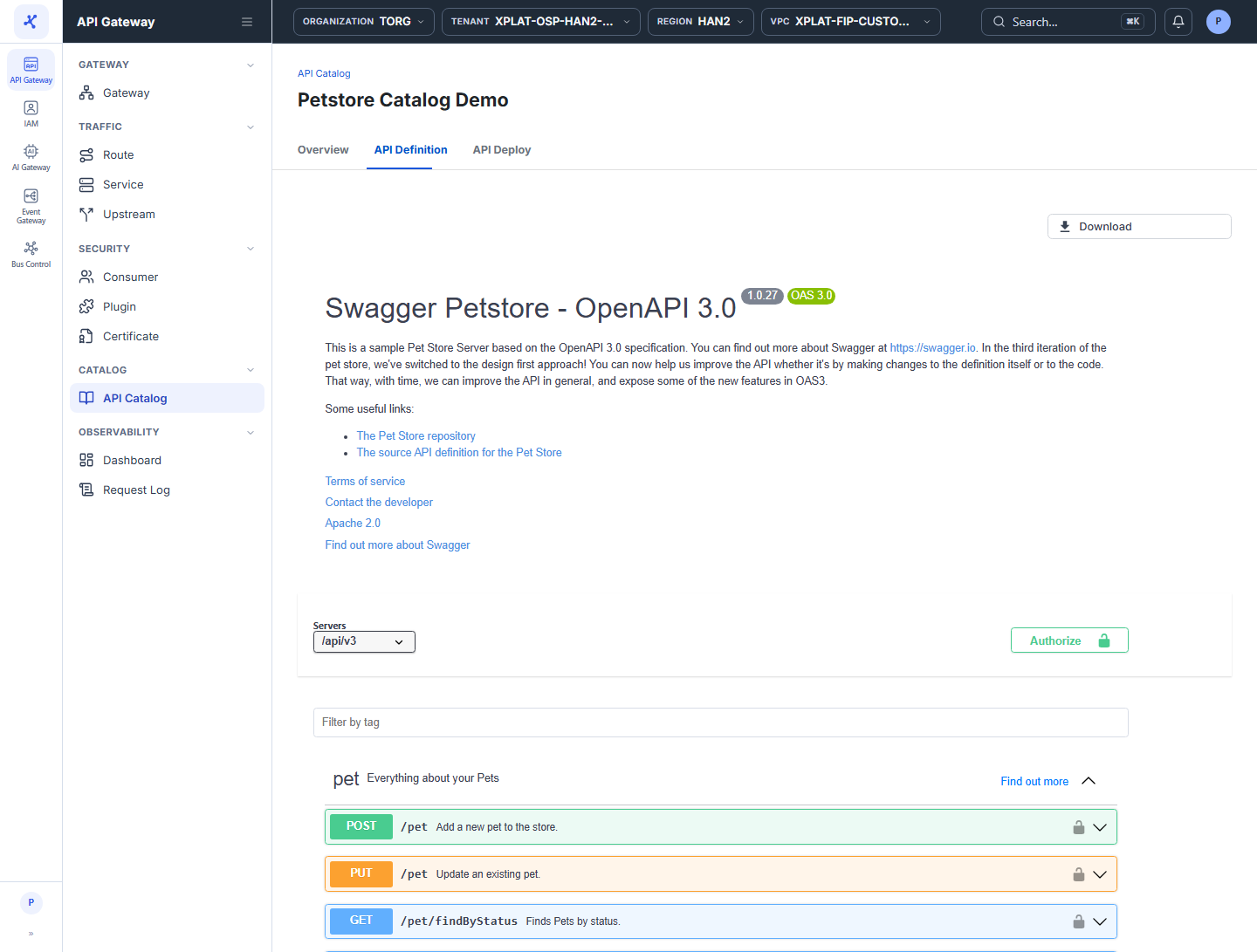
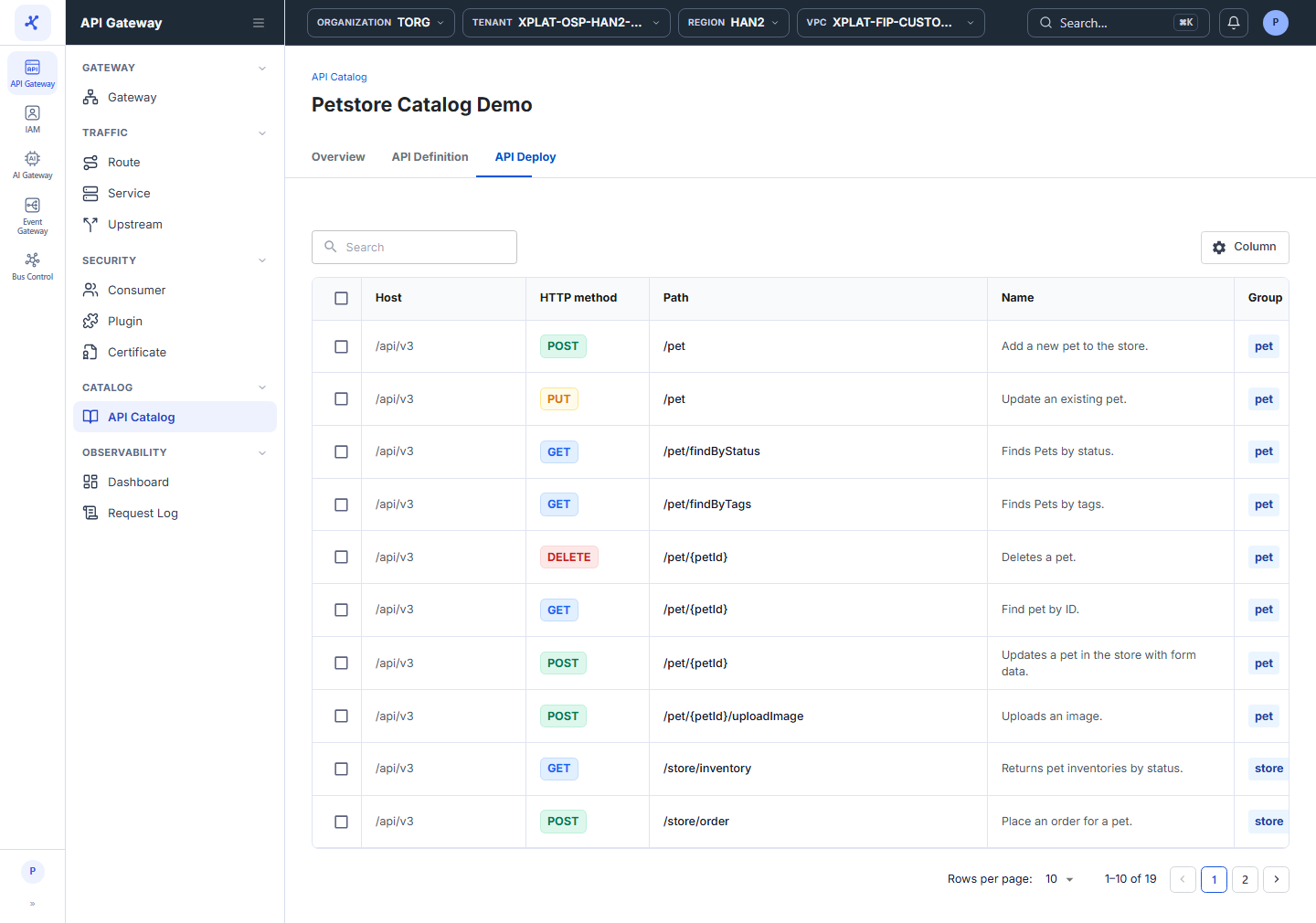
Click the image to zoom in.
View the API Catalog list
- In the left menu, select API Gateway → API Catalog.
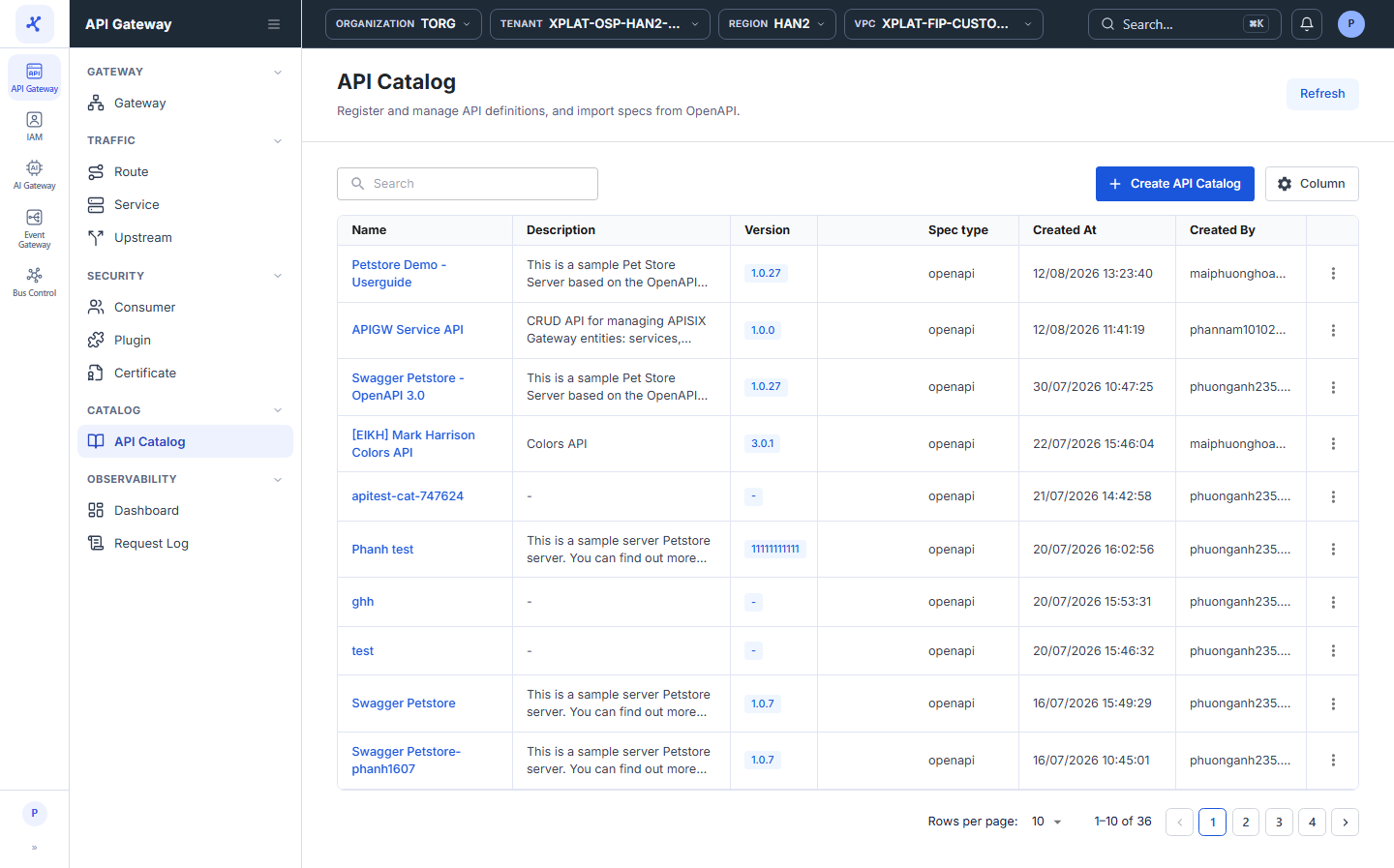
The list has the following columns:
| Column | Description |
|---|---|
| Name | API name. Click the name to open the detail screen. |
| Description | API description. |
| Version | API version. |
| Spec type | Spec type of the API, for example openapi. |
| Created At | When the API was created. |
| Created By | Who created the API. |
| Owner | Group that owns the API. |
| Lifecycle | Lifecycle stage: experimental, production, or deprecated. |
| Tags | Labels that classify the API. |
| ⋮ | Actions on each row, see the action table below. |
The toolbar has the Search box to find APIs by keyword, the Create API Catalog button to create an API Catalog, and the Column button to choose, hide, and order the columns. The Refresh button in the top-right corner reloads the list.
At the bottom of the table, Rows per page sets the number of rows per page, default 10. When there are no APIs yet, the screen shows an illustration with the Create API Catalog button.
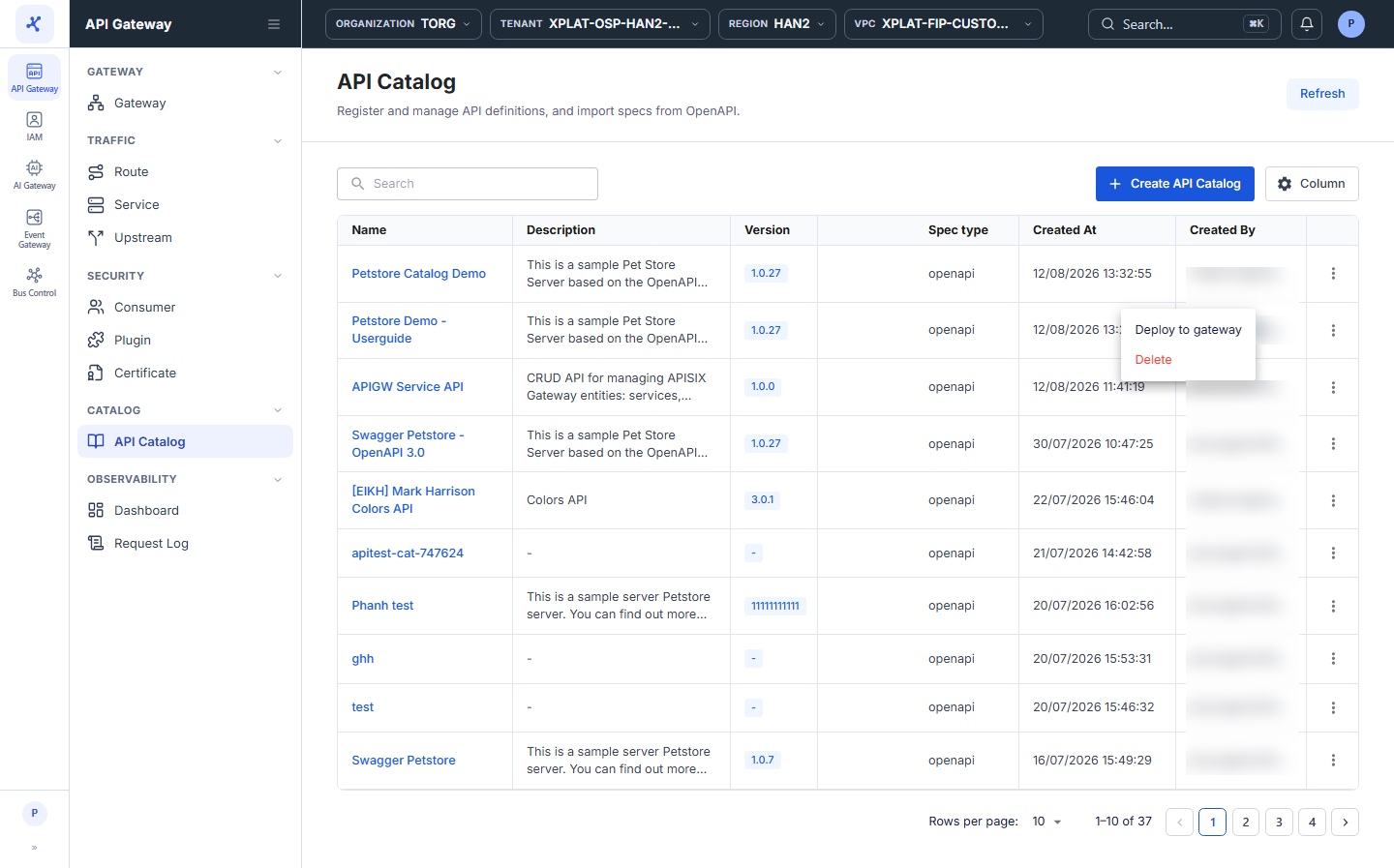
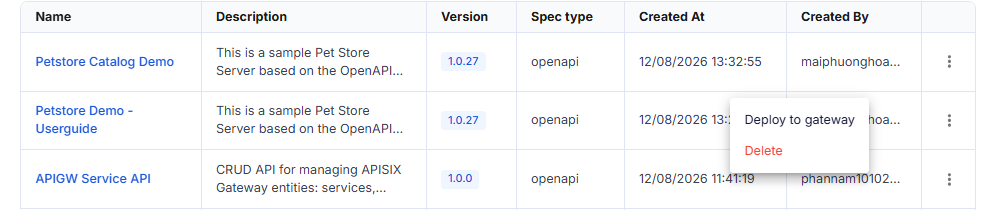
The ⋮ menu at the end of each row has 2 actions:
| Action | Description |
|---|---|
| Deploy to gateway | Creates a Route from all endpoints of the API. See Deploy an API Catalog to an API Gateway. |
| Delete | Deletes the API from the catalog. See Delete an API Catalog. |
View API details
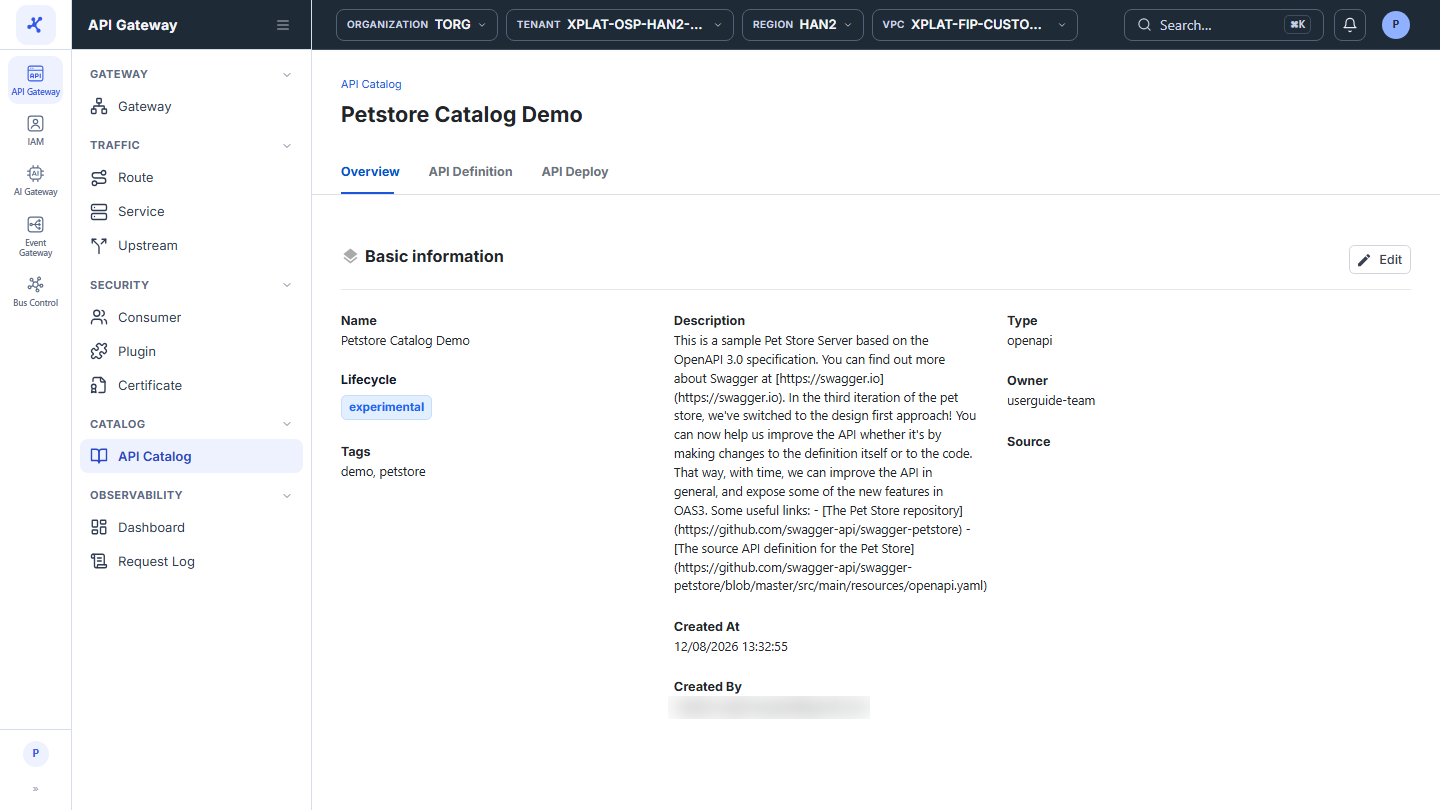
- Click the Name of the API you want to view. The detail screen has 3 tabs: Overview (default), API Definition, and API Deploy.
Overview tab
The Basic information section shows the basic information of the API.
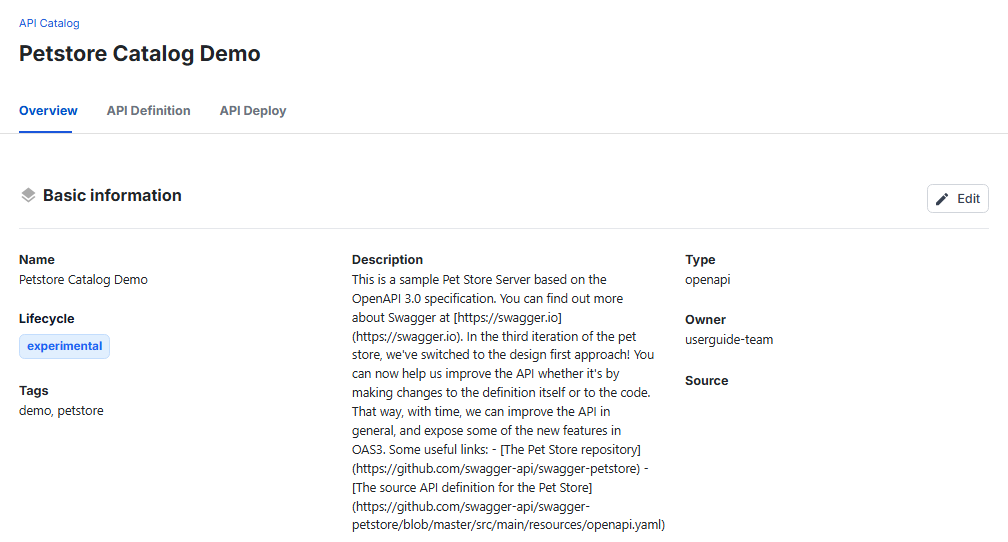
| Information | Description |
|---|---|
| Name | API name. |
| Lifecycle | Lifecycle stage: experimental, production, or deprecated. |
| Tags | Labels that classify the API. |
| Description | API description. |
| Type | Spec type, for example openapi. |
| Owner | Group that owns the API. |
| Source | Link to the original spec, when the API was imported from a URL. |
| Created At, Created By | When the API was created and who created it. |
Click Edit to change the basic information, see Edit an API Catalog.
API Definition tab
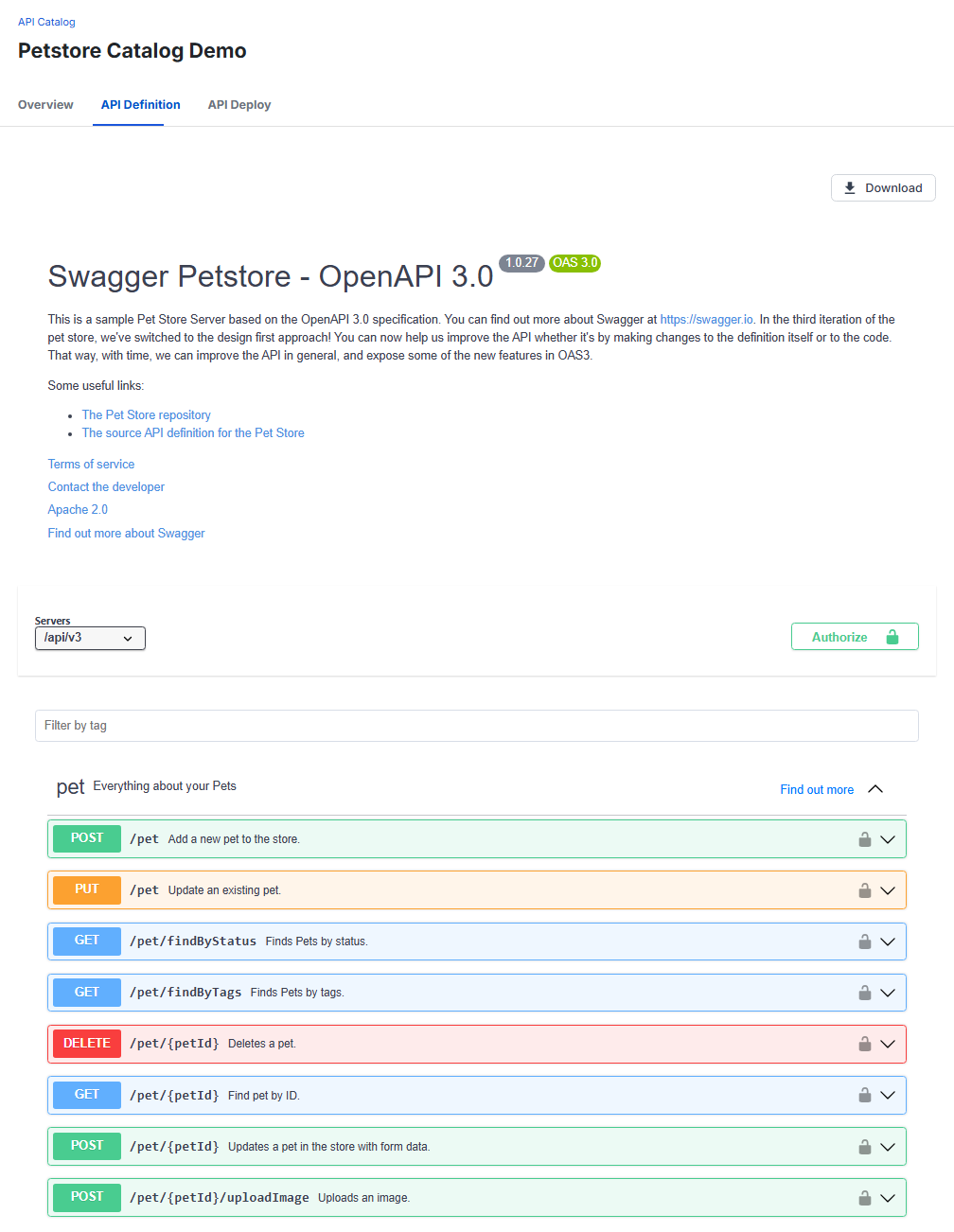
Shows the API spec in a visual viewer (Swagger UI):
- API title with its version and description.
- Endpoint list, grouped by tag (for example
pet,store,user). Click an endpoint to see the request and response details. - Authorize: enter authentication information to try calling the API directly on the page.
- Download: download the original spec file to your computer.
- Schemas: the data models of the spec, at the bottom of the page.
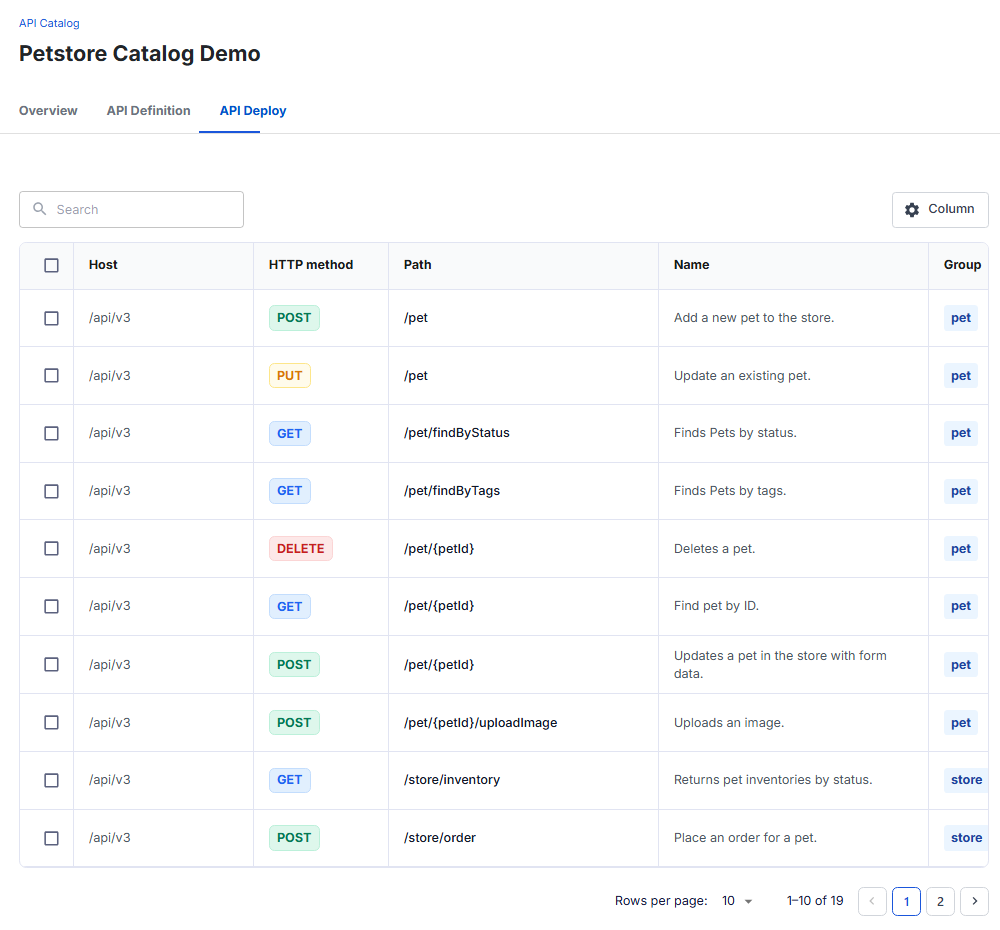
API Deploy tab
Lists every endpoint in the API spec with the Host, HTTP method, Path, Name, and Group columns. In this tab, you select endpoints to create a Route on an API Gateway, see Deploy an API Catalog to an API Gateway.