Renew a Certificate
Renew a Certificate before it expires, so the Custom Domains that use it keep serving HTTPS. The new Certificate applies at once to every Custom Domain that uses it.
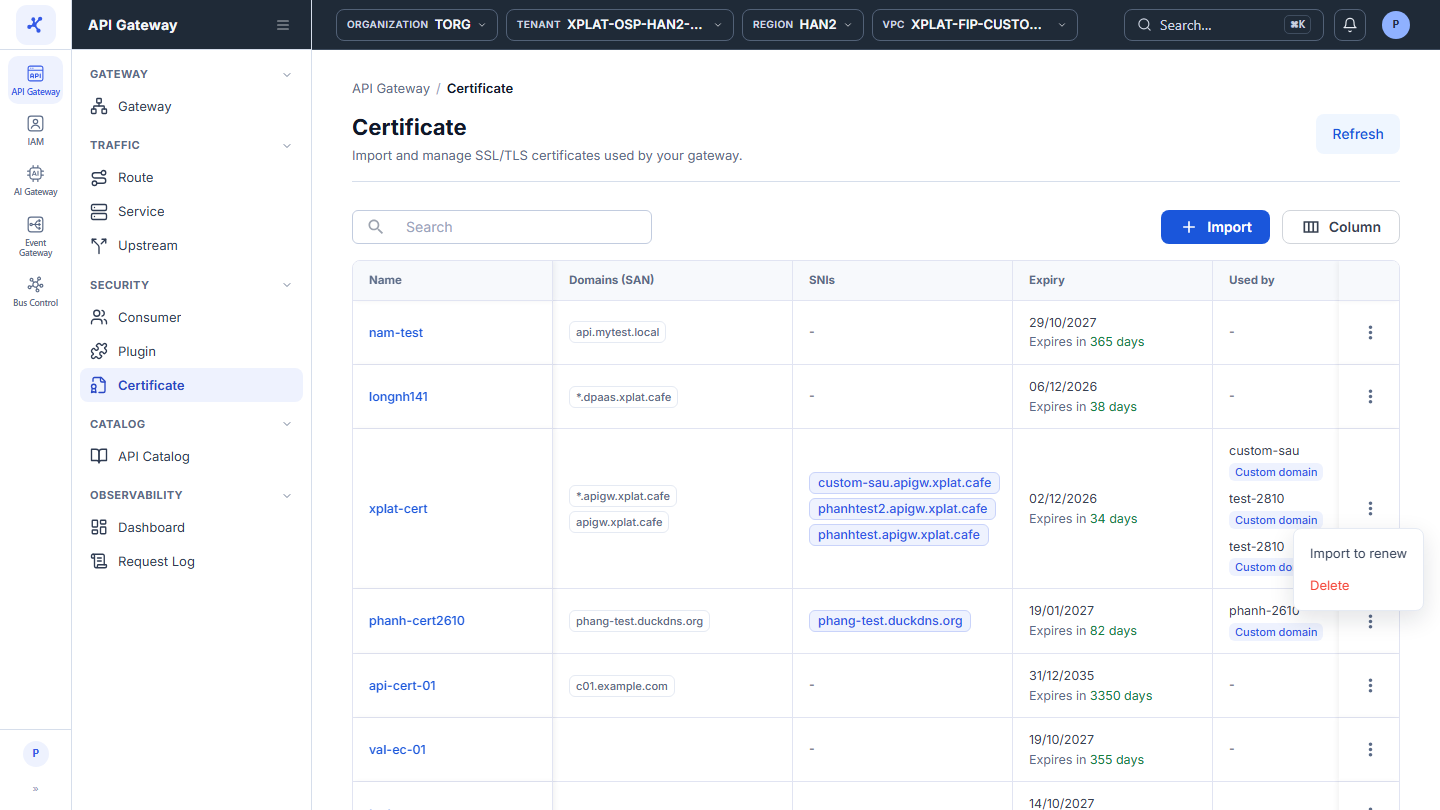
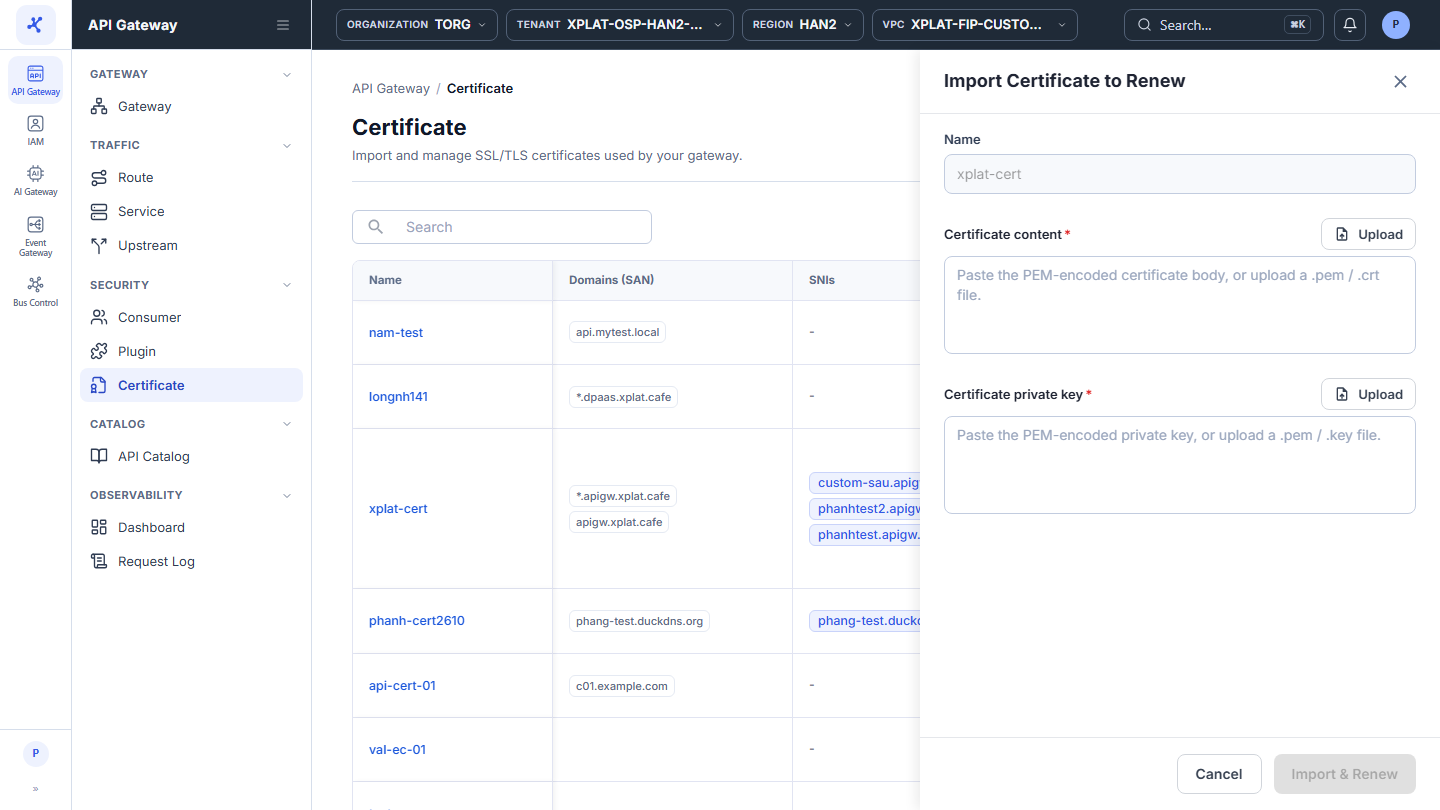
Click the image to zoom in.
Renew a Certificate
To renew a Certificate, follow these steps:
-
In the left menu, select API Gateway → Certificate.
-
On the row of the Certificate you want to renew, click ⋮ → Import to renew.
-
Enter the following information in the Import Certificate to Renew form (Name is filled in and read-only):
| Field | Required | Description |
|---|---|---|
| Certificate content | Y | The new Certificate in PEM format. Paste it, or click Upload to load a .pem or .crt file. |
| Certificate private key | Y | The private key of the new Certificate. Paste it, or click Upload to load a .pem or .key file. |
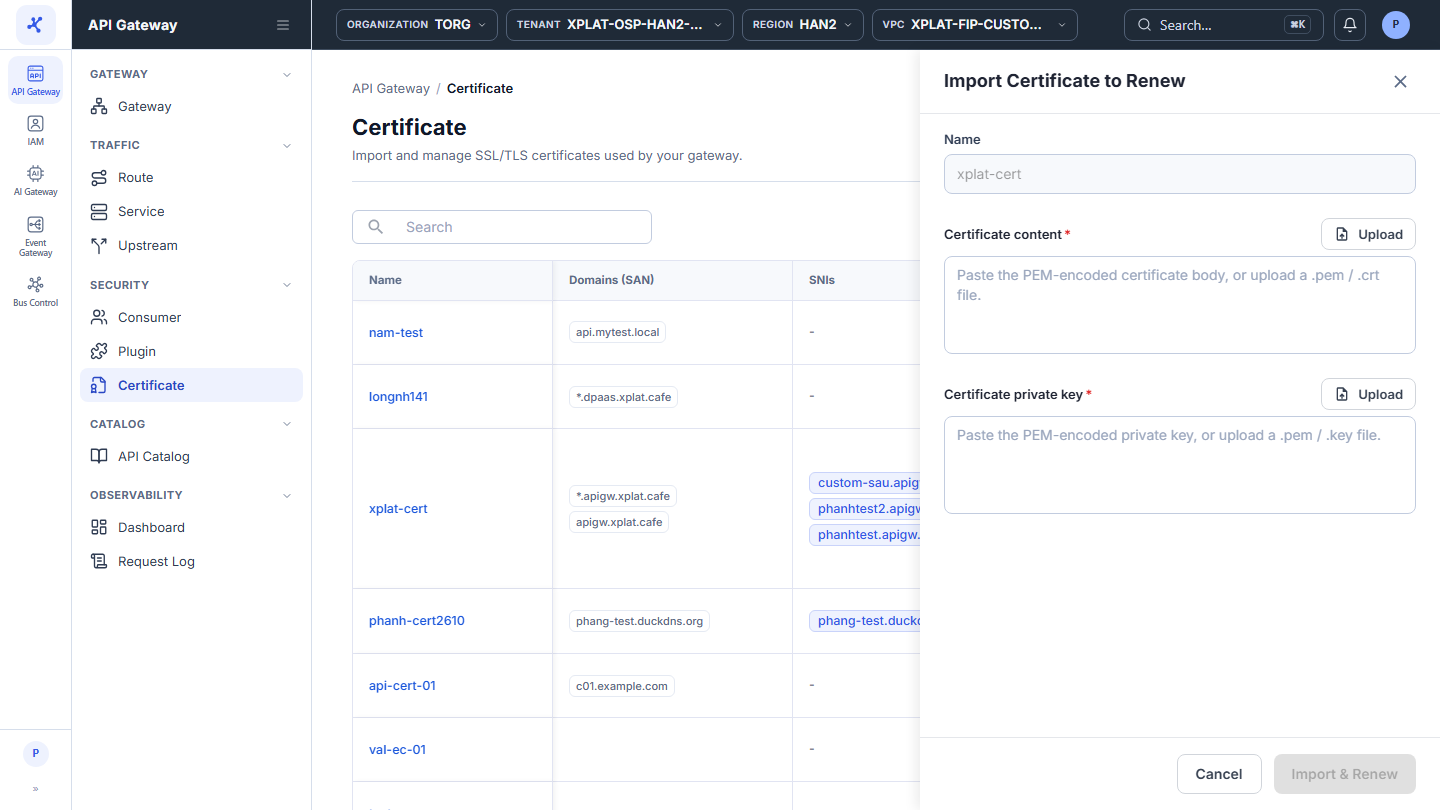
- Click Import & Renew.
The message Imported successfully. appears. The Expiry, Last Renewed At, and Last Renewed By of the Certificate are updated. The status of the Custom Domains that use the Certificate is recalculated on the Gateway Endpoint tab, for example from Cert expired to Cert valid.
If the renewal fails, the Custom Domains keep using the old Certificate.
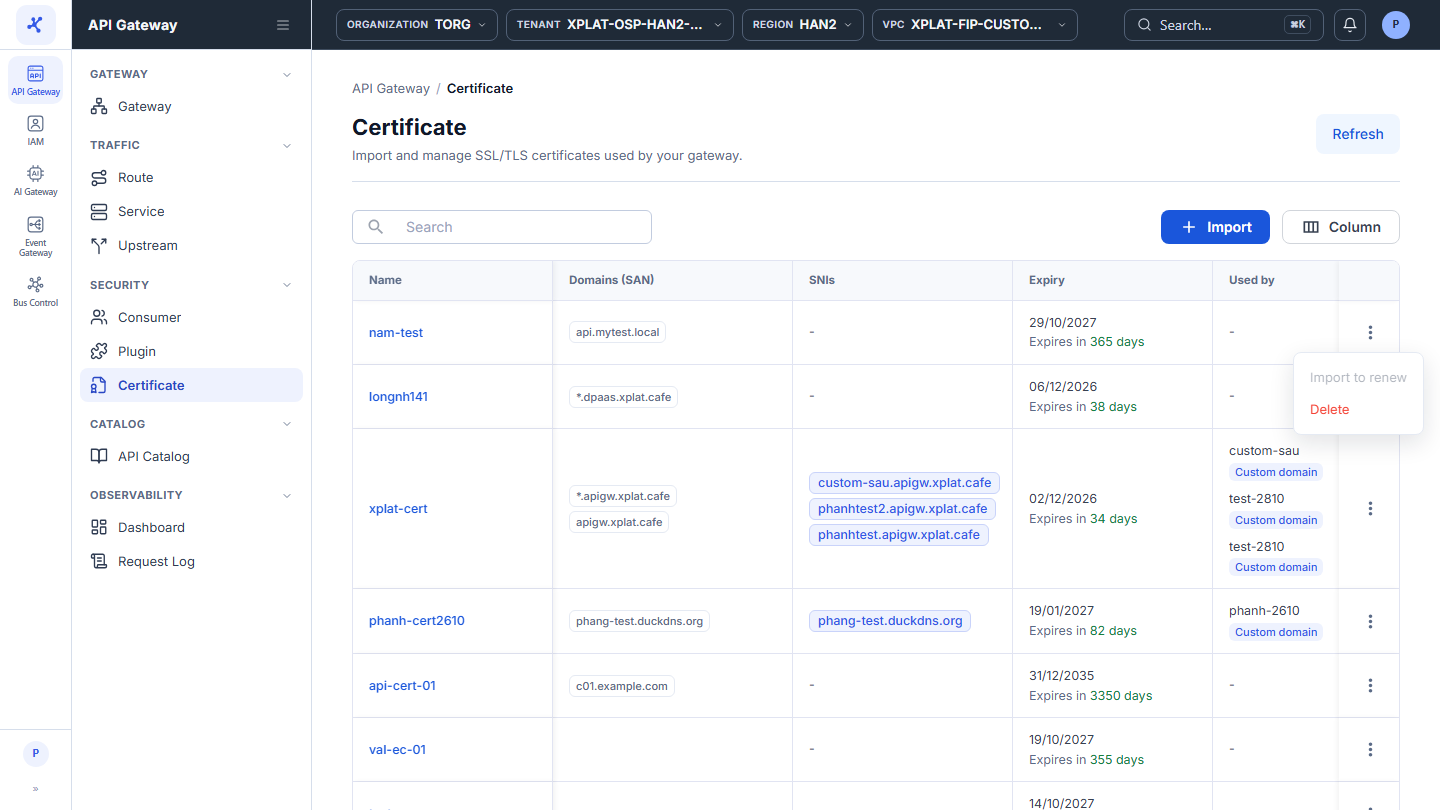
- You can renew only a Certificate that at least one Custom Domain uses. For an unused Certificate, Import to renew is disabled with the tooltip Certificate is not used by any gateway instance. In that case, import a new Certificate.
- The new Certificate must be valid and include every Custom Domain that uses the old Certificate.
Common issues
| Error | Cause | Solution |
|---|---|---|
| The certificate is not yet valid. | The new Certificate is not valid yet | Renew on or after the Valid From date of the new Certificate. |
| This certificate has already been imported. | The new Certificate is the same as the current one | Use the new Certificate issued for this renewal. |
| Key provided does not match the certificate. | The private key belongs to another Certificate | Use the private key of the new Certificate. |
| PEM format errors, or the Certificate has expired or was revoked | Same as when you import a Certificate | See Import a Certificate. |