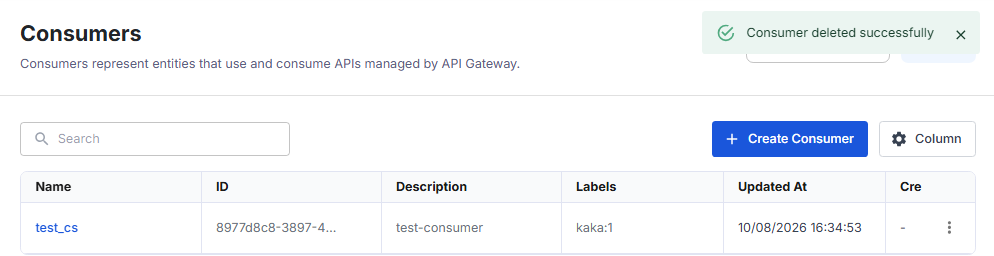
Delete a Consumer
Deleting a Consumer also deletes all its credentials. After that, the API Gateway rejects requests that authenticate with those credentials (error 401).
warning
Before you delete, make sure no application still calls APIs with the credentials of this Consumer.
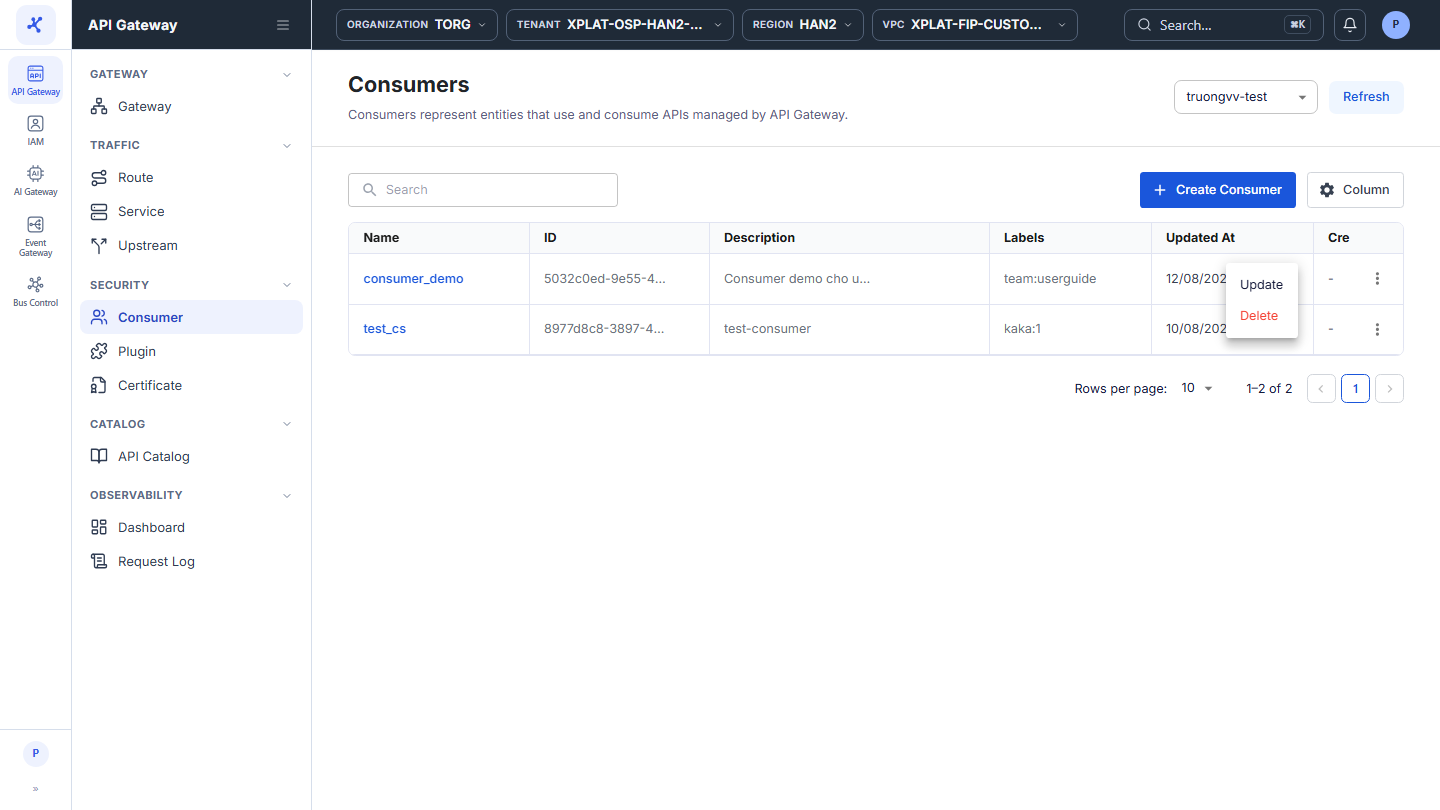
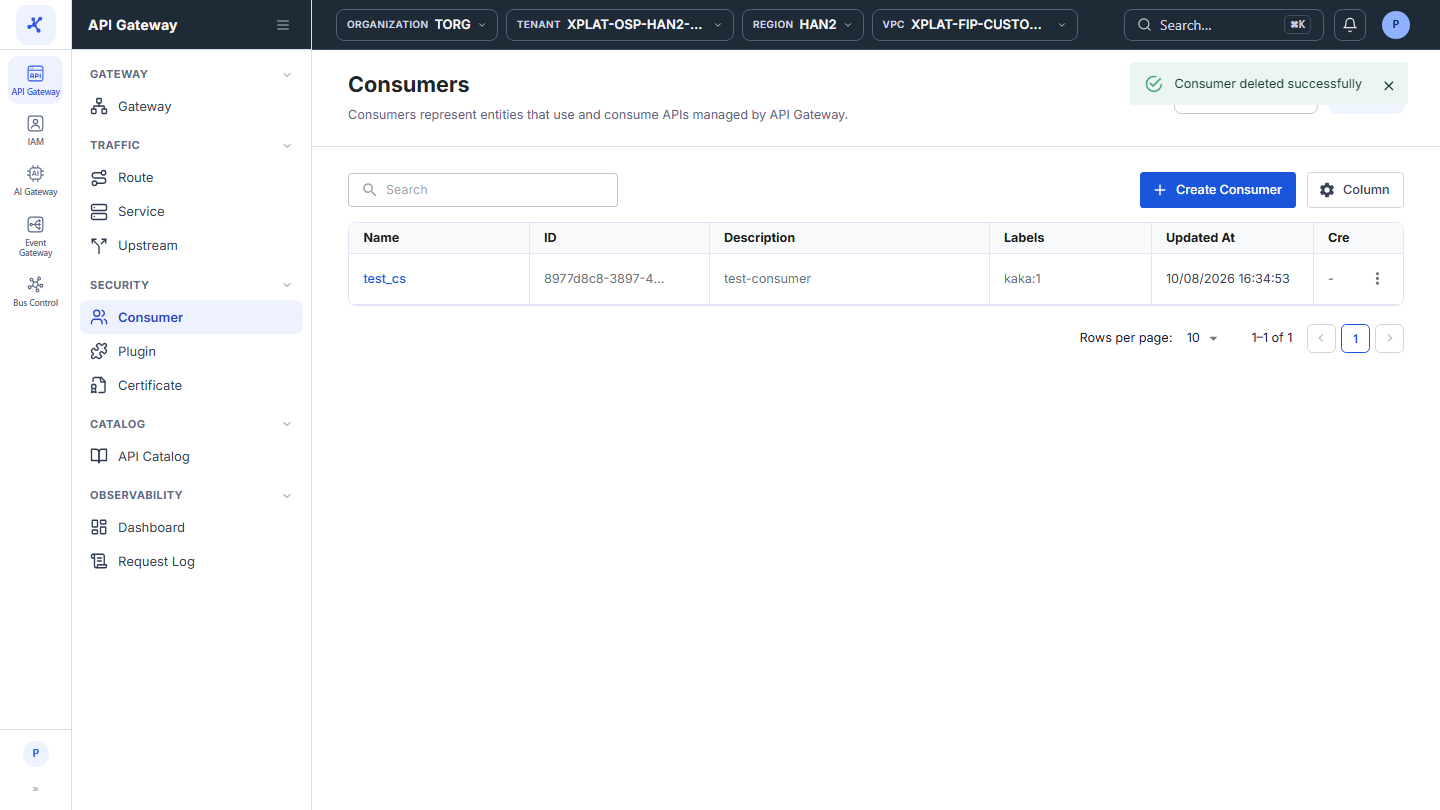
Step 1–2Open the Consumer screen and click ⋮ → Delete on the row of the Consumer
1 / 4
Click the image to zoom in.
Delete a Consumer
To delete a Consumer, follow these steps:
-
In the left menu, select API Gateway → Consumer, then select the API Gateway in the top-right corner.
-
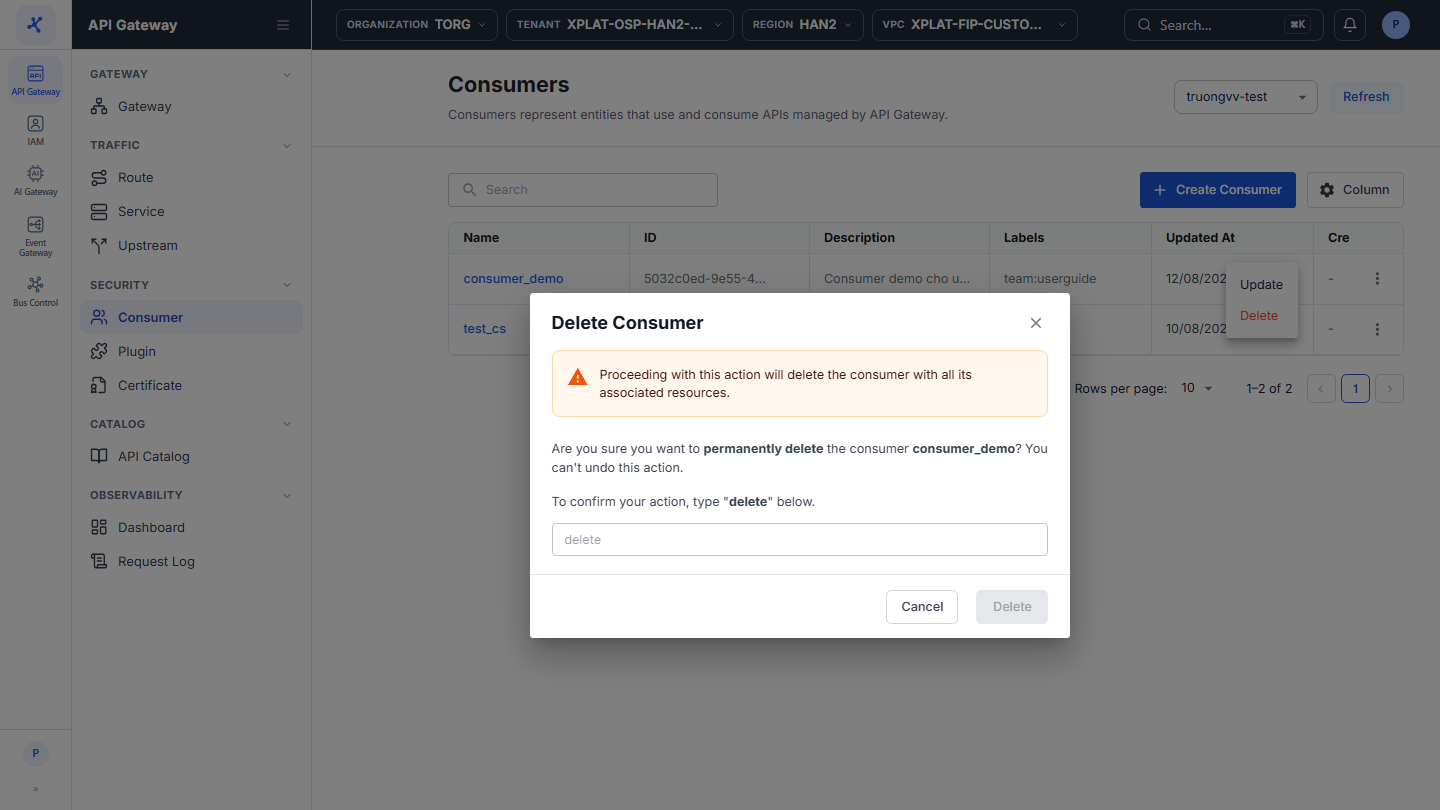
On the row of the Consumer you want to delete, click ⋮ → Delete.

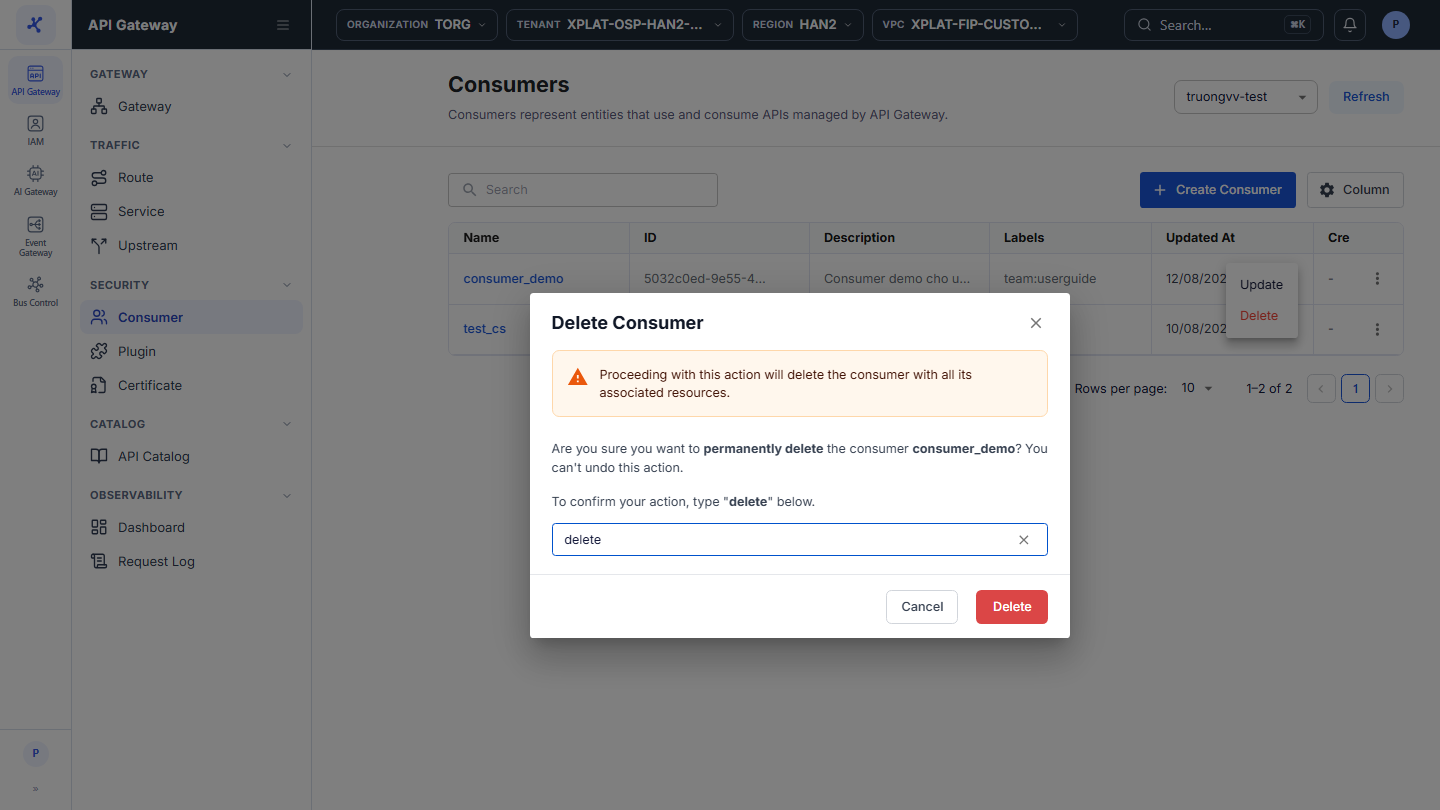
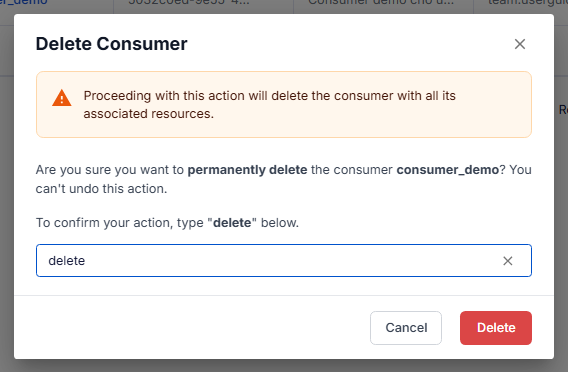
- In the Delete Consumer dialog, enter
deletein the confirmation field. The keyword is case-sensitive.
danger
This action cannot be undone.
- Click Delete. The button is enabled only after you enter
delete.
The message Consumer deleted successfully appears, and the Consumer disappears from the list right away.