Edit a Consumer
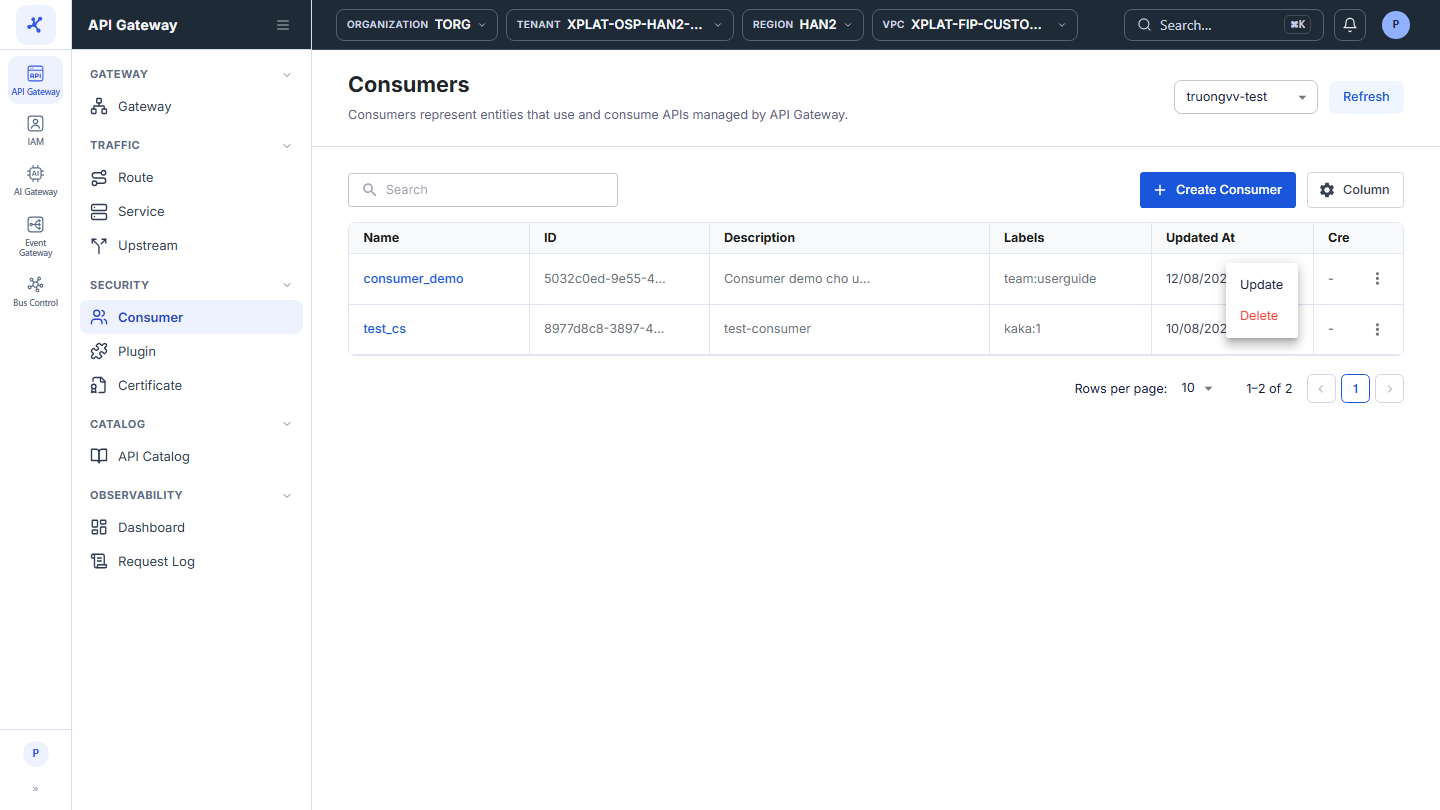
Step 1–2Open the Consumer screen and click ⋮ → Update on the row of the Consumer
1 / 4
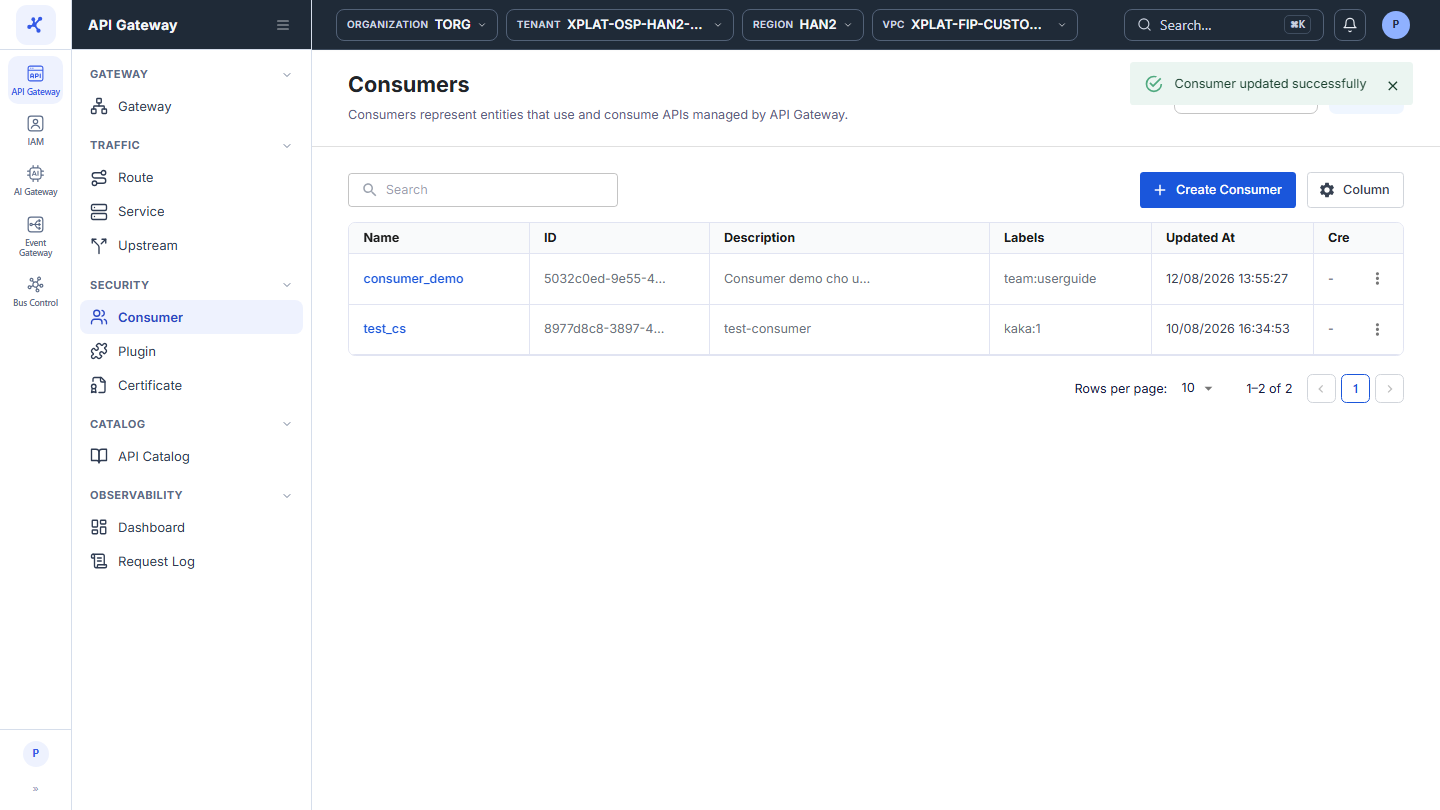
Click the image to zoom in.
Edit a Consumer
To edit a Consumer, follow these steps:
-
In the left menu, select API Gateway → Consumer, then select the API Gateway in the top-right corner.
-
On the row of the Consumer you want to edit, click ⋮ → Update.
-
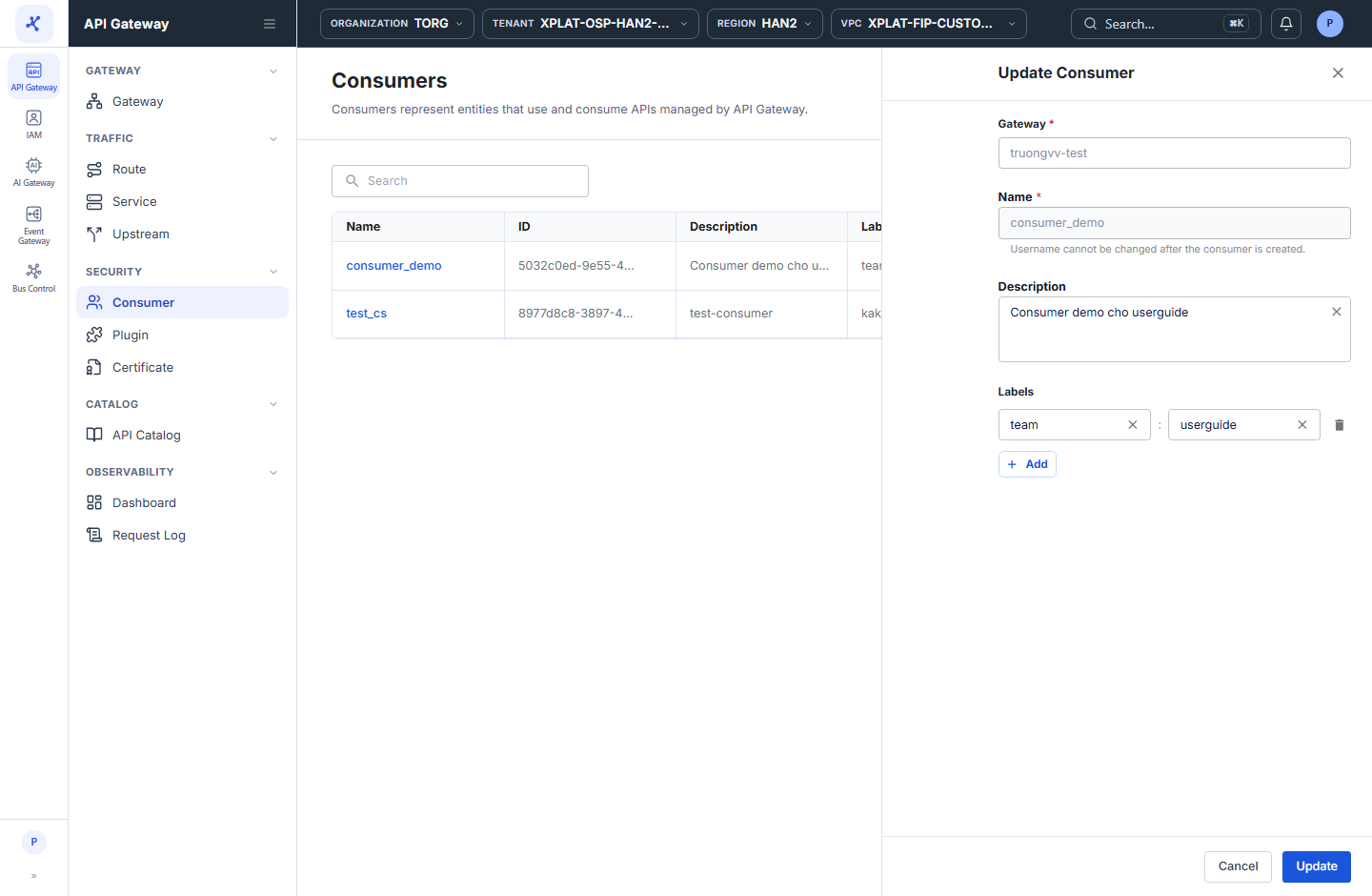
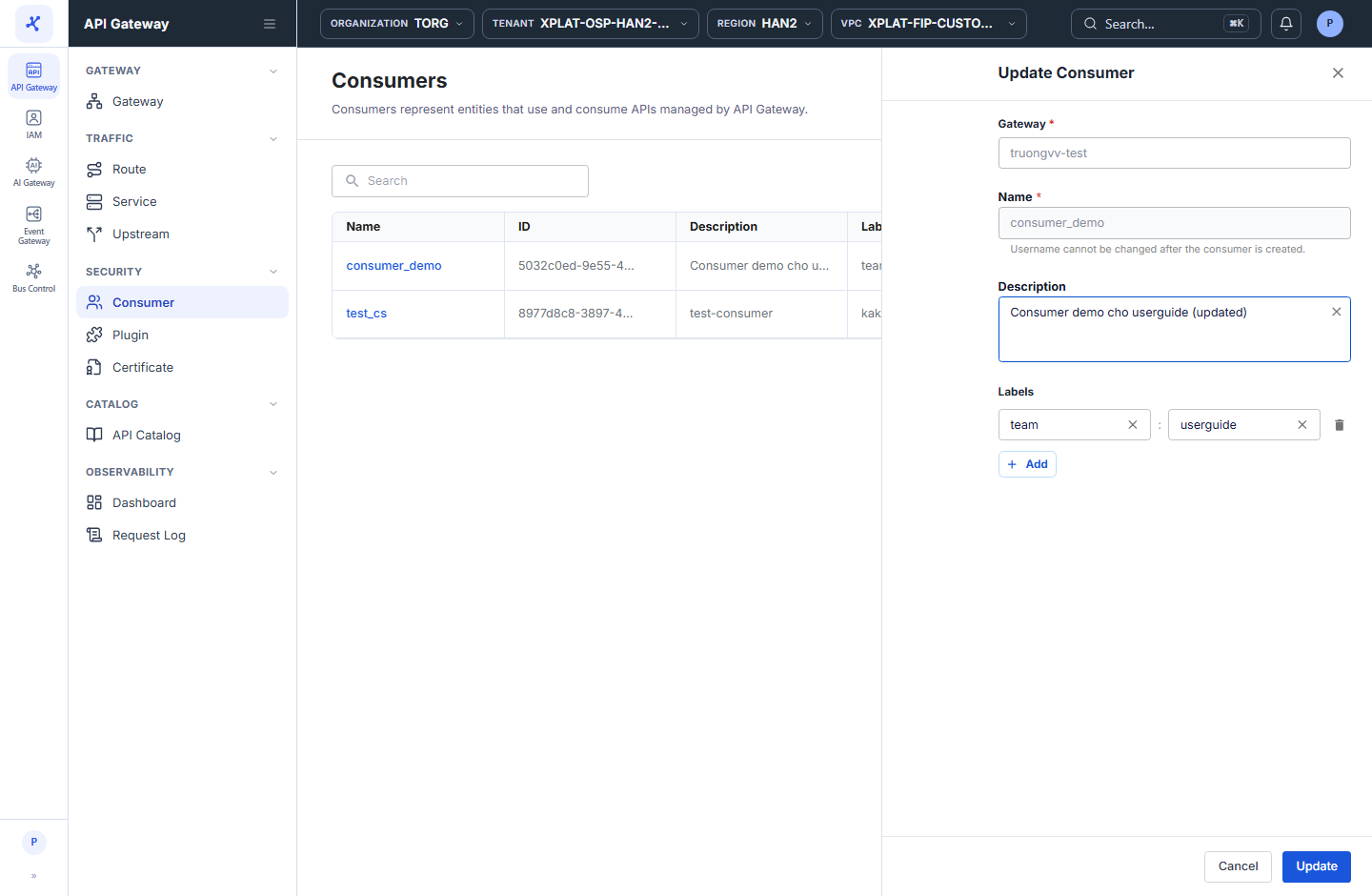
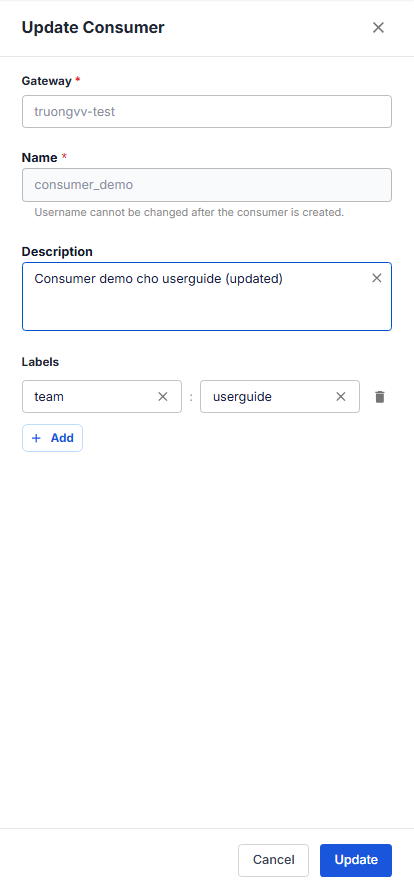
In the Update Consumer form, the current data is pre-filled. Change Description or Labels.
note
Gateway and Name cannot be changed. The note Username cannot be changed after the consumer is created. appears under Name. To use another name, create a new Consumer.
- Click Update to save.
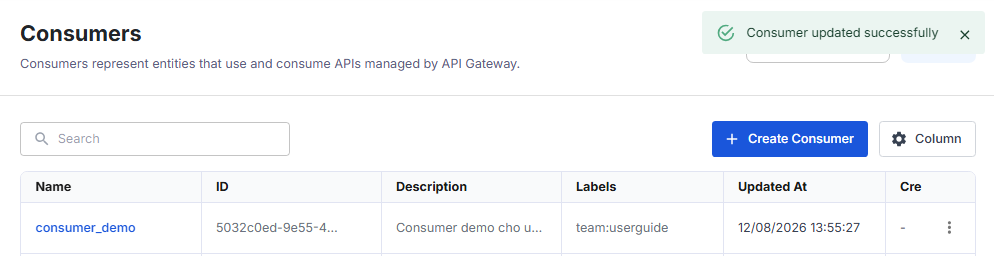
The message Consumer updated successfully appears, the form closes, and the list is updated.