Delete a Custom Domain
After you delete a Custom Domain, the API Gateway stops receiving requests to that domain. The Certificate of the domain stays in the organization.
Clients that call the API Gateway through this domain can no longer reach it. Move the clients to another domain before you delete it.
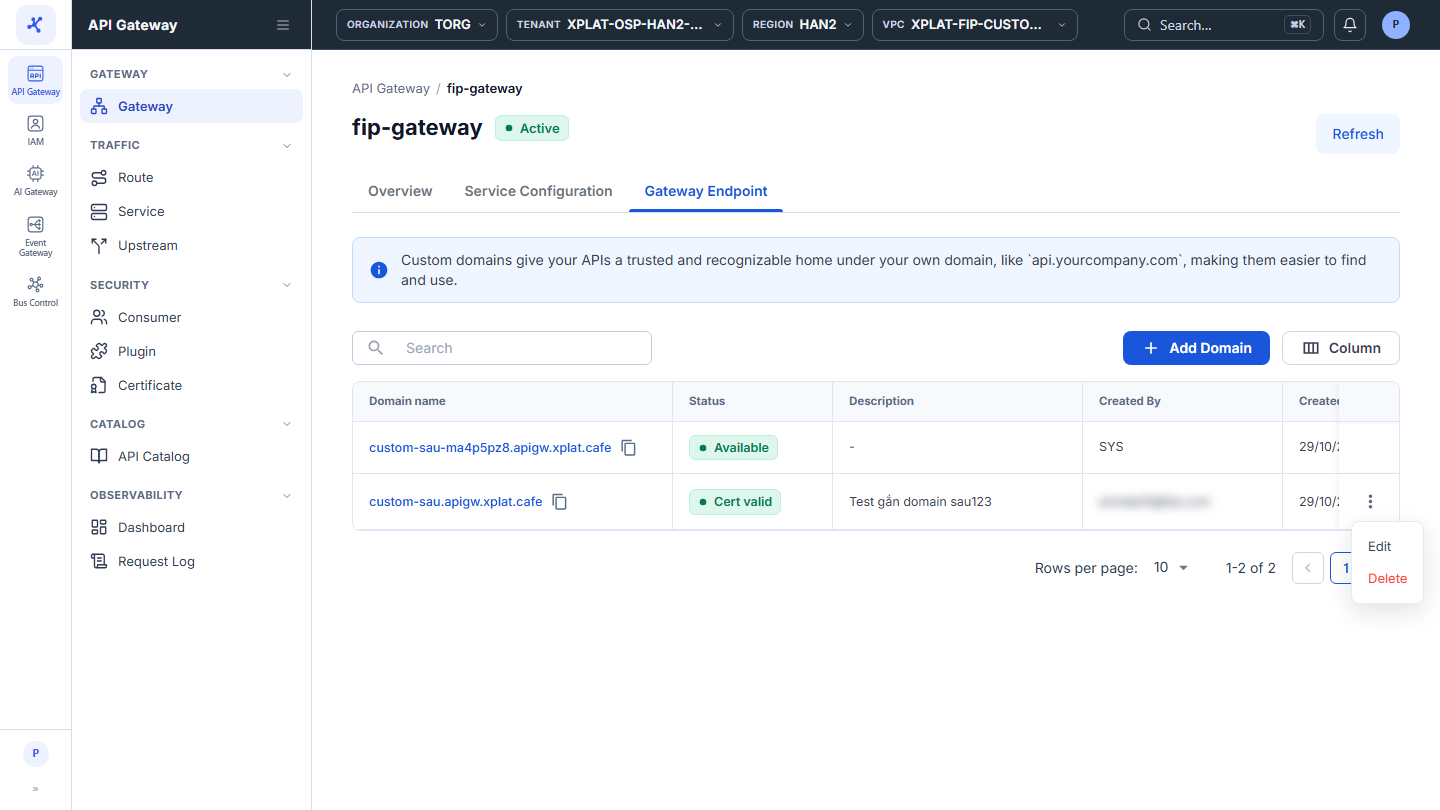
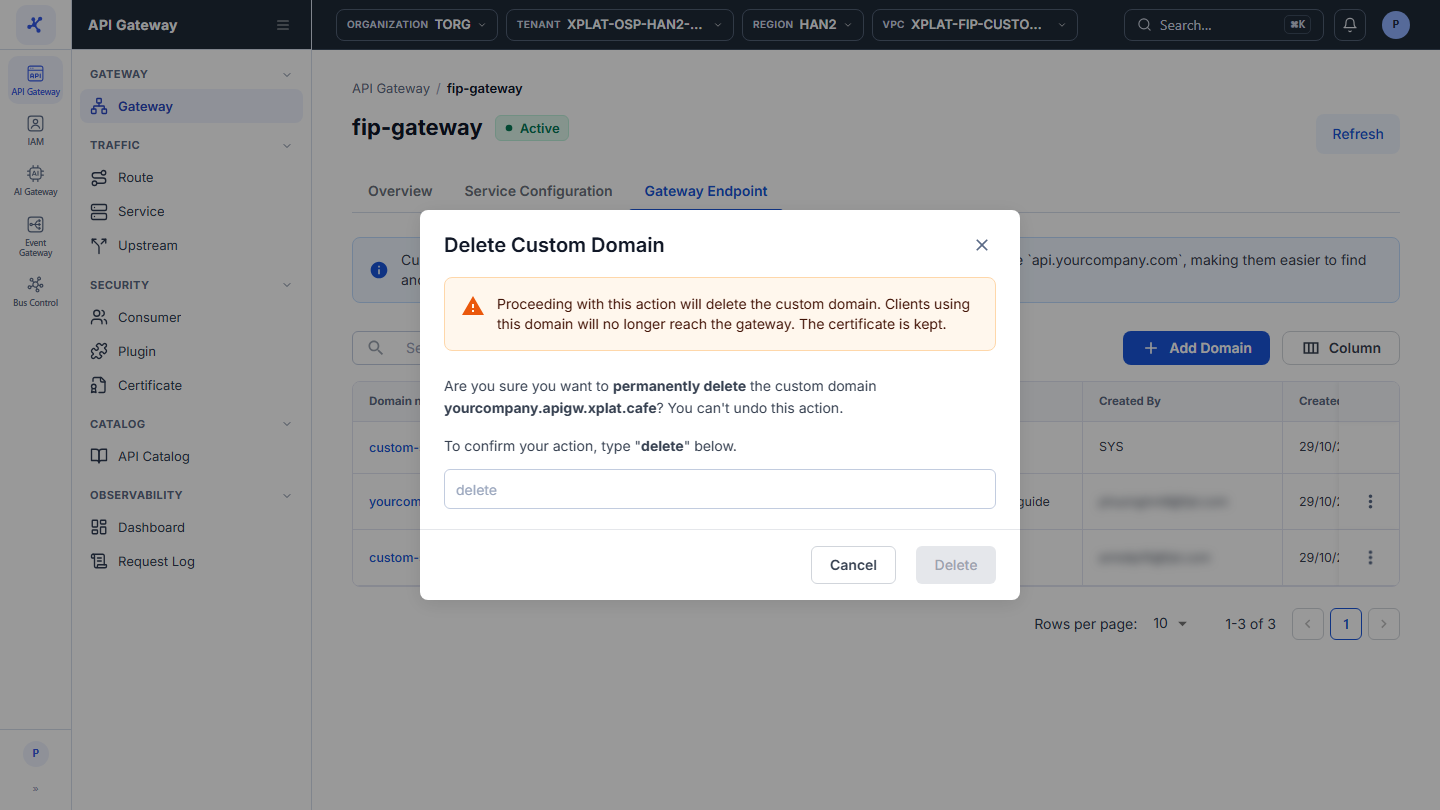
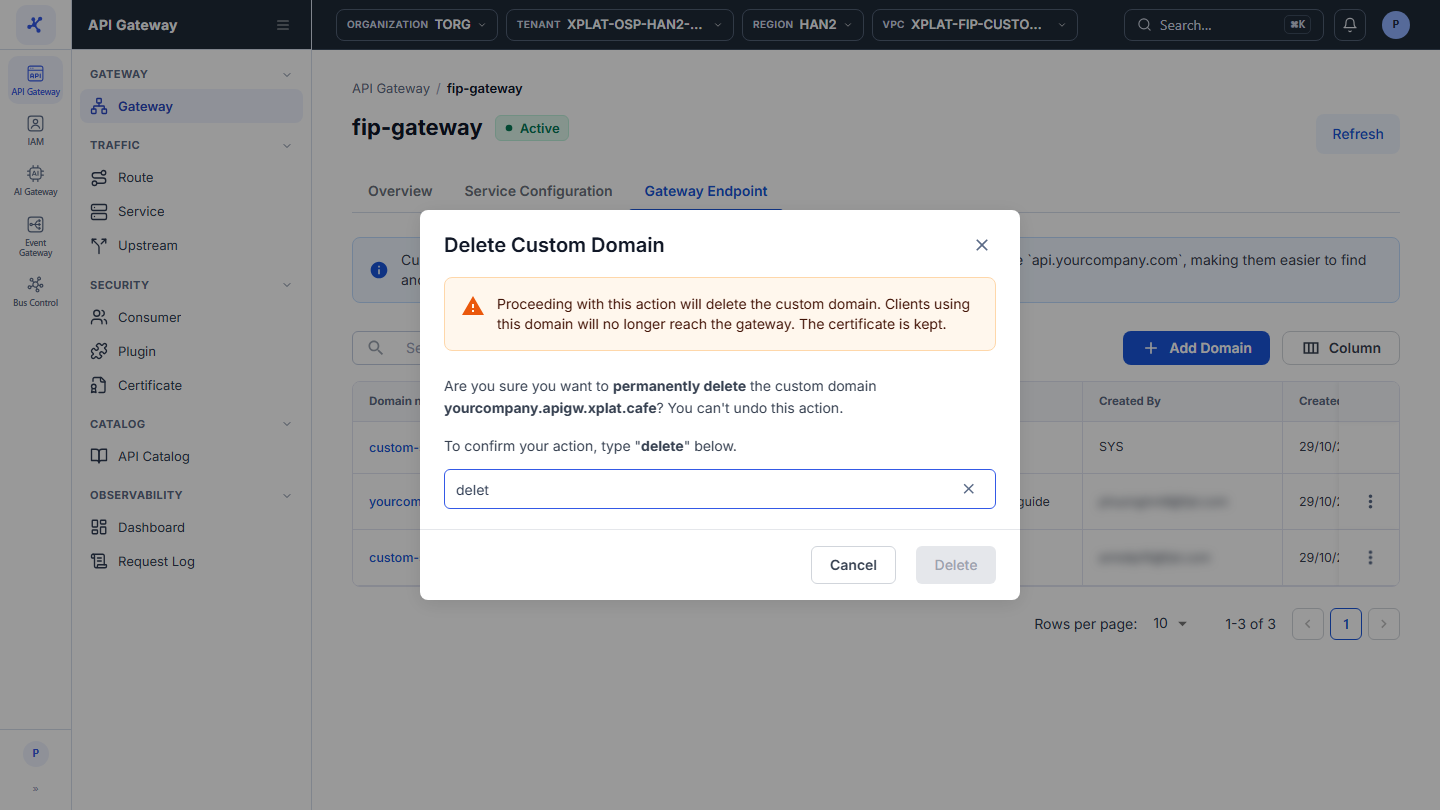
Click the image to zoom in.
Delete a Custom Domain
To delete a Custom Domain, follow these steps:
-
In the left menu, select API Gateway → Gateway, click the API Gateway name, then select the Gateway Endpoint tab.
-
On the row of the Custom Domain you want to delete, click ⋮ → Delete.
-
In the Delete Custom Domain dialog, enter
deletein the confirmation field. The keyword is case-sensitive.
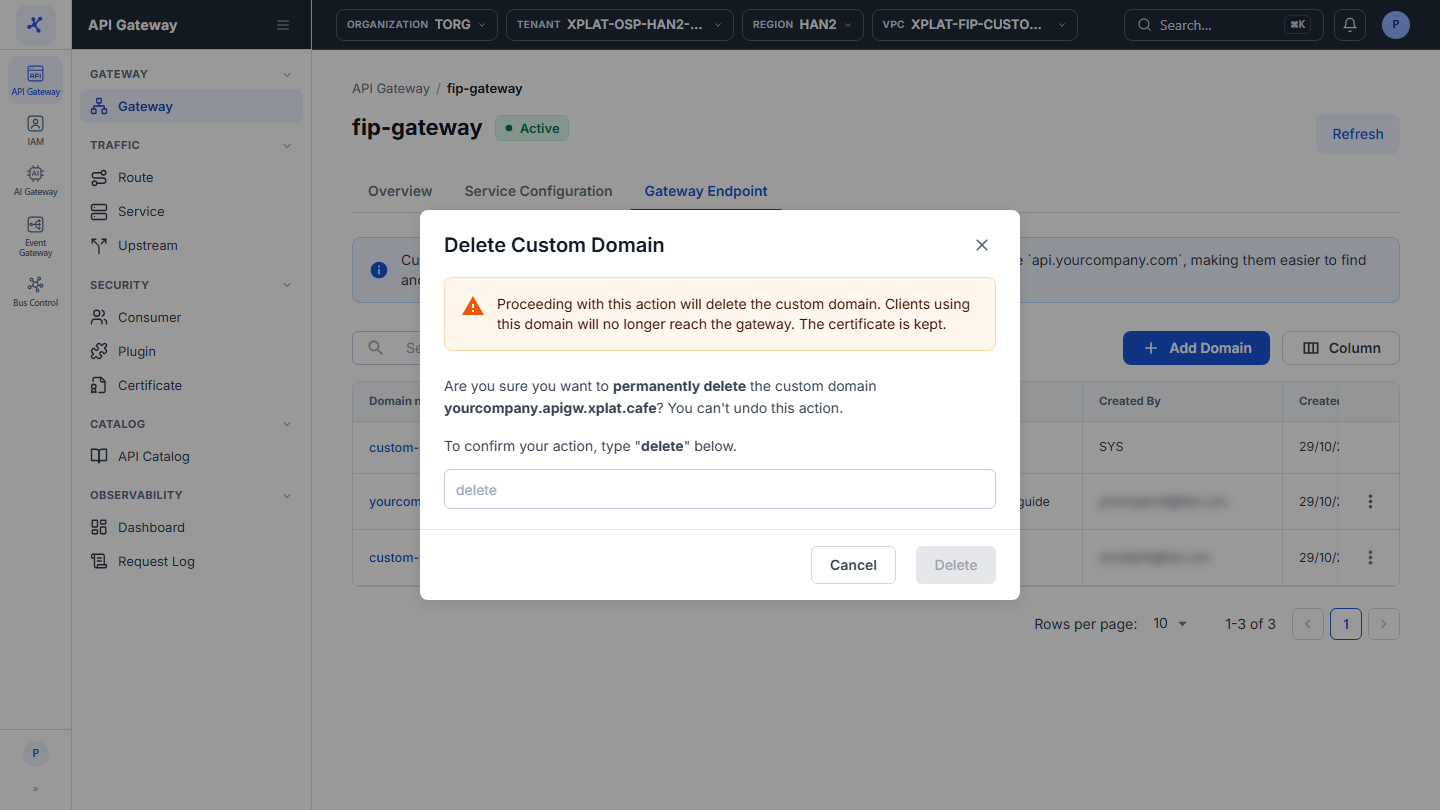
This action cannot be undone.
- Click Delete. The button is enabled only after you enter
delete.
The message Delete Custom Domain successfully appears. The domain disappears from the Gateway Endpoint tab, from the Gateway URL column of the API Gateway list, and from the SNIs and Used by columns of the Certificate. If no other Custom Domain uses the Certificate, you can delete the Certificate.
Common issues
| Error | Cause | Solution |
|---|---|---|
| Delete is disabled in the ⋮ menu, with the tooltip A gateway must keep at least one endpoint. Add another domain before deleting this one. | The API Gateway has no default domain and this is its only Custom Domain | Add another Custom Domain before you delete this one. |
| Something went wrong. Please try again later. | System error. The Custom Domain and its link to the Certificate are kept | Try again in a few minutes. |