View Gateway Endpoint details
The Gateway Endpoint tab lists every domain that clients can use to call an API Gateway, including the default domain that the system assigns and the Custom Domains you add. Here you can check which domains are active and whether the Certificate of each domain is still valid.
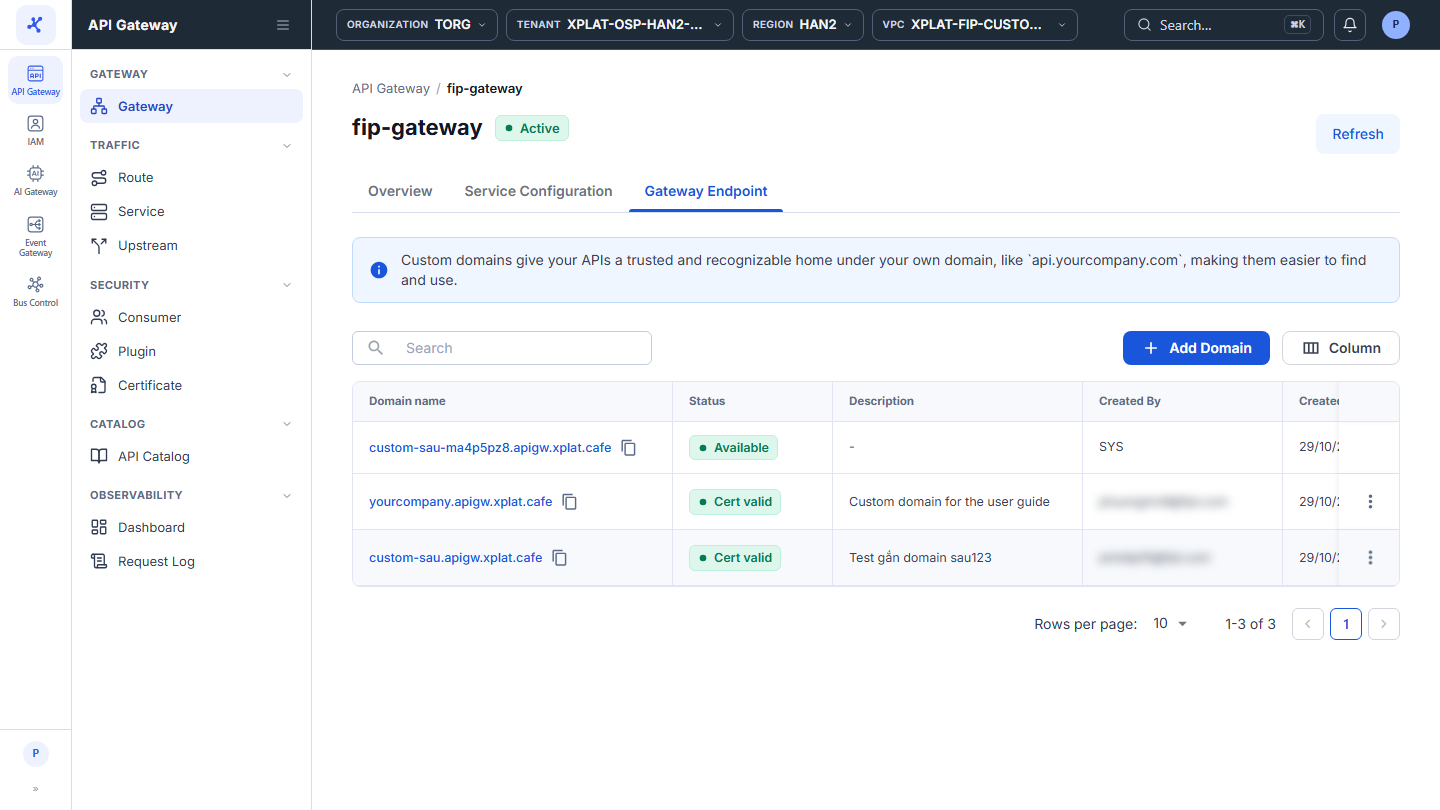
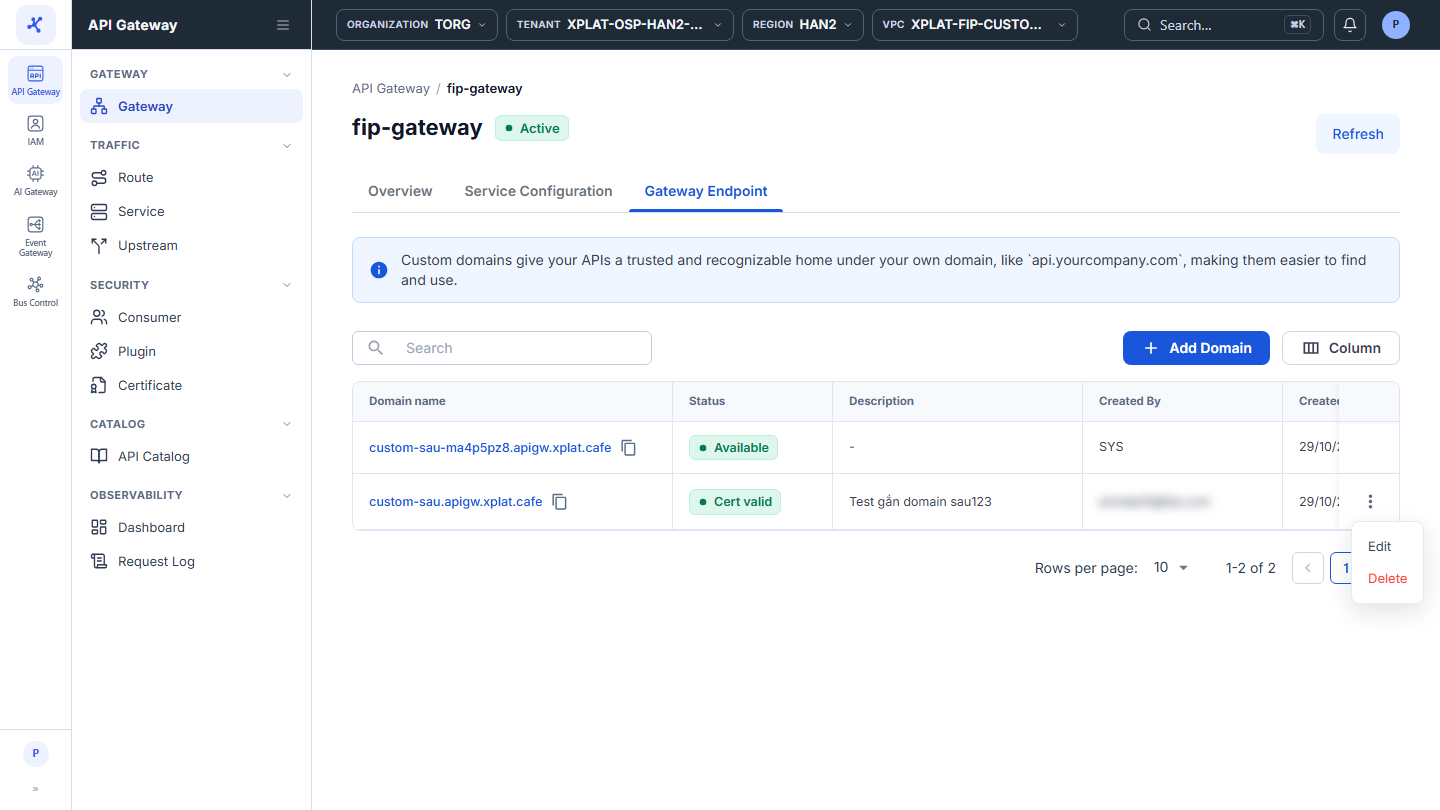
Click the image to zoom in.
View Gateway Endpoint details
- In the left menu, select API Gateway → Gateway, click the API Gateway name, then select the Gateway Endpoint tab.
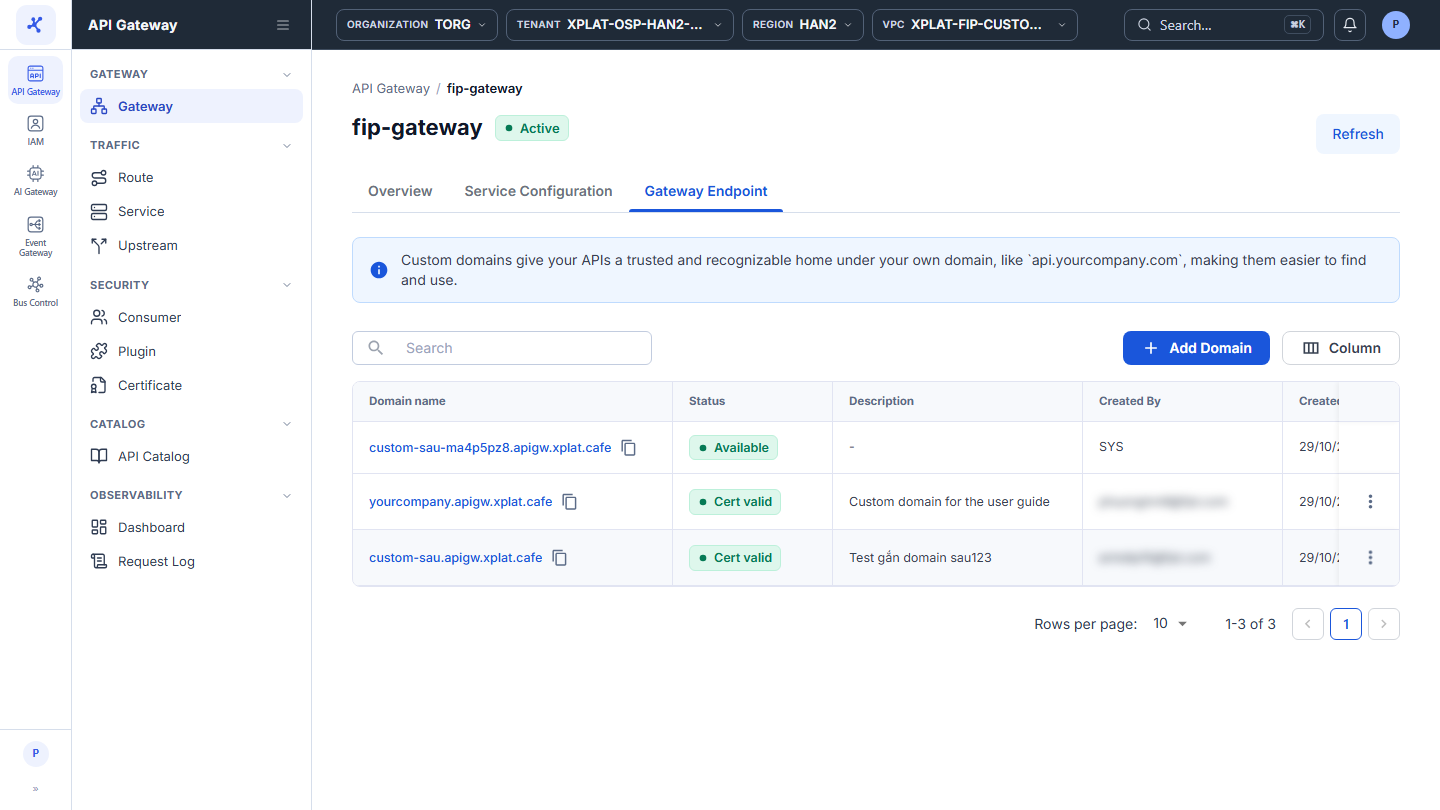
The list has the following columns:
| Column | Description |
|---|---|
| Domain name | Domain name. Click the name to open https://<domain> in a new tab, or click the copy icon to copy the domain. |
| Status | Status of the domain, see the status table below. |
| Description | Description of the Custom Domain. Shows - when empty. |
| Created By | SYS for the default domain, the person who added the domain for a Custom Domain. |
| Created At | When the domain was added. For the default domain, when the API Gateway was created. |
| ⋮ | Action menu, only on Custom Domain rows. See the action table below. |
The Status column has the following statuses:
| Status | Meaning |
|---|---|
| Available | Default domain. The system manages its Certificate. |
| Cert valid | The Custom Domain has a valid Certificate. |
| Cert expired | The Certificate of the Custom Domain has expired. Renew the Certificate or switch to another Certificate. |
The system does not check DNS. The Cert valid status does not mean the domain already points to the API Gateway, see Verify the Custom Domain.
The toolbar has the Search box to search by domain, the Add Domain button to add a Custom Domain, and the Column button to choose, hide, and order the columns.
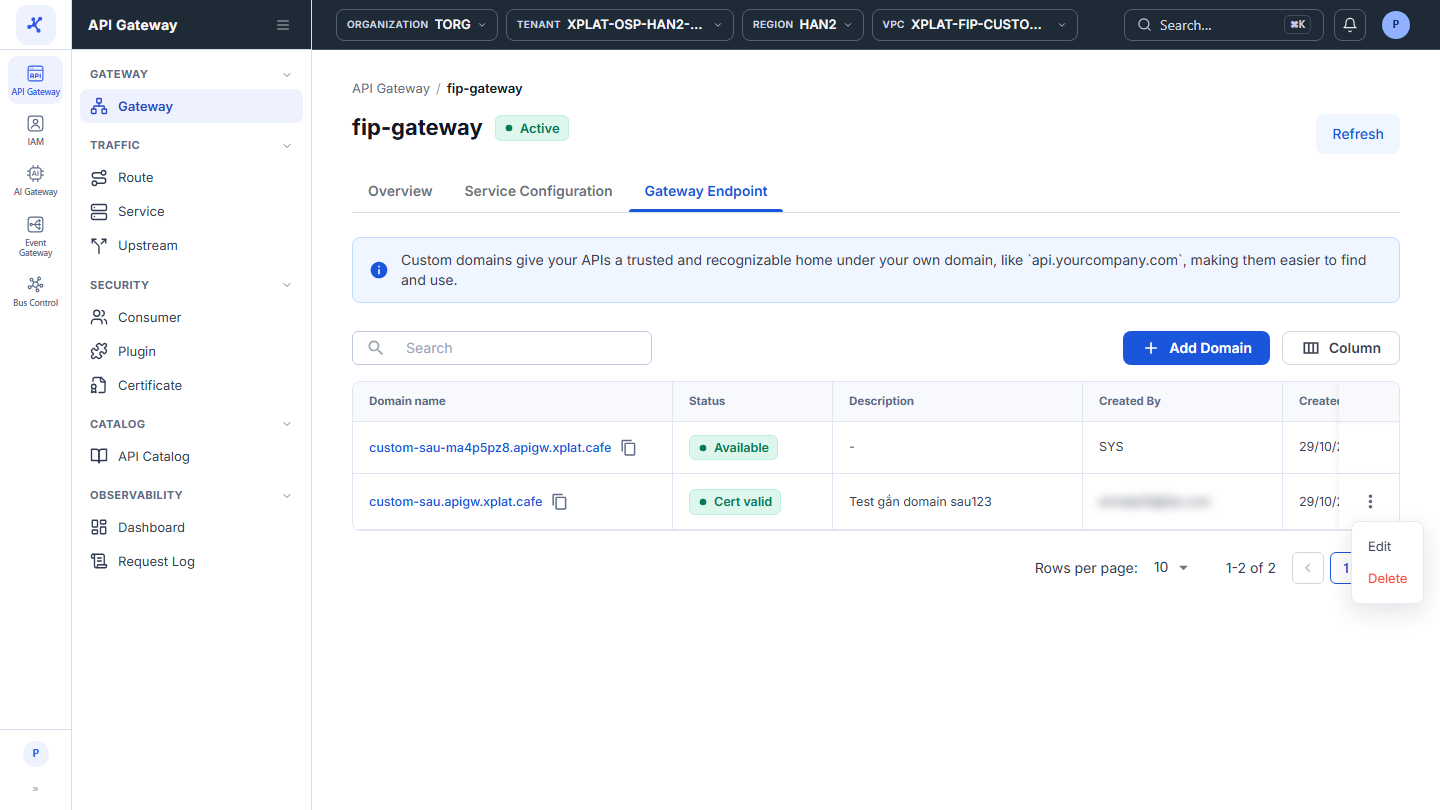
The ⋮ menu at the end of each Custom Domain row has 2 actions:
| Action | Description |
|---|---|
| Edit | Change the Certificate of the Custom Domain. See Edit a Custom Domain. |
| Delete | Delete the Custom Domain. See Delete a Custom Domain. Disabled when it is the only endpoint of the API Gateway. |
A Custom Domain also appears in the Gateway URL column of the API Gateway list (as https://<domain>) and in the SNIs and Used by columns of the Certificate.