Delete an API Gateway
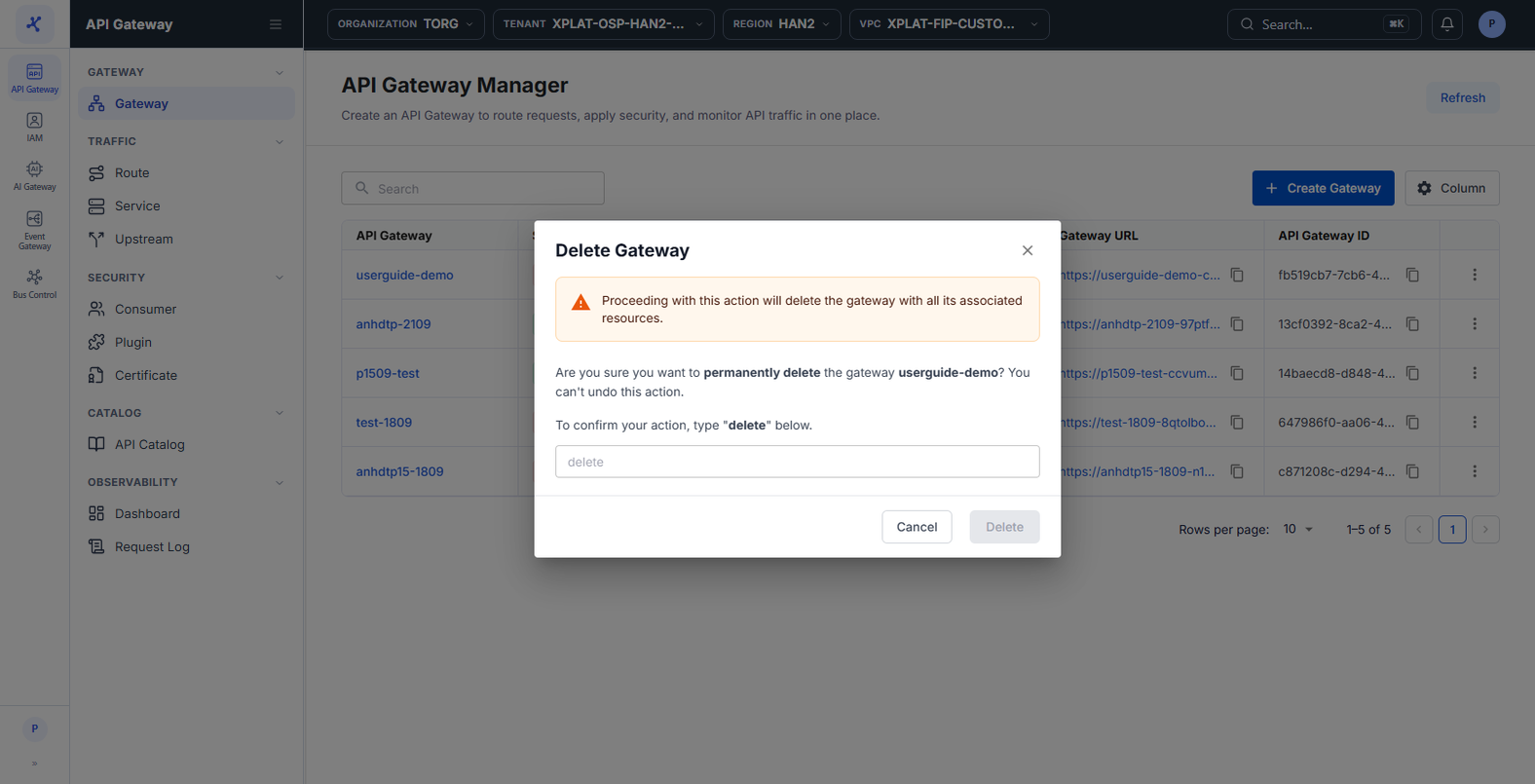
Deleting an API Gateway removes all the infrastructure of the cluster and the Route, Service, Upstream, Consumer, and Plugin configurations that belong to it. Delete only an API Gateway you are sure you no longer need, for example an API Gateway in the Error status that you want to create again.
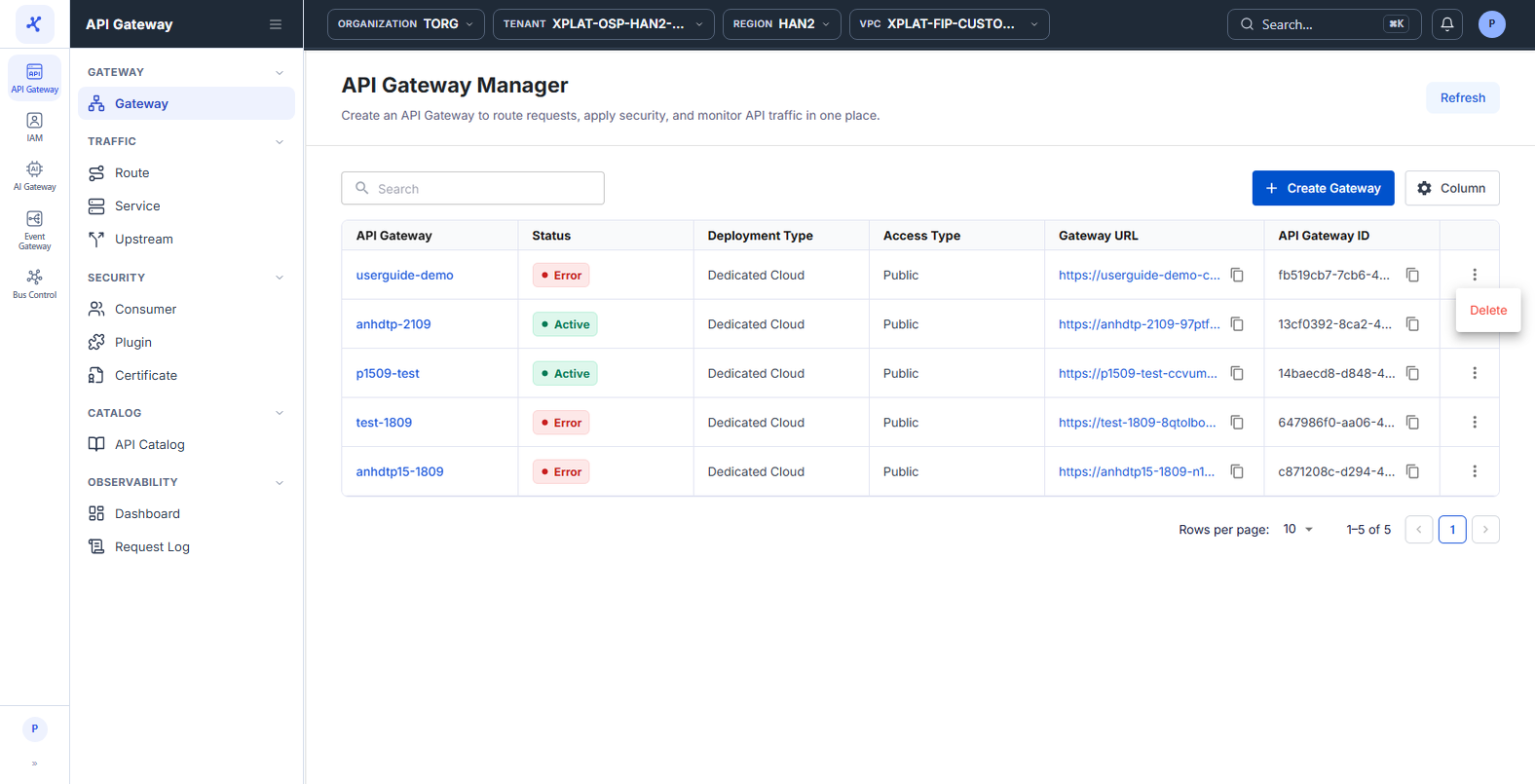
You can delete only an API Gateway in the Active or Error status. An API Gateway that is Processing cannot be deleted. Wait until provisioning finishes.
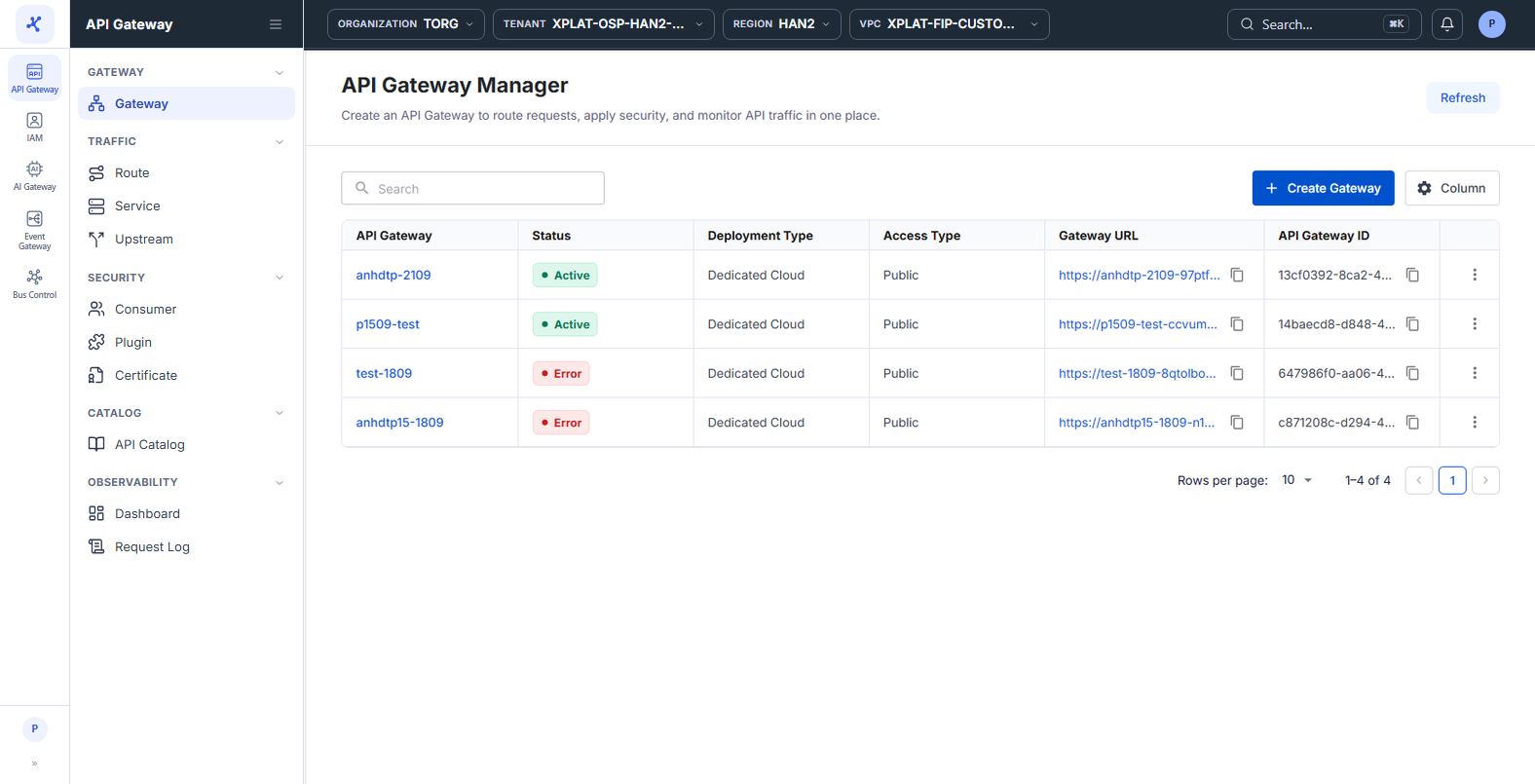
Click the image to zoom in.
Delete an API Gateway
To delete an API Gateway, follow these steps:
-
In the left menu, select API Gateway → Gateway.
-
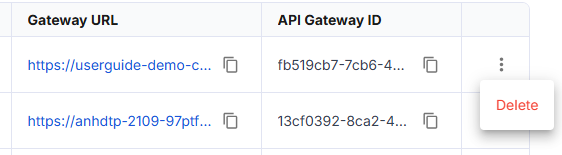
On the row of the API Gateway you want to delete, click ⋮ → Delete.
- In the Delete Gateway dialog, enter
deletein the confirmation field.
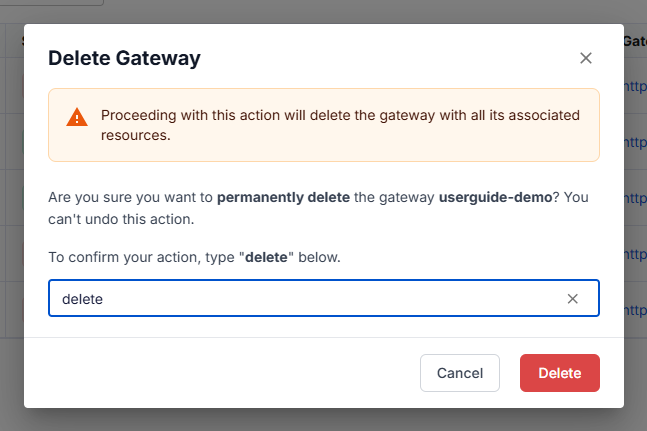
This action cannot be undone.
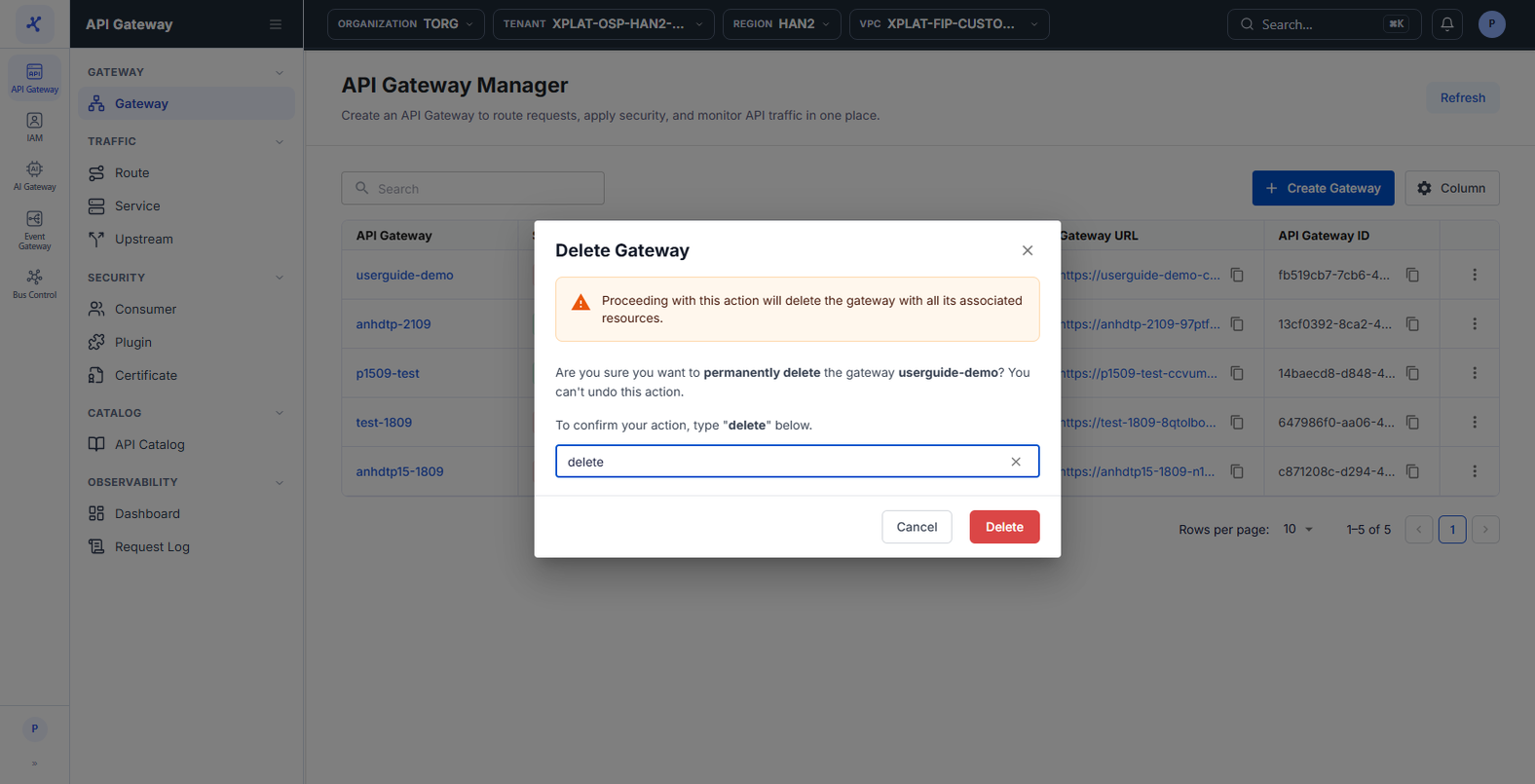
- Click Delete. The button is enabled only after you enter
delete.
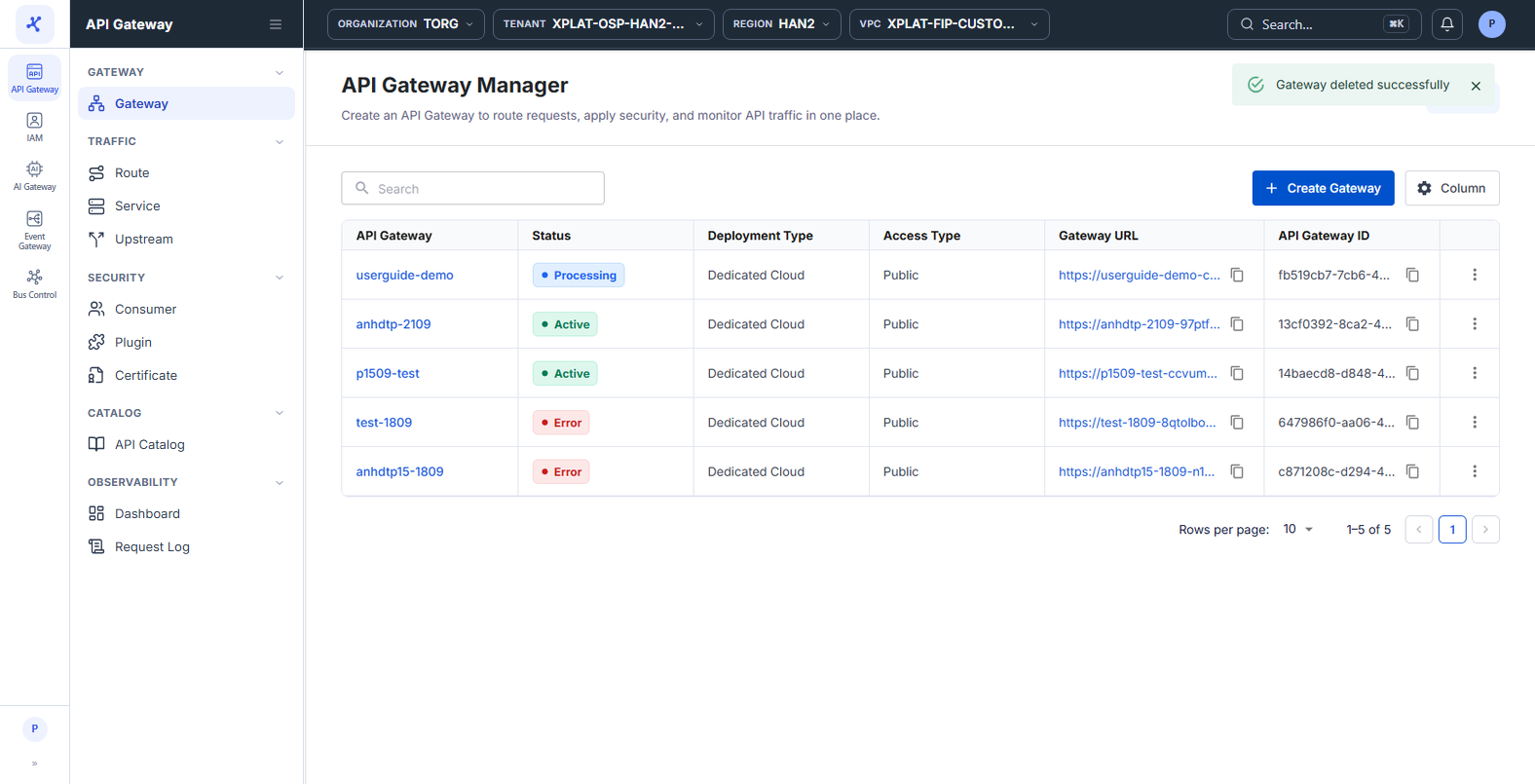
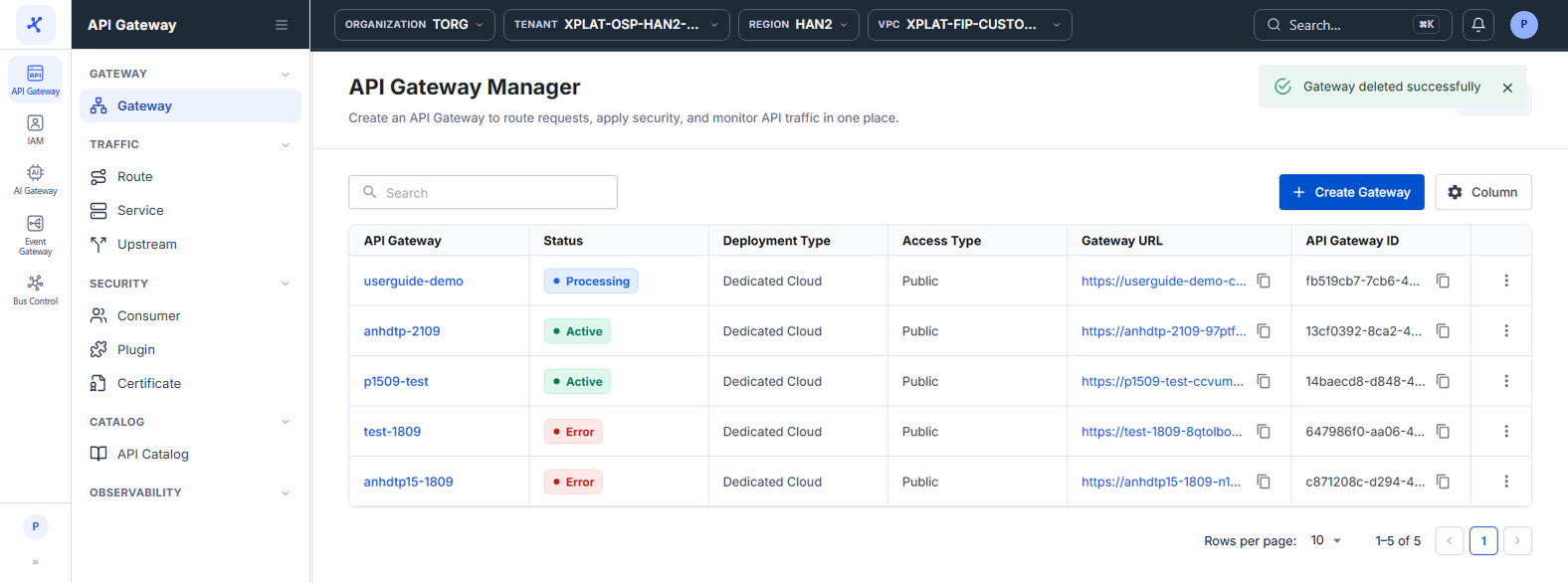
The message Gateway deleted successfully appears. The API Gateway does not disappear right away. It changes to Processing while the system removes the infrastructure. When the removal is done, the API Gateway disappears from the list. Click Refresh to check.
Common issues
| Error | Cause | Solution |
|---|---|---|
| Failed to delete gateway, and the dialog stays open | The API Gateway is in the Processing status | Close the dialog, wait until the API Gateway changes to Active or Error, then delete it again. |