Update an API Gateway
Update an API Gateway when its load changes or its description is out of date, without creating a new cluster. Each part of the configuration has its own Edit button on the API Gateway detail screen.
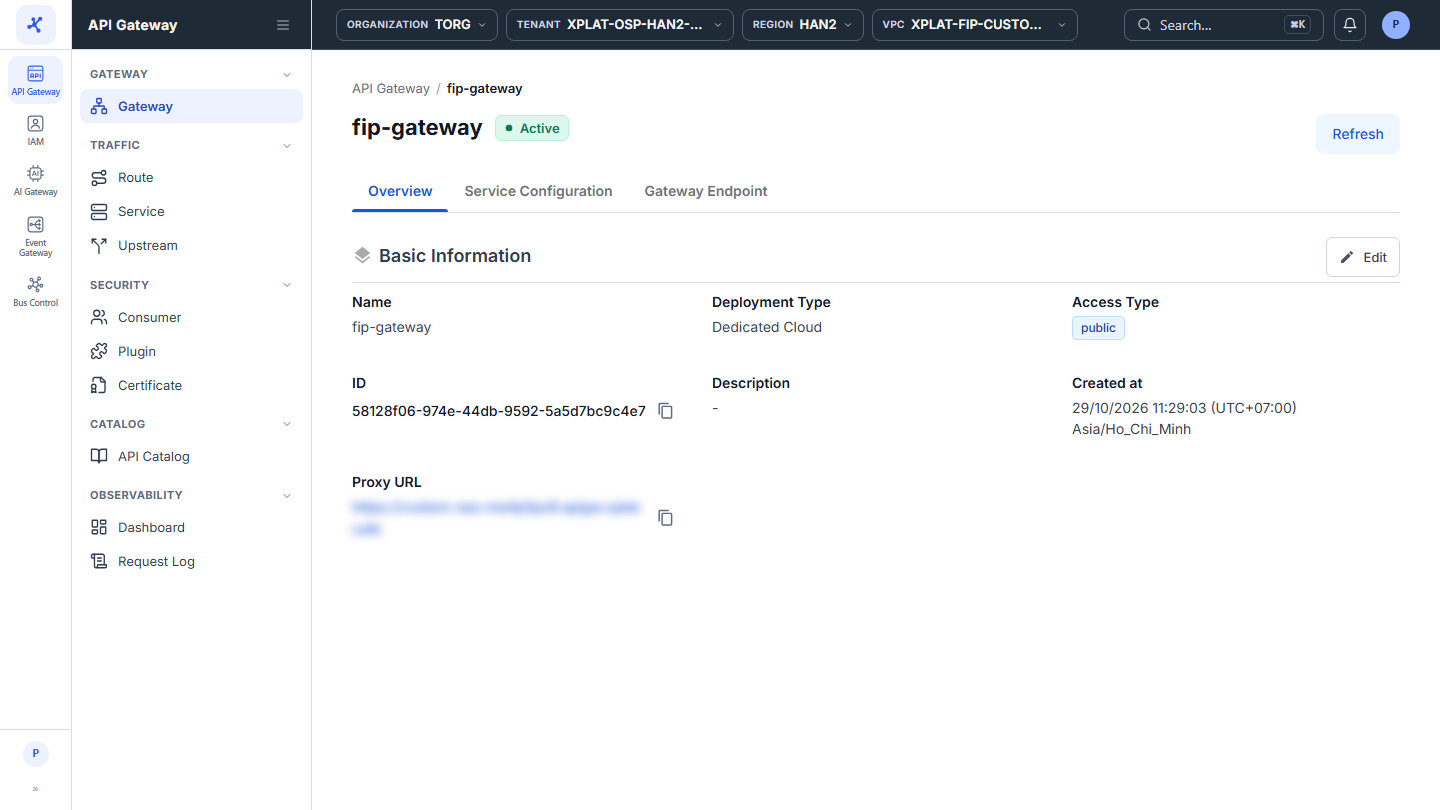
Step 1Open the API Gateway detail screen
1 / 4
Click the image to zoom in.
Before you begin
- You need the Org Admin role. See Roles and permissions.
- While the API Gateway is in the Processing status, you can update only Basic Information. Other parts show the error API Gateway is not updated in this status. Wait until the API Gateway is Active.
Update an API Gateway
To update an API Gateway, follow these steps:
- Select API Gateway → Gateway in the left menu, then click the API Gateway name.
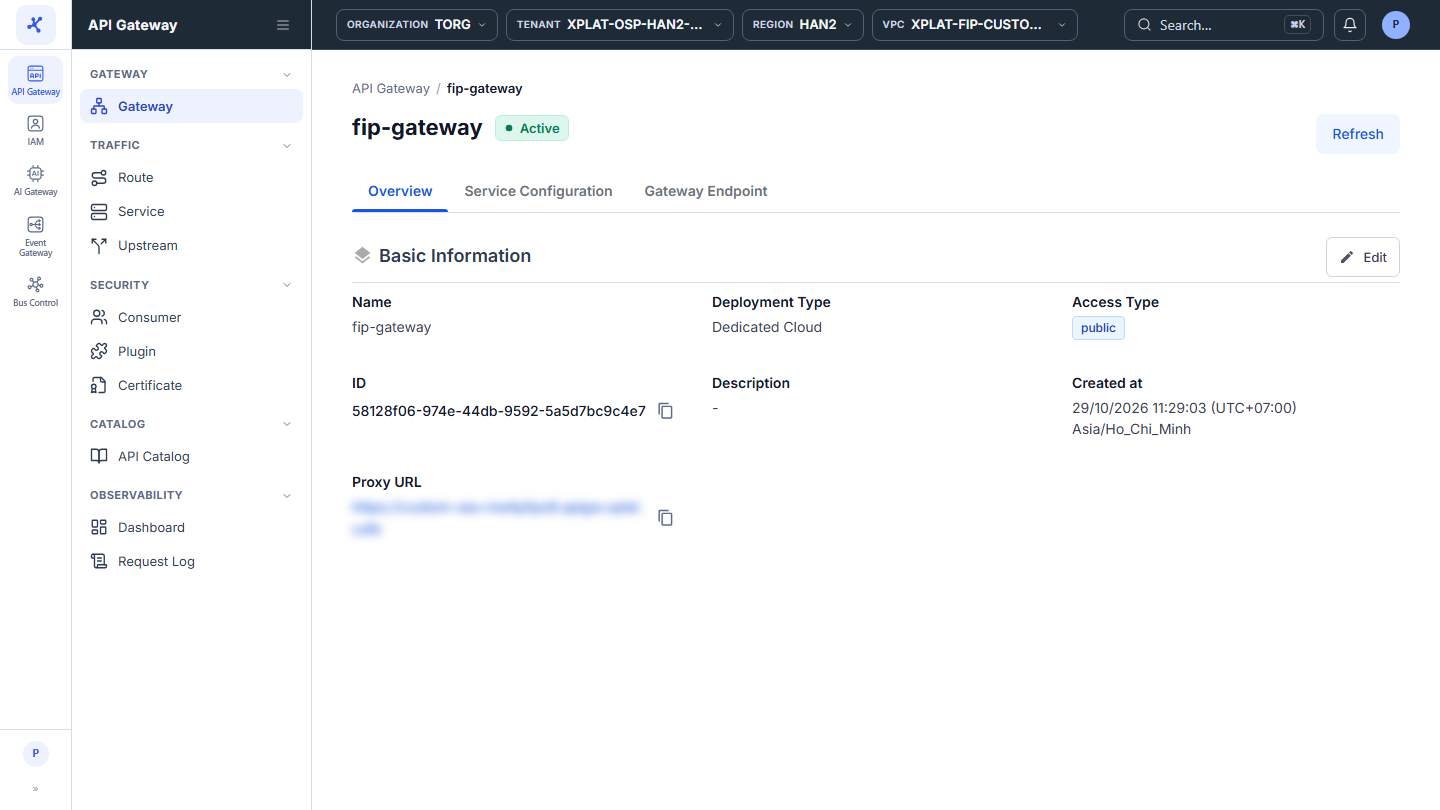
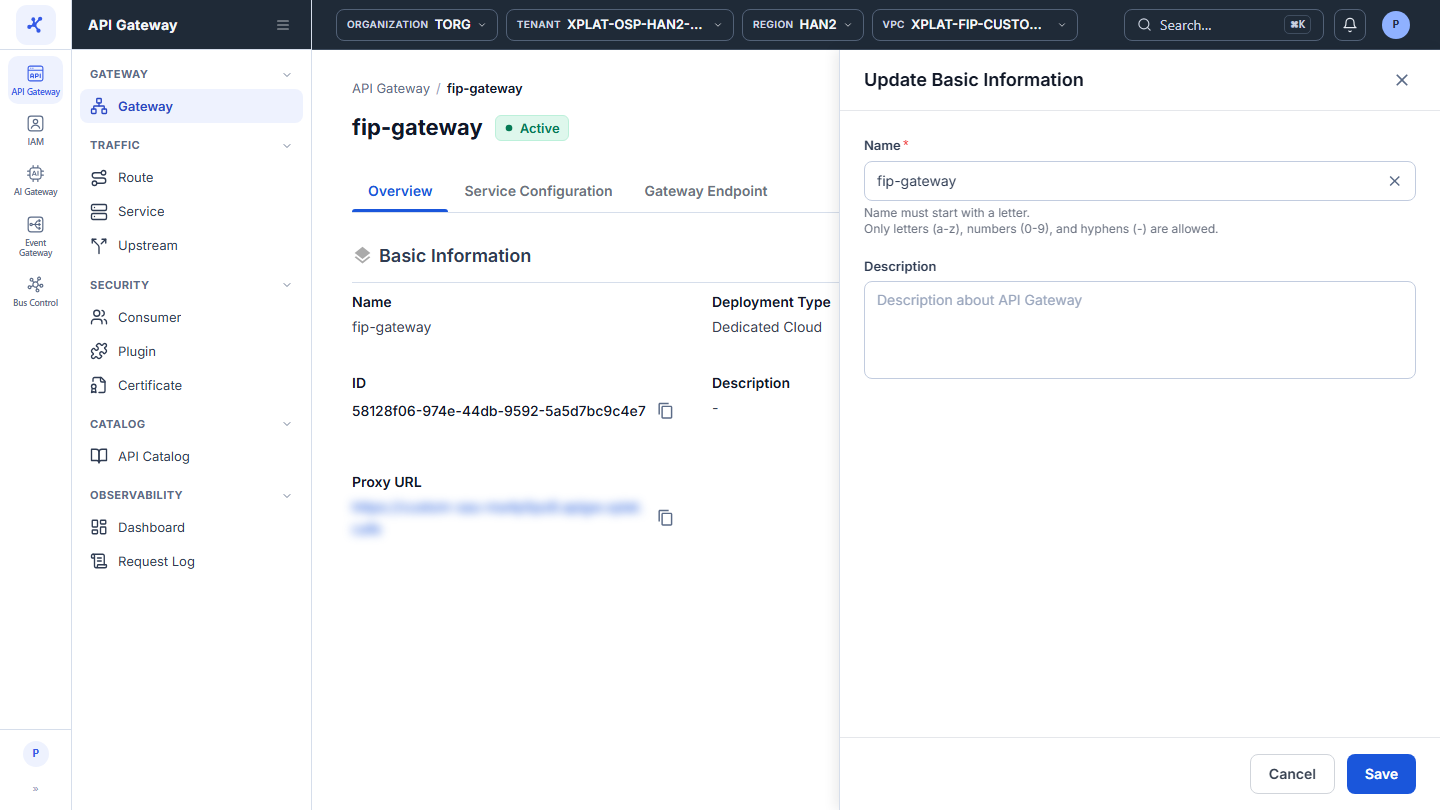
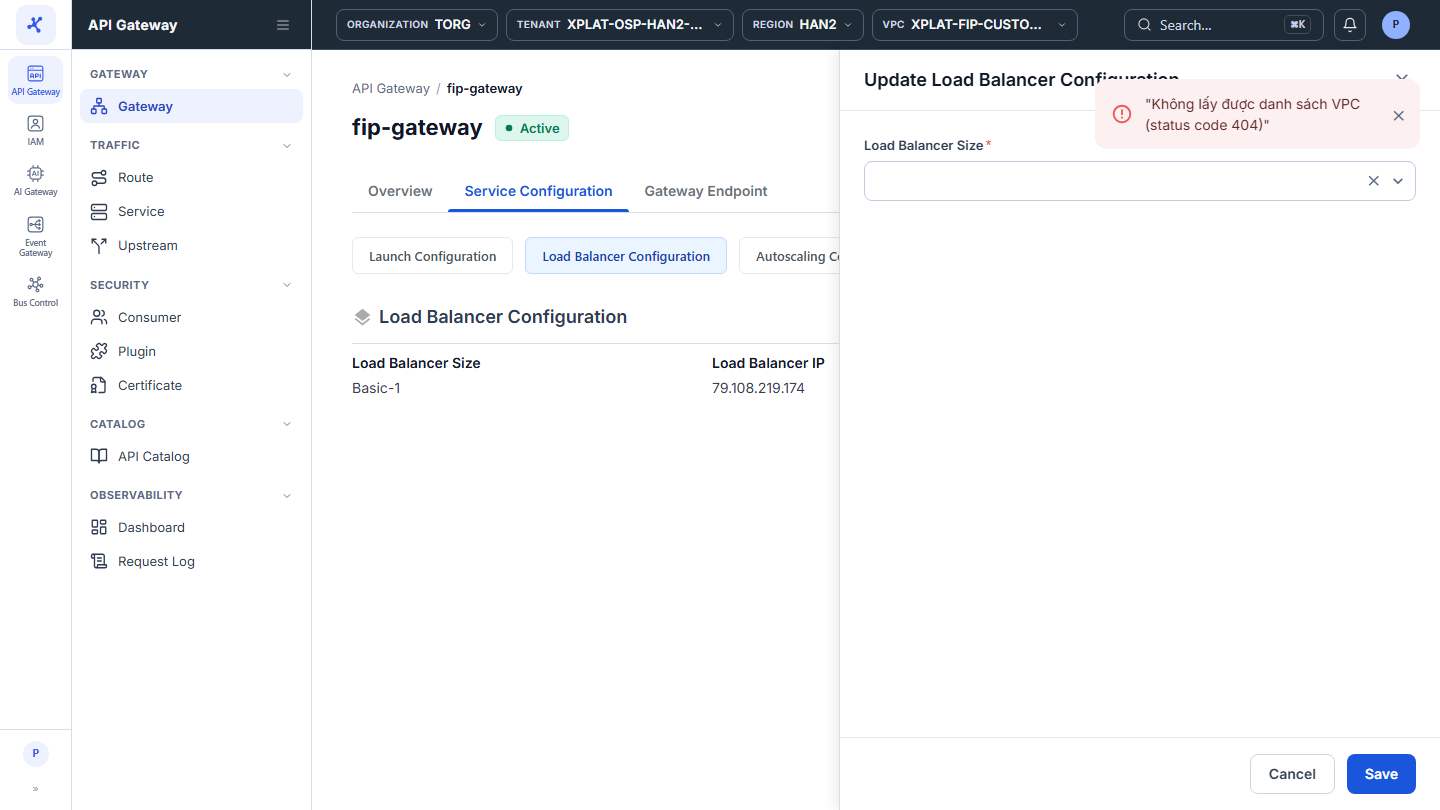
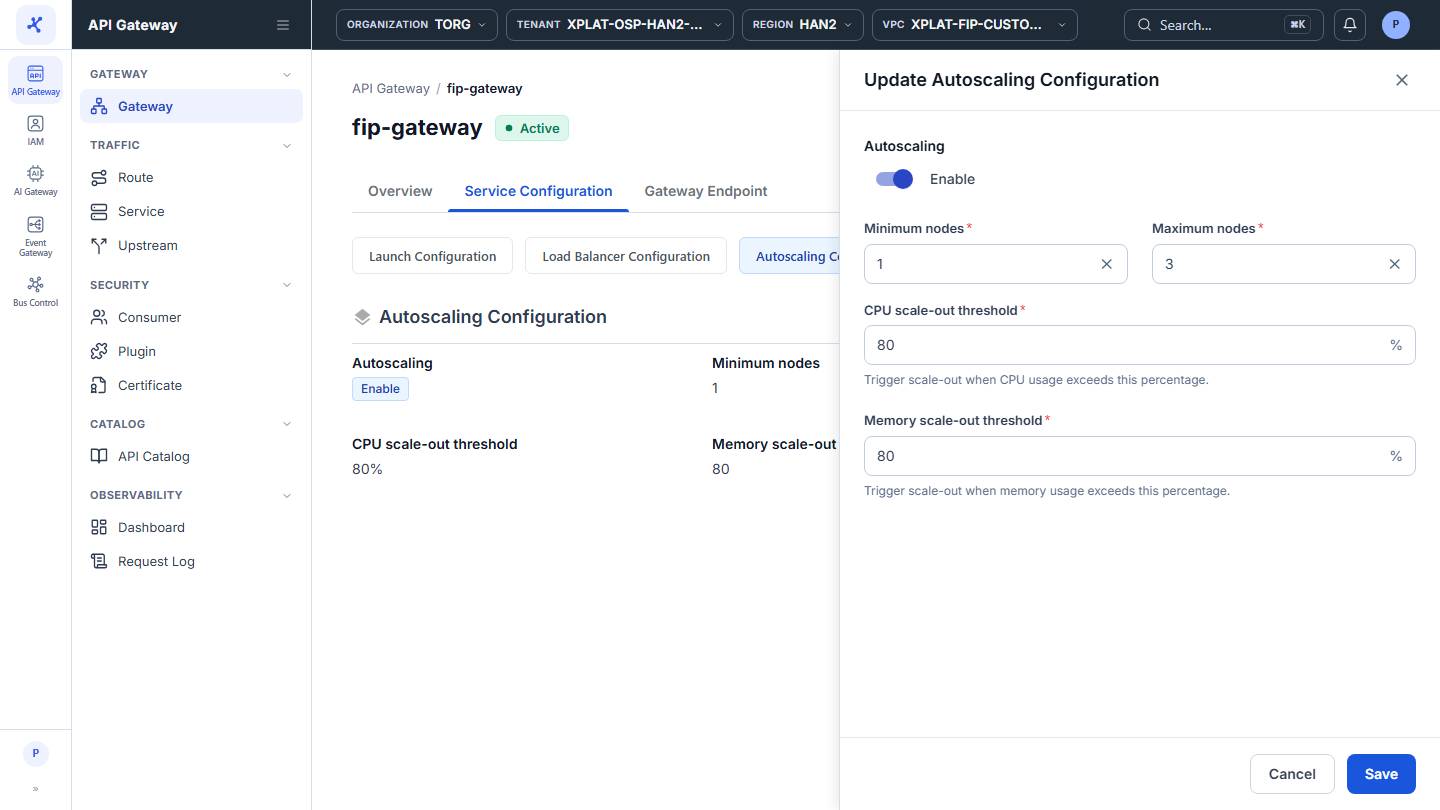
- Click Edit on the part you want to change, then update the fields in the form that opens on the right:
| Where | Form | Fields you can change |
|---|---|---|
| Overview tab → Basic Information | Update Basic Information | Name, Description |
| Service Configuration tab → Launch Configuration | Update Launch Configuration | Flavor, Worker nodes. Cloud Provider, Tenant, Region, VPC, Storage Policy, and Subnet are read-only |
| Service Configuration tab → Load Balancer Configuration | Update Load Balancer Configuration | Load Balancer Size |
| Service Configuration tab → Autoscaling Configuration | Update Autoscaling Configuration | Autoscaling (on or off), Minimum nodes, Maximum nodes, CPU scale-out threshold, Memory scale-out threshold |
The fields follow the same rules as when you create an API Gateway, see Create an API Gateway.
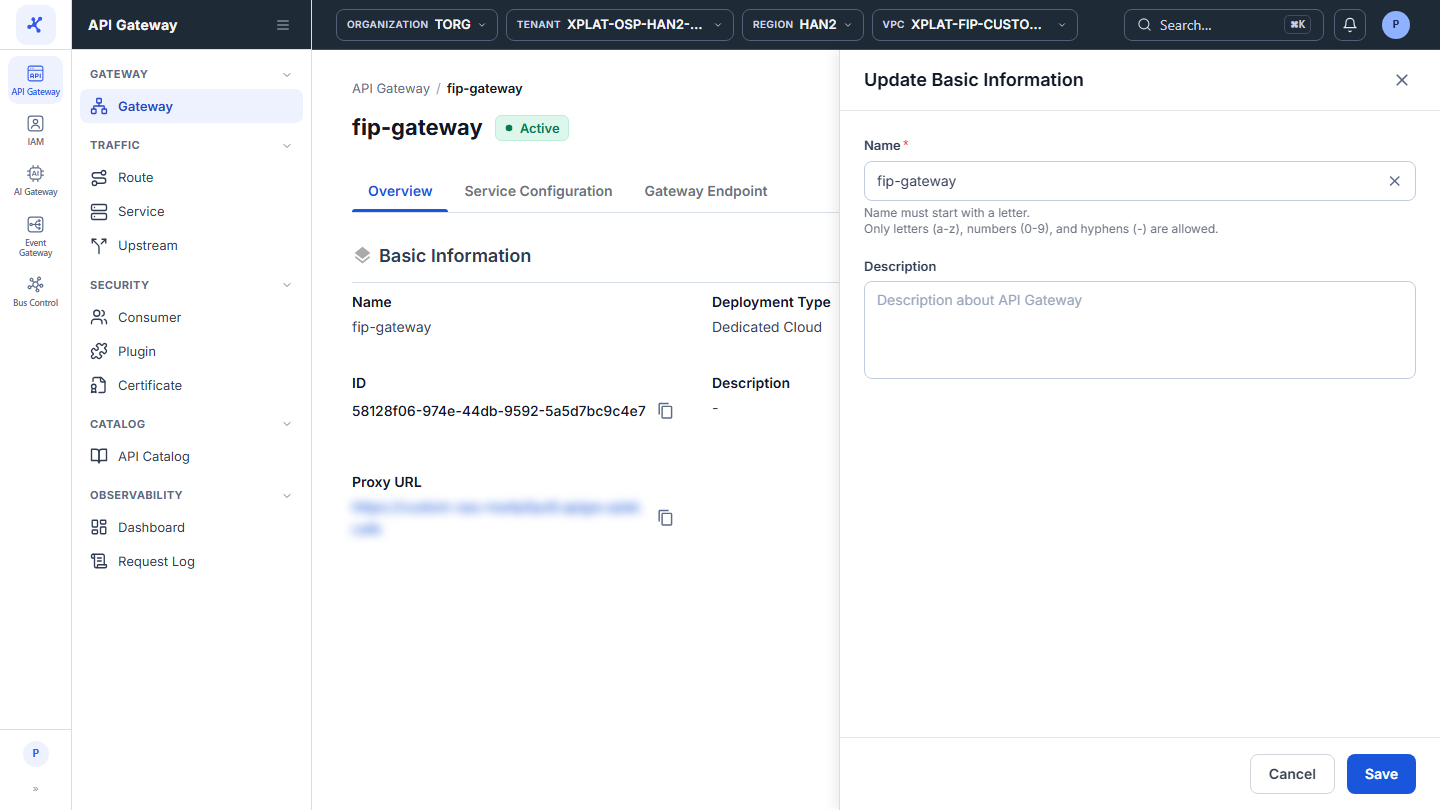
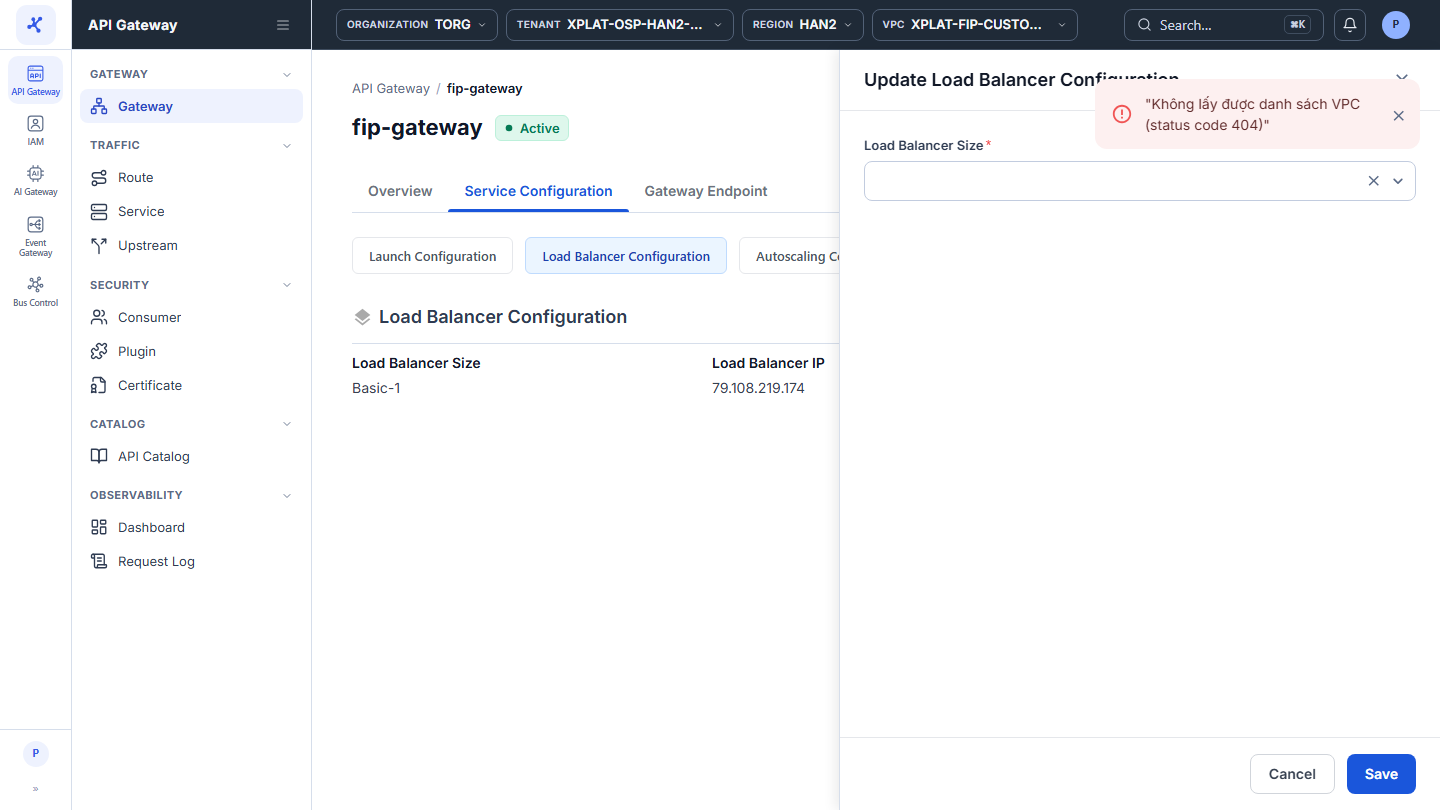
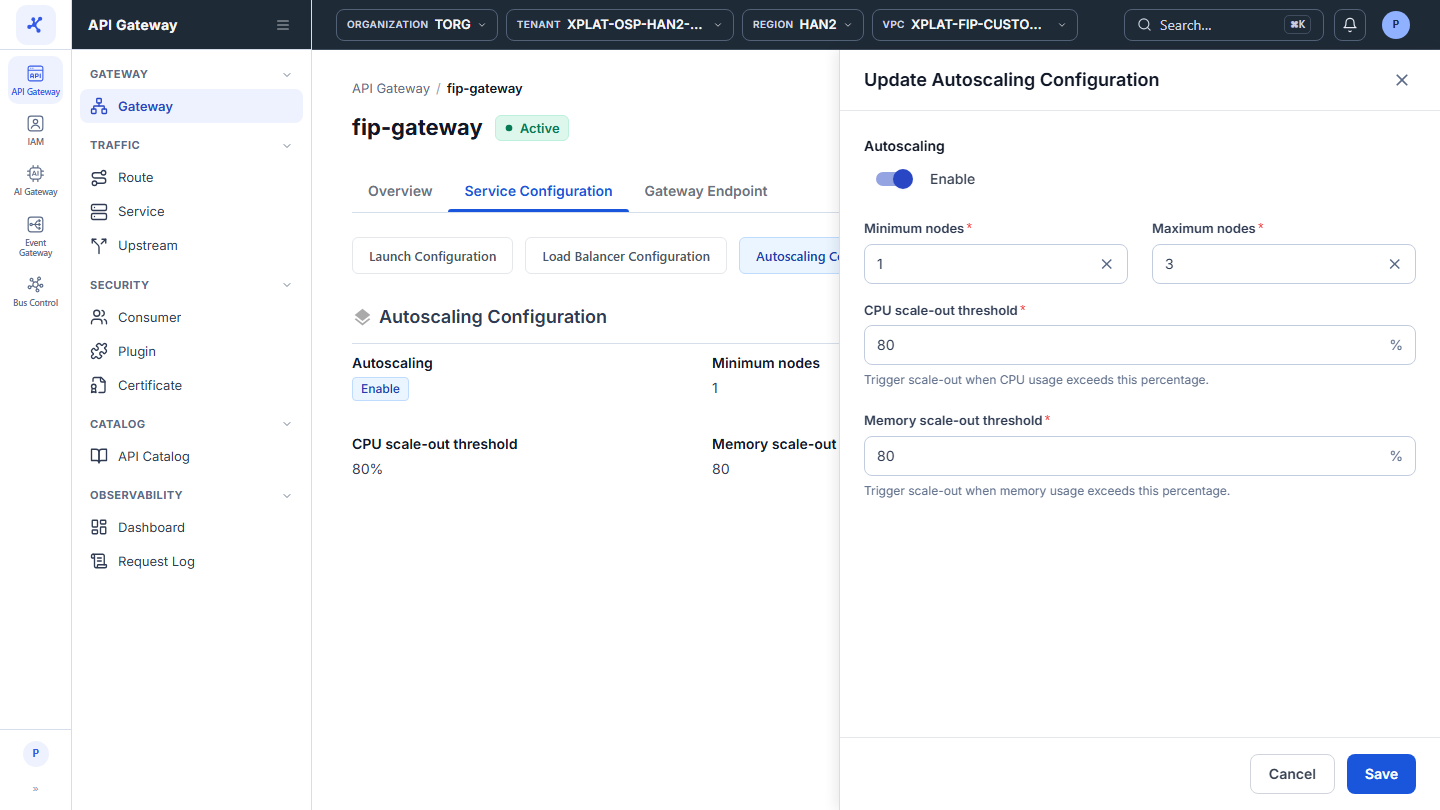
- Click Save. The button is enabled only when every required field is valid.
The message Update API Gateway Successfully appears, and the form closes. A change to the launch, load balancer, or autoscaling configuration is applied to the cluster, so the API Gateway shows the Processing status until the change is done.
To close the form without saving, click Cancel.
Common issues
| Error | Cause | Solution |
|---|---|---|
| <Field name> is required under a field, and Save is disabled | A required field is empty | Fill in the field. |
| API Gateway is not updated in this status | The API Gateway is Processing and you edited a part other than Basic Information | Wait until the API Gateway is Active, then try again. |
| Something went wrong. Please try again later | Timeout or system error. The form keeps your data | Click Save again after a moment. |