Dual-Stack Fields on the Portal
A reference table for the IPv6 fields that appear on each screen in the Console Portal.
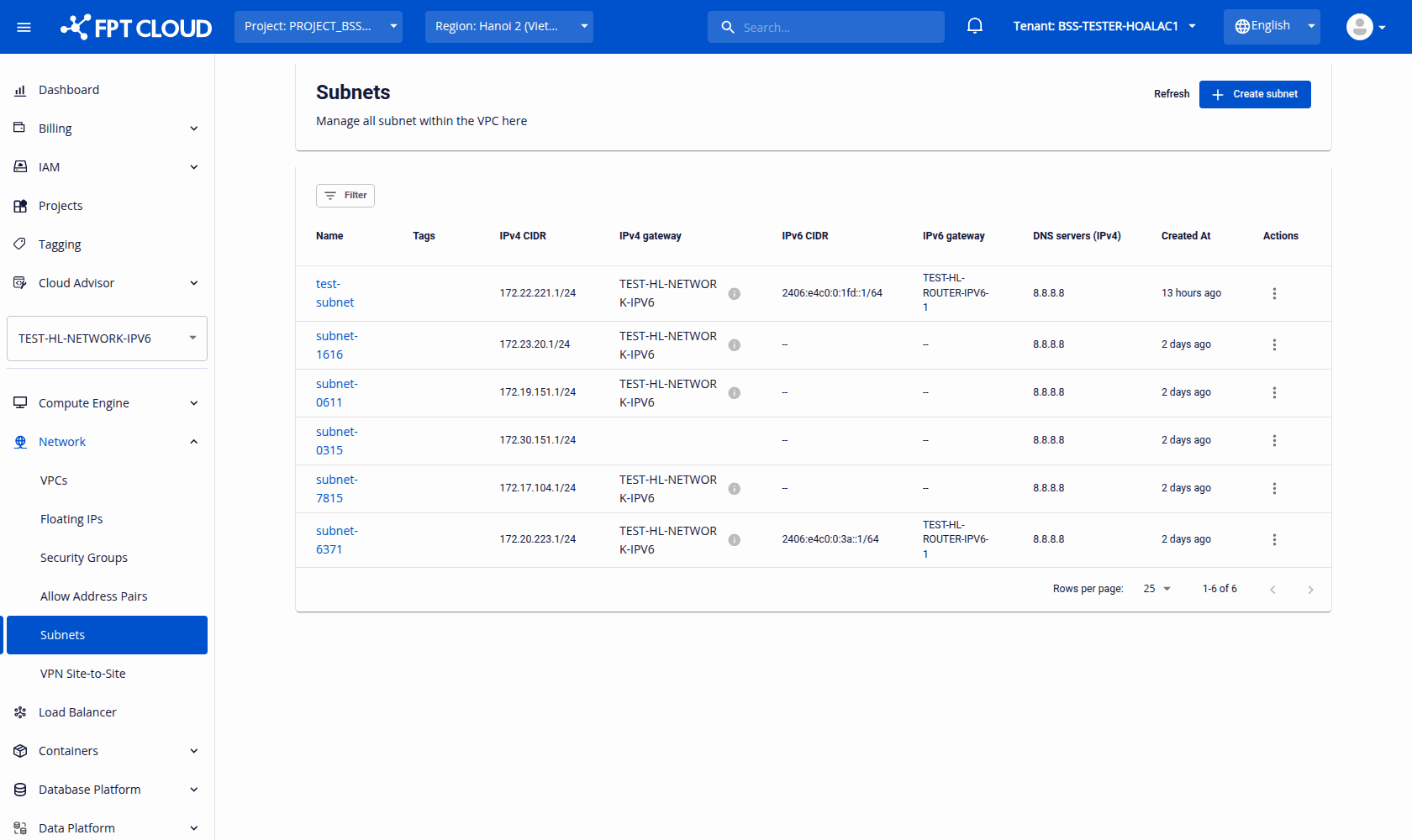
Subnets List (Network → Subnets)
Dual-stack subnets are identified by populated IPv6 columns (there is no separate badge on the list).
| Field | Display condition | Sample value |
|---|---|---|
| IPv6 CIDR | IPv6 enabled | 2406:e4c0:0:3a::1/64 |
| IPv6 CIDR | IPv4-only | -- |
| IPv6 gateway | IPv6 enabled | Router name, e.g. TEST-HL-ROUTER-IPV6-1 |
| IPv6 gateway | IPv4-only | -- |
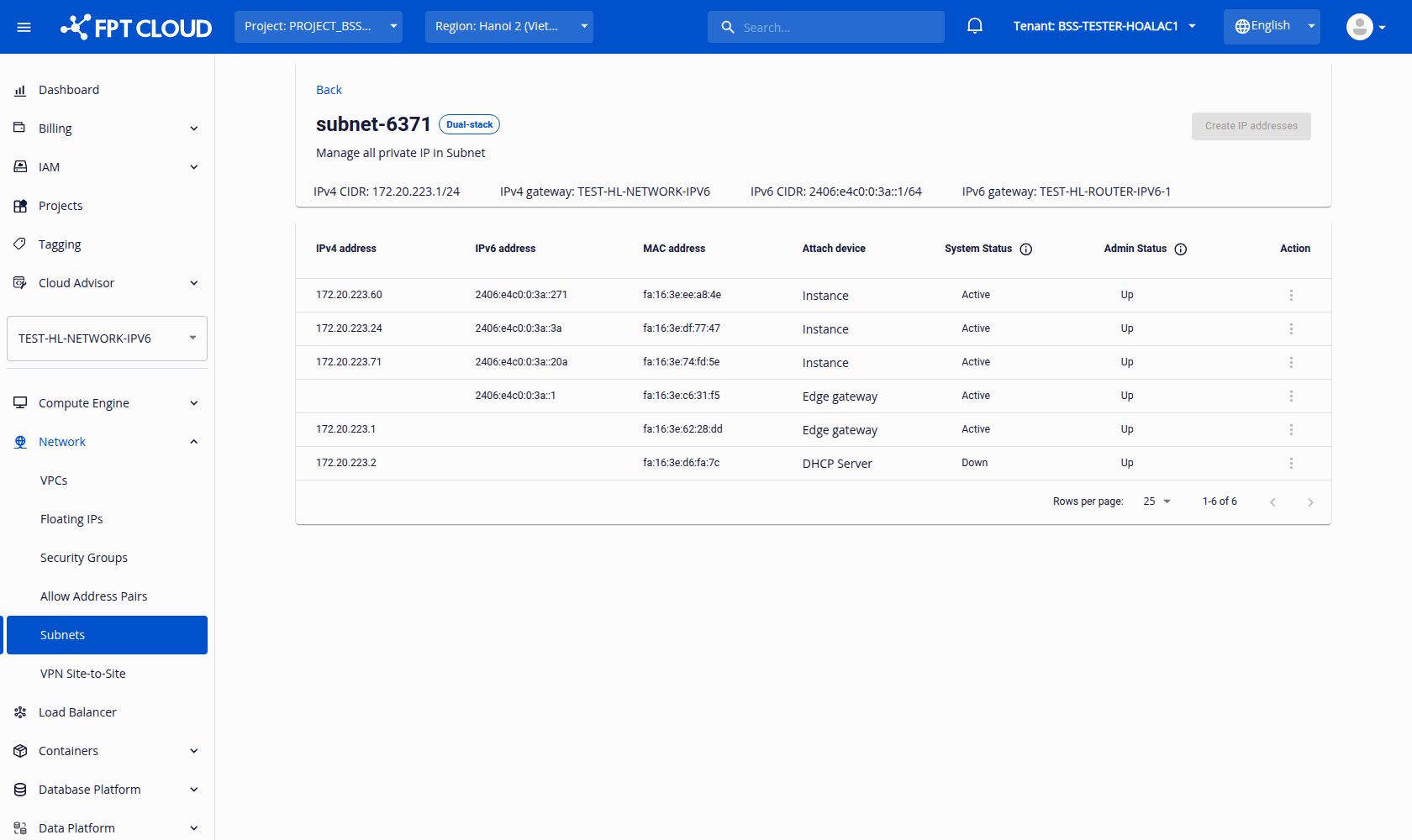
Subnet Detail (open a subnet)
| Field | Value | Note |
|---|---|---|
| Dual-stack badge | Shown next to the subnet name | When IPv6 is enabled |
| IPv4 CIDR / IPv4 gateway | Shown in the summary bar | — |
| IPv6 CIDR | /64 string | For example, 2406:e4c0:0:3a::1/64 |
| IPv6 gateway | Router name | For example, TEST-HL-ROUTER-IPV6-1 |
| Allocations table — IPv6 address column | IPv6 string | — if the entry has IPv4 only |
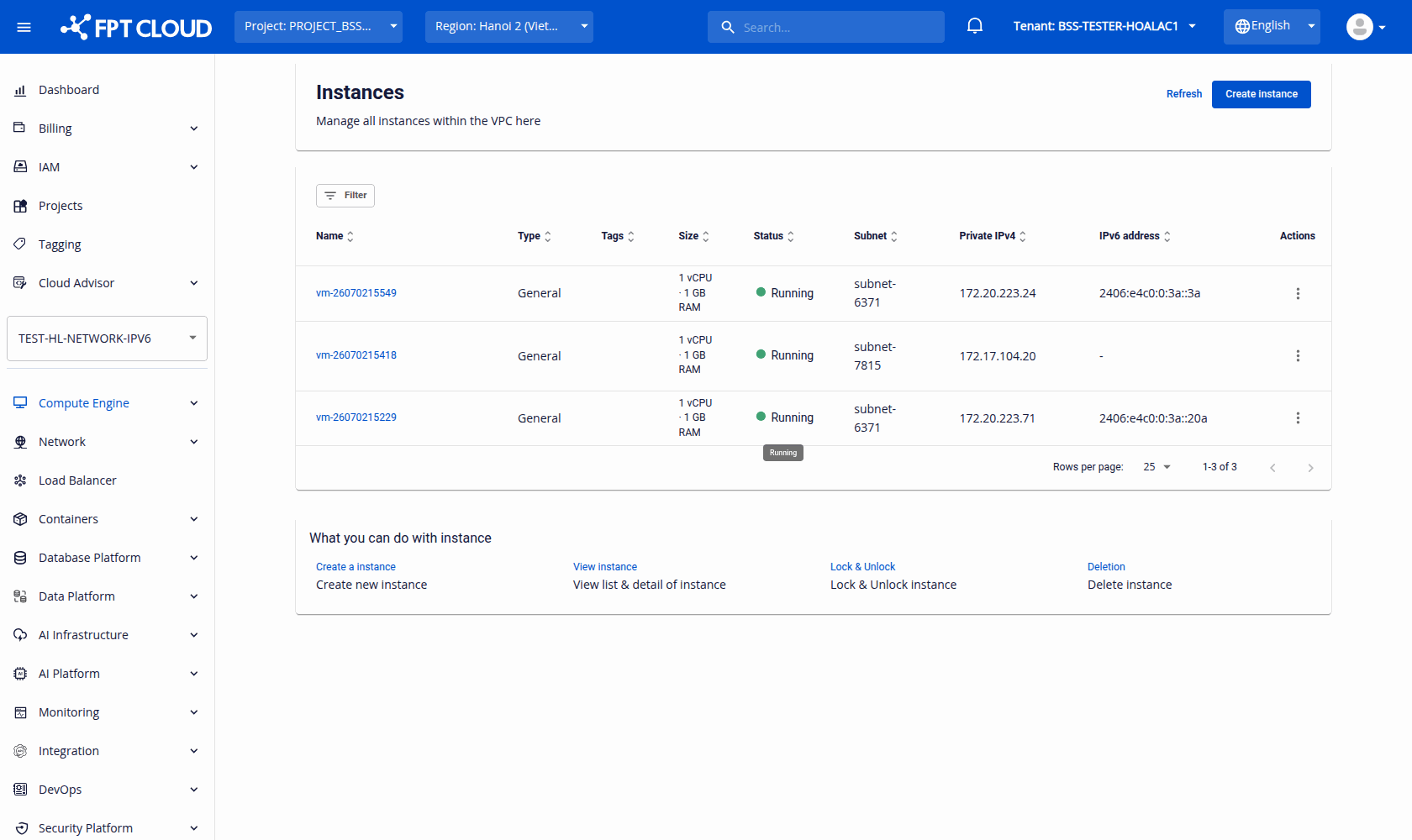
Instances List (Compute Engine → Instances)
| Field | Display condition | Sample value |
|---|---|---|
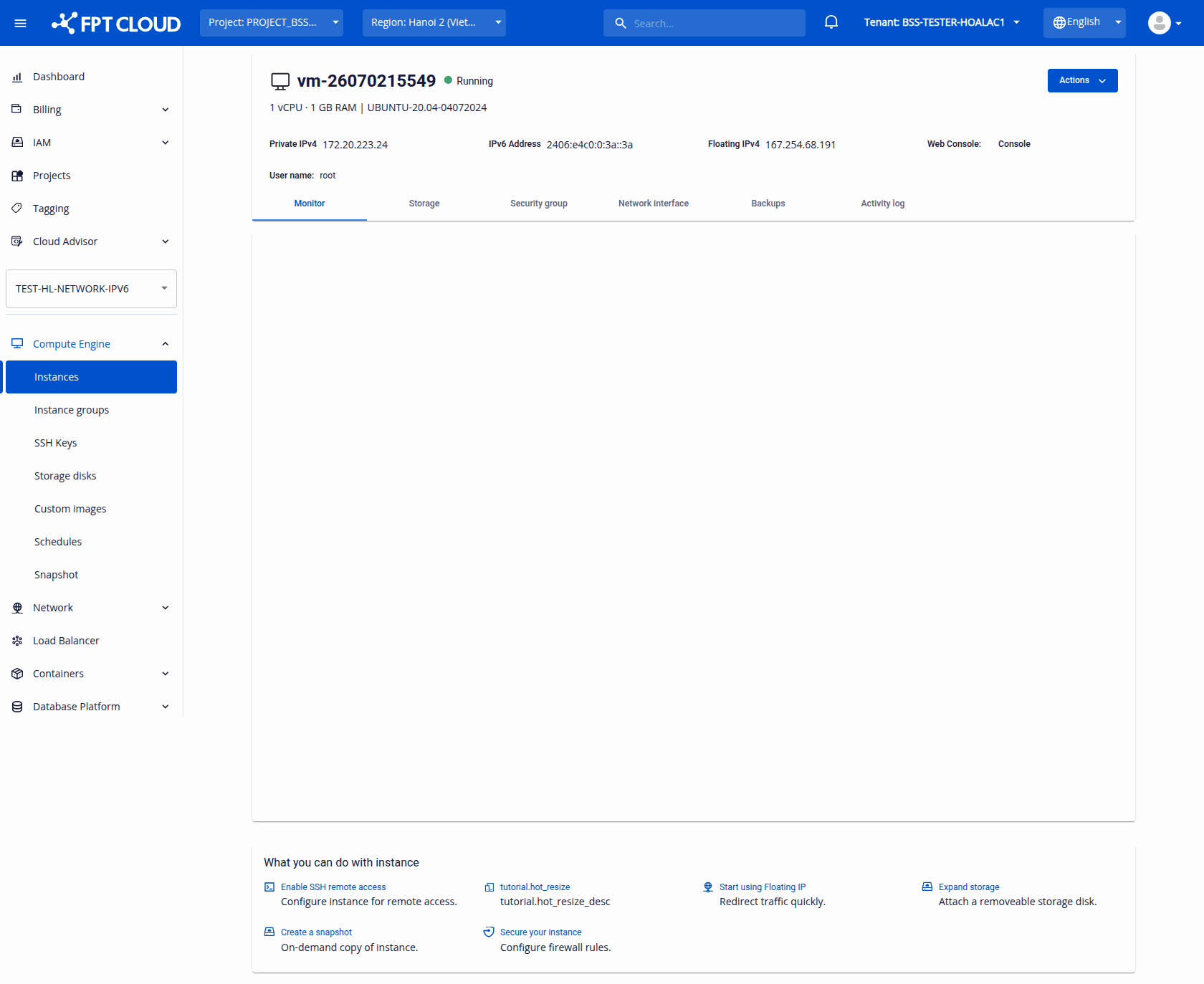
| IPv6 address column | Primary NIC has IPv6 | 2406:e4c0:0:3a::3a |
| IPv6 address column | Primary NIC is IPv4-only | - |
Instance Detail (open an instance)
| Location | Field | Condition | Value |
|---|---|---|---|
| Header | IPv6 Address | Primary NIC has IPv6 | IPv6 string |
| Network interface tab | IPv6 address column | Per NIC | IPv6 string or - |
Create Subnet (Network → Subnets → Create subnet)
| Field | Location | Note |
|---|---|---|
| Enable IPv6 (dual-stack) | Inside the Advanced section | Hint: "Allocate a /64 prefix from this VPC's IPv6 parent pool. Addresses are assigned via DHCPv6 Stateful." |
The VPC is chosen with the VPC switcher at the top of the Console Portal, not from a field in this form.
Create Instance (Compute Engine → Instances → Create instance)
| Field | Note |
|---|---|
| Subnet dropdown | Lists subnets as name (ipv4-cidr). Selecting a dual-stack subnet gives the instance an IPv6 address automatically via DHCPv6 — there is no IPv6 field on this form. |
Add NIC (Instance → Network interface → Create NIC)
| Field | Type | Note |
|---|---|---|
| Subnet dropdown | Select | Dual-stack subnets are labelled name (ipv4) | (ipv6) - Dual Stack |
| IPv6 address | Display (read-only) | Shown for a dual-stack subnet as Auto-assign from <ipv6-cidr> (DHCPv6) |
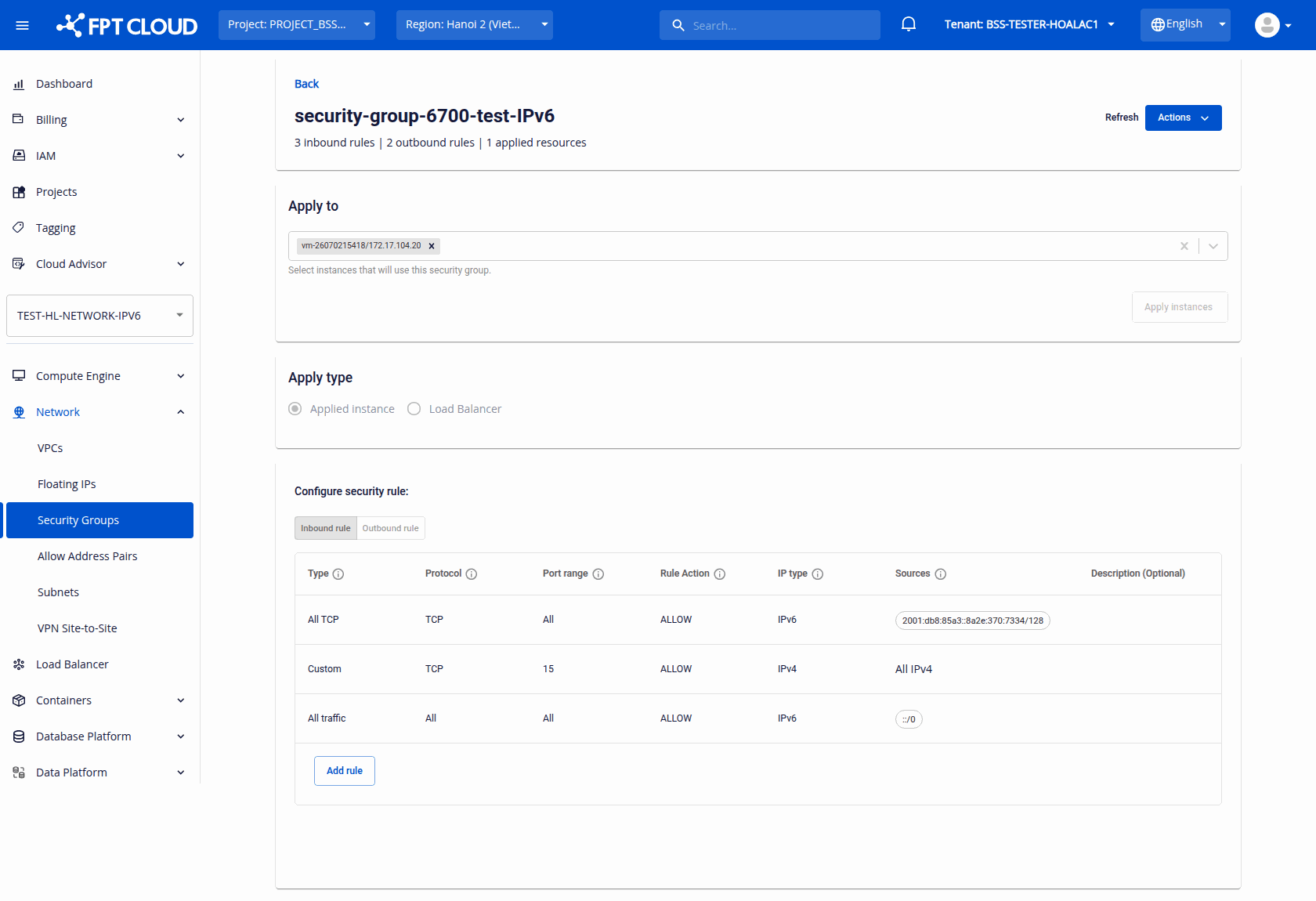
Security Groups — Add rule
| Field | Type | Value |
|---|---|---|
| IP type | Select | IPv4 | IPv6 (shown as text in the rules table, not a badge) |
| Sources | Select / text | All IPv6 chip (::/0) or a specific IPv6 CIDR |