Configure IPv6 Security Group Rules
This guide helps you create rules in a Security Group to control IPv6 traffic to and from an Instance.
Before you start
- Logged in to the Console Portal with the
security-group:Updatepermission - A Security Group already exists (or create one first)
Create a rule for IPv6
- Go to Network → Security Groups → select the Security Group to configure.
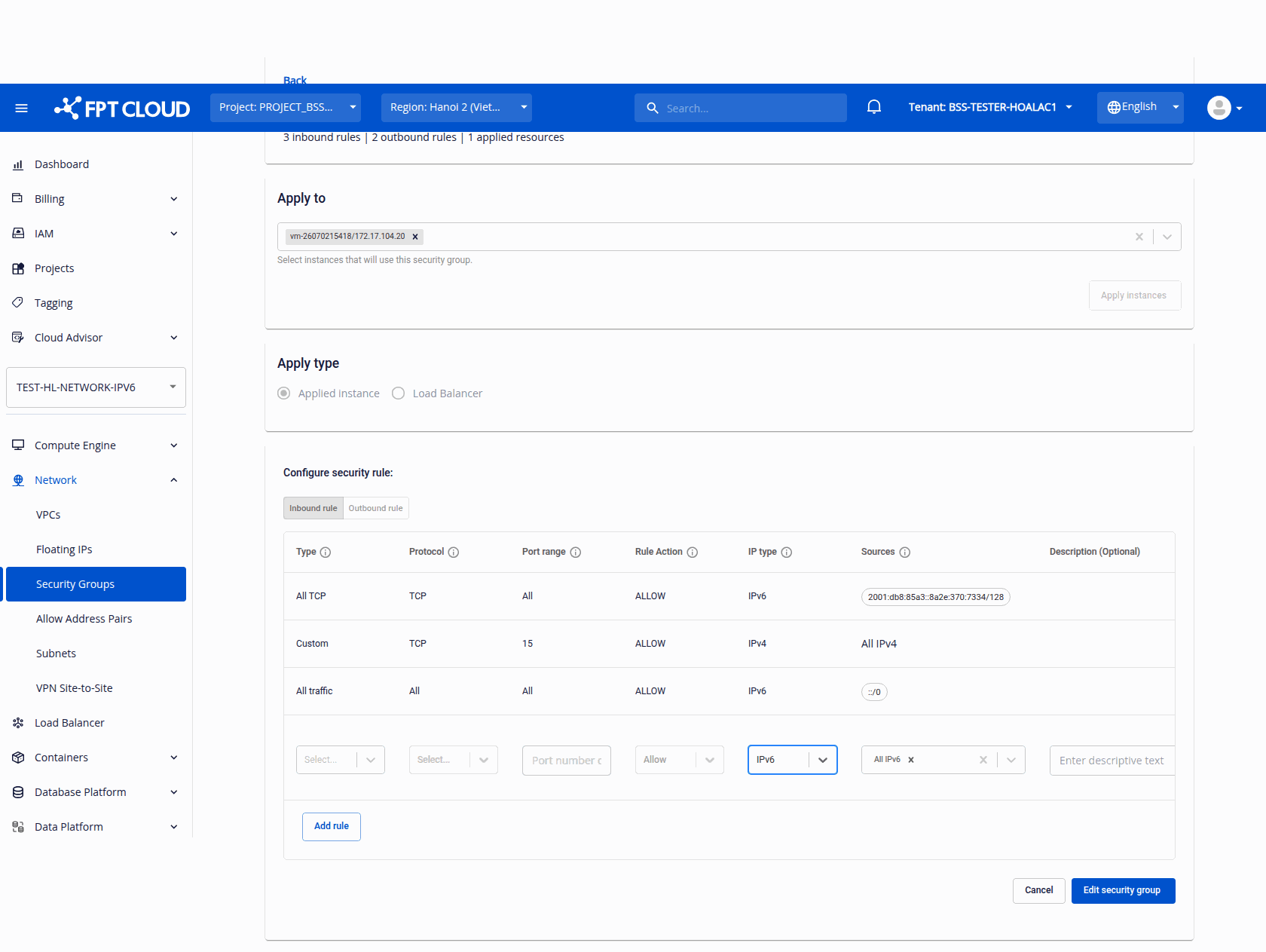
- Under Configure security rule, choose the Inbound rule or Outbound rule tab and click Add rule to add a new editable row.
- In the IP type column, select IPv6.
- In the Sources column, choose one of:
- The All IPv6 preset chip (
::/0) — allows all IPv6 traffic - A specific IPv6 CIDR (for example,
2401:db00::/32)
- The All IPv6 preset chip (
- Fill in Type, Protocol, Port range, and Rule Action as needed.
- Click Edit security group to save.
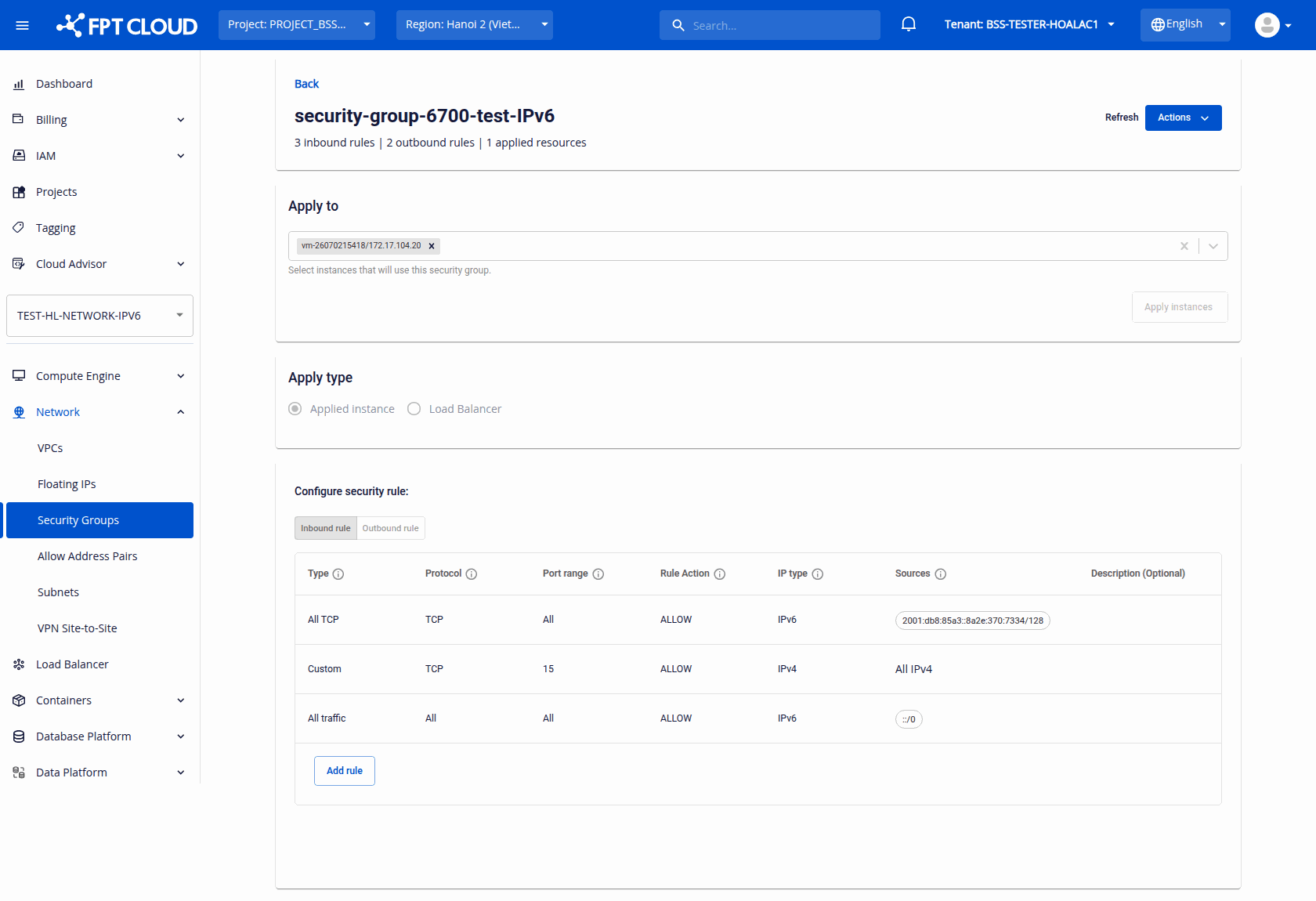
Result: The rule is saved and listed with IPv6 in the IP type column and its IPv6 Sources.
Automatic source conversion when changing IP type
While composing a rule, if you change the IP type, the system automatically converts an "any" source:
| Action | Source before | Source after |
|---|---|---|
| Switch from IPv4 to IPv6 | 0.0.0.0/0 (All IPv4) | ::/0 (All IPv6) |
| Switch from IPv6 to IPv4 | ::/0 (All IPv6) | 0.0.0.0/0 (All IPv4) |
note
This only applies when the source is "any". If you already entered a specific CIDR, the source is not converted.
Validation errors
| Error | Cause | Solution |
|---|---|---|
| "Invalid IPv6 CIDR." | The source is not a valid IPv6 CIDR when IP type = IPv6 | Enter the correct format, for example 2401:db00::/32 |