Create a Dual-Stack Subnet
This guide helps you create a subnet that supports both IPv4 and IPv6. After it's created, Instances in this subnet automatically receive an IPv6 address via DHCPv6.
What is a dual-stack Subnet
A dual-stack Subnet supports both IPv4 and IPv6 at the same time. Each private IP allocation receives both an IPv4 and an IPv6 address together.
Before you start
- Logged in to the Console Portal with the
subnet:Createpermission - The VPC in use has
stackMode = dual(configured by FPT Cloud) — see Request a Dual-Stack VPC from FPT Cloud if you don't have one - The VPC has at least one
/64prefix not yet allocated to another subnet
Steps
Make sure the dual-stack VPC is selected in the VPC switcher at the top of the Console Portal, then:
- Go to Network → Subnets.
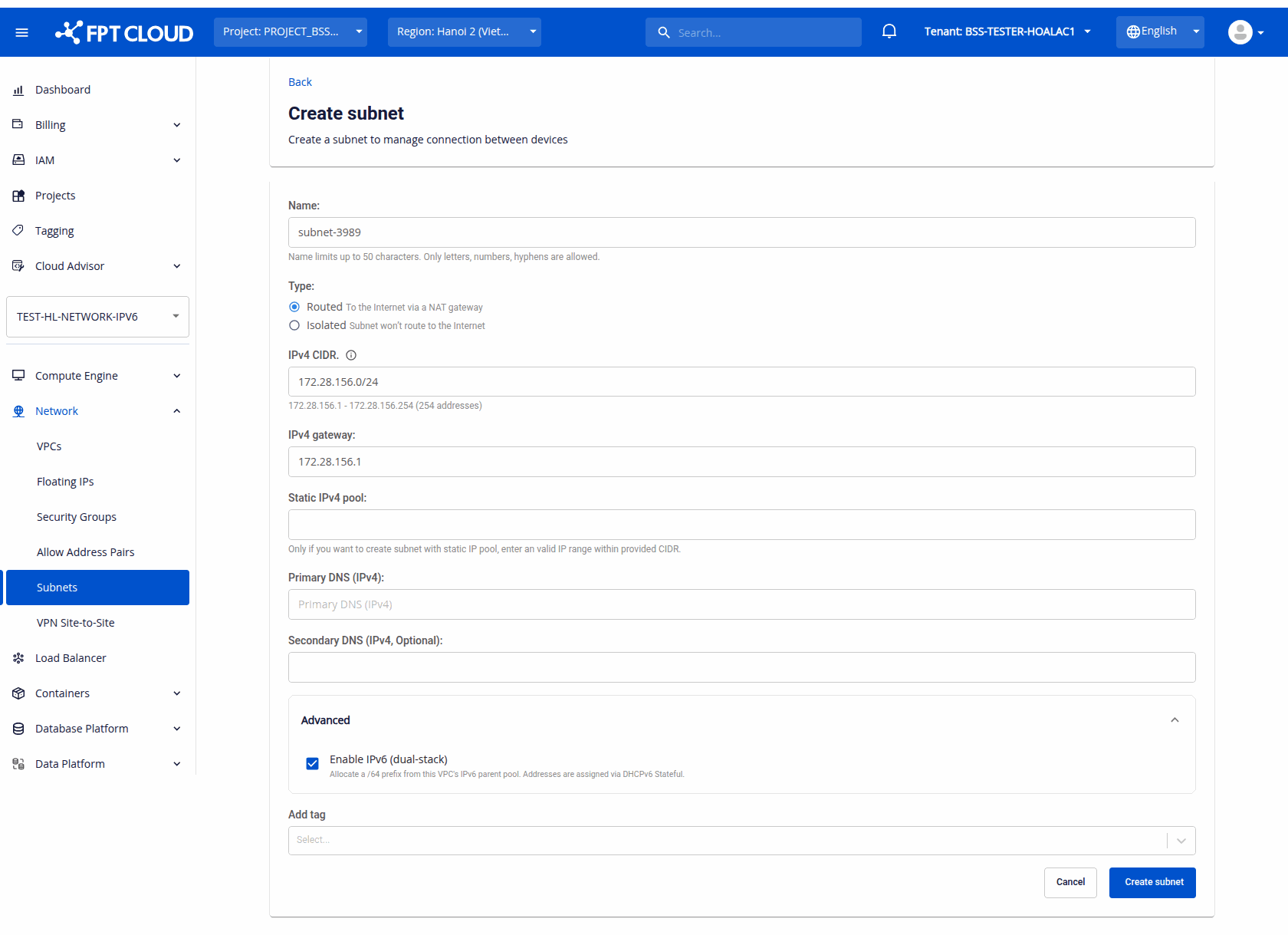
- Click Create subnet.
- Fill in the IPv4 fields:
- IPv4 CIDR (for example,
10.42.10.0/24) - IPv4 gateway (for example,
10.42.10.1)
- IPv4 CIDR (for example,
- Expand the Advanced section and tick Enable IPv6 (dual-stack).
- The hint reads: "Allocate a /64 prefix from this VPC's IPv6 parent pool. Addresses are assigned via DHCPv6 Stateful."
- Click Create subnet.
Result
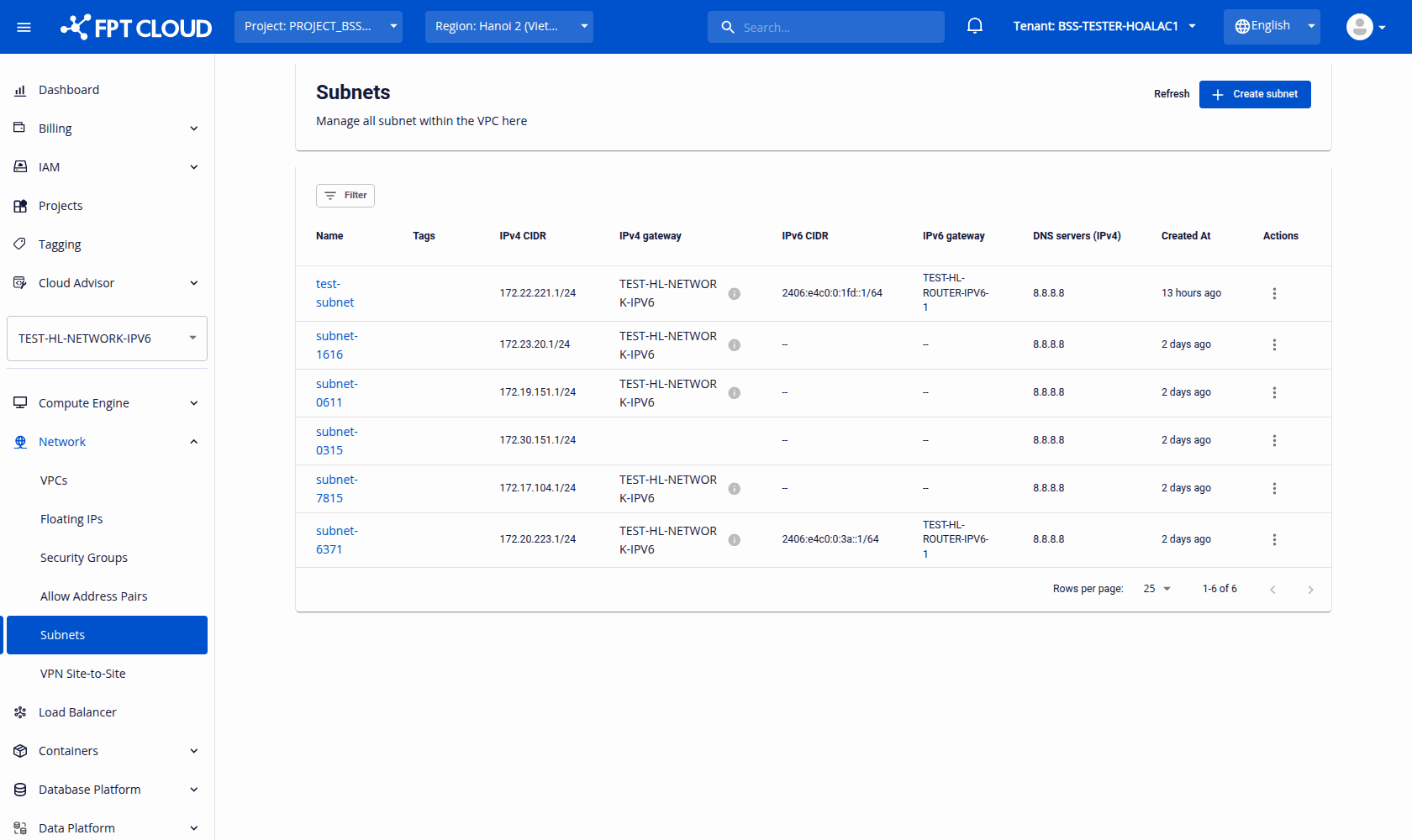
- The Subnet is created with IPv6 enabled.
- The system automatically allocates a
/64prefix from the VPC's IPv6 Parent Pool, assigned viaDHCPv6 Stateful. - The Subnet appears in the list with its IPv6 CIDR and IPv6 gateway filled in.
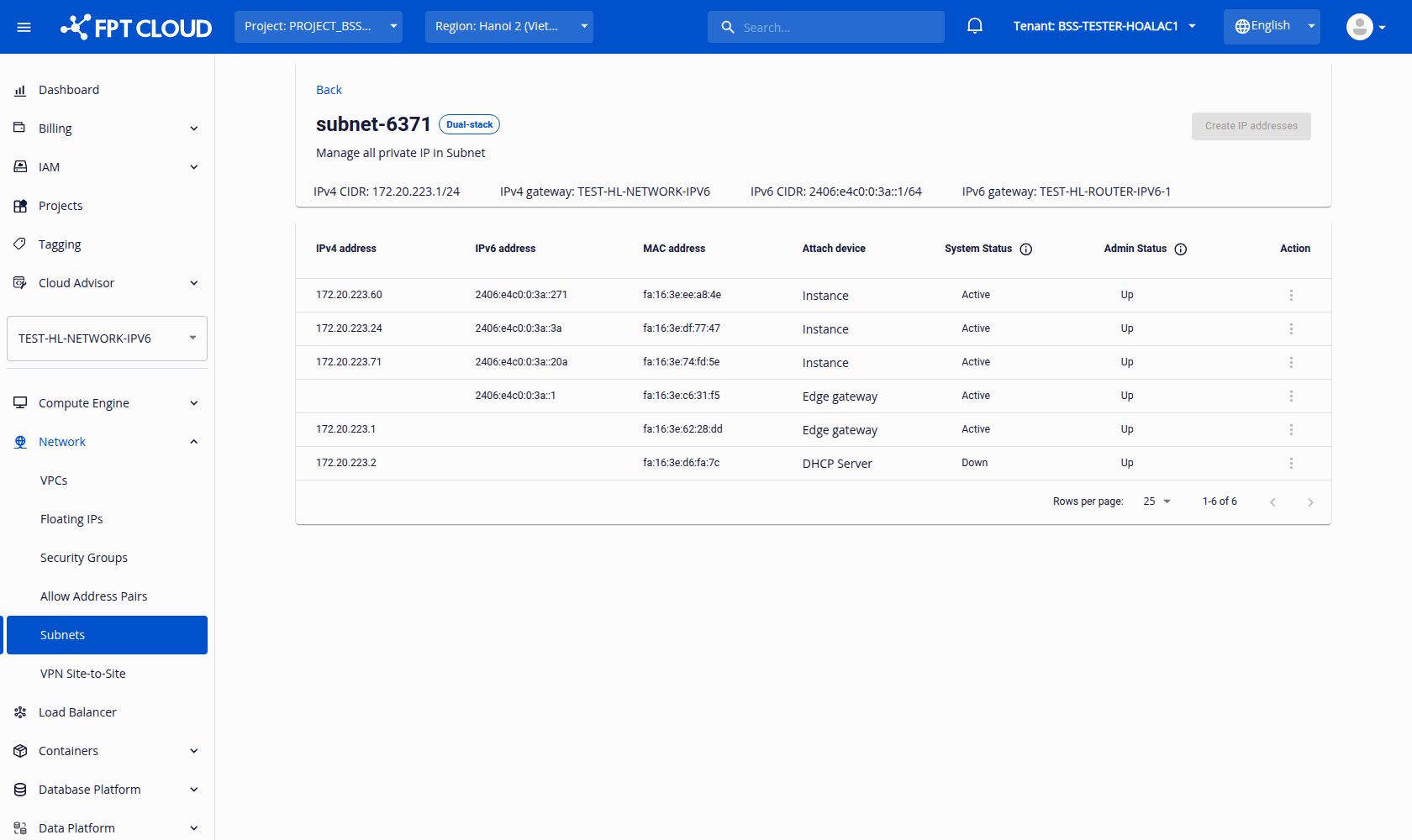
Open the subnet to see its detail, where a Dual-stack badge appears next to the name along with the IPv6 CIDR and IPv6 gateway.
When IPv6 can't be enabled
| Cause | Solution |
|---|---|
The selected VPC is not dual-stack (stackMode = ipv4) | Switch to a VPC with stackMode = dual (configured by FPT Cloud) |
The VPC is dual-stack but out of /64 | Contact FPT Cloud to create a new VPC, or delete a dual-stack subnet no longer in use |
note
After a subnet is created, IPv6 cannot be added or removed — create a new subnet if you want to change it.