Update a Load Balancer
In the Load Balancer list, open the Action menu (⋮) of the Load Balancer you want to change and select Update Load Balancer.
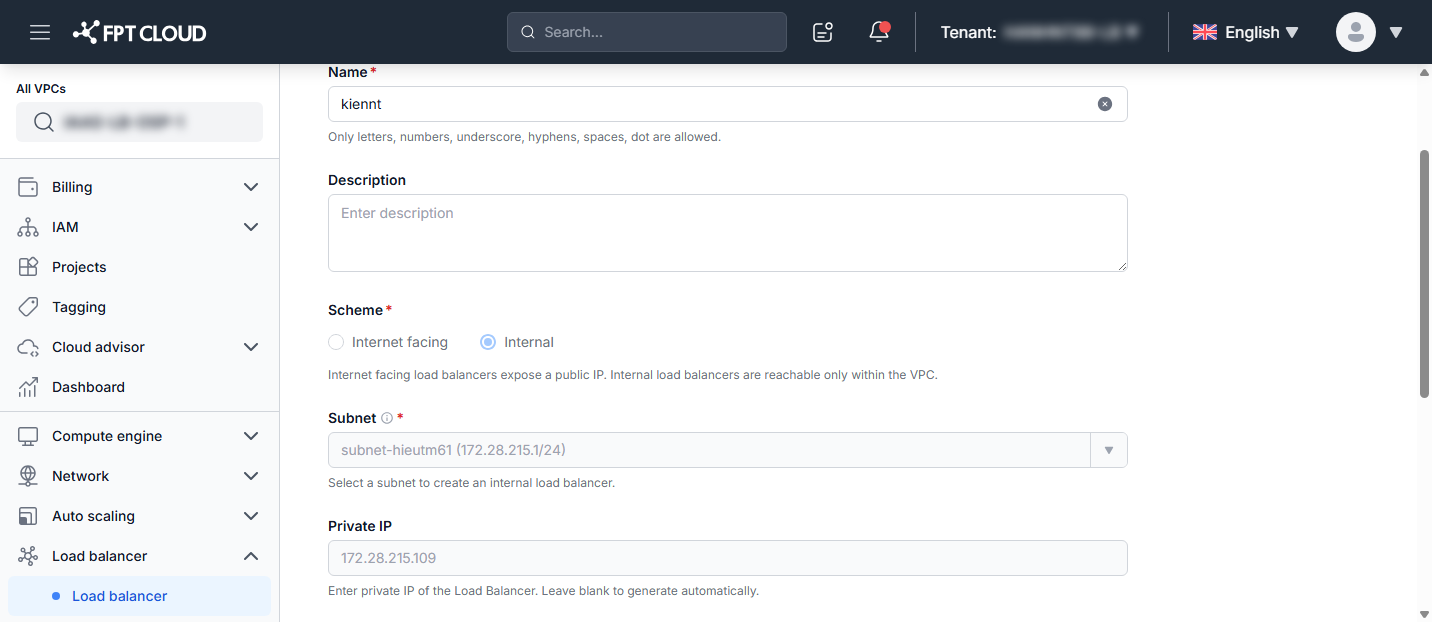
You can update the following fields:
| Field | Description |
|---|---|
| Name | New name for the Load Balancer. Only letters, numbers, underscore, hyphens, spaces, and dot are allowed. |
| Description | New description (optional). |
| Public IP | Assign a public IP so the Load Balancer is reachable from the internet, or keep None for an internal Load Balancer. |
| Size | Select a package that fits your workload. |
note
Subnet and Private IP are shown for reference but cannot be changed after the Load Balancer is created.
The Size packages are the same as when you create a Load Balancer. All packages are high-availability (24/7).
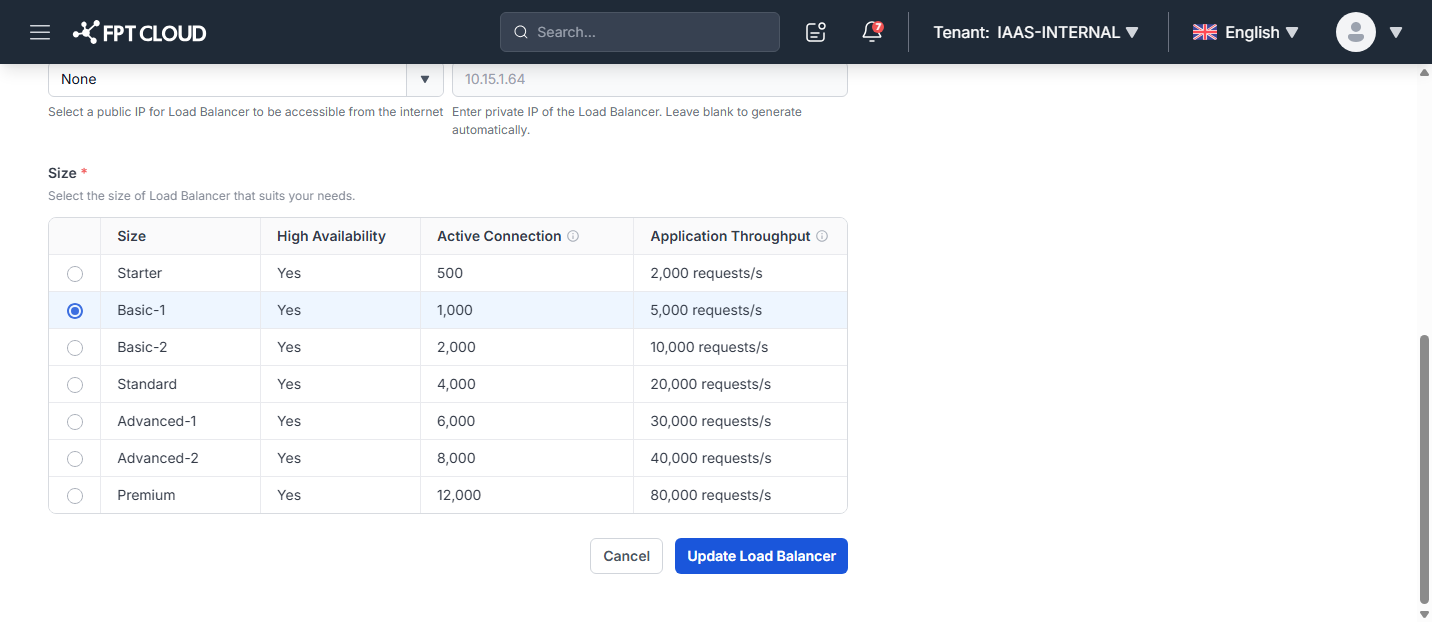
Click Update Load Balancer to apply the changes, or Cancel to discard them.
tip
To change only the package, you can also use the Resize action in the same menu — see Resize a Load Balancer.