Manage SSL Certificates
All SSL certificates in the VPC are managed centrally under the Certificate tab on the Load Balancer list page. These certificates are shared across every Load Balancer in the VPC (for example, when you configure a TERMINATED_HTTPS listener).
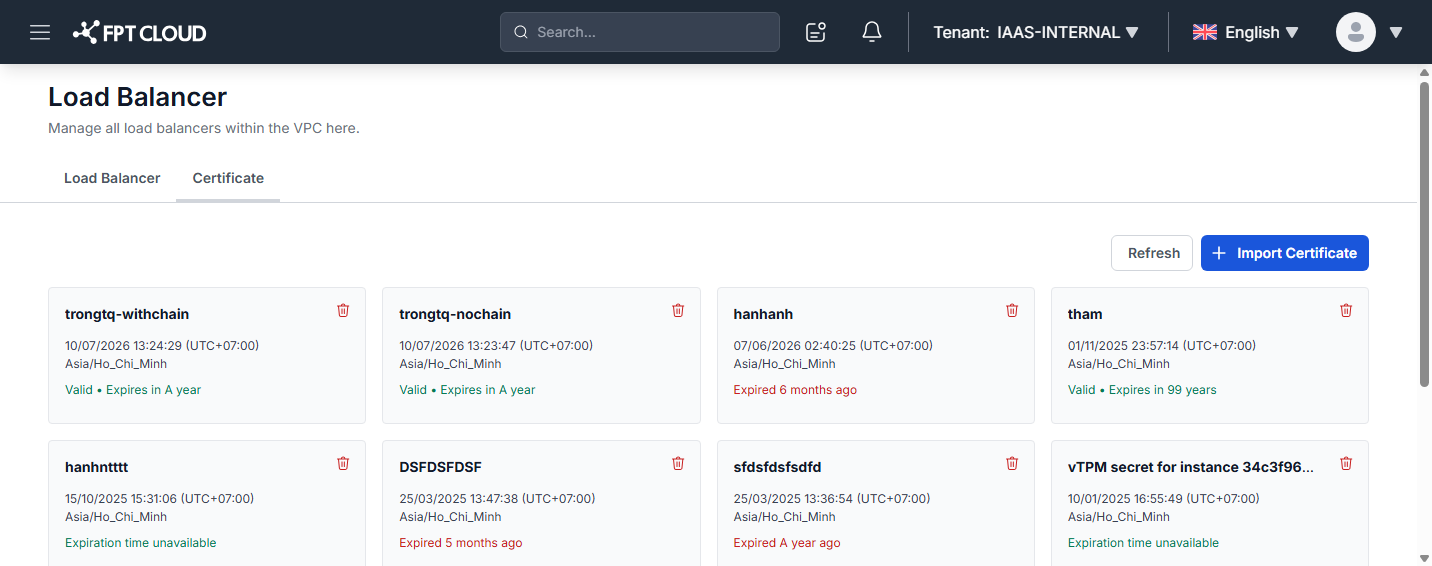
Each certificate appears as a card showing:
- Certificate name.
- Creation time (with time zone).
- Validity status:
Valid • Expires in ...(still valid, with the remaining lifetime),Expired ...(already expired), orExpiration time unavailable.
Actions
- Import Certificate: Click + Import Certificate in the top right to add a new certificate. See Import SSL Certificate.
- Refresh: Reload the certificate list.
- Delete: Click the trash icon on a certificate card to delete it. See Delete SSL Certificate.