Cancel a VPC Peering request
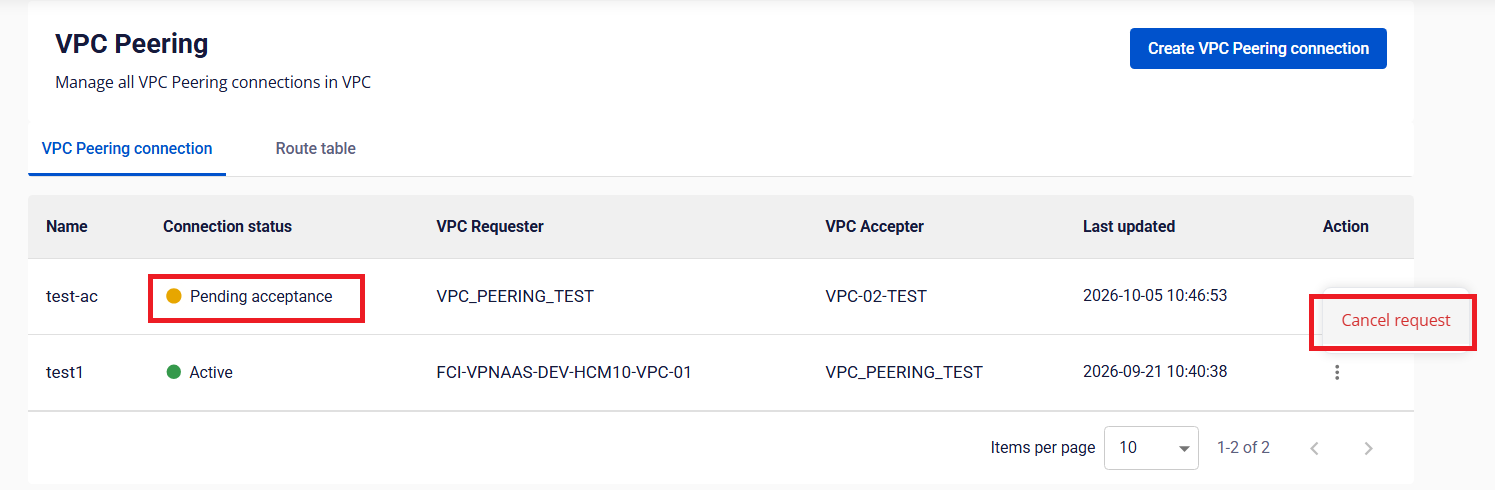
Cancel a request you sent by mistake or no longer need. You can cancel only while the connection is in the Pending acceptance status.
Find the request
On the connection list of the VPC Requester, click Cancel request in the Action column of the pending connection.
Confirm
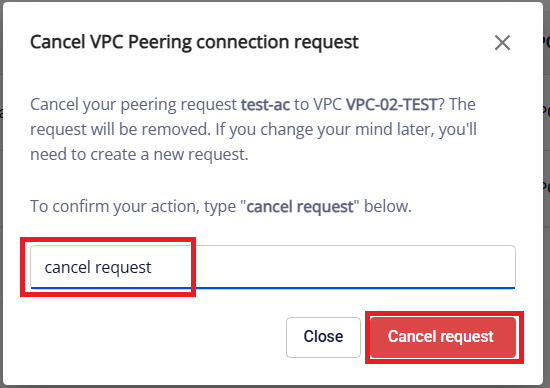
In the dialog, type cancel request and click Cancel request.
The connection changes to Deleting, then Deleted. The VPC Accepter gets a notification that the request was cancelled. You can create a new request right away.