Handle a Failed VPC Peering connection
A connection in the Failed status may still hold resources that were not provisioned or not fully released. Delete it so the system releases everything, then create a new connection.
Delete the connection
On the connection list, click Delete in the Action column of the Failed connection.
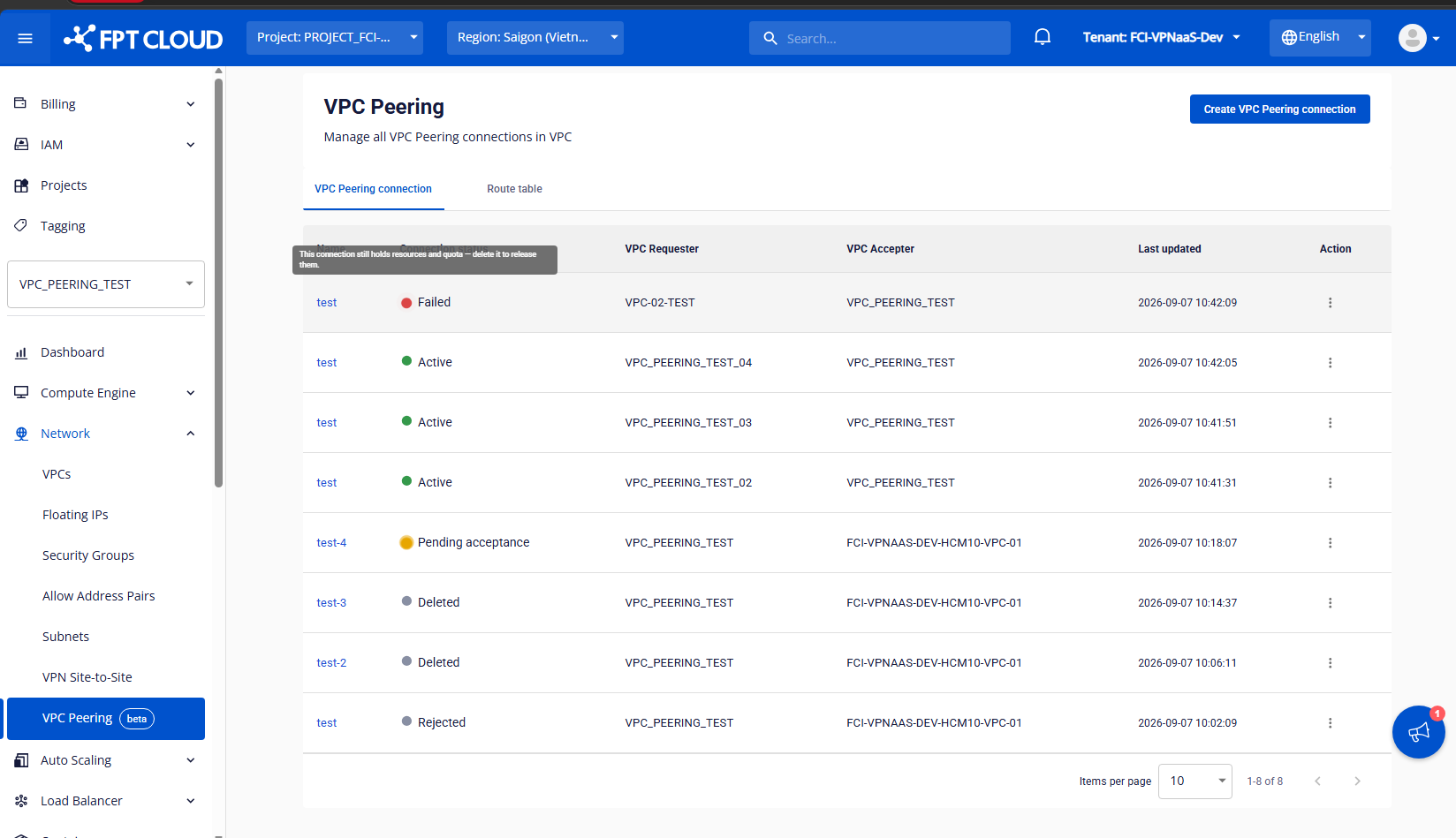
Confirm
In the dialog, type delete and click Delete VPC Peering connection.
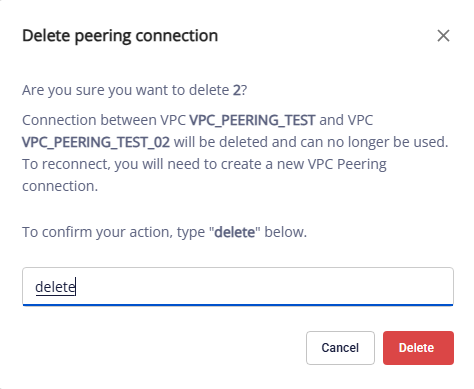
The system releases all remaining resources and changes the connection to Deleted. You can then create a new connection.
If Delete keeps failing, contact Support.
Deleting a VPC Gateway
You can delete a VPC Gateway only when it has no connections that are active, in progress or Failed. The system cleans up ended connections (Rejected, Expired and Deleted) for you when you delete the gateway.