Reject a VPC Peering request
Reject a request when you do not want your VPC connected to the VPC Requester.
Find the request
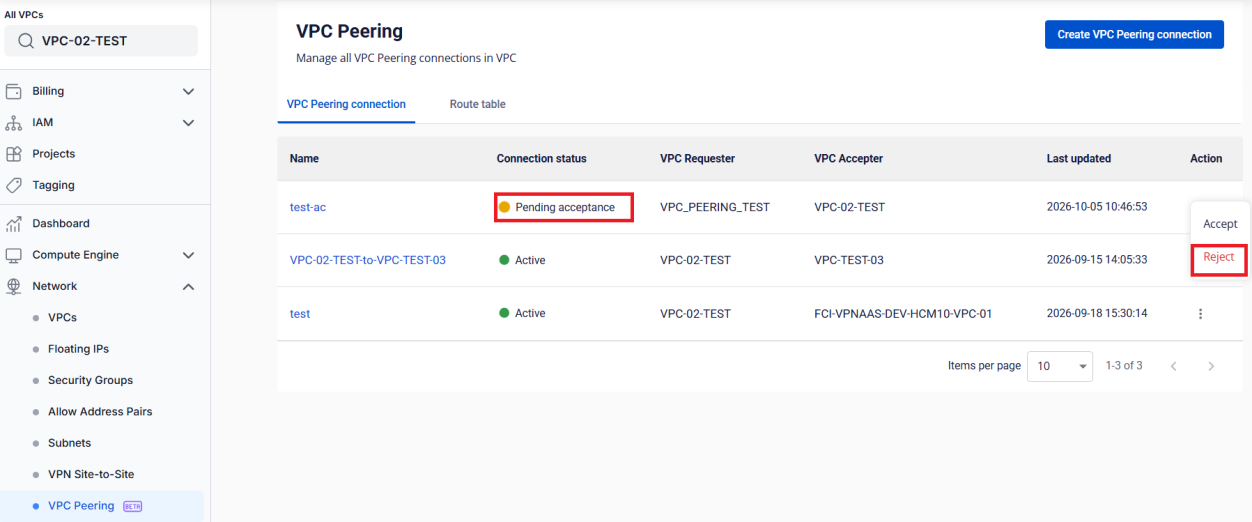
On the connection list of the VPC Accepter, find the connection with the Pending acceptance status. Click Reject in the Action column.
Confirm
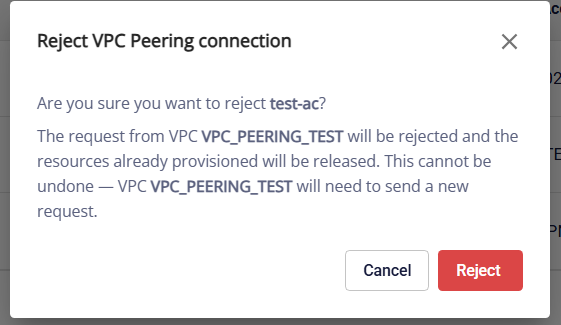
In the dialog, click Reject. Click Cancel to leave the request pending.
The connection changes to Rejecting while the resources on the VPC Requester side are released, then to Rejected. The VPC Requester gets a notification that the request was rejected. The notification does not include a reason.
danger
You cannot undo a rejection. To connect later, the VPC Requester must send a new request.