Create Route Table
A Route Table tells your VPC to send traffic for another VPC through the peering connection. Without it, an Active connection carries no traffic.
note
Each VPC has only one Route Table, shared by all its Peering connections. The system rejects a new Route Table for a VPC that already has one.
Step 1
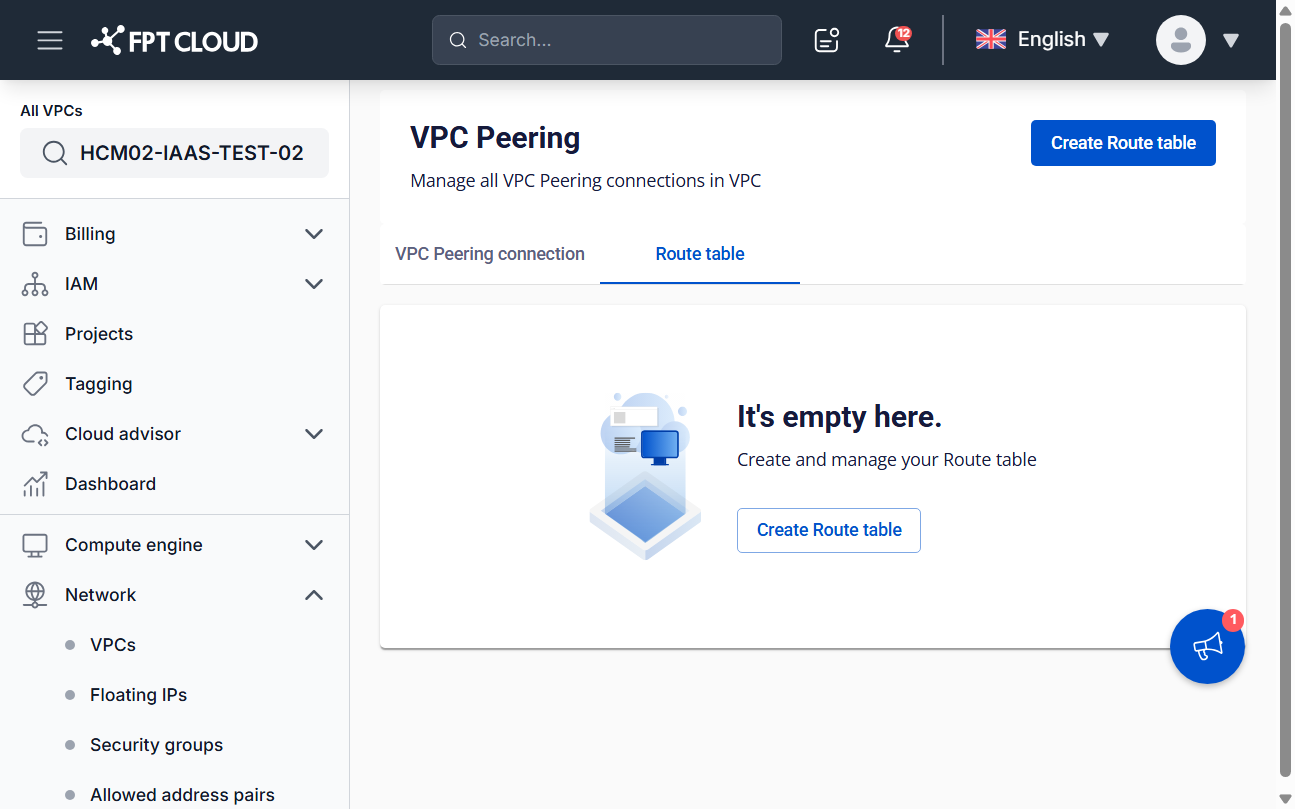
On Network → VPC Peering, open the Route table tab and click Create Route table.
Step 2
Fill in the form.
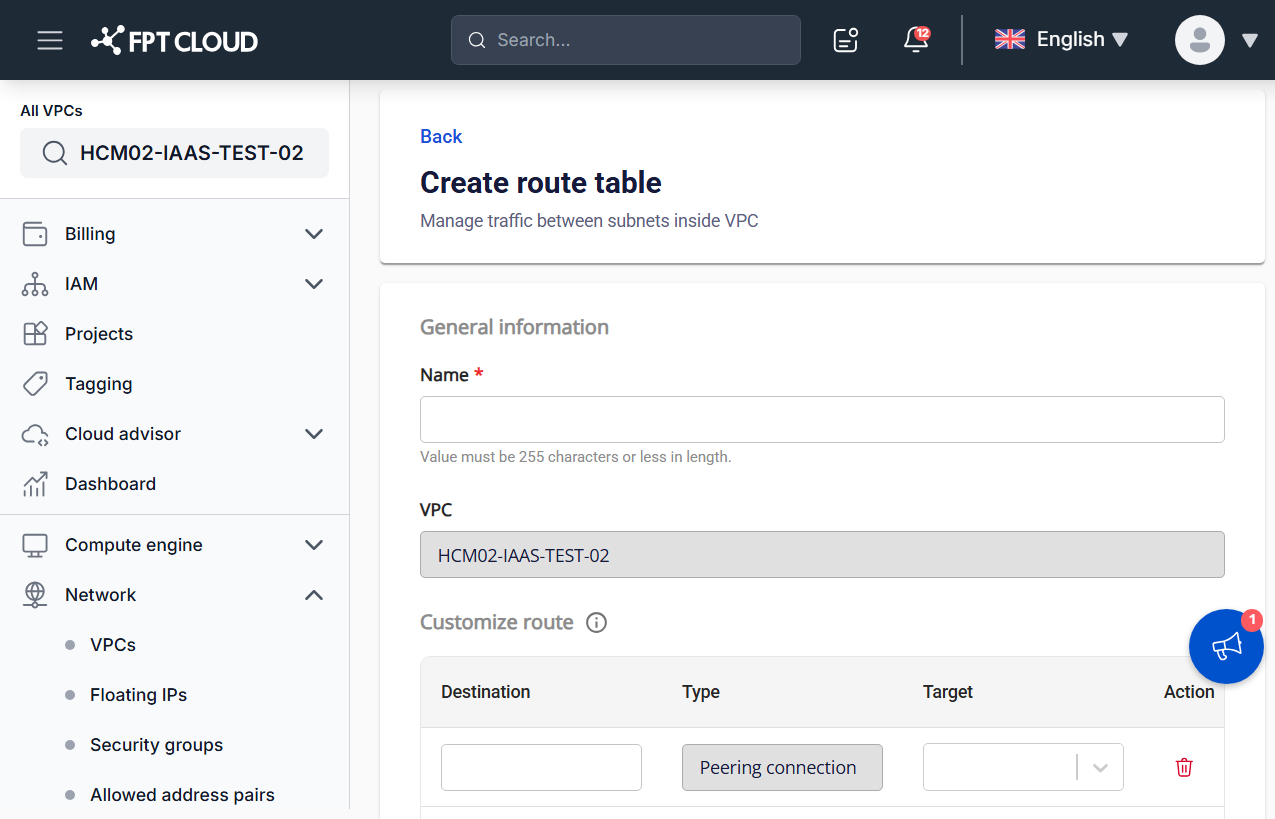
| Field | Description |
|---|---|
| Name | Name of the Route Table, up to 255 characters. |
| VPC | The current VPC. This field is read-only. |
| Destination | The destination Subnet range. |
| Type | The target type. It is fixed to Peering connection and cannot be changed. |
| Target | The Peering connection that traffic is routed to. |
Click Add route to add more rows.
Step 3
Click Create Route table, or Cancel to discard.