Delete Route Table
Delete a Route Table only when you no longer need any peering routes in the VPC.
Step 1
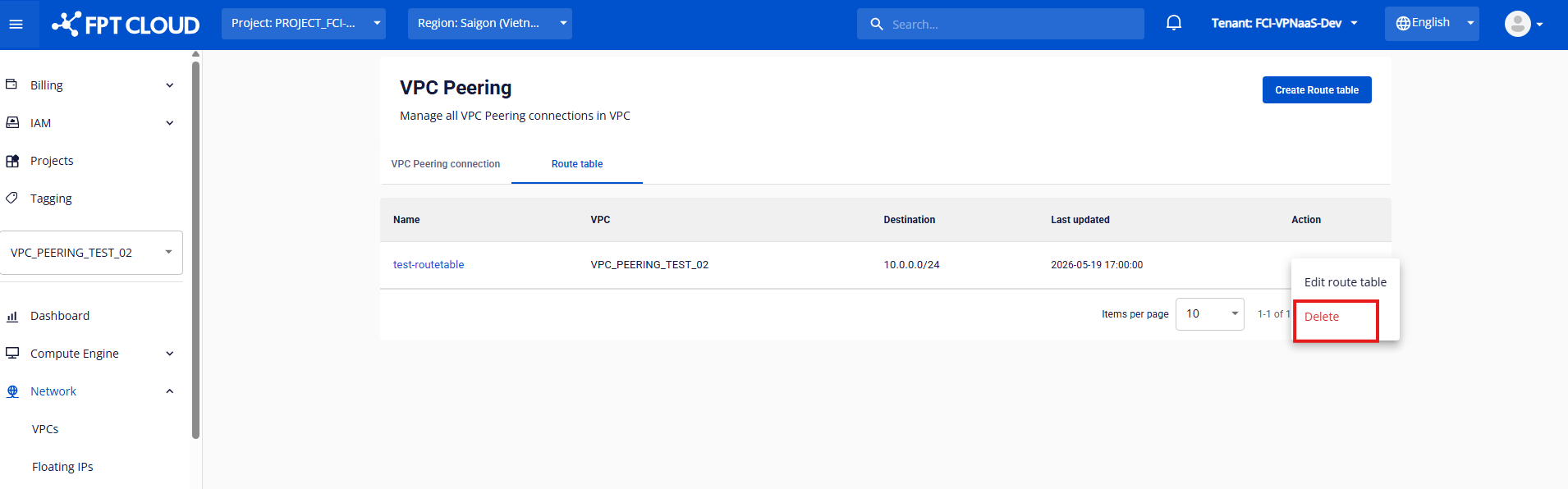
On the Route Table list, click Delete in the Action column of the Route Table.
Step 2
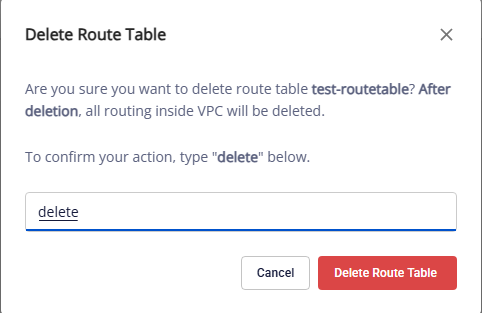
In the confirmation dialog, type delete and click Delete Route Table. Click Cancel to keep it.
danger
Deleting the Route Table removes all routing in the VPC and traffic over the peering connections stops. The connections themselves remain.