Edit Peering Connection
You can change the name and description of an existing connection. The VPC Requester and VPC Accepter cannot be changed.
Step 1
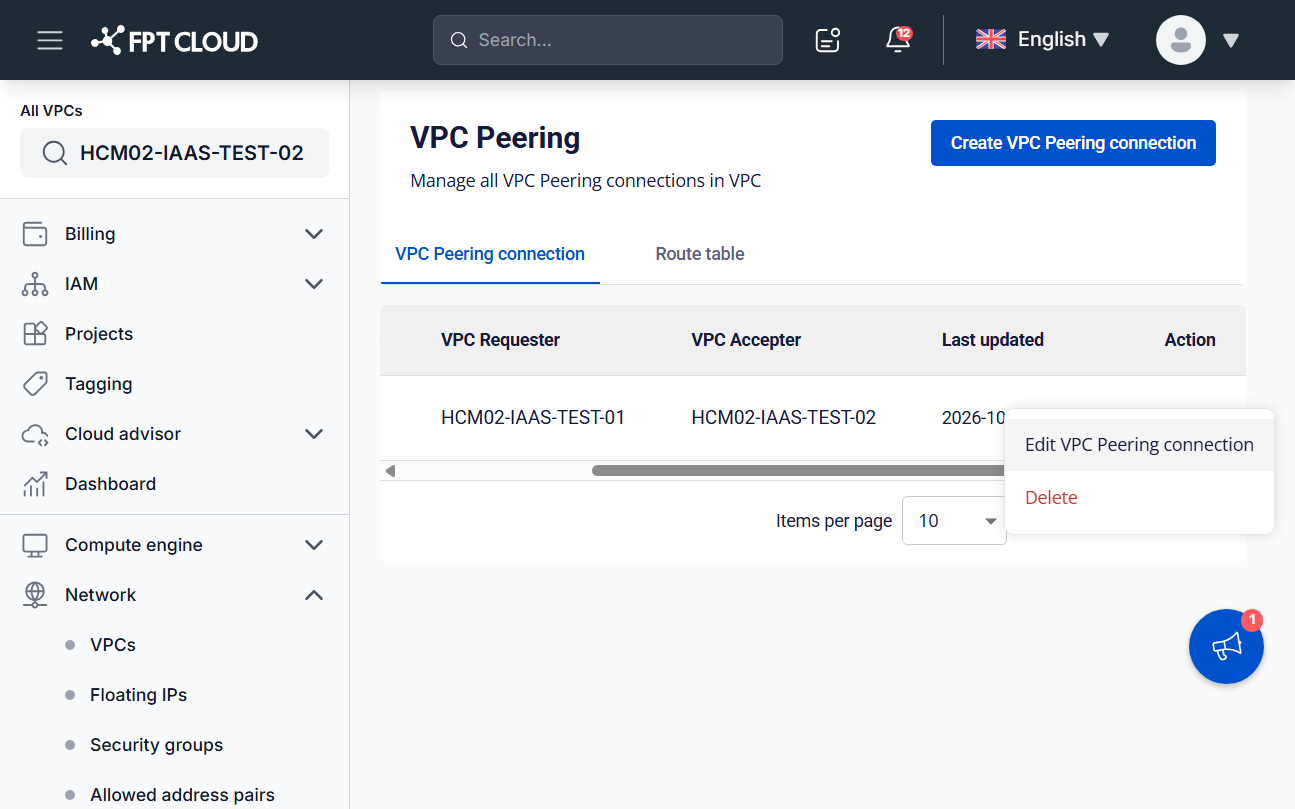
On the VPC Peering connection list, click actions in the Action column of the connection you want to edit, then select Edit VPC Peering connection.
Step 2
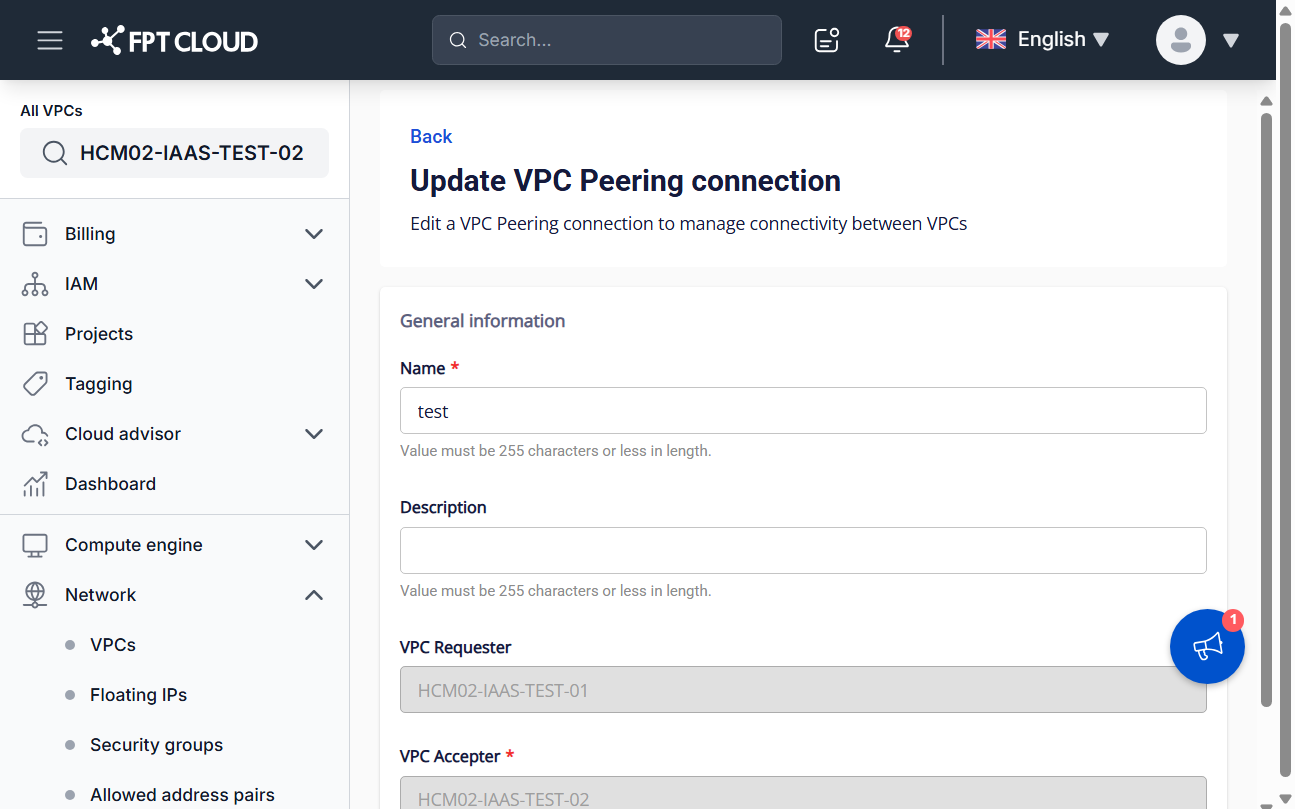
Update the fields you need.
| Field | Description |
|---|---|
| Name | Name of the VPC Peering connection. |
| Description | Description of the connection. |
| VPC Requester | Read-only. |
| VPC Accepter | Read-only. |
Step 3
Click Update VPC Peering connection to save, or Cancel to discard your changes.