Create VPC Peering Connection
Create a VPC Peering connection to let resources in two VPCs communicate privately. The connection needs a VPC Gateway in both VPCs, so set those up first.
Before you begin
- Both VPCs have non-overlapping CIDR ranges and are enabled.
- Quota for VPC Peering connections is still available.
- You can create a VPC Gateway in your VPC. If you cannot, ask your administrator to grant the
ip:Listpermission. See Manage Permissions.
Step 1: Create a VPC Gateway
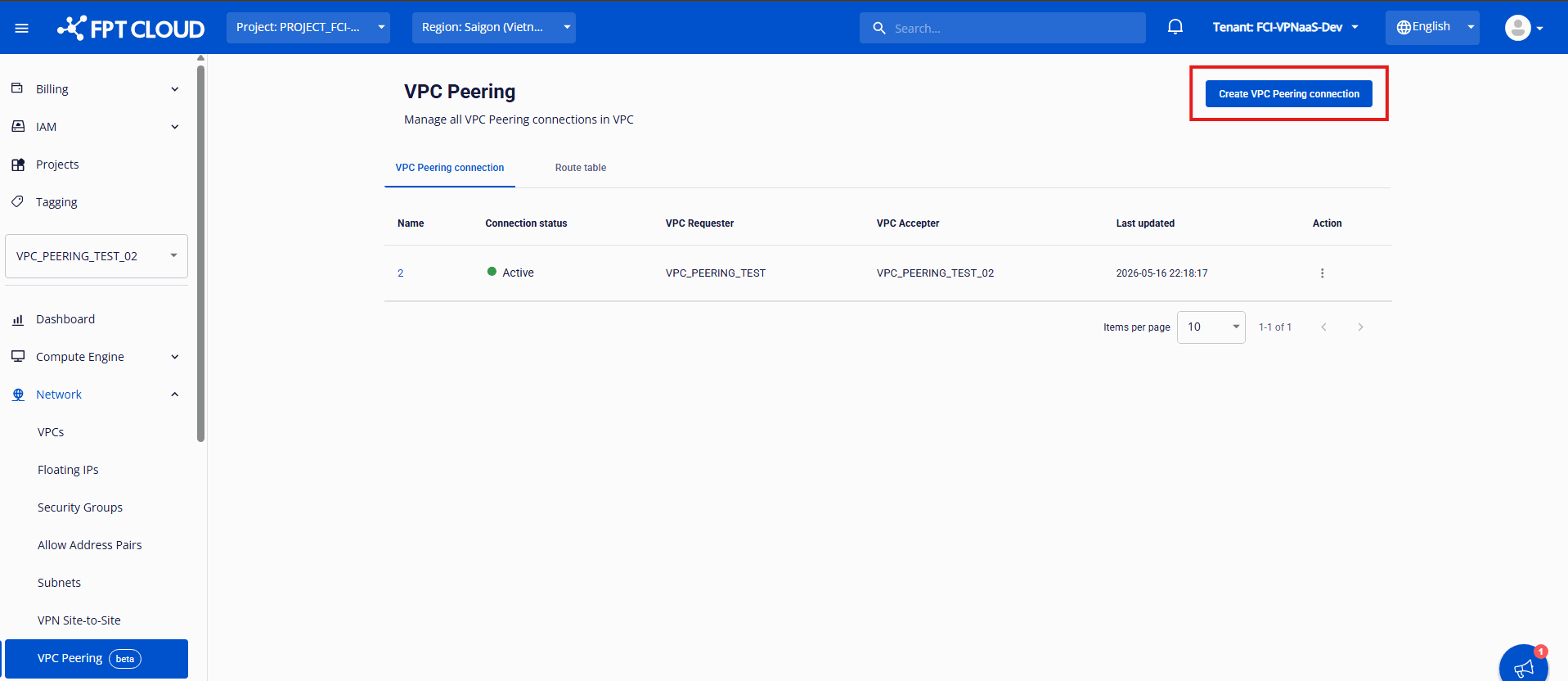
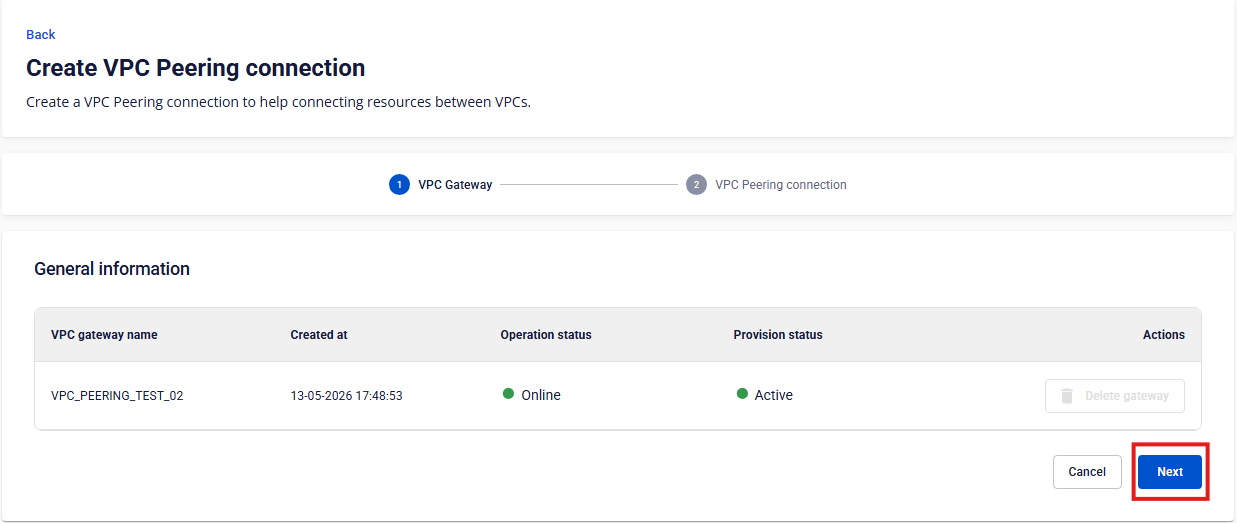
Select Network → VPC Peering, then click Create VPC Peering connection. A two-step wizard opens: VPC Gateway first, then VPC Peering connection. If your VPC does not have a VPC Gateway yet, choose to create one.
When the VPC Gateway shows Operation status Online and Provision status Active, click Next.
Step 2: Enter the connection details
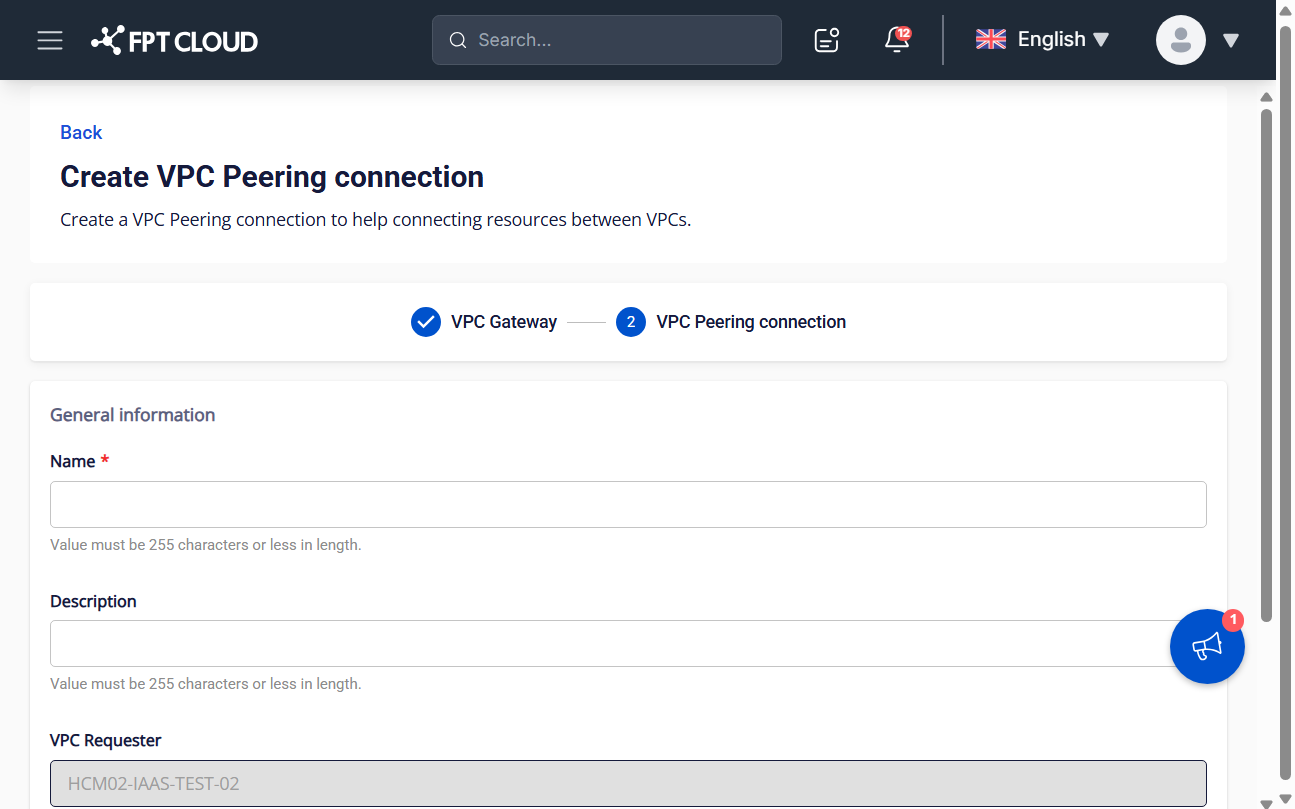
Fill in the fields on the creation form.
| Field | Description |
|---|---|
| Name | Name of the VPC Peering connection, up to 255 characters. |
| Description | Description of the connection, up to 255 characters. |
| VPC Requester | The current VPC. This field is read-only. |
| VPC Accepter | The VPC that accepts the connection. The VPC Accepter also needs its own VPC Gateway. |
Click Create VPC Peering connection.
note
The connection may connect immediately or wait for the VPC Accepter to approve it. See How VPC Peering approval works.
Next steps
- Configure a Route Table once the connection is Active.
- Check connection statuses.