View schedule list and details
Step 1: In the left menu, select Schedule. The Schedule Management screen displays all schedules sorted by creation date (newest first).
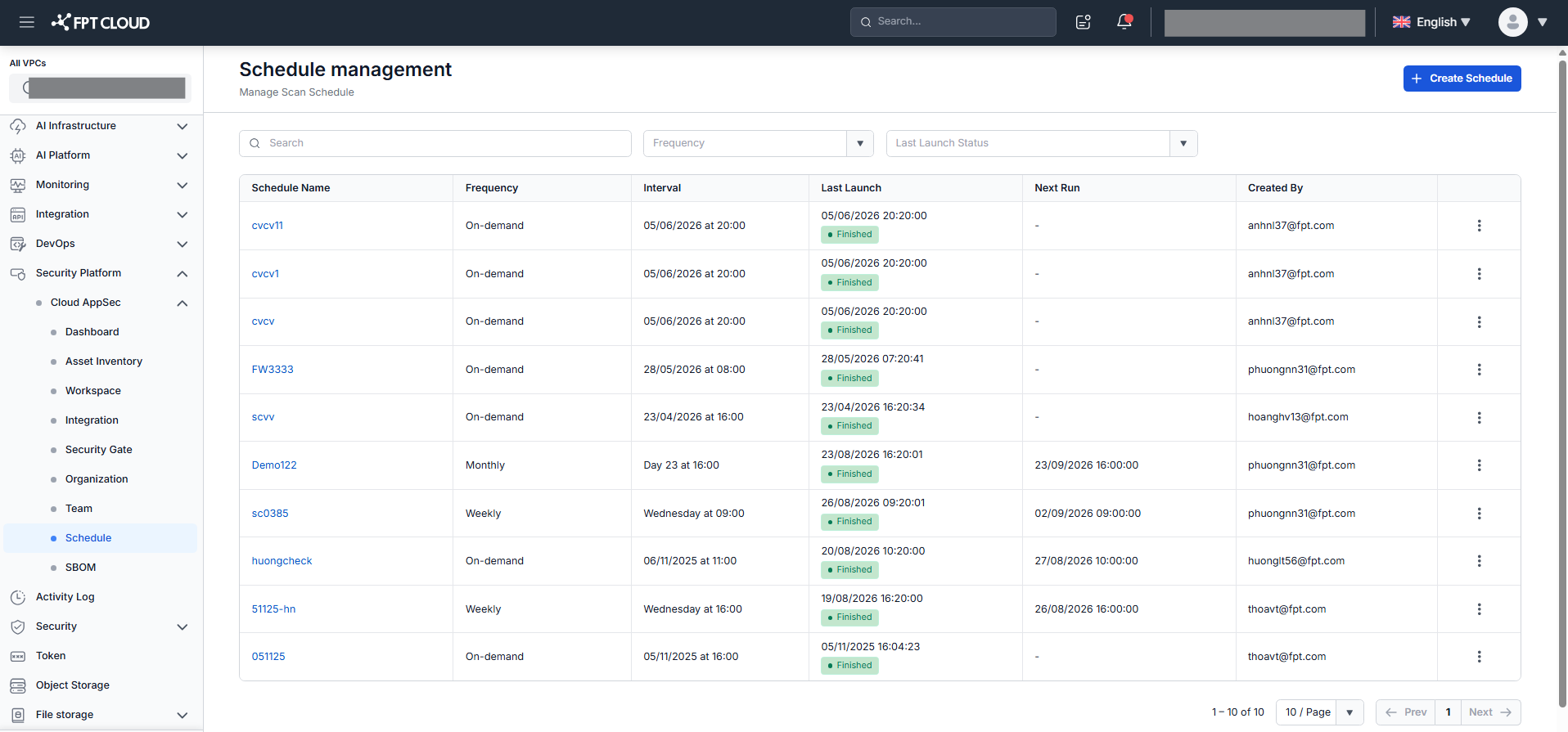
Step 2: Review the columns.
| Column | Description |
|---|---|
| Schedule ID | Auto-incremented identifier assigned by the system |
| Schedule Name | Schedule name — click to view details |
| Frequency | Run frequency: On-demand / Weekly / Monthly |
| Interval | Job run time in "Day + Time" format |
| Last Launch | Most recent run time and status (Running / Success Finished / Failed Error / None) |
| Next Run | Next scheduled run time, or blank if not applicable |
| Created By | User who created the schedule |
| Action | Edit — modify the schedule. Delete — remove the schedule. |
Step 3: Click any schedule name to open the Schedule Detail screen.
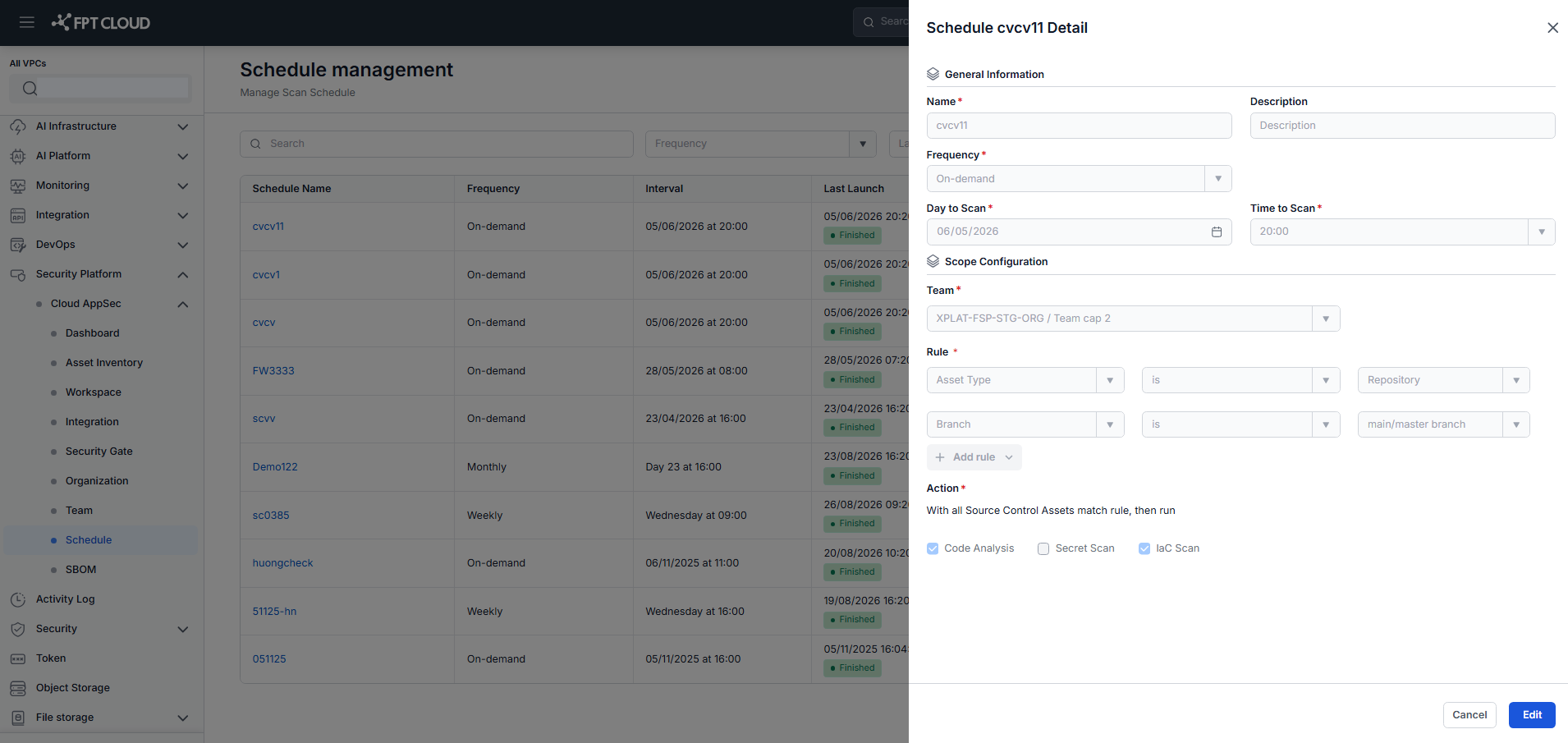
The detail screen shows the same fields as the Create Schedule screen with the current configuration values.